In SimScale, we have a symmetry boundary condition for fluid dynamics and also a symmetry plane boundary condition for finite element analysis. On this page, we will go through both of them.
Symmetry Boundary Condition (CFD)
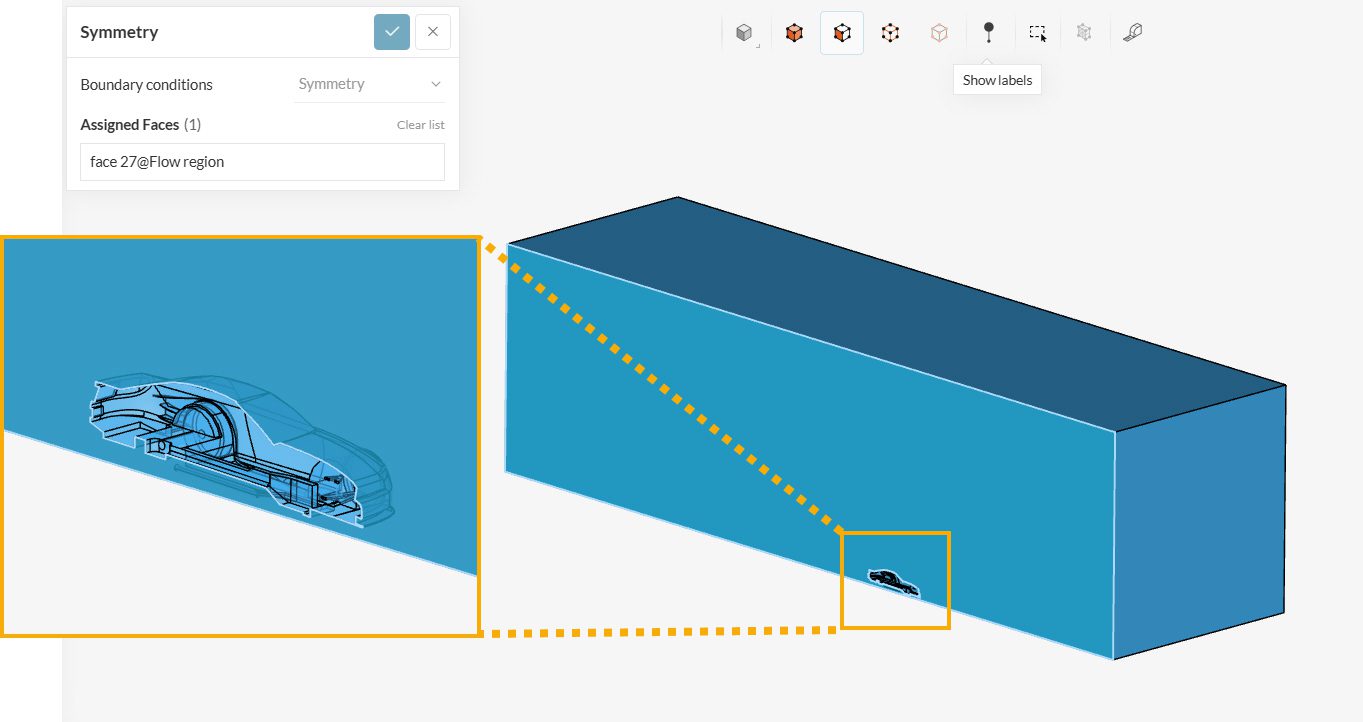
The symmetry boundary condition defines a mirror face/surface. It should only be used if the physical object or geometry and the expected flow field pattern of the developed solution are mirrored along that surface. By using this boundary condition, the domain can essentially be halved, reducing the time to achieve a solution.
In detail, the symmetry condition applies the following constraints on the flow variables:
- The fluxes across the symmetry are zero.
- The normal components of all variables are set to zero.
It can be applied to both planar or non-planar faces/surfaces on the domain boundaries.
Symmetry Plane Boundary Condition (FEA)
This boundary condition is used to apply mirror-symmetry conditions on a structure.
It can be applied to faces of a structure and no other user input is needed. If a symmetry plane condition is applied to a face, the displacement of this face is locked in a normal direction but free to slide in tangential directions.
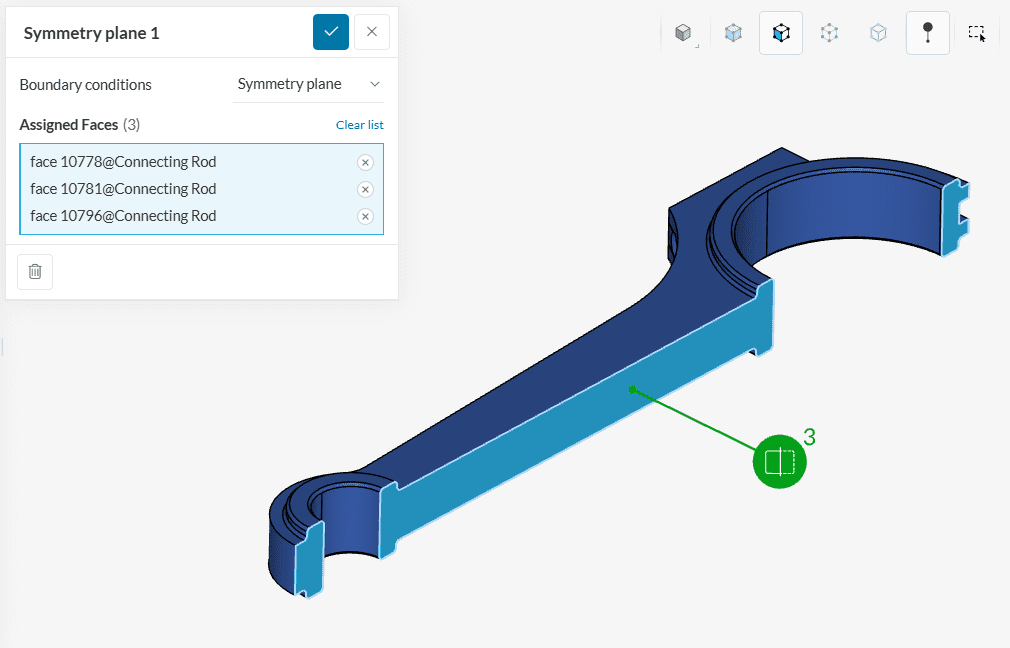
It is often of interest to have the symmetry planes normal to one of the cartesian global directions (x, y, or z), as it allows for more control in the post-processor.
Did you know?
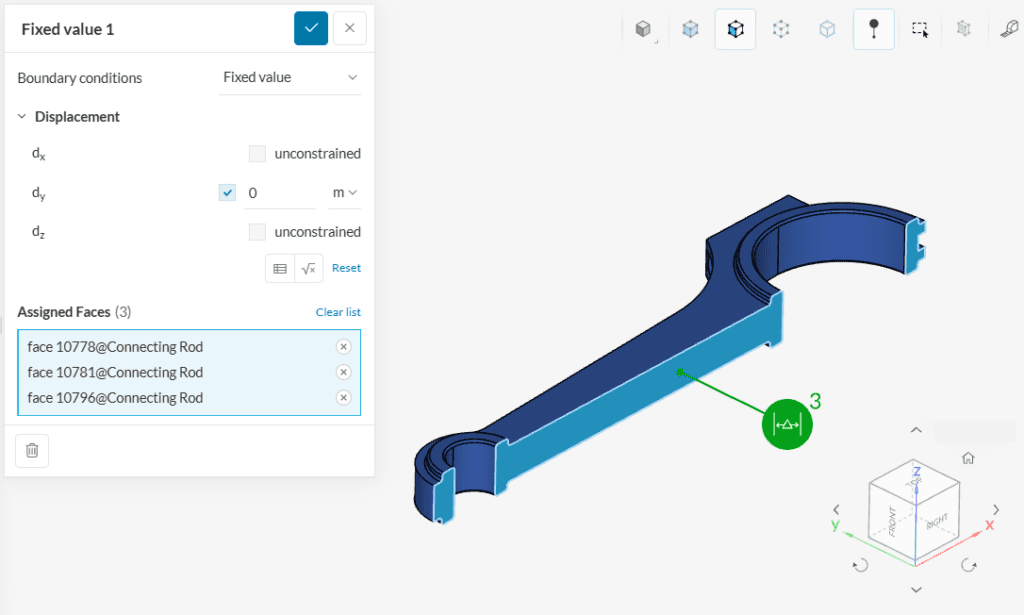
You can achieve the same behavior of a symmetry plane with a fixed value boundary condition, blocking the motion normal to the plane and leaving the other directions unconstrained. Using the same example from Figure 2, we would have: