Valve Simulation Software
Optimize valve design faster with cloud-native CFD, FEA, and thermal analysis
From pressure drop prediction to cavitation risk assessment, simulate every aspect of valve performance directly in your browser, without hardware or installation.
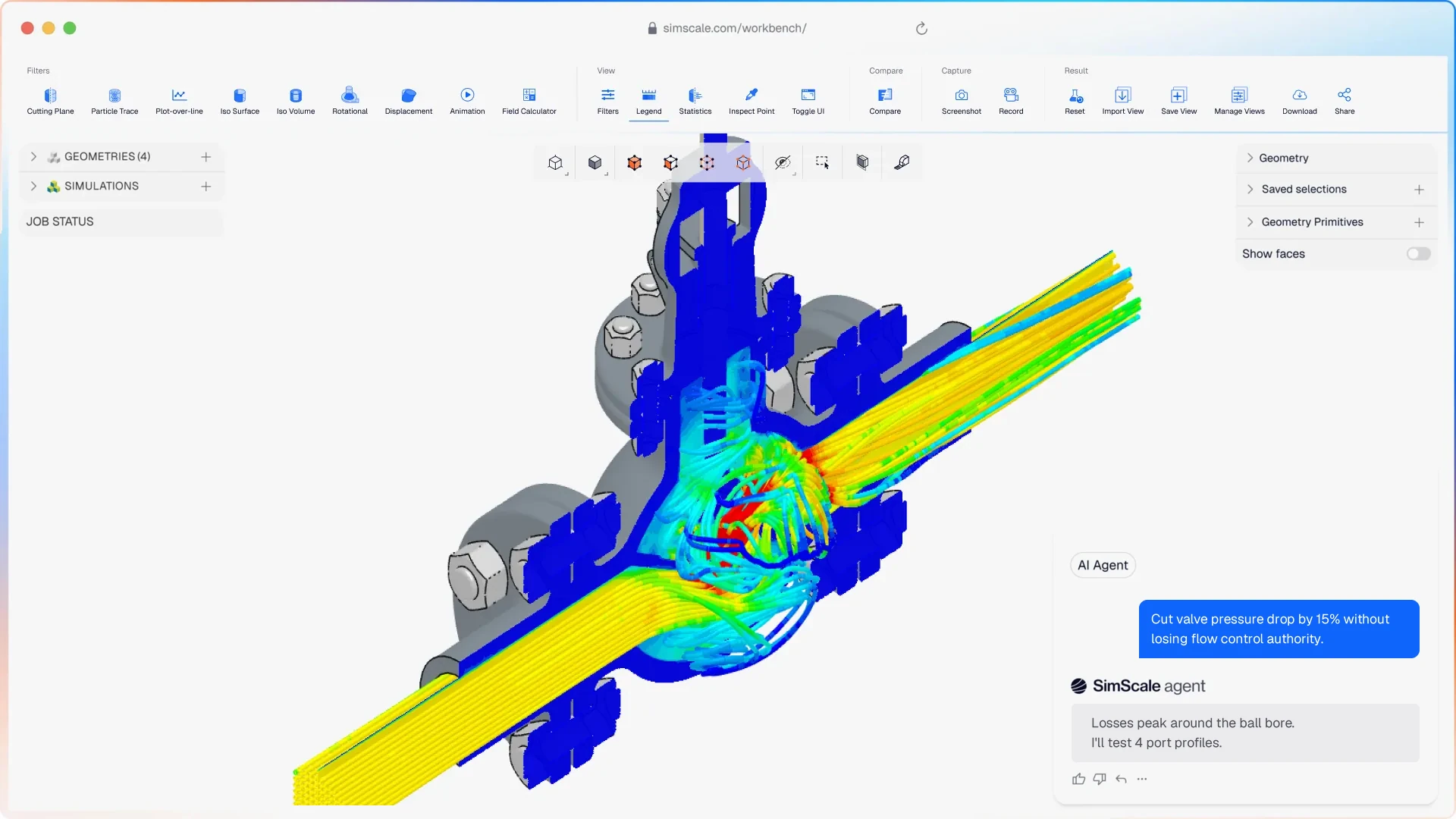




Prototype testing finds valve failures late. Fixing them is costly. SimScale lets valve and fluid system engineers simulate in the cloud, predicting Cv curves, identifying cavitation zones, and validating pressure ratings in hours, not weeks.
Valve simulation that covers your full design challenge
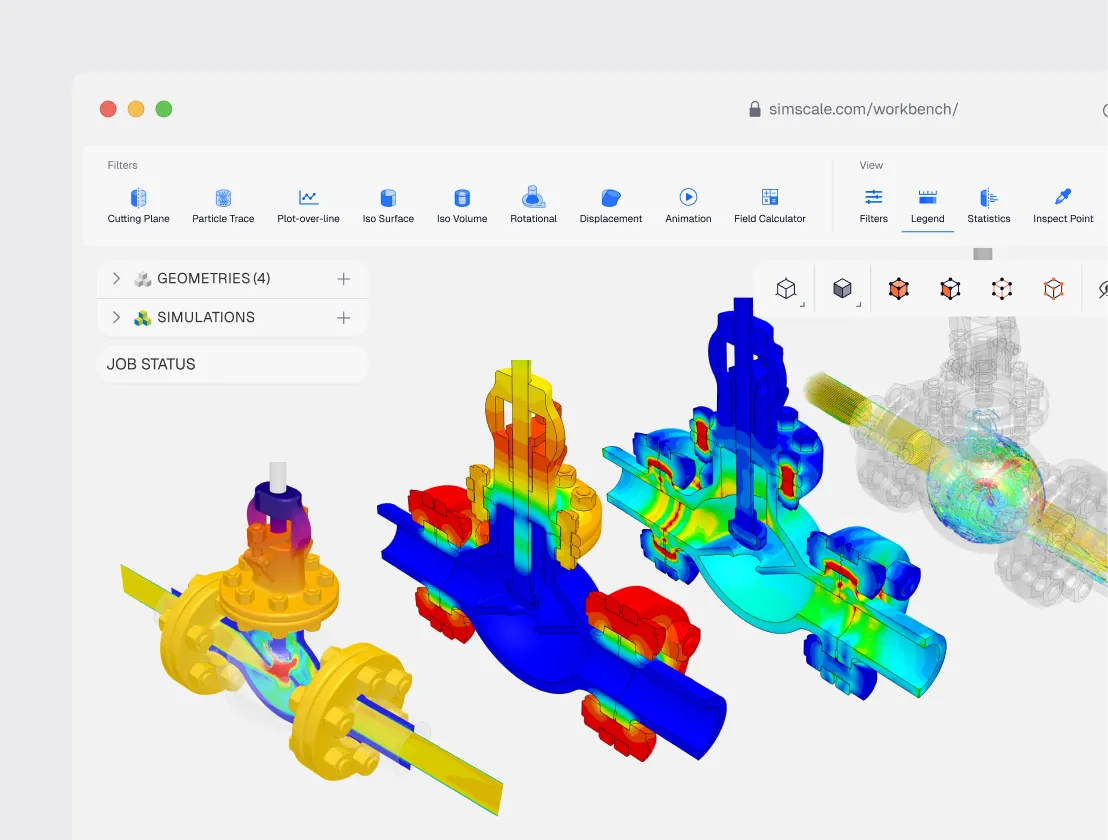
All the physics valve engineers need
Simulate internal flow, structural integrity, and thermal behavior for any valve type — ball, gate, globe, butterfly, or control. Quantify pressure drop, plot Cv curves, identify cavitation risk, and validate structural ratings from one CAD model.
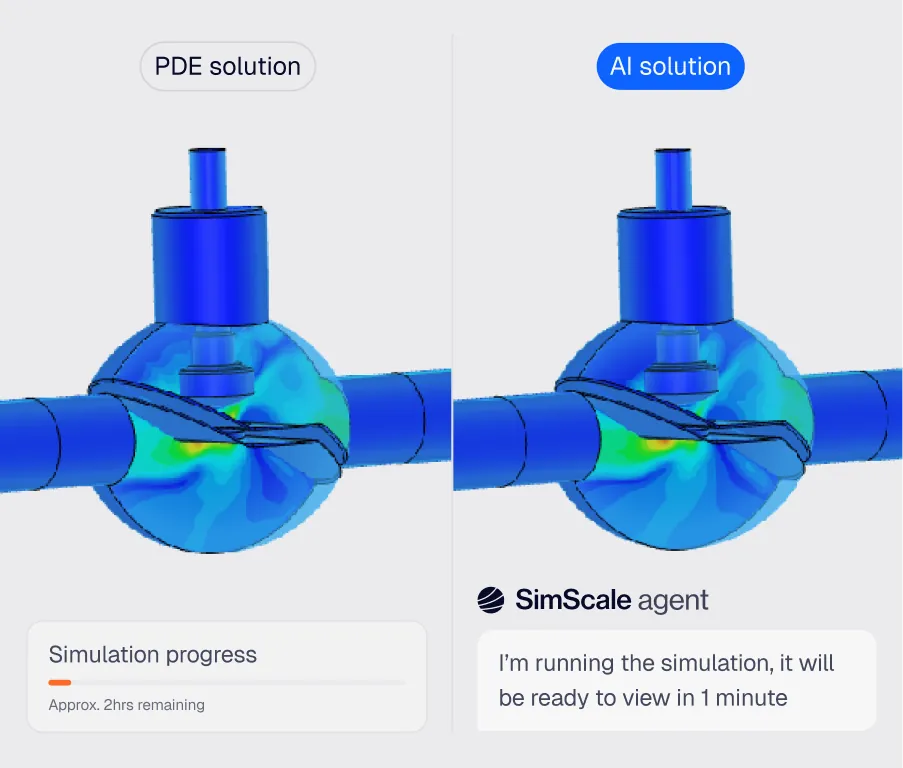
AI-native valve design optimization
Physics AI predicts flow performance in seconds across dozens of valve geometries before committing to full CFD. Engineering AI automates meshing for complex internal flow geometries, compressing the design cycle from weeks to days.
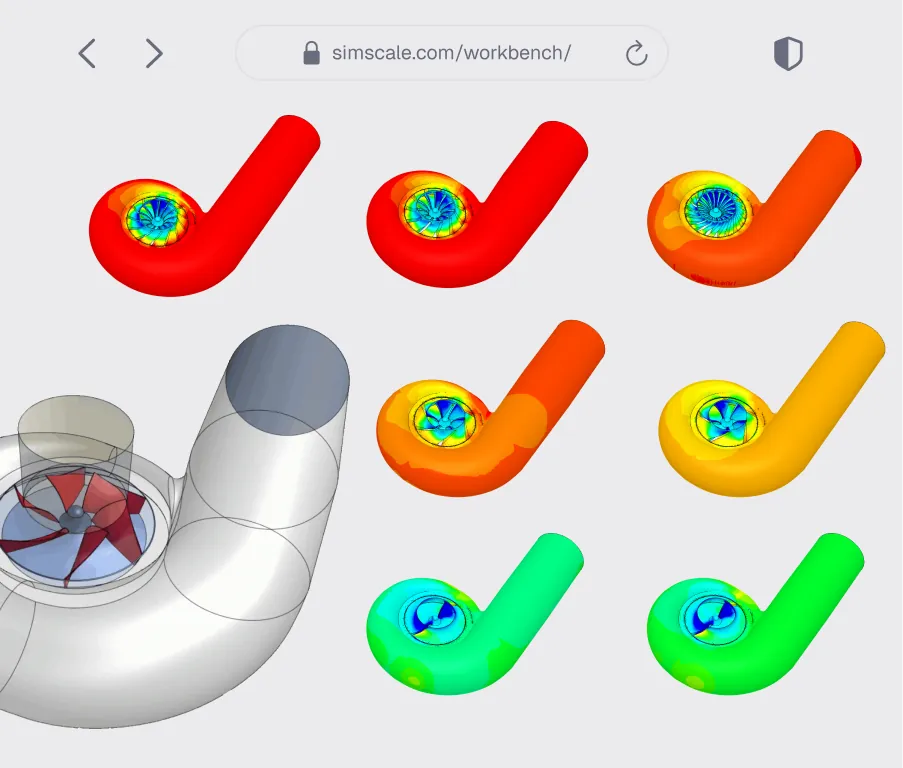
Cloud benefits — more variants, faster
Import from any standard CAD format and run full Cv curve sweeps across multiple valve positions simultaneously. Batch-test a complete valve family in a single session and share results with your team in real time.
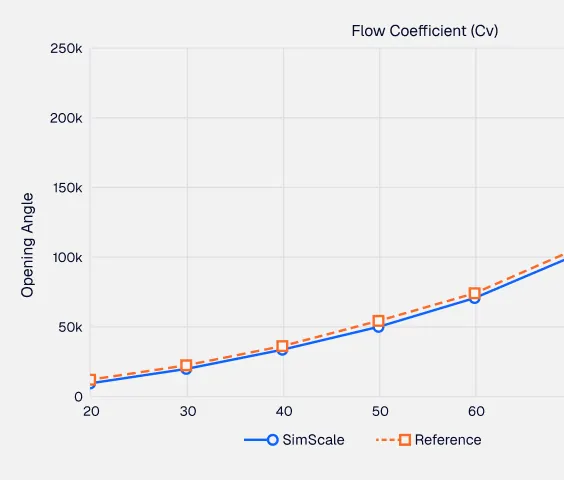
Pressure drop & Cv curves
Run multiple opening positions in parallel to automatically generate full valve performance curves. Quantify pressure drop and flow coefficient across the complete operating range in minutes.
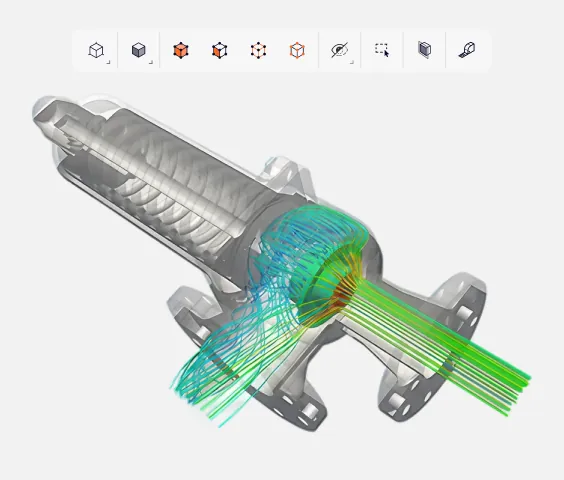
Cavitation risk prediction
Identify high-velocity, low-pressure zones where cavitation will occur before it damages hardware. Optimize trim geometry and flow path to eliminate risk and extend valve service life.
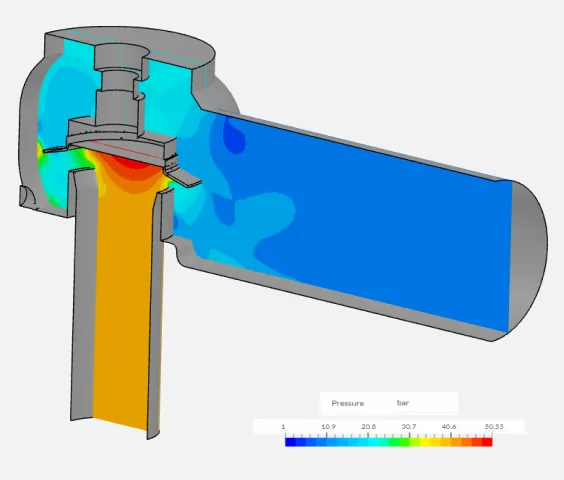
Water hammer & transient analysis
Simulate sudden valve closure and transient pressure waves to quantify water hammer risk. Optimize actuation speed and geometry to protect downstream equipment and ensure system stability.

38%
improvement in valve efficiency
“SimScale has allowed us to save extensive time and resources by enabling rapid design changes and evaluating their effectiveness in a simulated environment. Creating small updates and testing their effect in a CFD simulation allows us to create a more finished prototype for physical testing. Instead of waiting for prototypes to be made and shipped here multiple times, SimScale lets us take weeks off of our production schedule and has accelerated the rate of innovation in our team.”
Jackson Kamedulski — R&D Engineer at Metraflex

80%
reduction in pressure drop
“Reduction of pressure drop by 80%, putting the valve within the desired operating range — while moving the cavitation risk zone away from the wall.”
Diinef Design Team

35
mesh configurations tested
“With the simulations done on SimScale, we characterized the valve (original goal), and gained much greater insight into the interaction between the valve and the fluid at each valve position. This will help us provide a better analysis in the future. SimScale has proved to be for the firm a flexible and scalable tool, which was critical for a HUBZone firm like ours.”
EJ Consulting Engineering Team
Related resources
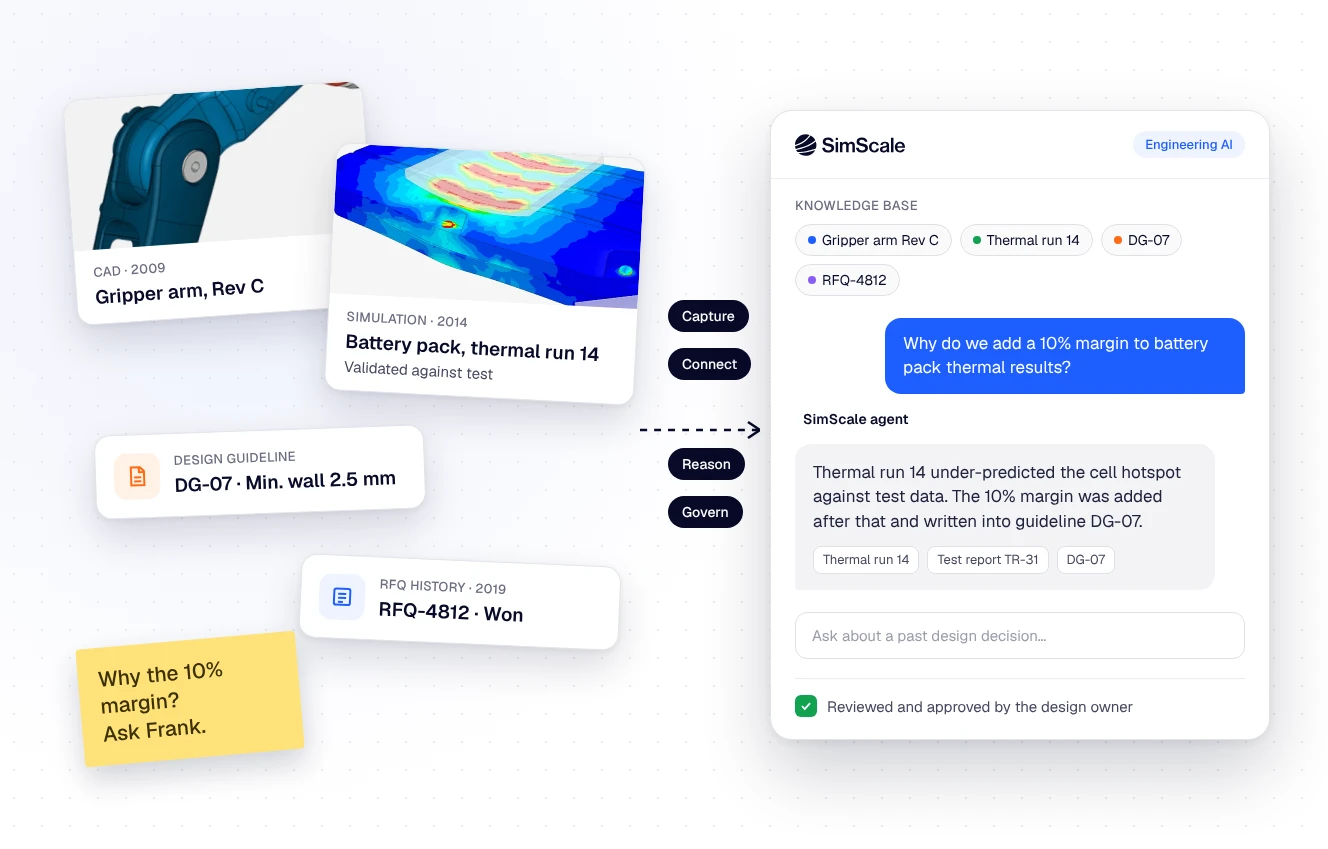
Tribal knowledge in engineering: how to capture 40 years of design decisions before they walk out the door
What tribal knowledge is, where it hides in engineering teams, and a five-step method to capture design decisions as validated, traceable context for AI agents.

Peter Selmeczy
November 2, 2026
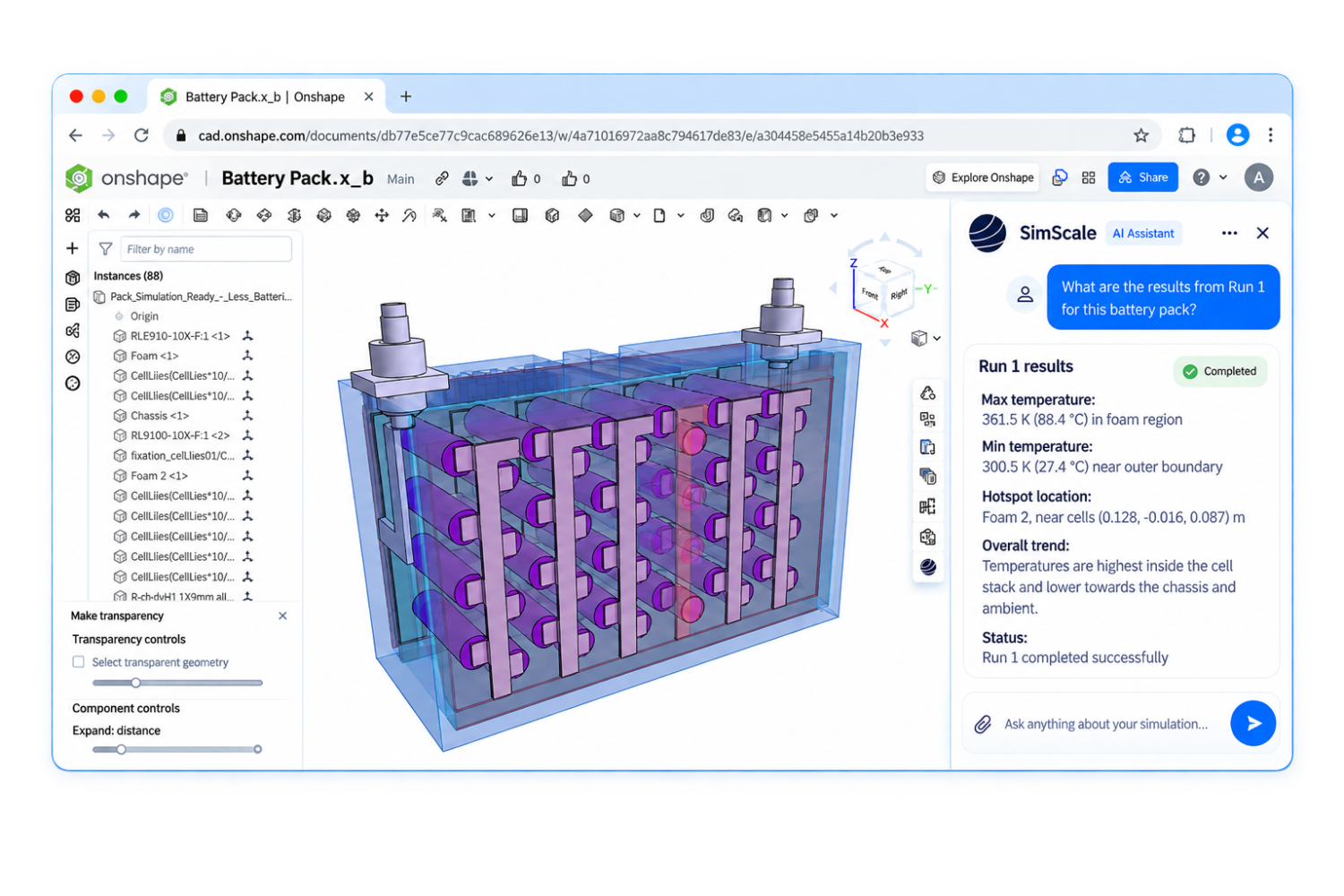
Text to CAD to simulation and optimization for manufacturing
Why text to CAD falls short for manufacturing, how the Onshape FeatureScript MCP turns prompts into reusable parametric tools, and how the SimScale agent tests them.
Peter Selmeczy
October 30, 2026

What 1,000 engineers at Agentic Unlocks told us about AI
Live poll results from Agentic Unlocks: only 1 in 20 engineering teams are scaling AI, plus practitioner advice for every stage of adoption.

Alex Graham
October 23, 2026



Luis Goncaves
August 4, 2026
Luis Goncaves
June 18, 2026
Luis Goncaves
January 27, 2026

Steve Lainé
October 28, 2026
Steve Lainé
October 9, 2026

Peter Selmeczy
September 28, 2026
Peter Selmeczy
July 9, 2026
Peter Selmeczy
March 24, 2026

Peter Selmeczy
September 10, 2025
Peter Selmeczy
September 23, 2026

jwebster
September 15, 2026
SimScale supports CFD, FEA, and thermal simulation for all standard valve types, including ball, gate, globe, butterfly, and control valves. You can simulate internal flow, structural response to pressure loads, and thermal behavior from a single CAD import — across the full range of operating positions.
SimScale allows you to run multiple valve opening positions in parallel using cloud compute. Each position yields a pressure drop result, and the flow coefficient (Cv) is extracted across the full operating range. A complete Cv curve can be generated in a single simulation session rather than running positions sequentially.
Yes. SimScale's Multi-purpose solver includes a validated cavitation model that identifies high-velocity, low-pressure zones where vapor formation is likely. You can visualize vapor mass fraction across the valve geometry and optimize trim and flow path design before hardware commitment.
Yes. SimScale supports transient CFD simulation of sudden valve closure events, allowing you to quantify pressure wave propagation, peak pressure spikes, and system impact. You can evaluate actuation speed sensitivity and geometry modifications to protect downstream equipment and piping systems.
SimScale supports all major CAD formats including STEP, IGES, STL, Parasolid, and native formats from SOLIDWORKS, Autodesk, and others. Import your valve geometry directly from your CAD tool and begin meshing and simulation setup in the browser — no local software installation required.