This article covers how Engineering AI credits work in SimScale, and how you can monitor your quota.
What are AI Credits?
AI credits represent a quota that gets consumed while interacting with SimScale’s Engineering AI tool. After creating an Engineering AI conversation, you may expand the Settings tab and select an LLM Model for that interaction:
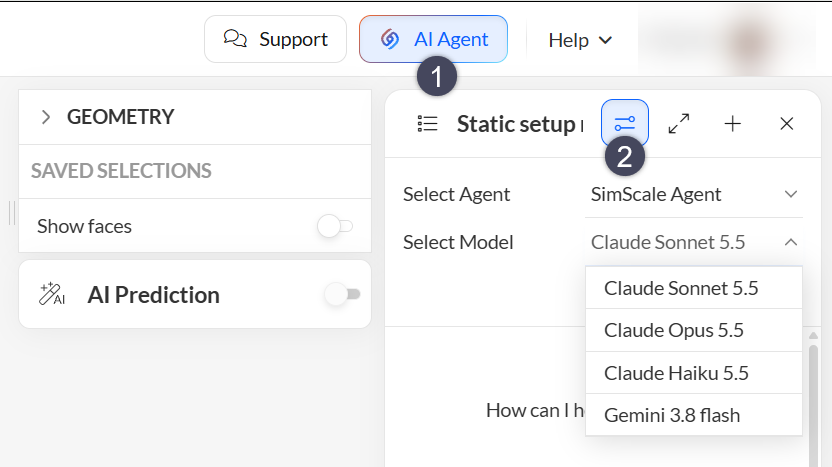
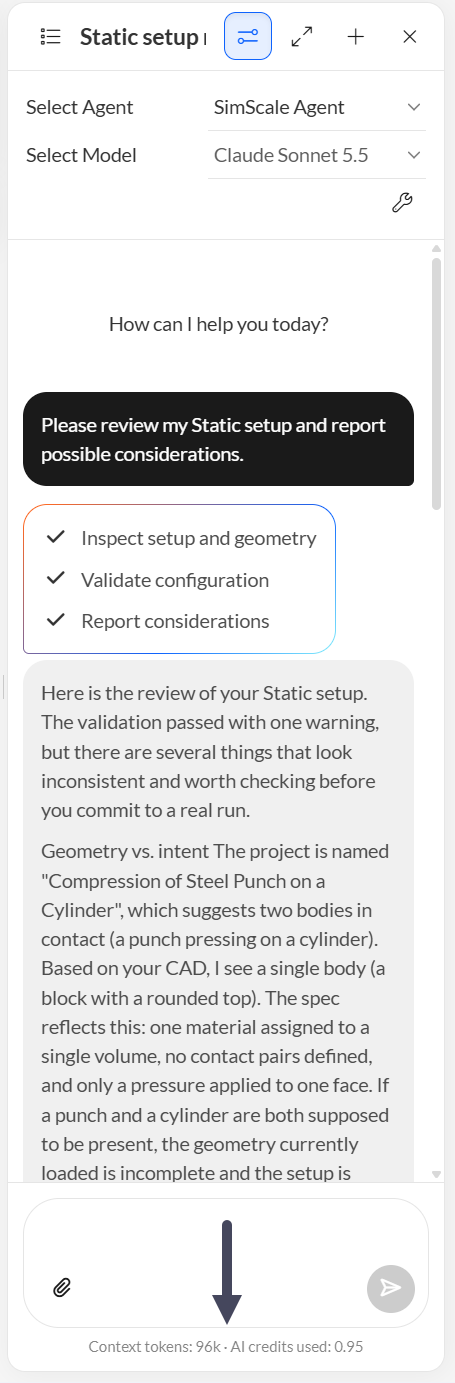
After submitting your prompt, the agent consumes tokens (input, output, cache read/write) and, depending on the model that you select, these tokens will incur an AI credits cost.
For each conversation, you may find the amount of tokens and the corresponding AI credits cost at the bottom of the chat:
Checking Available Quota and Conversion Rates
For users with a Community Plan, SimScale offers 4 AI credits per year for you to test the tool. Furthermore, admins from professional organizations that purchased access to Engineering AI may check your current AI credits quota by navigating to the Organization Settings.
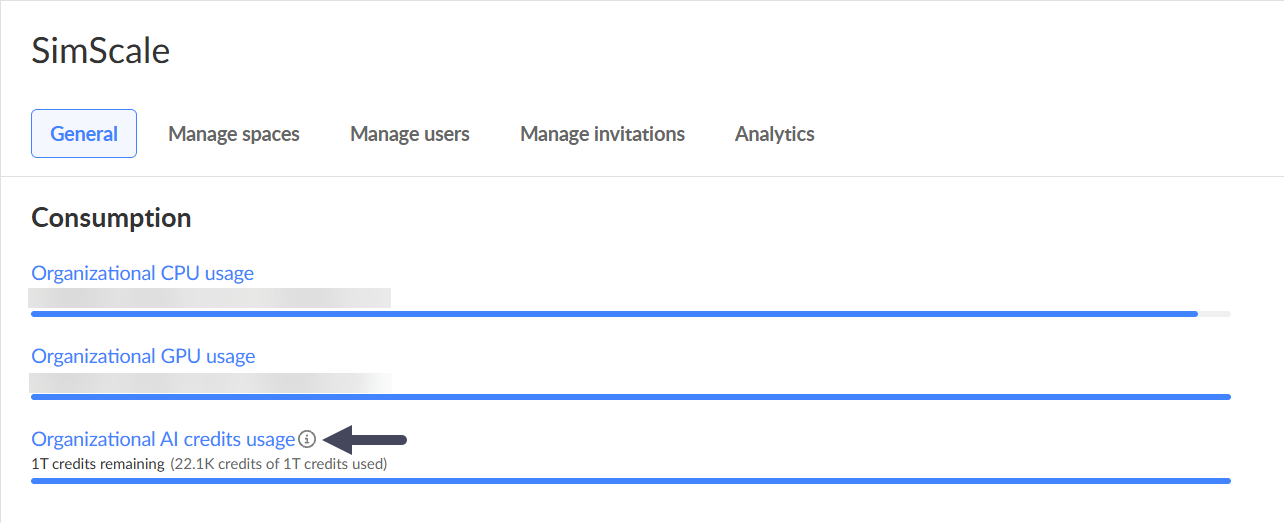
In the image above, if you click on the information icon highlighted by the arrow, you will find a conversion table between input, output, cache read/write tokens and AI credits. In each Engineering AI conversation, we display both the number of tokens and the respective AI credits consumption, as shown in Figure 2.
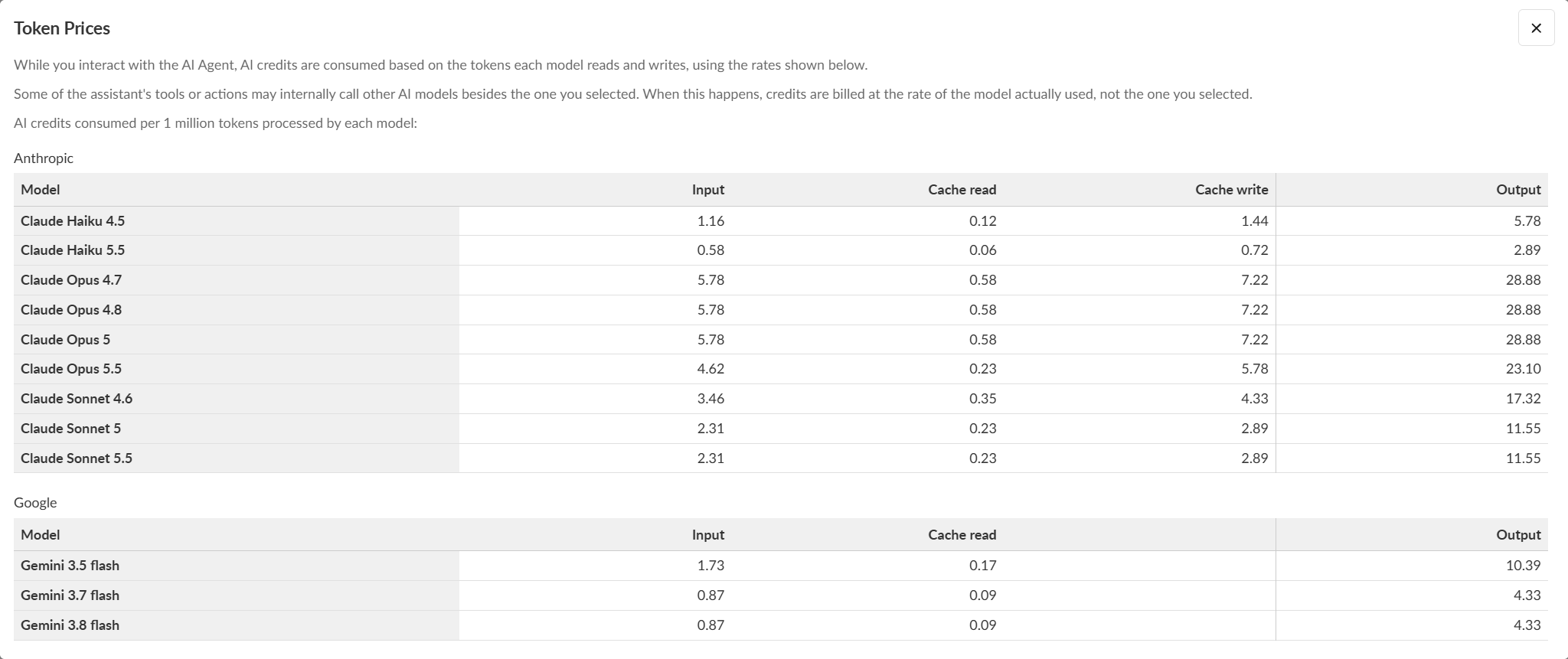
For that reason, when running Engineering AI in SimScale, selecting a model that is appropriate for the task may save AI credits.
For example, the Claude Opus models are more expensive but tend to show better results for intricate workflows, involving CAD operations and parametric studies. The Claude Sonnet models have an intermediate cost and are good for general use. Haiku and Gemini are cheaper options that work well for simple tasks, such as short questions or probing the documentation.
Note
In case you run out of AI credits and want to purchase more, please get in touch with the Customer Success Manager associated with your account.