
Ray is SimScale’s 24/7 AI Chat Support Assistant, available directly inside the SimScale platform. It is designed to give you immediate answers to simulation questions at any time of day, without having to wait for a human support engineer. This article explains what Ray can help with, how to get the best results from it, and when to escalate to a human engineer instead.
What is Ray AI Support?
Ray is an AI assistant built into the SimScale in-platform support messenger. It has been trained on SimScale’s complete documentation library, simulation best practices, and the most frequently encountered issues and workflow questions across all analysis types. This makes it well suited for answering questions about simulation setup, features, and common errors — without needing to open a support ticket or wait for a response.
Note:
Ray is SimScale’s AI support chat assistant and is separate from the Engineering AI available in the Workbench. Ray handles support and documentation questions through the in-platform messenger. The Engineering AI assists with simulation setup and analysis directly inside the simulation tree. See the section below for a full comparison.
How to Access Ray AI Support
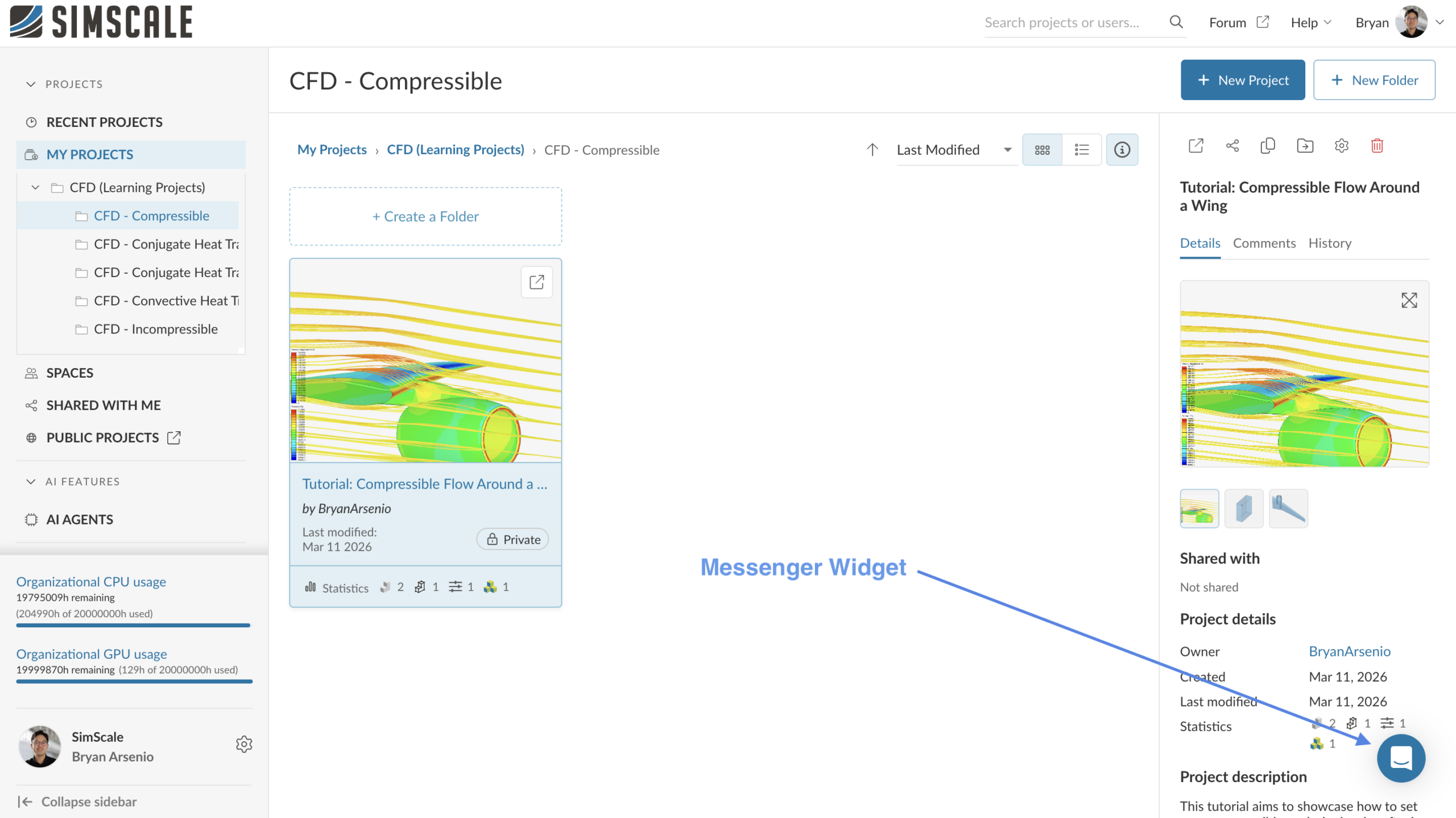
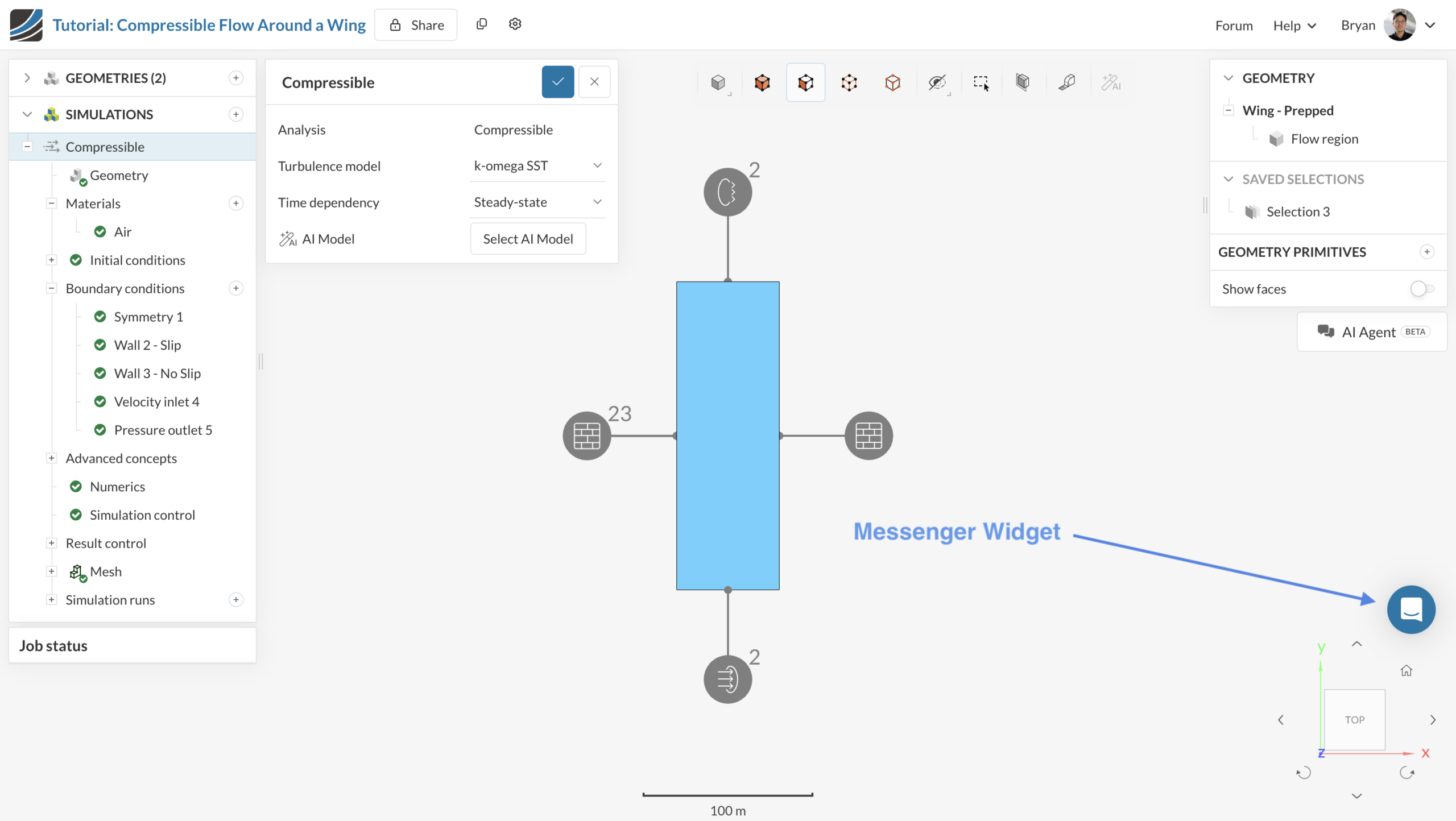
Ray is available in the support messenger that appears in the bottom-right corner of the SimScale platform. To start a conversation:
- Open any page inside the SimScale platform.
- Click Send us a message in the bottom-right messenger widget.
- Type your question. Ray will respond immediately.
Ray is available around the clock, so you can use it at any point during your simulation workflow — including while your simulation is running or when reviewing results.
What Ray AI Support Can Help With
Ray is most effective for the following type of questions:
- Simulation setup – example: “Which analysis type should I use? How do I set up a rotating zone? What turbulence model is appropriate for my case?”
- Feature how-to – example: “How do I add a result control item? How do I create a mesh refinement region? Where do I configure convergence criteria?”
- Error troubleshooting – example: “What does this error message mean? Why did my simulation diverge? My mesh generation failed — what should I check?”
- Error snapshot – example: Share a screenshot of an error message or log output and ask Ray to explain or suggest a fix.
- Documentation lookup – example: “Where can I find the documentation for physical contacts? What boundary conditions are available for Conjugate Heat Transfer?”
What Ray AI Support Cannot Help With
Ray is not connected to your SimScale account or projects. It cannot read your simulation settings, inspect your mesh, access your boundary conditions, or review your results. For this reason, Ray is well suited to general troubleshooting guidance but cannot diagnose issues that require looking at your specific project data.
Important
Ray cannot access your project or simulation settings. If your question requires reviewing your specific setup — for example, why a particular boundary condition is producing unexpected results — escalate to a human support engineer who can log into your project directly.
Tips for Getting the Best Result
Ray works best when your question is specific and provides enough context for it to give a useful answer. The following practices will help you get more accurate and actionable responses:
- State the analysis type. For example: “I’m running a Conjugate Heat Transfer simulation and…” gives Ray the context it needs to give a targeted answer.
- Include the exact error message. Copy and paste the full error text from the simulation log or event feed rather than paraphrasing it. Ray is trained on common SimScale error messages and will recognize them more reliably when they are quoted exactly.
- Share a screenshot when relevant. For visual issues — such as a mesh problem or an unexpected result pattern — attach a screenshot to the chat. Ray can interpret error snapshots and UI state.
- Ask one question at a time. If you have multiple questions, start with the most important one and follow up after Ray has answered it. Compound questions may produce incomplete responses.
- Follow up if the answer is unclear. Ray maintains context within the same conversation. If the first response does not fully address your question, ask Ray to clarify or go deeper on a specific point.






