
Error
Multiple bodies with material assignments were detected. Because this is a single region simulation, only a single body may be assigned a material. Please review your material assignments and leave only the flow volume with a material.
What Happened?
The platform detected a multi-region mesh for non-CHT (non-conjugate heat transfer) CFD simulations.
What Could Be the Possible Reason?
For non-CHT simulations, multiple bodies are not allowed, unless the additional bodies will be used as advanced concepts.
What Can I Do Now?
The most common cause for this error in non-CHT simulations is the lack of a flow volume extraction operation. Please note that non-CHT analysis types are single-region analysis. Therefore, they only require the flow volume to run correctly.
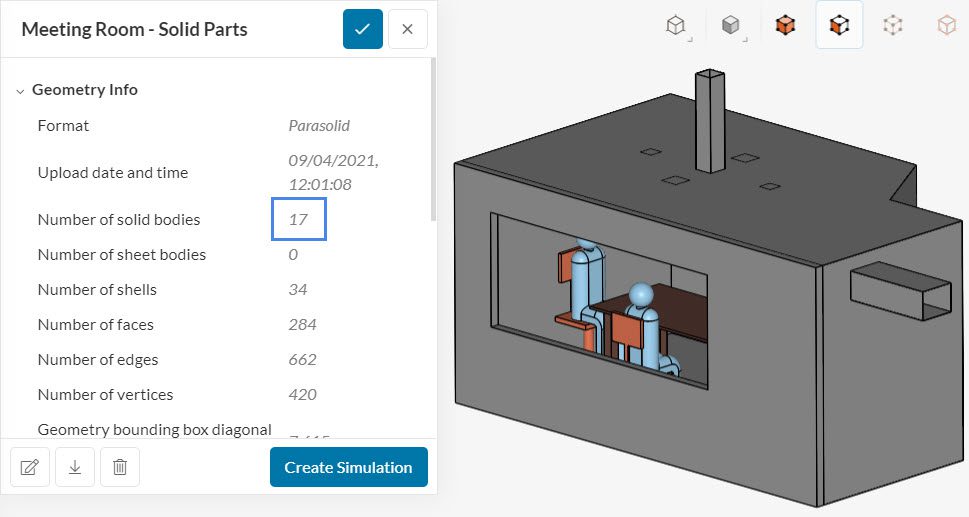
Taking a meeting room as an example, if we attempt to run an incompressible analysis with the following geometry, it will fail. The geometry consists of the solid parts, which is not intended for non-CHT simulations:
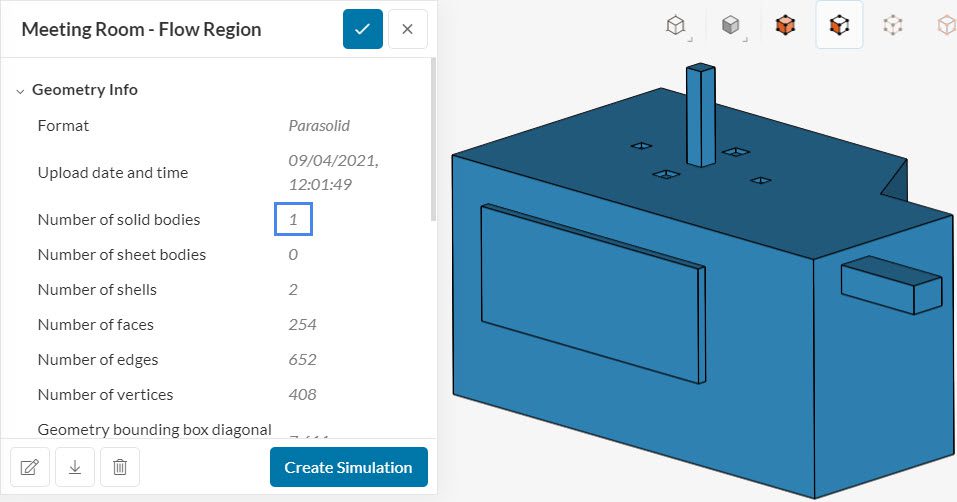
To make this geometry appropriate to run a simulation, we need to create the flow volume and delete the solid parts. Figure 2 shows the resulting geometry for the meeting room, after following the outlined steps:
In case you are in doubt about the flow volume creation process, please visit this tutorial for a more in-depth guide.
A second common cause is related to the Advanced concepts. For single-region analysis, we may intentionally have more volumes when we are modeling advanced concepts:
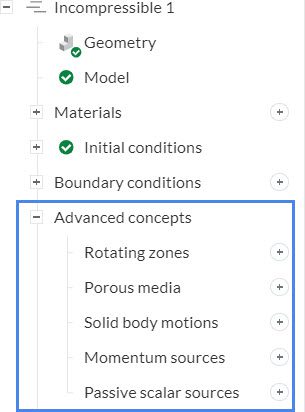
If the user forgets to create a cell zone and assign it to an advanced concept, it will result in a multi-region mesh error when running a simulation.
Important Information
If none of the above suggestions solved your problem, then please post the issue on our forum or contact us.