Documentation
Getting started with engineering simulation can be difficult at times. We at SimScale try our best to help and support you along the way. The following resources are a great way to start:
SimScale offers live support to its Professional and Enterprise users via the in-platform chat function.
In the bottom-right corner of the Workbench, you’ll find an icon  to open a new chat session with SimScale. One of our support engineers will be happy to assist you – we usually reply within 10 minutes during business hours.
Our support hours vary depending on your region:

In order to provide assistance with your project, it’ll most likely be required for you to share your project with support, so that our engineers can view your project and evaluate how we can best support you.
Holiday notice
Support hours might vary depending on whether it’s a holiday for our employees or they are at a team event. A warning message will appear in the chat for such cases.
Here’s an overview of the professional support available to SimScale customers:
SimScale also offers several options for supporting our Community and Academic userbase, including:
The Community Forum is a great place to engage with fellow users and simulation experts. Search by topics of interest, post queries or join conversations to share your ideas.
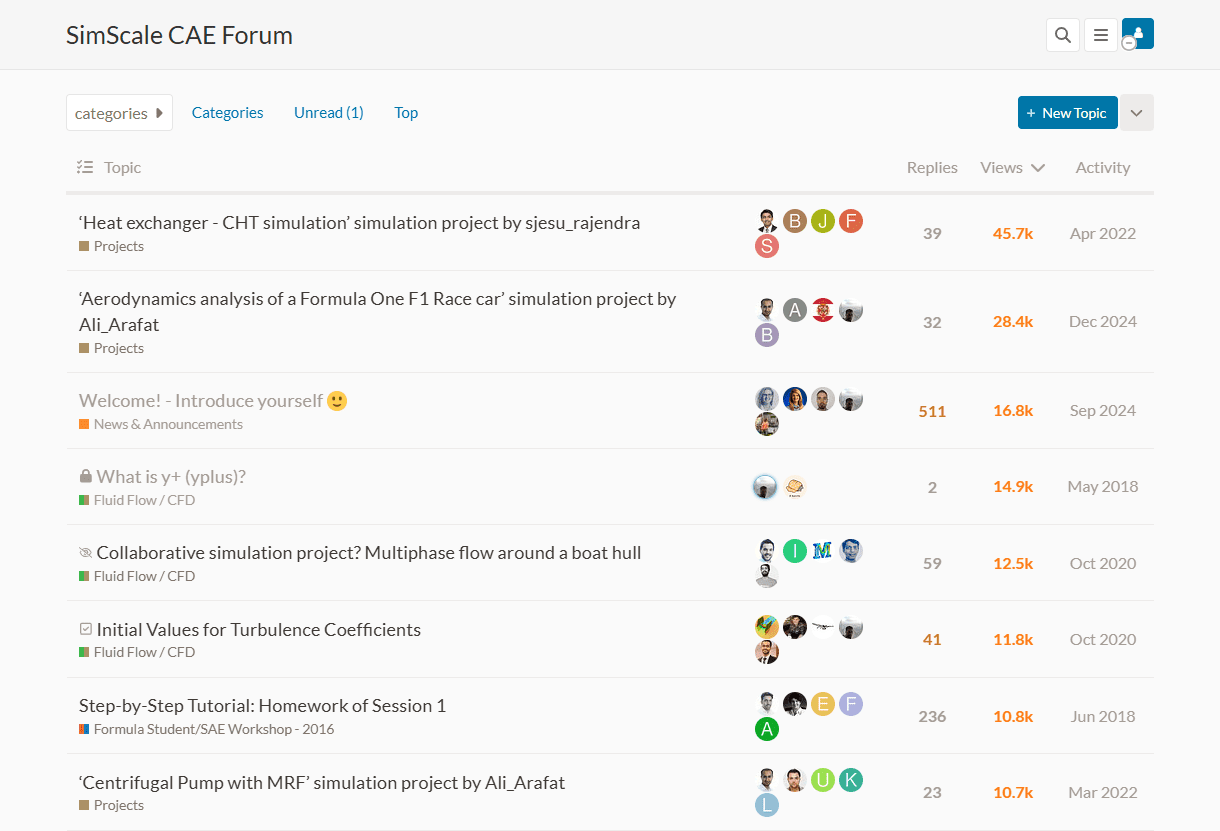
Power User program
If you are an engaged member of our Community, we’d be more than happy to consider promoting you to a Power User. For more details on the program, please take a look here.
SimScale’s bot assistant, Ray, is also ready to jump in if you have any technical support queries. Ray has access to all of our website articles – as well as the forum’s topics – and will answer instantly to your various questions.
Ray can be accessed via the Workbench by clicking the icon on the bottom right corner in a similar fashion to the live human support chat.
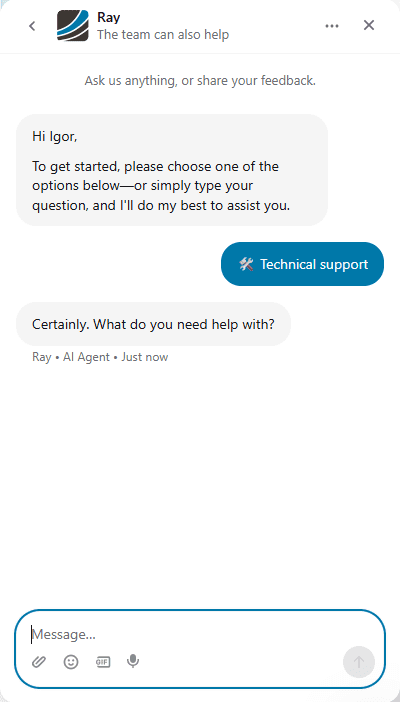
To get the most out of Ray, describe your problem in detail, ideally by using keywords and phrases to help in searching for an answer within our website.
In case the above resources could not answer your question, take a look at the following options:
If you come across any error in the Workbench while performing simulation visit our dedicated section for warnings and errors.
However, problems encountered within the platform can be solved by referring to the troubleshooting section for solutions. These include browser, cache, and operating system related support.
For other issues, you can send an email, call us directly, or just leave a message via the forum. Reach the SimScale support team via email at: support@simscale.com
Take a look at our contact page for more information.
Support Policy Reminder for Community and Academic Plans
Please note that project-specific technical support is not provided via email for Community and Academic users. If you need assistance, we encourage you to create a post on our public forum.
Last updated: November 19th, 2025
We appreciate and value your feedback.
What's Next
Troubleshootingpart of: Help and Support
Sign up for SimScale
and start simulating now
