Documentation
When performing vibration analysis, one of the important frequencies of interest is the eigenfrequencies of the part or assembly. Therefore the workflow to run a harmonics analysis requires performing a frequency analysis in advance to know these eigenfrequencies. To ease the setup SimScale allows the user to perform a modal-based analysis, within the harmonic analysis type.
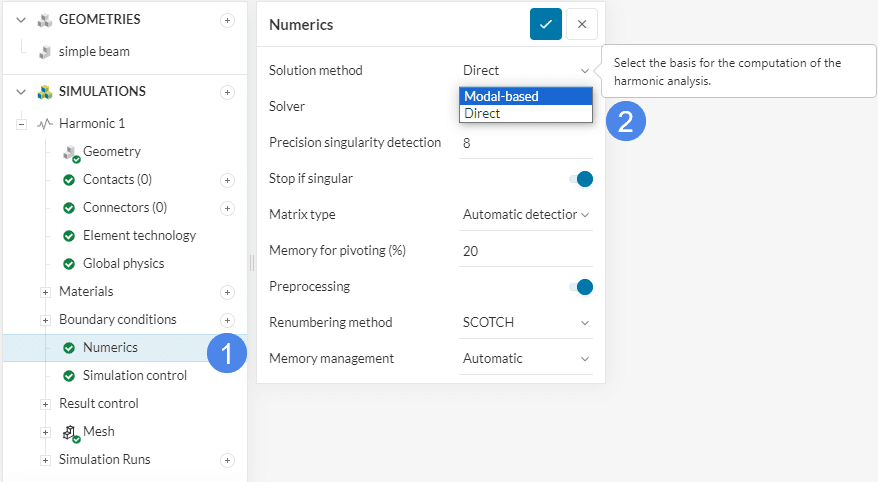
To perform modal-based harmonics activate the ‘Modal-based’ solution method under the numerical settings of a harmonic simulation as shown in Figure 1.
Once the Modal-based option has been applied the user can adjust the numerical settings for the Modal base as well as Harmonic response.
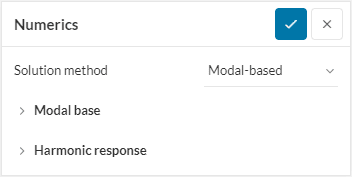
For more information on the numerical settings please read the following documentation:
For modal-based harmonics, the eigenfrequency scope has to be defined, as well as the excitation frequency for the harmonic response. Here the setting for the harmonic response can be defined based on the eigenfrequencies of the system.
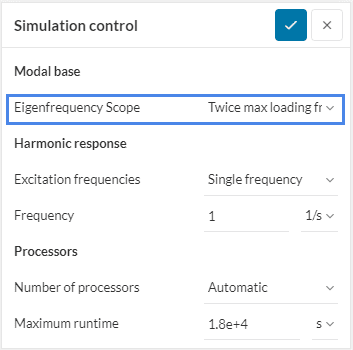
Modal base options define the method on how the eigenfrequencies should be computed. Four different options are available to find these modes.
This option performs a frequency analysis that covers two times the maximum frequency of the specified harmonic range, starting from 0 \(Hz\).
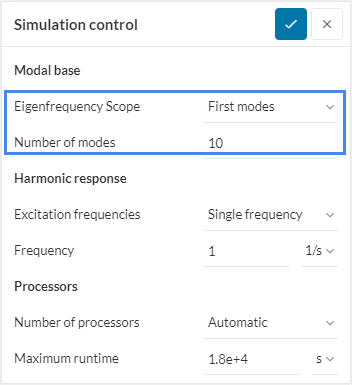
The first Number of modes will be searched and computed in the order of low to high frequency.
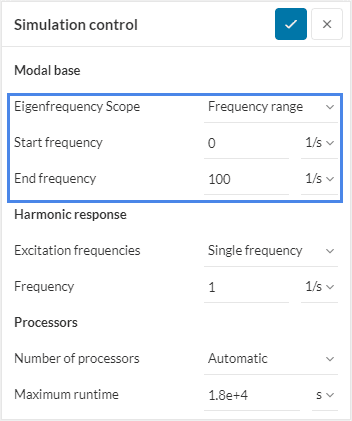
All the modes within the specified frequency range will be searched and computed. The frequency range is defined by a Start frequency and an End frequency.
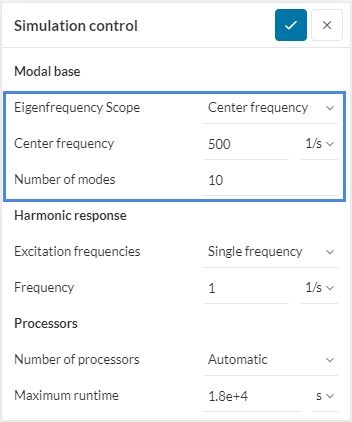
Compute the Number of modes closest to the frequency defined by the Center frequency.
Define the different frequencies that should be used for the harmonic simulation. The user has the option to either define a separate list of frequencies or specify the harmonic simulation based on the eigenfrequencies computed during the modal analysis.
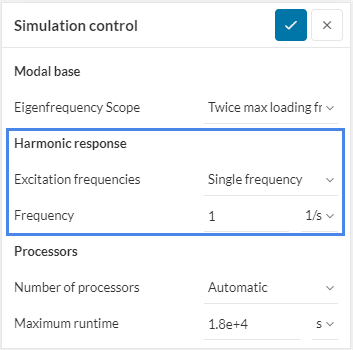
Harmonic loads are applied at one frequency only.
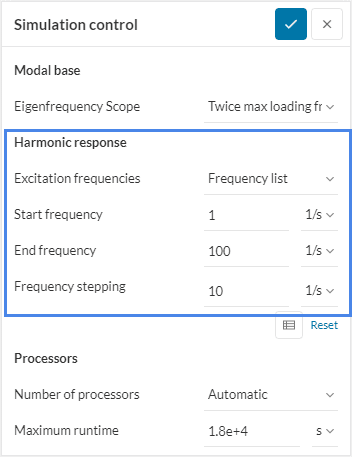
Harmonic loads are applied across a range of frequencies with either a constant frequency stepping interval or a variable interval defined via a table.
Harmonic loads are applied at frequencies clustered around eigenfrequencies in the range between the start and end frequency. For each eigenfrequency within the given range, a number of frequencies within a given percentage spread.
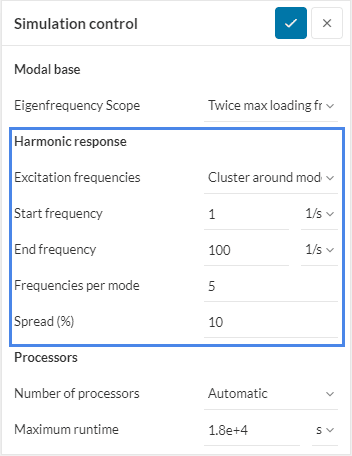
In this example of Figure 9 five frequencies will be simulated for each eigenfrequency within the range of 1 \(Hz\) to 100 \(Hz\). The spread for these five frequencies is specified to be 10 \(\%\), which means that the spread will go from -5 \(\%\) to +5\(\%\). Within this range, the 5 frequencies are evenly spread.
Frequencies per Mode
Please note that for an even number, the eigenfrequency will still be simulated. For example, if 2 frequencies per mode are specified at a 10 \(%\) spread, three simulations will be performed. Two simulations at the spread of 5 \(%\) and one at the eigenfrequency.
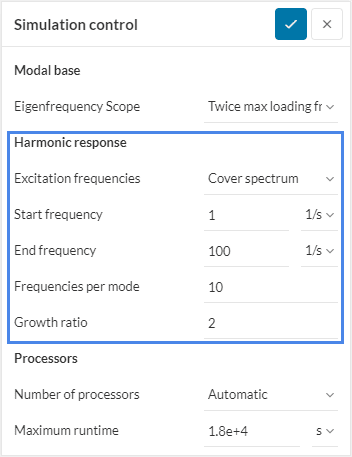
Harmonic loads are applied at frequencies clustered around and in between eigenfrequencies to fully capture the entire spectrum. The user can specify a frequency range, in which the cluster around the eigenfrequencies will be computed. For each eigenfrequency within the provided range, a number of frequencies will be simulated. The first frequency will be chosen at the center between two eigenfrequencies. The distance between any further frequencies simulation is defined by the growth ratio.
Last updated: March 19th, 2024
We appreciate and value your feedback.
Sign up for SimScale
and start simulating now
