
Robotics teams are under the same pressure as everyone else building hardware right now: less time to prove a design works. Automotive suppliers that used to have months to respond to an RFP now have weeks, medical device makers race for first-to-market approval, and every legged, wheeled, or 3D-printing robot still has to pass its compliance tests before it ships.
Our recent webinar, “How the Fastest Robotics Teams Validate Designs with AI-Native Simulation,” featured SimScale’s Dr. Steven Lainé and Dr. Alessandro Scafato, CTO at Bumatic, a robotics startup that is disrupting traditional building construction. Here are five key takeaways from the discussion.
Watch the on-demand webinar
If these highlights caught your interest, there’s a full live demo to see. Watch the on-demand webinar to see an AI agent validate a construction robot’s design end to end, in the cloud.
1. Robotics teams cannot afford to wait weeks for validation
Across transportation, electronics, industrial equipment, and medical devices, the same shift is happening: more engineering work has to happen earlier, and simulation has to run broader and more often to keep up. For robotics specifically, that pressure shows up as compliance deadlines and RFP timelines that no longer leave room for a slow build-test-rebuild cycle.
SimScale’s answer is two AI systems working together: Engineering AI automates the manual setup work, and Physics AI removes the wait for the solver. Together, they let a robotics team, or a robot itself, validate a design in the time it used to take to prepare a single simulation.
2. Validate the narrow test, not the whole robot
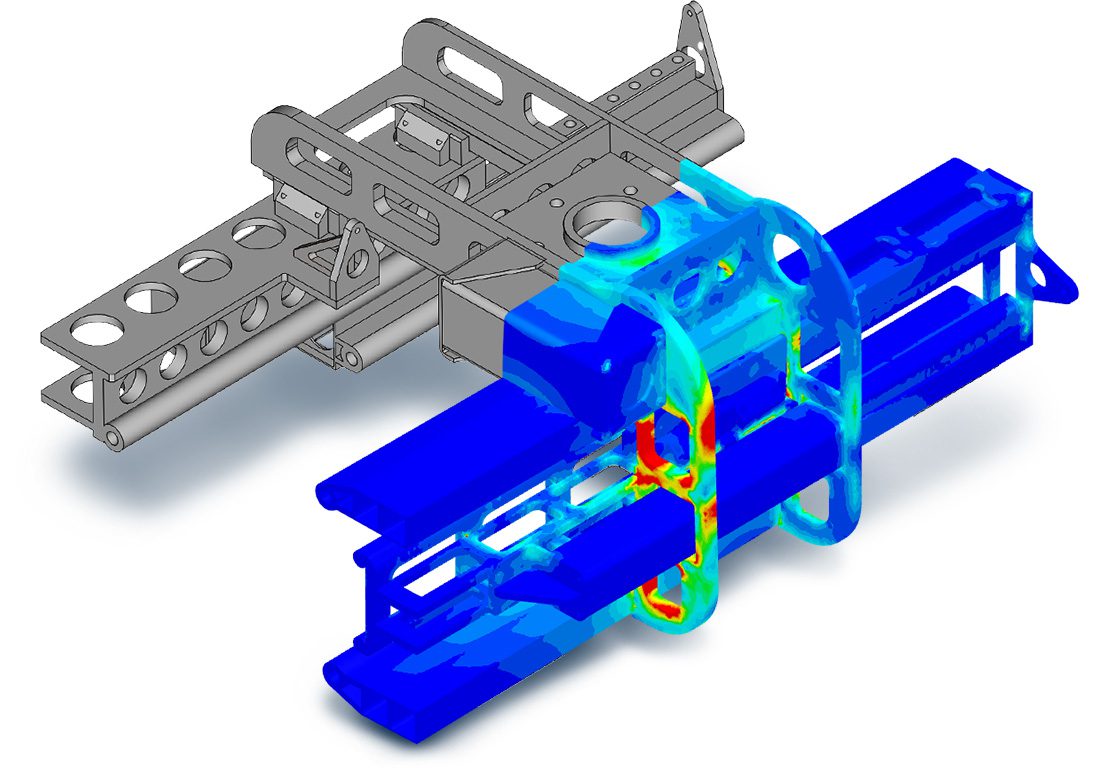
Alessandro’s approach to simulation goes back to his experience at ANYbotics, building the ANYmal legged inspection robot. Rather than simulate the whole robot for every design question, his team simulated the exact structural impact test the robot had to pass under IEC 60079, and iterated on that one narrow problem as many times as they needed.
That habit, run in SimScale, replaced physical prototypes with hundreds of parallel cloud simulations per design cycle, and proved itself many times over. An interesting example is how insight from simulation enabled a fix that intuition might have missed: after failing an impact test, a simple chamfer on a LiDAR protector, spread the impact stress over a wider area and solved the problem without redesigning using thicker material and adding weight. Read the full ANYbotics story for the deep dive on that project.
3. Bumatic is applying the same instinct to a robot swarm that 3D-prints buildings
At his new company, Bumatic, Alessandro is building modular swarm robots that 3D-print buildings on-site, without large gantries or heavy conventional machinery, for the architecture, engineering, and construction industry. Each robot in the swarm does one job, and a multi-material printhead hot-swaps between structural, insulation, and support material mid-print without stopping.
A construction site represents an imperfect physical environment which requires constant adjustments to the planned build, and human construction workers are able to make on-the-fly adjustments as a build progresses. Equipping a robot to autonomously 3D print a structure means giving it the tools to identify issues and devise design changes mid-build that allow it to continue. Bumatic’s robots do this by working under an agentic orchestrator, which holds final authority over any change and calls out to SimScale to re-validate the design in the cloud before approving it, while the robot keeps working on unaffected parts of the wall. Agent to agent communication via API allows simulation to be embedded into the loop, providing real time insight and guidance.
4. Live demo: an AI agent validated five wall designs in one pass
Steve demonstrated the exact workflow behind that orchestration live. Five organic wall geometries, representing different degrees of overhang, arrived in SimScale as CAD files, the kind of input a robot could submit directly through the API mid-project. A wall-analysis agent took it from there.
Given the pass/fail criteria (an interlayer shear stress limit of 2 megapascals across the wall’s 30 mm print layers), the agent:
- Inspected each of the five CAD geometries for errors and fixed what it found
- Measured wall height and located the faces it needed
- Assigned concrete as the material and set up bonded contacts between printed layers
- Applied gravity as the load and configured a nonlinear self-weight shear analysis
- Ran all five simulations in parallel in the cloud and generated a ranked report
The results came back with a clear recommendation: Wall 1 passed with a shear stress 4x below the threshold and was flagged as the production baseline. Wall 5 also passed, but with only a 29% safety margin. Walls 2 and 4 showed localized stress on the overhangs, fixable with a smoother print path, and Wall 3 showed a structural interface failure that would need a redesign. Five structural studies, set up and run without a person building any of them by hand.
5. What’s next: Physics AI turns minutes into seconds
The demo ran each wall’s analysis as a full nonlinear FEA solve in the cloud, taking a few minutes per run. The next step, discussed in the webinar, is layering Physics AI on top of workflows like this one, so a robot doesn’t just get an answer in minutes; it gets one in seconds, fast enough to fold structural validation directly into a live construction process rather than treating it as a check that happens between print runs.
Watch now
See the full demo, including the live setup of the wall-analysis agent, by watching the on-demand webinar. For more on how SimScale handles robot hardware validation more broadly, from structural impact to thermal management, see the Robotics Simulation page.