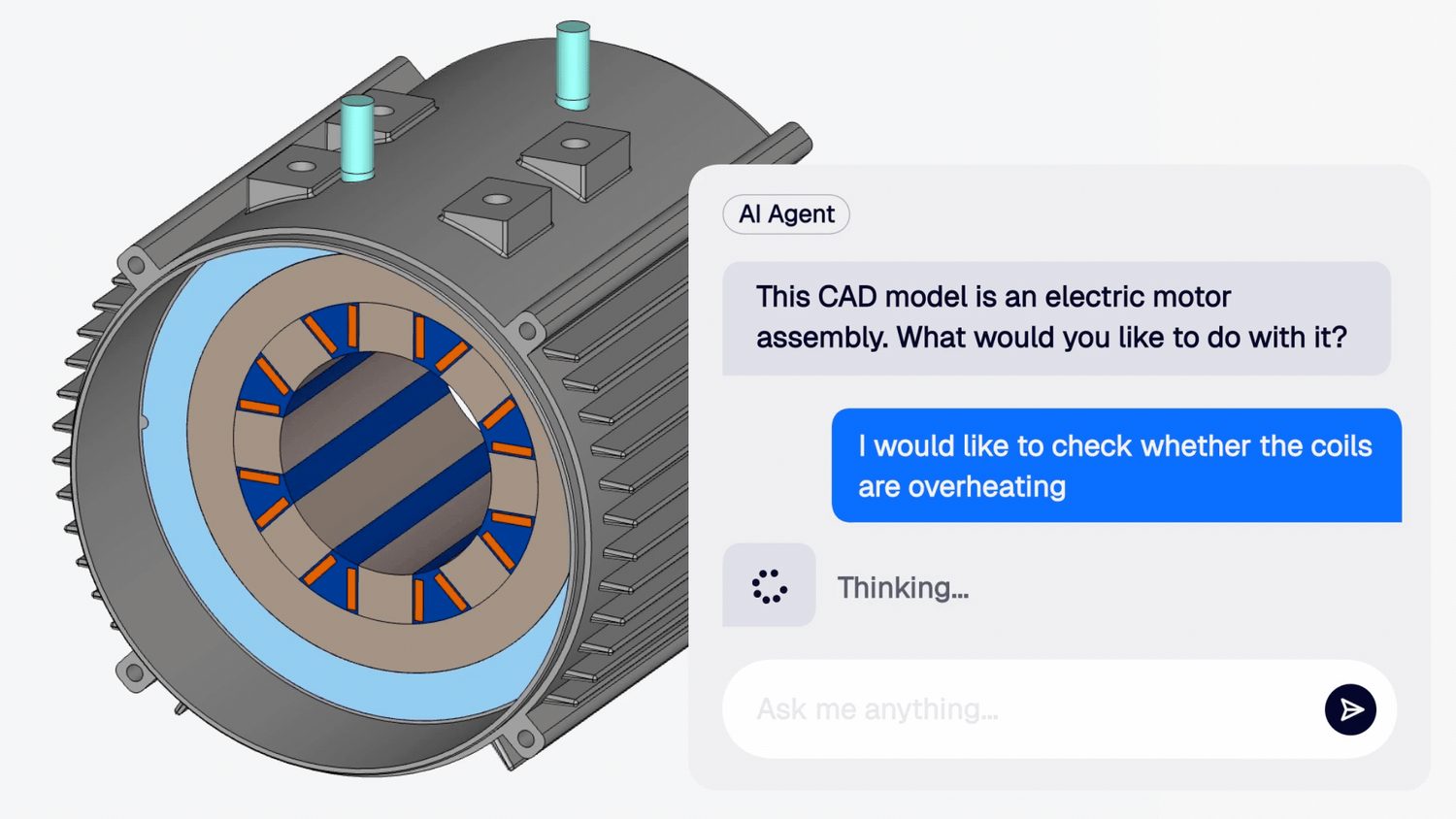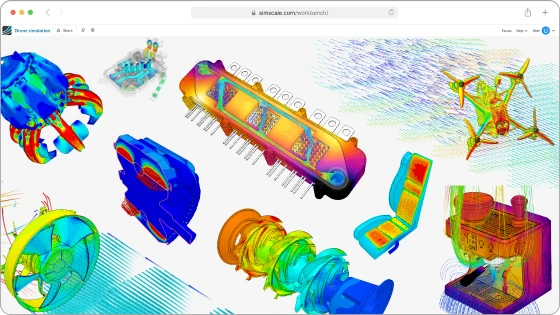

Agentic engineering cuts across CAD, simulation, manufacturing and data, so we brought together 11 companies from across the stack to share what’s working.
Why we ran Agentic Unlocks
Software engineers can iterate on a product in seconds, thanks to AI tooling. Hardware teams still wait weeks for a single design loop. Getting a product out the door takes many experts, many tools and many data formats. As SimScale CEO David Heiny put it as he opened Agentic Unlocks: “The biggest impact of AI will not be in software, it’s going to be in hardware.”
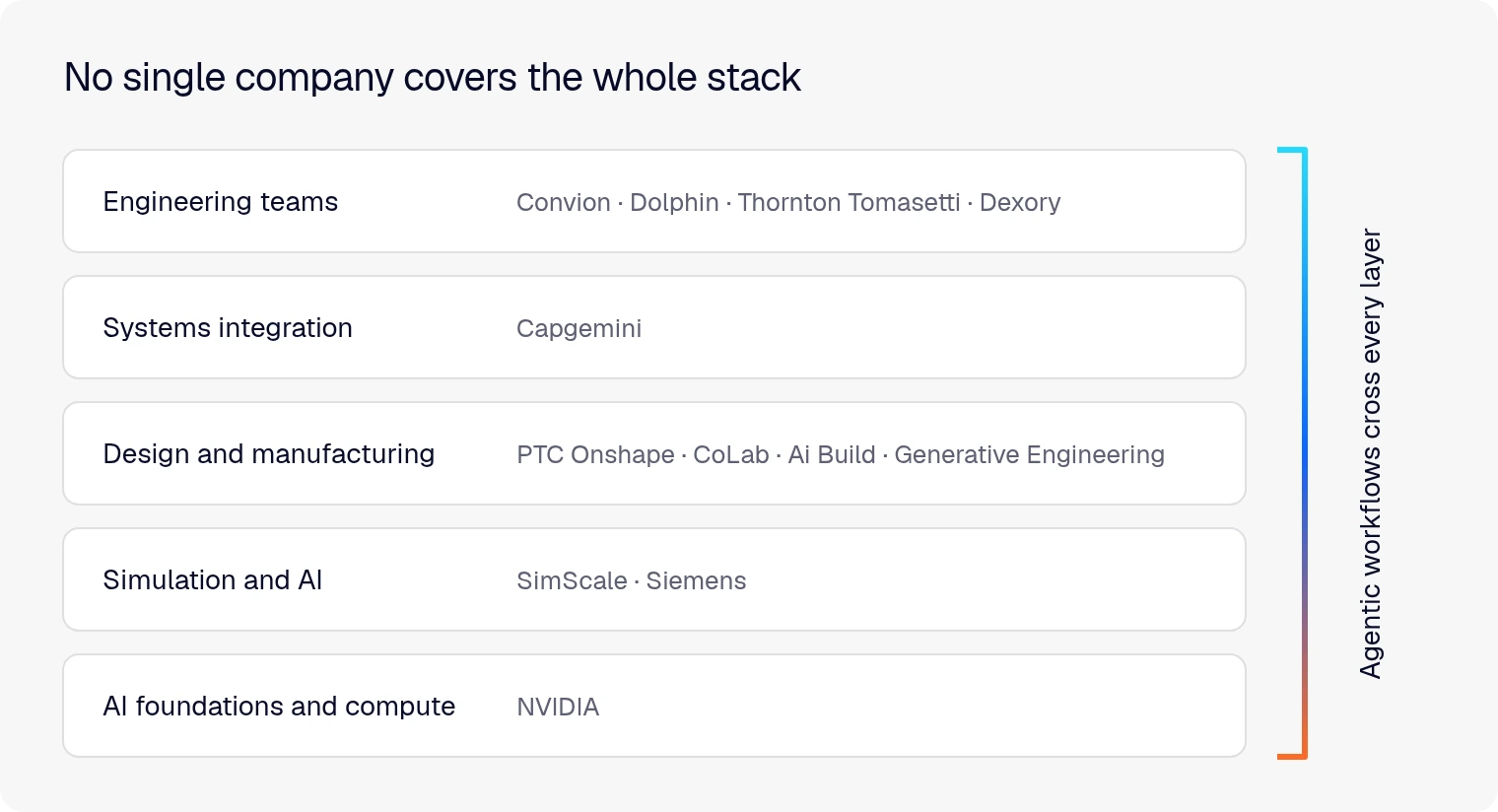
But the engineering thread for a single product is spread across CAD, simulation, DFM checks, PLM, ERP and the heads of senior engineers. No single vendor owns all of it, and no frontier model can tackle this landscape out of the box.
Engineers certainly see the opportunity. Almost every engineering organization is now experimenting with AI, but very few have it in production. When we polled the audience live, 7 in 10 hadn’t moved past informal experiments. This roughly tallies with Capgemini’s experience that fewer than 10% of its clients feel they’ve scaled AI.
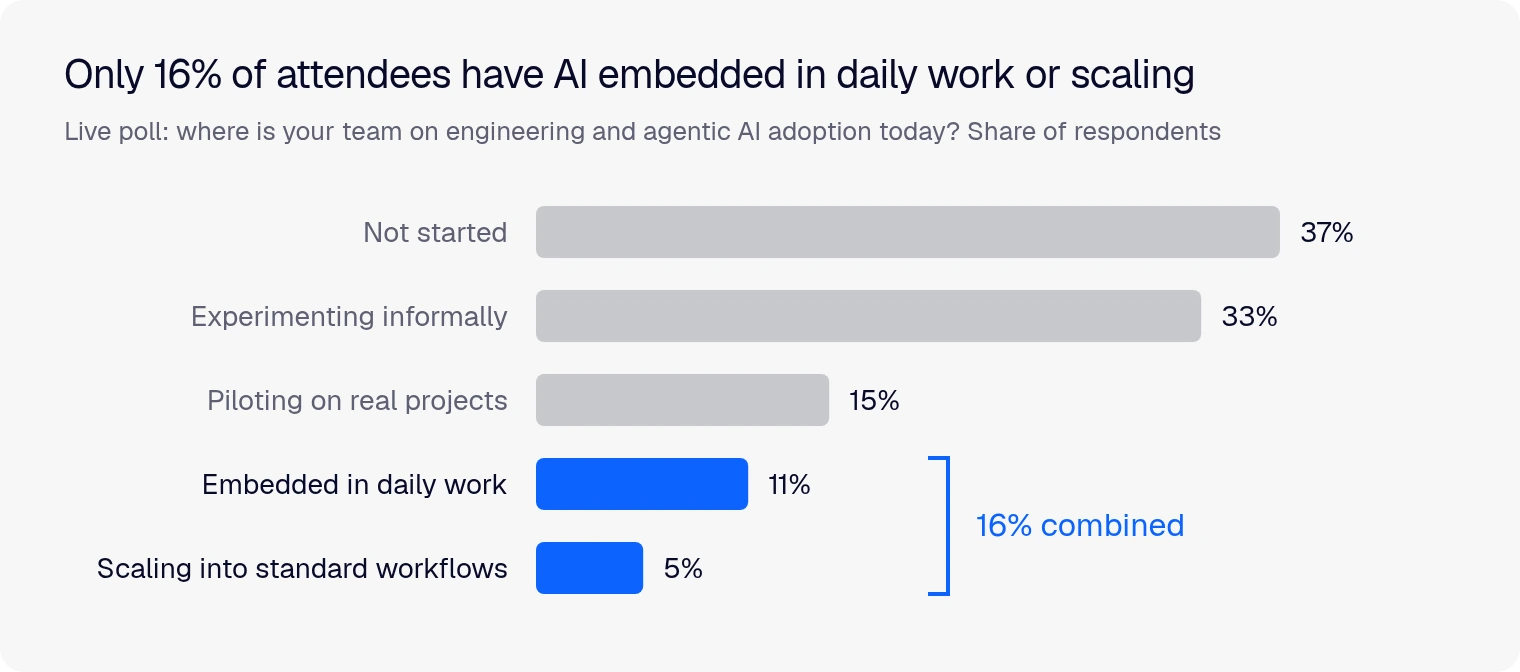
The questions behind those numbers (which use case first, how to get from proof of concept to production, what to build and what to buy) are what we wanted to tackle. As David put it: “We are not an organization that can answer them all, but there’s a lot of great practitioners out there in the field.”
So we invited them. Speakers came from every layer of the stack: AI foundations and compute (NVIDIA), industrial software (Siemens), CAD (PTC Onshape), design review (CoLab) and systems integration (Capgemini). Engineering teams from Convion, Dolphin, Thornton Tomasetti and Dexory shared what they’ve built, and product leaders from Ai Build and Generative Engineering joined the closing panel. More than 1,000 engineers and engineering leaders registered for 13 sessions of real stories and lessons learned.
Here are six takeaways that got my attention, with links to the sessions. To browse the full agenda, scroll down to the bottom of this article to access the complete playlist.
1. The hard part is knowing where to start
Most engineering teams have stopped asking whether AI works. The harder question is where to begin. Calum MacDougall of Dexory called it the “blank sheet problem”: “No one really knows where this technology sits very clearly.”
Our audience showed the same uncertainty. When we asked which KPI matters most for AI in engineering, engineering hours saved came top. But 22% hadn’t defined AI KPIs at all.
Dexory builds warehouse-scanning robots up to 18 m tall, and Calum walked through where the SimScale agent has earned its place. Each section of the robot’s tower has 198 contacts and 192 bolted connectors. Setting those up by hand “just for it to fail is both soul-crushing and time-consuming,” he said. The agent now handles that setup consistently across sections, so results can be repeated and compared with physical tests. Tasked with a heat sink optimization study, it found a mounting orientation that ran 12°C cooler in about 20 to 30 minutes.
He was just as candid about the limits he found. For one simple case, doing it himself might have been quicker. The payoff comes with working on multiple cases in parallel, or unsupervised, repeated setups and reading solver logs to catch errors. If you’re facing your own blank sheet, it’s one of the most practical and honest accounts of the event.
2. Physics AI turns weeks of CFD into minutes
Armin Narimanzadeh leads thermofluids at Convion, which builds solid oxide fuel cell and electrolyzer systems. His target was an ejector: no moving parts, so “the internal geometry is effectively the machine.” The traditional optimization loop meant hours per CFD run across 500 to 1,000 cases, which added up to weeks.
Convion built a parametric model in Onshape and ran a design of experiments in parallel on SimScale. It used the results to train a Physics AI model, then ran the optimization loop against the model instead of the solver. The full optimization now takes 10 to 15 minutes.
The results:
- A component 50% smaller than the original design
- AI-driven and full-CFD optimizations landed within 5% of each other
- New boundary conditions mean at most half a day of work, down from weeks
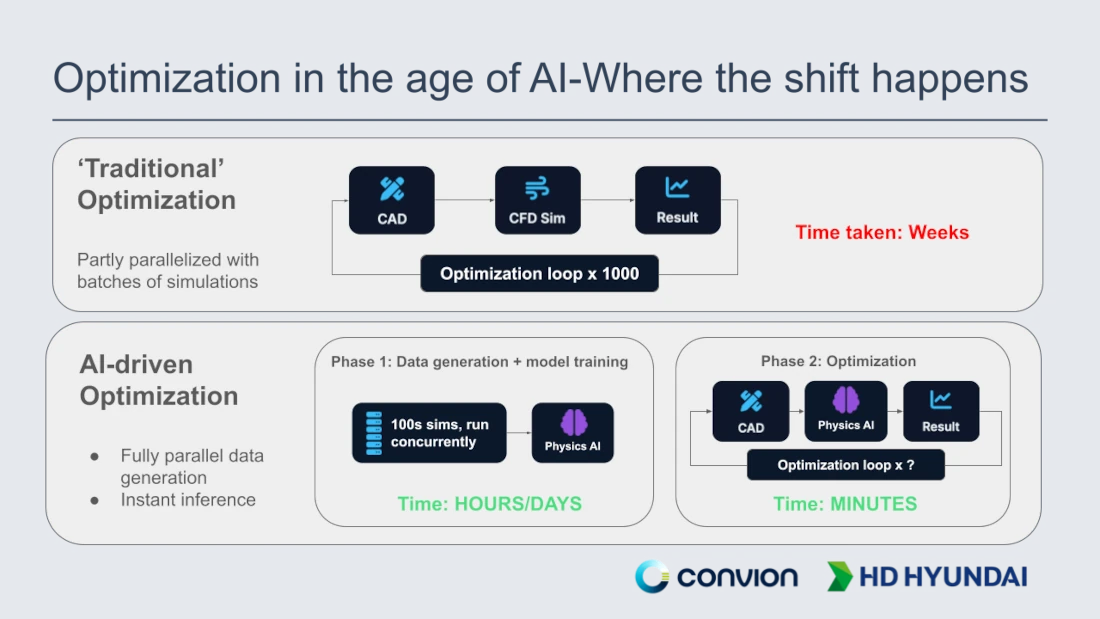
Armin went into detail on one of the most discussed aspects of Physics AI: how much data do you need to get reliable results? He shared his own experience and how he validated his answer.
3. The record belongs to you
Every company can buy the same frontier models. What it can’t buy is its own engineering history: decades of design decisions, guidelines and hard-won rules of thumb. Several speakers argued that this is your competitive advantage, and that it’s yours to own.
Dolphin has built heat transfer products for 40 years, serving 20,000 customers in more than 80 countries. Executive Director Mohammed N.J. said the company had been asking the wrong question (“What tool should we buy?”). His advice: “Do not start at the tool. Start with a record that you already own.”
Today a customer request for quote (RFQ) at Dolphin passes through 7 stages and takes 3 to 15 working days and 3 to 6 engineers. Dolphin’s pilot target for RFQ turnaround is 1 to 2 days with 1 to 2 engineers, by using both AI agents and Physics AI in SimScale. In early testing, calculations ran 30% faster, with the agent also giving credible design suggestions from Dolphin’s historical records, before any Physics AI was added. Group Chief Strategy Officer Padmanabh Nimbhorkar shared the bigger vision: connecting “people, software, data and experience into one intelligent engineering system,” so engineers spend less time rebuilding context and more time solving hard problems.
4. Have AI build your tools, then reuse them
Darren Henry of PTC Onshape was frank about text-to-CAD: it keeps improving, but it isn’t ready for manufacturing. LLMs are good at research and code but still struggle with spatial reasoning, sketch constraints and design intent. His answer is to point AI at the code instead.
Onshape’s FeatureScript language is built into its modeling engine, and “it turns out that AI loves this language.” Through the FeatureScript MCP, an LLM writes, debugs and validates a custom feature that the whole team can reuse and edit like any other. Darren built a flange bushing tool from a manufacturer’s PDF catalog in about 34 minutes. A shell-and-tube heat exchanger tool with close to 600 components took about a day of prompting, vs. an estimated 150 hours by hand.
The economics work too. “I’m using AI tokens to generate the tool. But once I have built the tool, I’m no longer using AI. I’m using Onshape.” And because each tool captures your design intent, it becomes a new kind of IP alongside your models and drawings.
5. The biggest gains came at the handoffs
If the engineering process is spread across many tools, agents have to work across them too. Some of the strongest results at the event came where one company’s tool passed work to another’s.
The clearest example came from CoLab. Co-founder Jeremy Andrews showed DFM checks generated from a customer’s own design guidelines. For an automotive supplier working on EV programs, they reached more than 80% accuracy and relevance on the first pass.
Then came the handoff. Once an engineer confirmed a CoLab finding to thicken a part’s ribs, the SimScale agent found the rib faces, changed the geometry and re-ran a simulation to validate the compression case. Von Mises stress and maximum displacement both came down as intended. Two companies’ tools, one workflow, with an engineer signing off in between.
Convion’s loop from Onshape to SimScale Physics AI follows the same pattern, and so does the SimScale agent running inside Onshape.
There’s a lot left to connect. Todd McDevitt said the industry hasn’t yet seen “multidisciplinary trade-space reasoning at scale,” with teams of agents working across the structures, thermal, controls, electronics, cost and manufacturing groups at once. He expects global systems integrators to play a big part in getting there.
6. Trust gets engineered in
Engineering is risk-averse for good reason. “As an industry, we’re a dinosaur,” said Jeroen Janssen of Thornton Tomasetti, referring to architecture, engineering and construction. So how do you get engineers to act on an AI prediction?
Thornton Tomasetti’s answer is a built-in trust builder. Engineers can download the ML-predicted structural model already set up for FEA and run it themselves. The utilization ratios match to within a few percent. After doing that twice, Jeroen said, engineers “are off to the races.”
The Siemens and NVIDIA panel looked at trust from the system side. Todd McDevitt of NVIDIA argued for building determinism into the agent harness: typed tool calls, explicit permissions and physics checks like load vs. reaction force balance and y+. “It’s important to judge the system on its traces,” he said. Siemens’ Dirk Hartmann urged teams to build their own benchmarks, since CAE still lacks shared standards.
There was a useful reality check too. Ian McGann recounted an internal Siemens trial in which they gave five engineers the same CAD file and load case, and got back five slightly different results. Human simulation has variance of its own, so the bar for agents should be measured against that.
What comes next
As agents take on setup, meshing, solving and reporting, the engineer’s job shifts. An engineer runs about 3 simulations at a time today, and an agent might launch 300. Todd McDevitt expects engineering value to move to “the bookends”: defining the problem, assumptions and constraints upstream, and verification, sign-off and owning the decision downstream. Ian McGann put it simply: “The job won’t change, but the role will change.”
The tools will change too. Dirk Hartmann expects simulation software to be designed with “agents as the primary user rather than humans.” That means even more connections between tools, and between the companies that build them.
SimScale’s Jon Wilde closed the event by inviting everyone to “build a community where we can all start to help each other.” We’ll keep building it at the next Agentic Unlocks.
Watch the full event on demand
This is only a slice of the afternoon. The full agenda also includes Capgemini’s playbook for scaling past the pilot, three lightning demos of the SimScale agent and Physics AI, and a builders’ panel on getting started. All 13 sessions are in the Agentic Unlocks 2026 playlist.
Try agentic engineering on your own models
Everything shown in the SimScale demos is available on the platform today. Engineering AI handles setup, meshing, runs and reporting. Physics AI returns predictions in seconds once it’s trained on your own simulation data. And if you design in Onshape, the SimScale agent works right inside your CAD.
See what an agent can do with your next simulation
Set up, run and report simulations in plain language with SimScale Engineering AI.