
The gap between CAD and simulation has always been a tricky one for engineering teams to negotiate. Designers and engineers that are skilled, or even comfortable, in both disciplines are rare, the result usually being that designs have to wait while they are passed back and forth between departments.
Often the result is that many concepts that get thought about, perhaps even drawn, never receive the consideration they deserve. If you have to pass files along to someone else to analyze, it inevitably dampens creativity, and only the ‘safest’ ideas will be validated.
This changed last week at IMTS
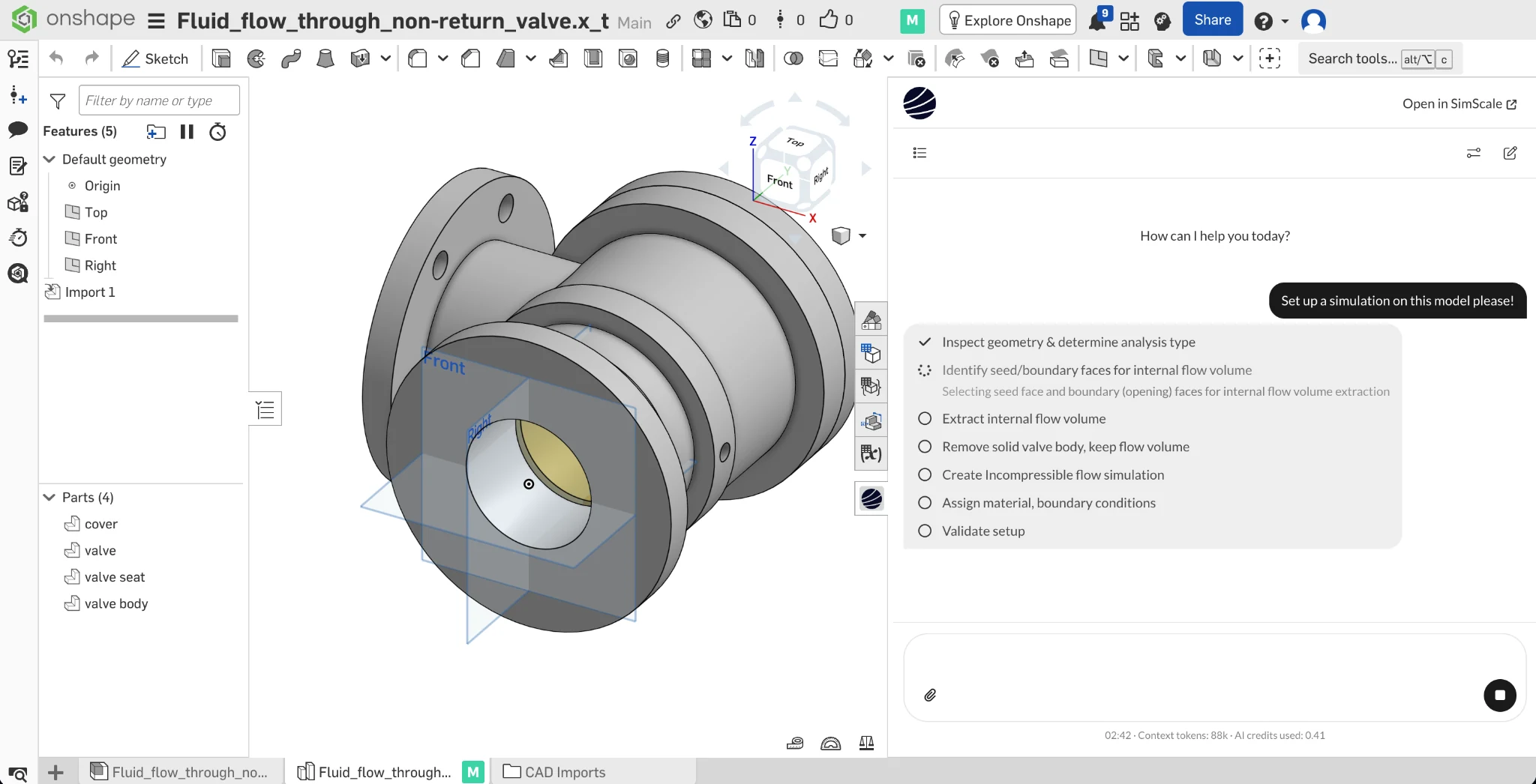
The SimScale team was in Chicago last week for IMTS 2026 and, together with our friends at PTC, announced the availability of the SimScale Engineering AI Agent as an emedded app inside Onshape, bringing simulation to designers via a natural language agent interface.
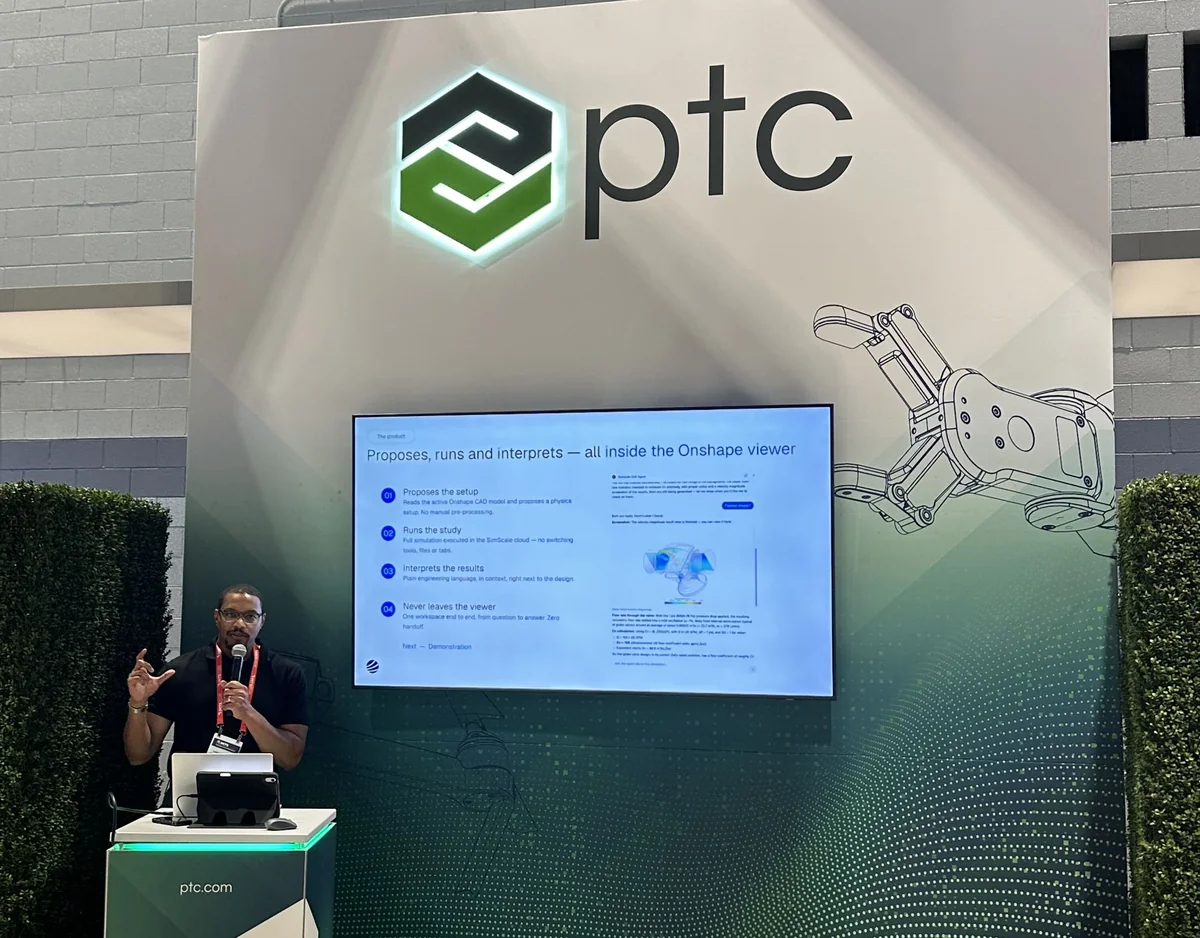
It’s an obvious solution to give designers, working in a CAD environment, easier access to simulation. The way this has been approached in the past is to build just enough functionality into CAD tools to get some basic simulation done, while removing as much friction as possible.
Consequently, CAD-embedded simulation has only ever been good enough for ‘a rough check’ – at best. As soon as something slightly off the menu is called for (for example, a custom mesh refinement, or solver setting change or more complex physics setup), the way forward is blocked, and someone will need to start over with a more comprehensive simulation tool.
CAD-embedded agentic simulation
What we’ve built with Onshape is an intelligent, reasoning CAE agent sitting in front of our full CFD, FEA, thermal, and electromagnetic platform, the same physics our customers already run production decisions on.
Here’s how it works. An Onshape user working on a part opens the SimScale Engineering AI agent from within the Onshape workspace and asks a question in one prompt: will this bracket hold up, how hot does this enclosure get, where’s the pressure drop in this manifold.
From there, the agent reasons through the rest of the workflow itself:
- It reads the active CAD model, including geometry that hasn’t been cleaned up for simulation yet.
- It proposes a setup: what physics applies, what to mesh, what boundary conditions make sense for the question being asked.
- It runs the physics on SimScale’s platform and provisions the compute automatically.
- It interprets the results and reports back in plain engineering language, in the same viewer where the model lives.
The user, whether experienced with simulation or not, can choose to step in at any point. This could be to ask a question, query a boundary condition, override an assumption, or ask the agent to try a variant. Every run and the data it produces is stored and managed in the cloud, and is auditable through the SimScale Agent API, keeping full visibility into what the agent did and where the data went.
That governance layer is crucial when it comes to actually realizing the value of democratized simulation. The easier it is to generate data, the harder it becomes to make use of that data efficiently. Our own State of Engineering AI 2026 survey found close to 90% of companies putting some form of AI governance in place as they move agentic workflows into production. This is what that looks like at the point of use.
But the biggest difference between this and a ‘traditional’ CAD-embedded simulation tool is that the SimScale Agent is working behind the scenes in a regular SimScale project, just like a human simulation expert would, with access to 100% of the functionality. And after a simulation has been kicked off from inside Onshape, the SimScale project is one click away, and immediately shareable with anyone else in your organization for reference or for further development.
Simulation where you think
I think the excitement about last week’s launch shows there is a real demand for robust and efficient AI tools that fit into existing engineering workflows exactly where they are needed.
Today, there are many ways to automate simulation work using open APIs, MCP, scripts and macros. LLMs are great at ‘figuring it out’ with brute force – trying all sort of methods until they hit upon one that works. But that way may well not be the fastest or most efficient – it can often create a situation akin to a sledgehammer to crack a nut.
This is where a dedicated agent like SimScale’s Engineering AI really shines. Equipped with domain-specific and environment-specific context, specialized tools, and direct access to infrastructure and simulation layers in SimScale, it is purposefully developed to minimize token usage while promoting predictable, deterministic behaviour. These are critical attributes when it comes to embedding agentic AI into everyday engineering processes at scale. The resulting ‘simulation agent’ becomes a versatile tool for both human and machine use.
Where this points next: autonomous, long-running agentic workflows
The Onshape agent shipped last week offers a simulation service to the design engineer. An engineer develops a design and wants to understand how it will perform, so they start with a single prompt and receive a single result or a small group of results, before asking the agent to do more or deciding the next step.
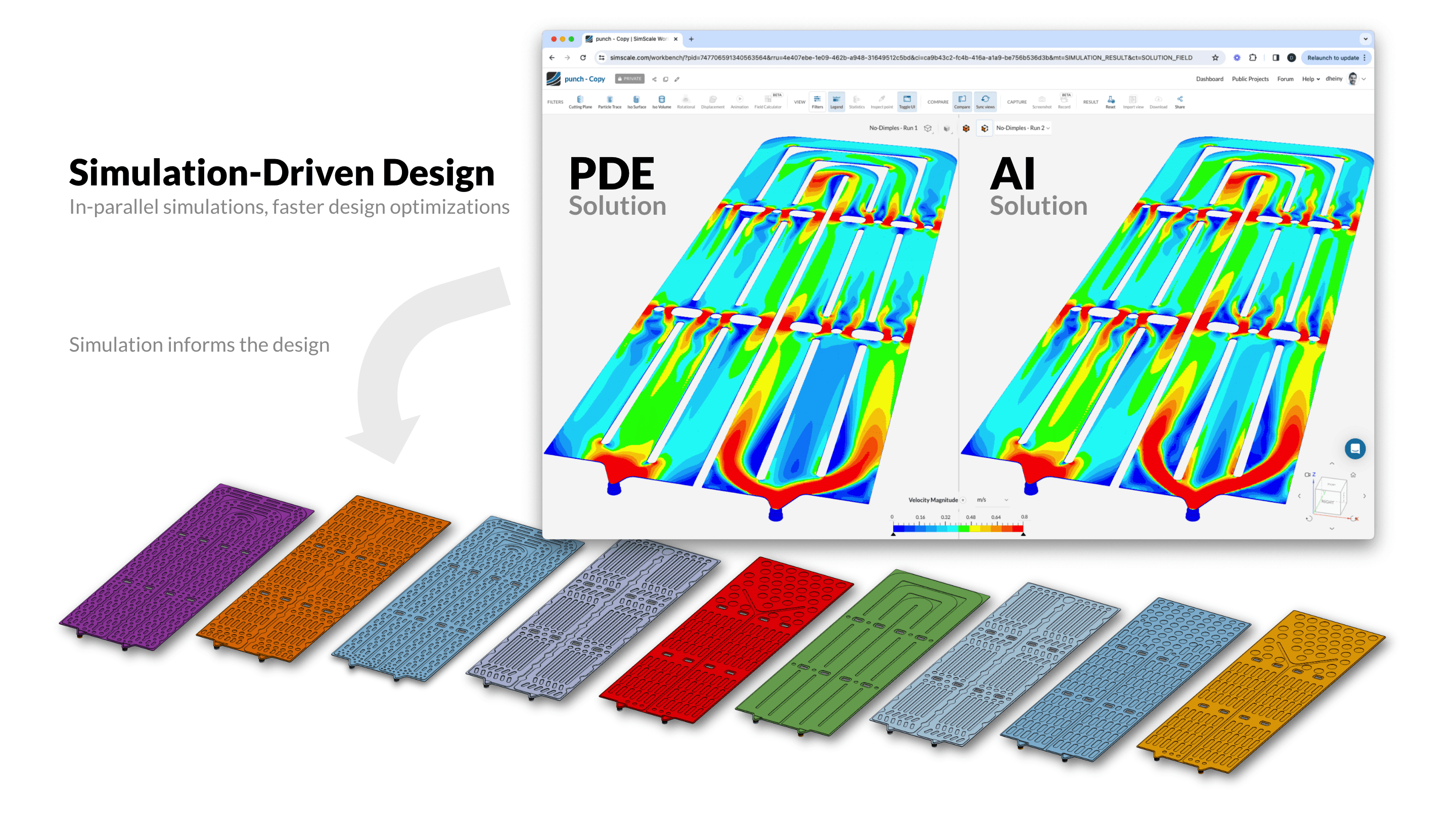
But single validation loops are just the starting point. Onshape’s infrastructure already handles versioning, branching, and parallel design variants as a normal part of how engineers work, which is exactly the environment a longer-running agent workflow needs. Meanwhile, Agentic AI continues to prove itself – it is now able to handle longer tasks and multi-stage workflows. Design space exploration is the clearest example: instead of one prompt and one answer, the SimScale agent can keep testing parameter variations against Physics AI predictions in the background, flagging the strongest candidates, and only asking for a full validation run on the most promising options.
We’ve already seen AI transforming design optimization. Convion, working on a fuel cell component, used SimScale’s Physics AI and Onshape together to compress an optimization cycle that used to take months into under an hour, hugely increasing the number of options they can explore for each system they design. In fact, our latest survey found that companies using AI in their engineering processes were able to explore 3x more designs per program on average, with leading companies going much further.
Try the SimScale Agent
The SimScale AI Agent app is available for free in the Onshape app store. You can try it out using either free or professional accounts.