SimScale MCP server
Connect any agent to SimScale
The SimScale MCP server lets any AI agent use SimScale’s tools to prepare CAD, set up, mesh, solve and read results on validated cloud solvers, with your permissions and a full audit trail.
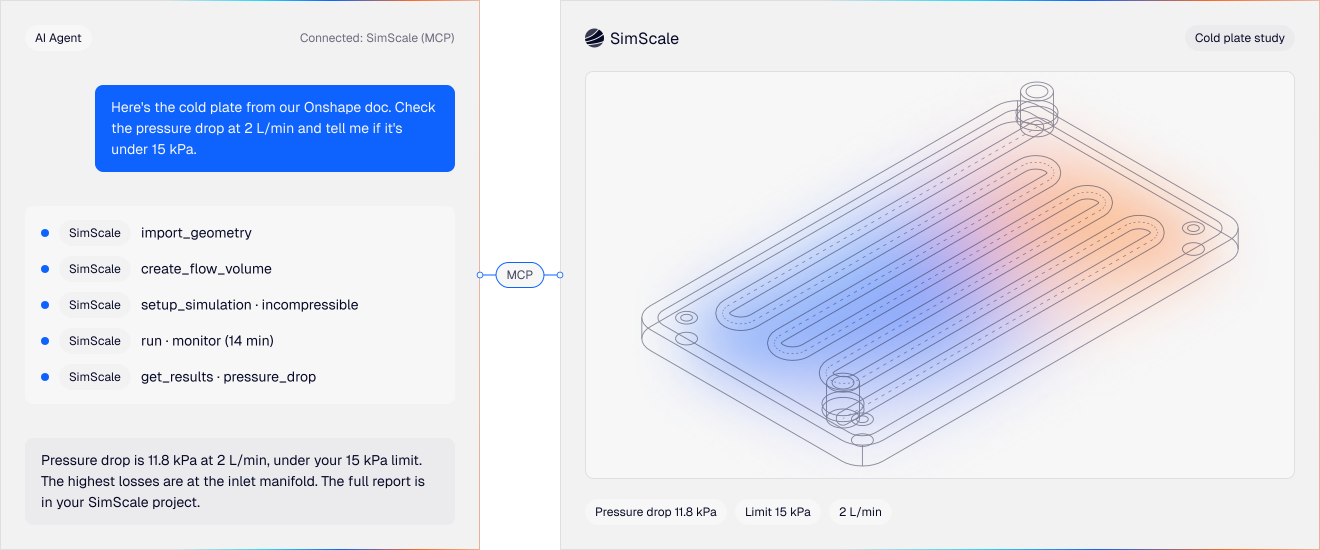




What your agent can do
The same tools SimScale’s own agent uses, exposed through one MCP server. Your agent works on real projects with your permissions, and every action is recorded.
Projects and data
Create, find and organize projects. Upload CAD, specs and reference files.
CAD import and prep
Import geometry, identify parts and faces, clean up, and build flow volumes.
Simulation setup
CFD, FEA, thermal and EM: materials, boundary conditions, contacts and numerics.
Meshing
Generate and refine meshes with the same strategies SimScale’s agent applies.
Run and monitor
Launch runs in parallel on cloud compute and follow long jobs to completion.
Results and reports
Extract the numbers that matter, plots and fields, and write them up.
Use cases
What teams build when their agent can simulate
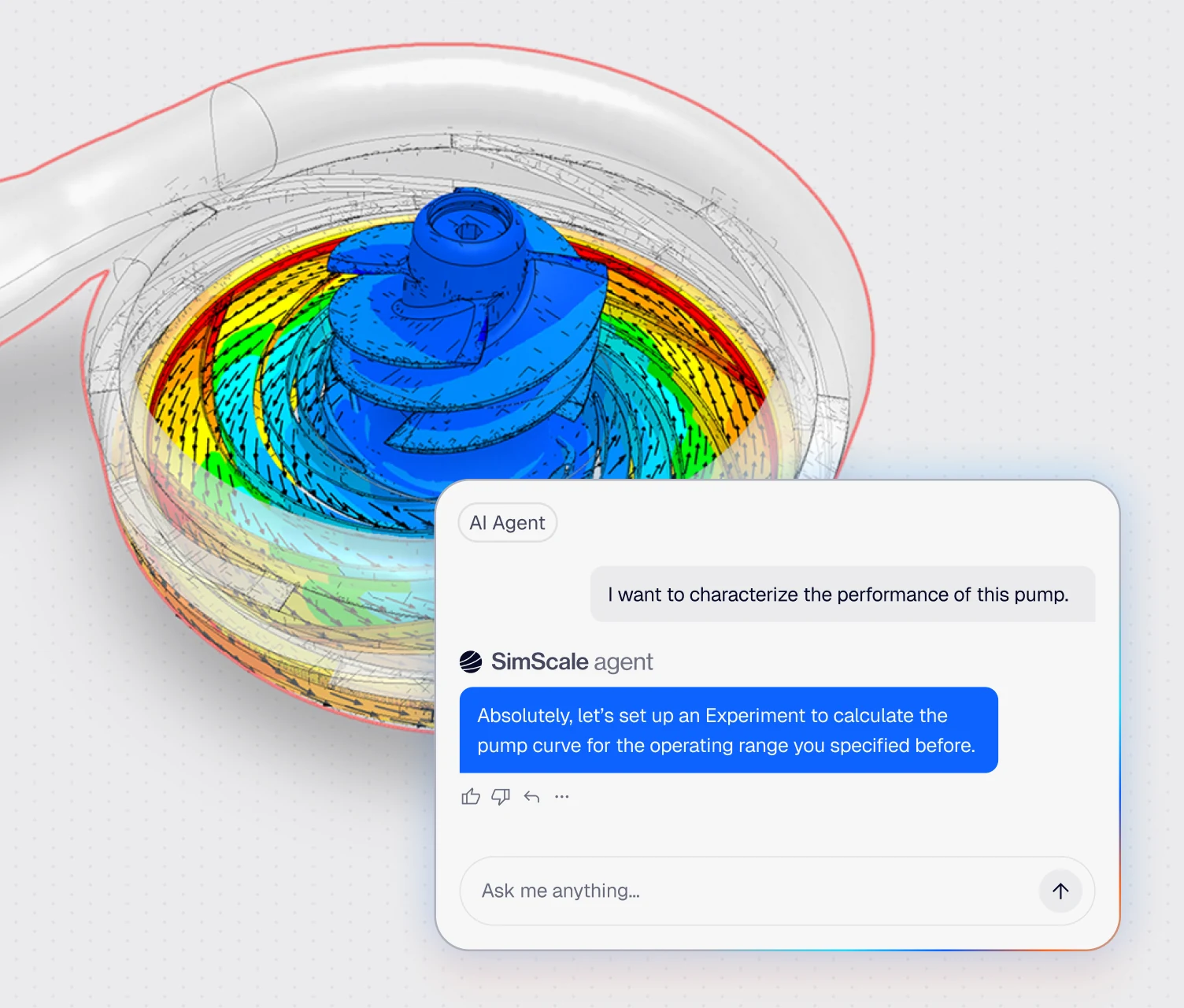
01 · In the assistant your engineers already use
Ask a design question. Get a simulated answer.
Engineers already ask Claude or ChatGPT about their designs. With SimScale connected, the agent runs the check and links to the project as evidence.
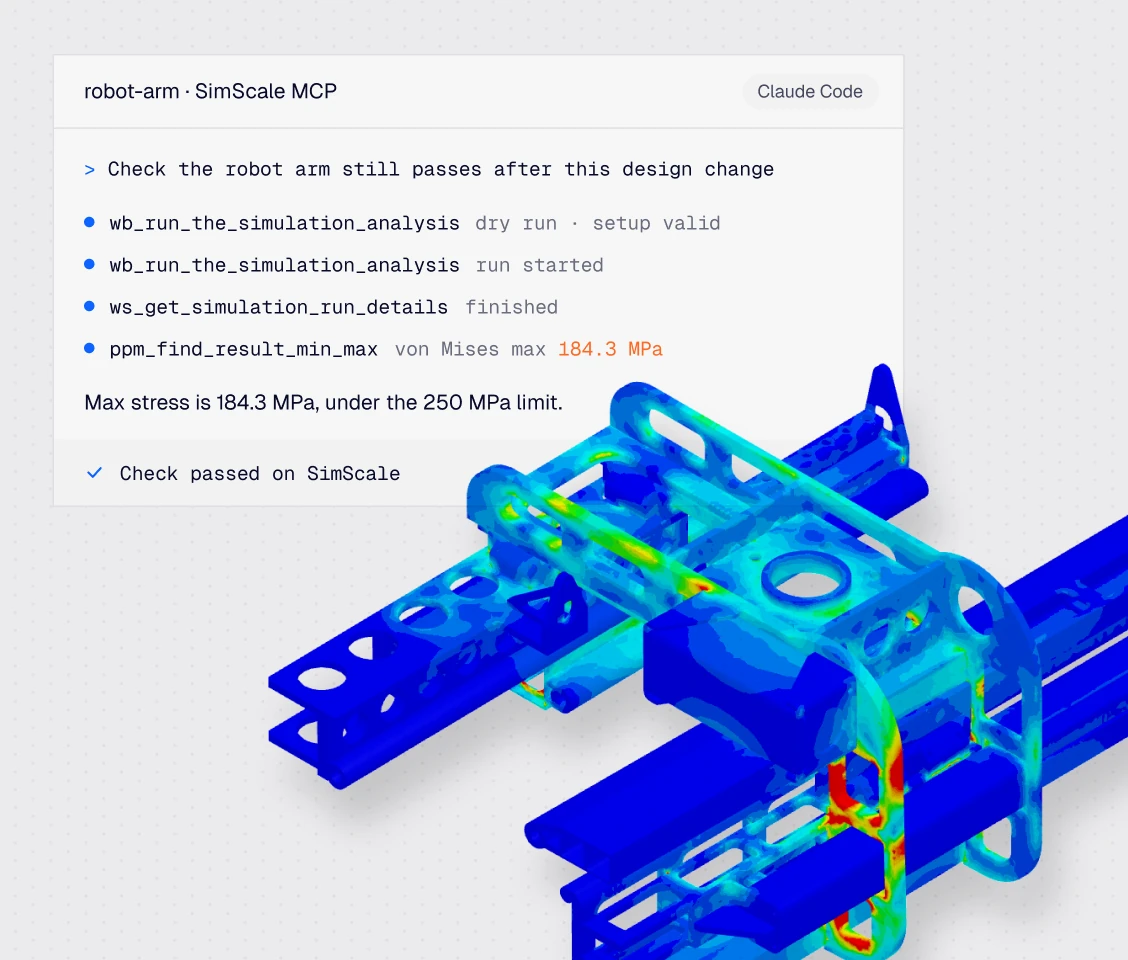
02 · From your IDE and pipelines
Simulation as a step in code
Drive studies from Cursor, Claude Code or Codex while you build your own tools, and run the same checks automatically whenever a design changes.
Running design loops across CAD, or putting SimScale under your company’s agent platform?
See the enterprise agent stackWhy not script a solver yourself?
Calling a solver is the easy part. Getting an answer you can trust is the rest.
A result you can rely on also needs clean geometry, validated physics, compute on demand and a record of every run. The SimScale MCP server gives your agent all four.
CAD prep that works on real parts
Dirty assemblies, flow volumes and face tagging, handled.
Validated solvers
CFD, FEA, thermal and EM, checked against published validation cases.
Compute without a queue
Hundreds of runs in parallel. No HPC, no license server.
Runs you can audit
Every action versioned and traceable, whoever or whatever started it.
Our agent or yours. Same engine.
Both use the same tools, solvers and audit trail. The difference is what the agent already knows. SimScale Engineering AI comes with engineering and simulation expertise built in, and can run whole design workflows across your CAD, your data and your other tools. A general-purpose agent gets the same tools, and you bring the know-how yourself. Many teams use both, and which one leads a workflow is your choice.
SimScale Engineering AI
Where you work
SimScale Workbench, dashboard or embedded CAD agent
Model
Leading models chosen by SimScale, which you can change
Simulation expertise
Built in: simulation know-how from our engineers’ methodology, SimScale documentation and public projects, plus your knowledge layer
Best for
Teams who want engineering workflows run for them, with the expertise built in
Your agent via MCP
Where you work
Any MCP client: your assistant, IDE or platform
Model
Yours
Simulation expertise
General-purpose. You supply the simulation know-how through your own prompts and context, and the knowledge layer you build
Best for
Teams with their own agent platform who want SimScale as part of it
SimScale’s tools, solvers and audit trail
The same tools, solvers and audit trail
Same engine
Tools, solvers, audit trail
Tools
Solvers
Audit trail
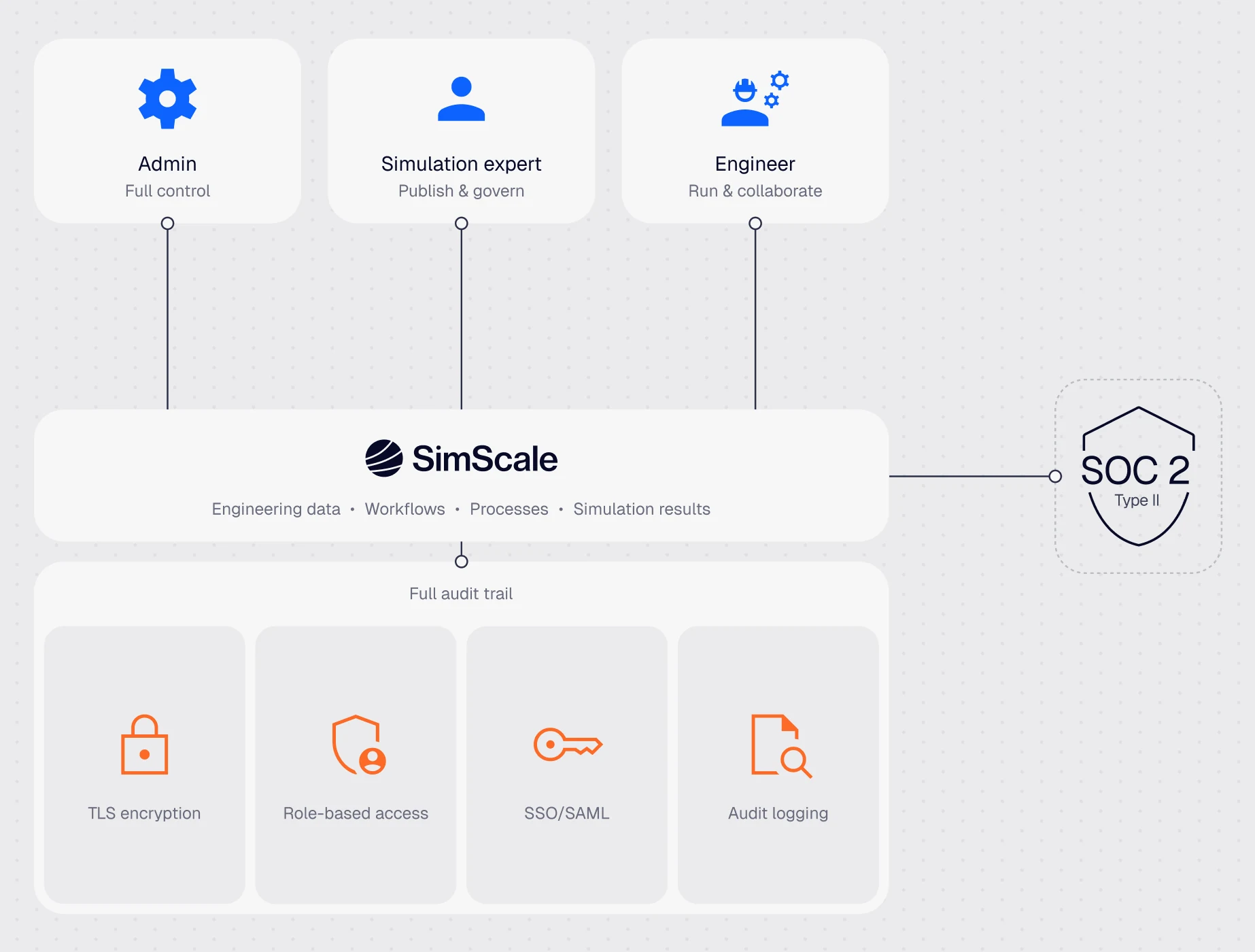
Security and control
Your agent gets your access, nothing more
- Sign in with your SimScale account and approve each application
- See and revoke connected applications at any time
- Scoped access, with the same project permissions as the user
- Every tool call recorded alongside the run
- Your data never trains public AI models
The Model Context Protocol is an open standard that lets AI assistants and agents use external tools. SimScale’s MCP server makes SimScale’s simulation tools available to any agent that supports it.
The MCP server is available on every plan, like the API. Simulations use your core hours as usual, and some AI-assisted tools use AI credits.
Yes. Your agent gets the same tools SimScale’s own agent uses, with your permissions. What it doesn’t get is SimScale’s built-in simulation expertise, so you supply that know-how yourself, or use SimScale’s agent alongside yours.
Any assistant or agent that supports the Model Context Protocol: chat assistants such as Claude, coding agents and IDEs, and your company’s own agent platform.
Yes, if you give them to it as context in your own setup. Inside SimScale, your methods live in your knowledge layer as skills and organization instructions, and SimScale’s agent uses them in every run.
MCP when an AI agent does the work, the API and SDKs when your own code does. See API, SDK and MCP for how they fit together.
No. Neither SimScale nor our model providers use your prompts, CAD, simulation data, tool outputs or responses to train or improve AI models.
Explore technology
How SimScale’s Engineering AI platform fits together, layer by layer.
Orchestration
Where agents and engineers plan, run and review simulation work, within the limits you set.
Simulation and AI engine
Validated multiphysics solvers and Physics AI on one engine.
Open integration
Connect simulation to your code, tools and agents through the API, SDKs and MCP.
Cloud infrastructure and governance
Secure, elastic compute for large simulation and AI workloads, with access control and audit built in.
Knowledge layer
Your methods, standards and validated cases, built into every run.