Knowledge Layer
Your engineering knowledge, built into every run
The knowledge layer holds what makes your engineering yours: your methods as agent skills, your standards, validated cases, simulation results and the corrections your engineers make. The agent draws on it in every run, and it compounds as your team works.
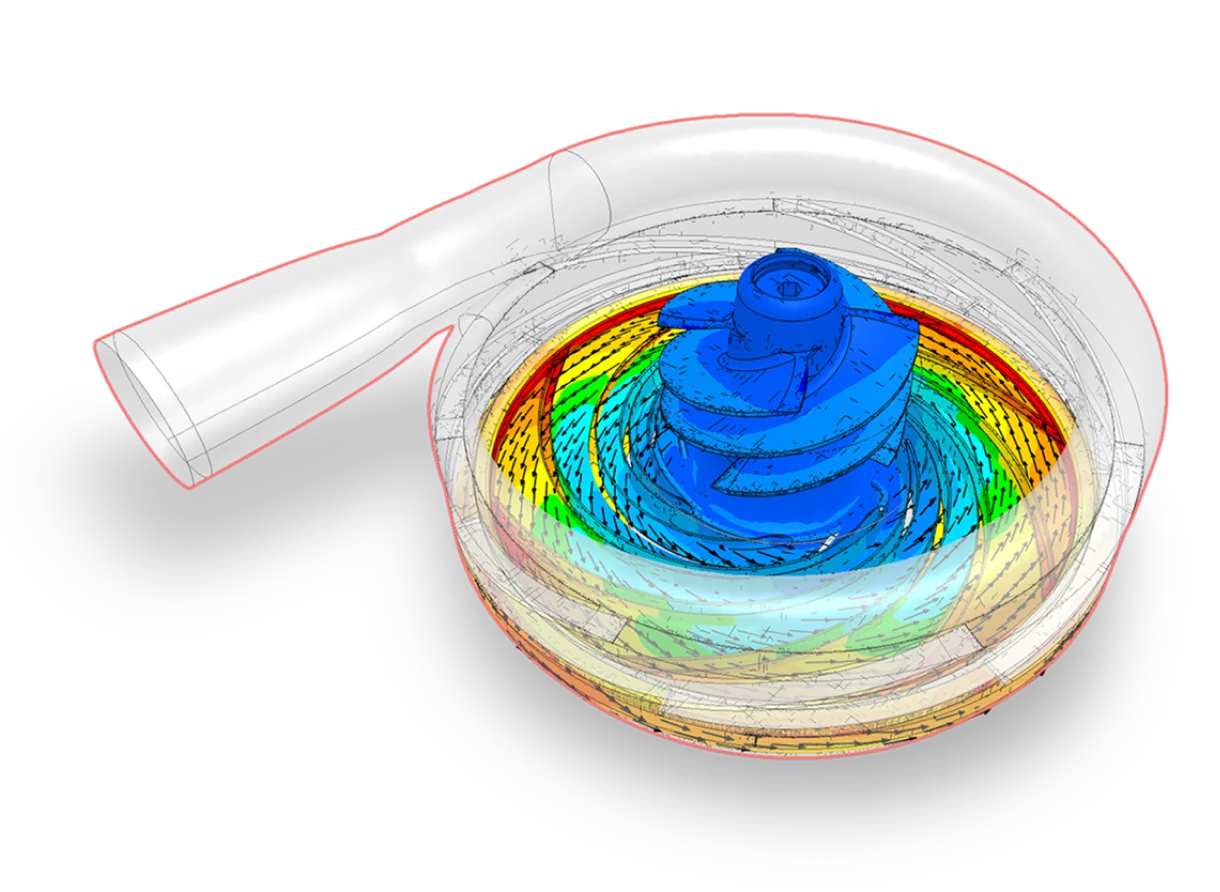
Pump P-210
Run the pump curve for the new impeller and check it against our vibration limits.
Impeller MRF methodology v5
Mesh calibration: volute v2
7 operating points, in parallel
ISO 5199 vibration check v3
Pump curve report v4
Pump curve done for 7 points. All within your ISO 5199 limits; the closest margin is 11 % at 120 % flow. The report is in your house template, listing each skill version used.
Knowledge layer
Acme Pumps · skill library
24 skills · 6 owners
Skill
Version
Owner
Scope
ISO 5199 vibration check
Methods team
Organization
Impeller MRF methodology
CFD lead
Organization
Mesh calibration: volute
CFD lead
Team
Pump curve report (house style)
Product line
Organization
Rotating-zone placement guard
SimScale
All users




Everything only your team has
Models and solvers are available to everyone. Your organization’s experience is not. The knowledge layer keeps it in one place the agent can use, so each study starts from your best previous work.
Agent skills
Your methods, written once and versioned: methodology, mesh rules, standard checks and report templates.
Standards and templates
The codes and acceptance limits you work to, and the formats your reports follow.
Validated cases
Studies that have been checked and signed off, so the next one starts from proven precedent.
Simulation data and results
Every run’s setup, mesh and results, kept with your projects for the agent and your engineers to draw on.
Decisions and the reasons behind them
Why a design was chosen or rejected, so the context outlasts the project.
Engineers’ corrections
Each fix an engineer makes to the agent’s work, so it doesn’t have to be made twice.
One agent that knows how your team works
A separate agent for every task means long prompts copied around and methods that drift apart. With skills, one agent picks the methods each job needs from a shared library and combines them. A pump study might use a pump methodology, a mesh calibration, a standard check and a report template in one run.
One agent per task
Each agent carries its own copy of your rules
Combining two methods means building a third agent
No shared view of which version ran
A fix in one place doesn’t reach the others
One agent + your skills
Each method is written once, versioned and owned
Skills combine for the job in hand
Every report lists the skill versions it used
Update a skill and every next run uses it
A method the agent can follow, check and cite
A skill is a short, versioned file in an open format: when to use it, the steps, the settings and the acceptance criteria, plus any reference documents. The agent loads it only when the job calls for it.
Methodology
Physics, models and boundary conditions for a product family
Mesh rules
Calibrated sizes and refinement, with the bias you measured
Standard checks
ISO 5199, ASHRAE 55, NEN 8100 or your own limits
Verification steps
Fine-mesh checks, plausibility bounds, reference cases
Report templates
Your structure, plots and sign-off fields
CAD rules
Parametric templates, DFM limits, face tagging
iso-5199-vibration-check / SKILL.md
v3 Owner: Methods team---
name: ISO 5199 vibration check
use when: a centrifugal pump study asks for
vibration acceptance or a pump-curve sign-off
---
## Steps
1. Modal analysis of rotor + casing, first 6 modes
2. Check separation from 1× and 2× running speed ≥ 10 %
3. Harmonic response at BEP and 120 % flow
4. Compare RMS velocity with ISO 5199 Table 5 limits
## Acceptance
Fail if any margin < 10 %; flag 10–15 % for review
## References
iso5199_limits.pdf · acme_pump_family_A.xlsx
Start with ours. Add your partners’. Make it yours.
Your organization’s version of Engineering AI is built in layers. You decide which skills are available for the whole organization, a team or a single engineer.
Built and validated by our engineers
Methodology and checks our application engineers have proven on public validation cases, such as calibrating external aero before a sweep or catching a misplaced rotating zone.
From the tools around simulation
Skills from CAD and tool partners, such as building parametric, simulation-ready models in Onshape, so the agent works well across your toolchain.
Your methods, private to you
Your standards, product families and report formats. Plus organization-wide instructions that apply to every run, such as units, materials or naming rules.
One engineer’s lesson becomes everyone’s skill
Every run produces knowledge: which setup worked, which mesh was good enough, what an expert corrected. The knowledge layer captures it and feeds it into the next run, so your Engineering AI gets better the more your team uses it.
Run
01
Bracket load cases v4
Mesh calibration: bracket v2
The agent runs the study
Using the skills that fit the job.
Review
02
Engineer review
Mesh bias found at the fillet
An engineer checks it
Accepts it, or corrects the setup. The correction is recorded.
Capture
03
Mesh calibration: bracket
→
v3Correction recorded
The lesson is kept
As a new skill version or a pattern the agent can retrieve.
Next run
04
Mesh calibration: bracket v3
Known before the run starts
Starts where the last one ended
For example, a mesh bias found in one bracket study is known before the next one starts.
Knowledge layer
Captured in step 3, used again in step 4
Your organization · private
PrivateYour skills, projects, corrections and documents. Visible only inside your organization, and never used to train models.
SimScale · shared
SharedValidated methodology, public standards and public projects, curated by SimScale engineers.
1 prompt, 4 load cases
From a single prompt, the agent simplified the CAD, assigned materials, then built and ran the 2G, 4G, 10G and 20G load cases on a LiDAR mounting bracket in parallel, every case clearly named and organized.
A custom agent bundles all its instructions into one agent. A skill is one method that any run can use and combine with others. You keep one agent and a growing library to maintain.
No. Your skills, projects and corrections stay inside your organization. Neither SimScale nor our model providers train on them.
[Answer pending — not provided in the Figma frame]
[Answer pending — not provided in the Figma frame]
[Answer pending — not provided in the Figma frame]
[Answer pending — not provided in the Figma frame]
Explore technology
How SimScale’s Engineering AI platform fits together, layer by layer.
Orchestration
Where agents and engineers plan, run and review simulation work, within the limits you set.
Simulation and AI engine
Validated multiphysics solvers and Physics AI on one engine.
Cloud infrastructure and governance
Secure, elastic compute for large simulation and AI workloads, with access control and audit built in.
Open integration
Connect your tools and your agents through the API, SDKs and the MCP server.
Build the Engineering AI only your team has.
Bring one method you repeat every week. We’ll turn it into your first skill with you.