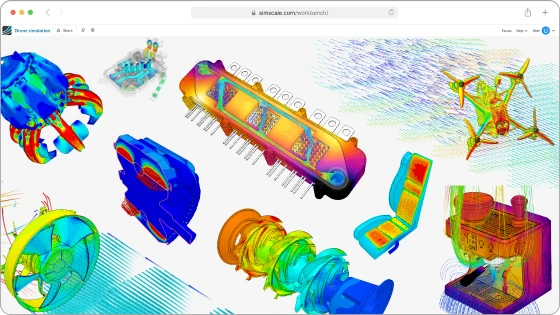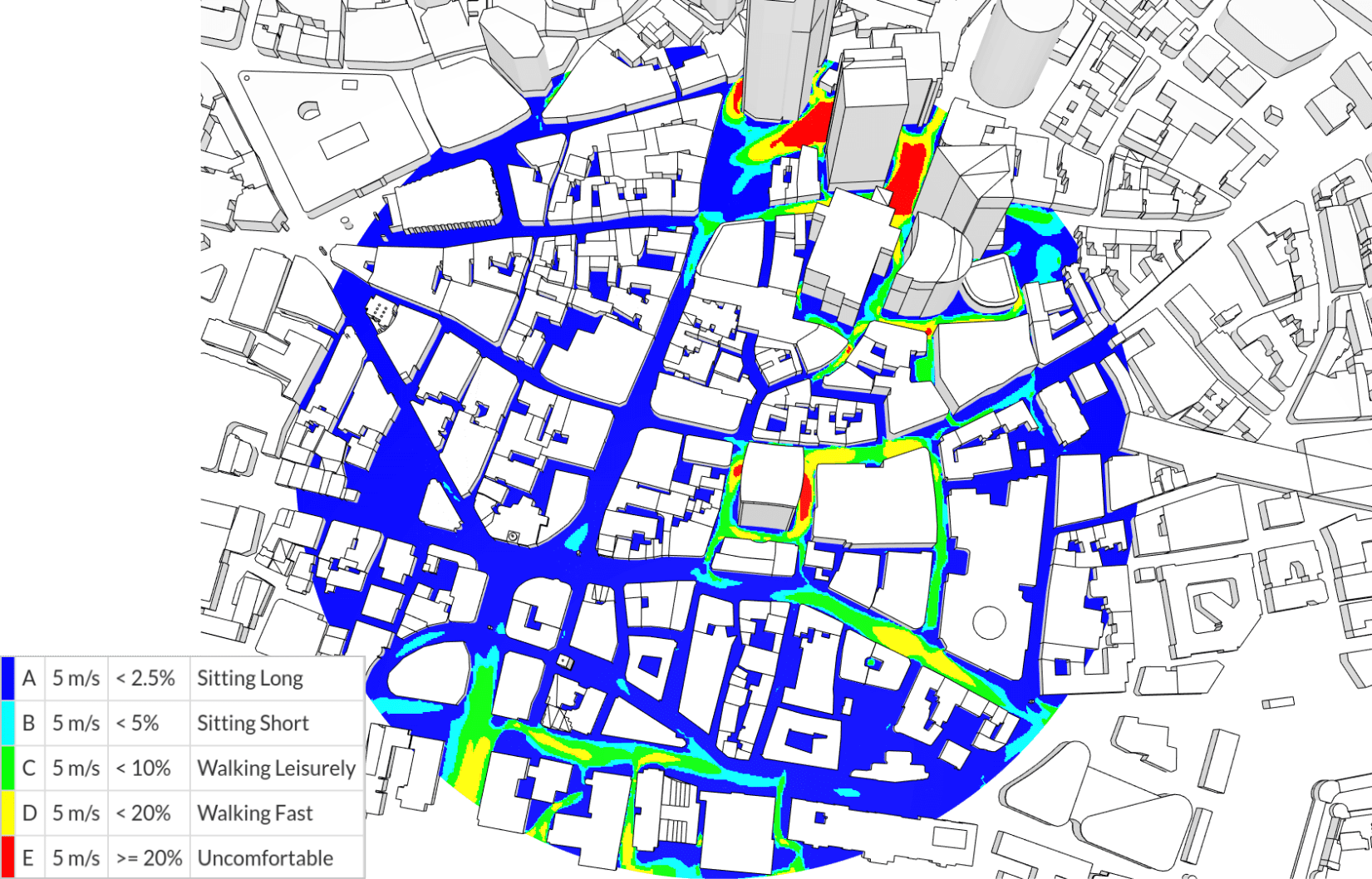

Engineering AI is an agent inside the SimScale platform that sets up, runs and reports on simulations from a plain-language request.
Why is that useful? Because the simulation itself is rarely what holds a team up. Running a CFD or FEA analysis takes hours of compute. The work to prepare the model and process the results can take days, and often requires the attention of a specialist. Beforehand: clean up the CAD, extract the flow region, name the surfaces, assign materials, define contacts, set boundary conditions, choose result controls. Afterwards: pull the quantities that answer the question, create cut planes and plots, and write up the conclusions to feed back to design and take the next decision.
Helping with, or taking over, that (usually manual) work is where Engineering AI comes in.
SimScale’s State of Engineering AI 2026 survey of 350 engineering leaders found two thirds to three quarters using some form of AI assistant, and around 10% with AI deployed to execute engineering work autonomously. Closing that gap is now something any engineer can test: this summer we opened the agent to SimScale’s full community of more than 900,000 users.
And no – I won’t be offended if you stop reading here to go and try it for yourself!
What Engineering AI is
You describe the engineering question in plain language. It answers, or orchestrates whatever is needed to answer that question.

If you ask it to (for example) “simulate this” – It inspects the geometry, builds the simulation, runs it on cloud compute, and returns results with a written account of the assumptions it made, using the same solvers and permissions your team already has.
The easiest way to find out what the agent is capable of is to start talking to it. But that’s only one way that the AI agent can do work for you: the same agent runs with no browser open, accepts work from tools like Slack and Jira, and can be built into automation.
It’s also helpful to understand what Engineering AI is not. It’s one of two AI systems in SimScale, both of which help you to do engineering work faster:
| Engineering AI | Physics AI | |
|---|---|---|
| What it shortens | Simulation lead time, the work either side of the solve | Simulation cycle time, the solve itself |
| How it works | An agent that operates the platform’s tools on your behalf | Trained models that predict results without running a solver |
| What it needs from you | A description of the problem | Existing simulation data to train on |
| Best for | Getting from CAD to a validated result without a specialist | Exploring a design space you’ve already characterized |
Unlike Physics AI, Engineering AI needs no training data and no model preparation. You can point it at geometry it has never seen and ask a question.
What happens when you ask it something
As you can see in the video above, the agent sets about a typical simulation task just like a human engineer would:
- It inspects the geometry. Depending on the context the model has, it may need to deduce a lot of the setup from the geometry itself. For example, given an unlabeled CAD model of a valve, it identifies inlets and outlets and extracts the internal flow volume. On a stirred tank it places the fluid region, builds the rotating region around the impeller, and strips out solids that don’t affect the answer.
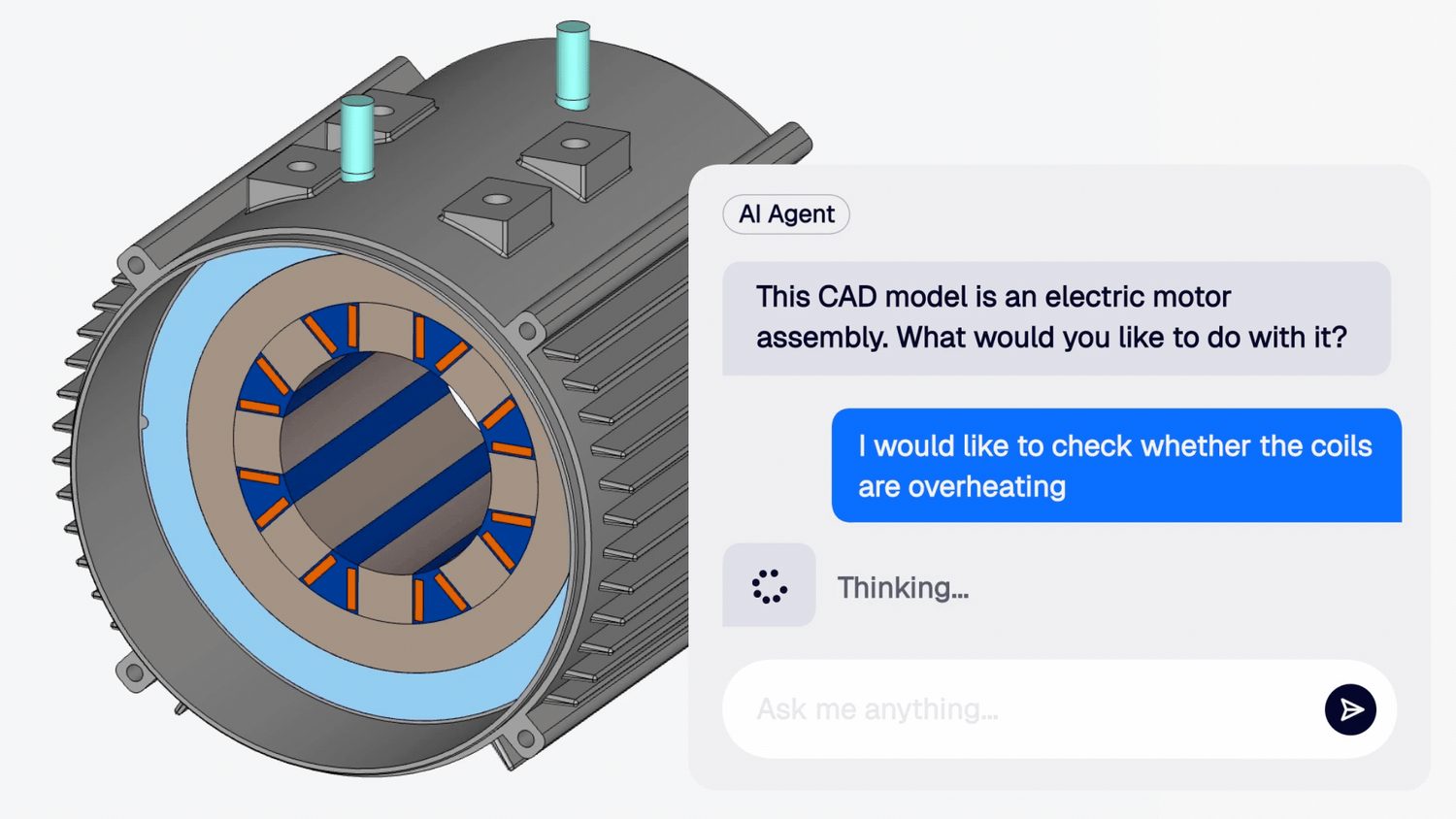
- It builds the simulation. Materials, boundary conditions, contacts, result controls. In the electric motor example, it detects a hybrid cooling arrangement and assigns copper to the coils, iron to the stator, aluminum to the housing.
- It runs, then reads the results. Using cloud compute so no queue, no HPC to provision. When the solver finishes it pulls the quantities you asked about, generates cut planes and screenshots, and produces a report with the plots embedded and the assumptions listed.
- It shows its work. Every step appears as a running task list, with the reasoning behind each decision recorded.
You aren’t approving each move or feeding it the next instruction. You can watch and intervene, and plenty of engineers do while building trust in a new agent, but that supervision is optional.
Guardrails, audit and data handling
Agentic simulation earns a place in a real engineering process only if you can account for what it did.
Is our CAD data used to train the models?
No. Neither SimScale nor our model providers use customer prompts, uploaded content, tool outputs, simulation data or model responses to train, fine-tune or improve AI models. Our agreements with AWS and Google require content sent for inference to be used only to return the result.
Who can see what the agent did?
Every action is logged with its reasoning, not just the final setup but the decision path, so when a reviewer asks why a boundary condition was chosen the answer is on the record for the user to refer back to. The agent operates as the user and never above them: tool calls run with the requesting engineer’s own authorization and can only reach data that person could already reach. SimScale credentials and session tokens are never included in the model prompt.
Where does inference run?
In the EU. Engineering AI runs on Claude via AWS Bedrock and Gemini via Google Vertex AI, both configured to EU regions, so prompt content is processed within the EU. Data is encrypted in transit and at rest. Conversations, tool calls and results are stored encrypted and access controlled.
From chat to agentic engineering
Engineering AI is more useful when nobody has to watch it work.
Runs don’t depend on you watching. Close the workbench and the agent keeps going. Come back to a finished setup, a completed run, or a report.
It’s callable without a browser. You can invoke Engineering AI through the SimScale API. Push a CAD file from Slack, Jira, Confluence or your own tooling, and the agent sets up, runs and returns results in context. No workbench visit required. This is the pattern behind agentic workflow automation.
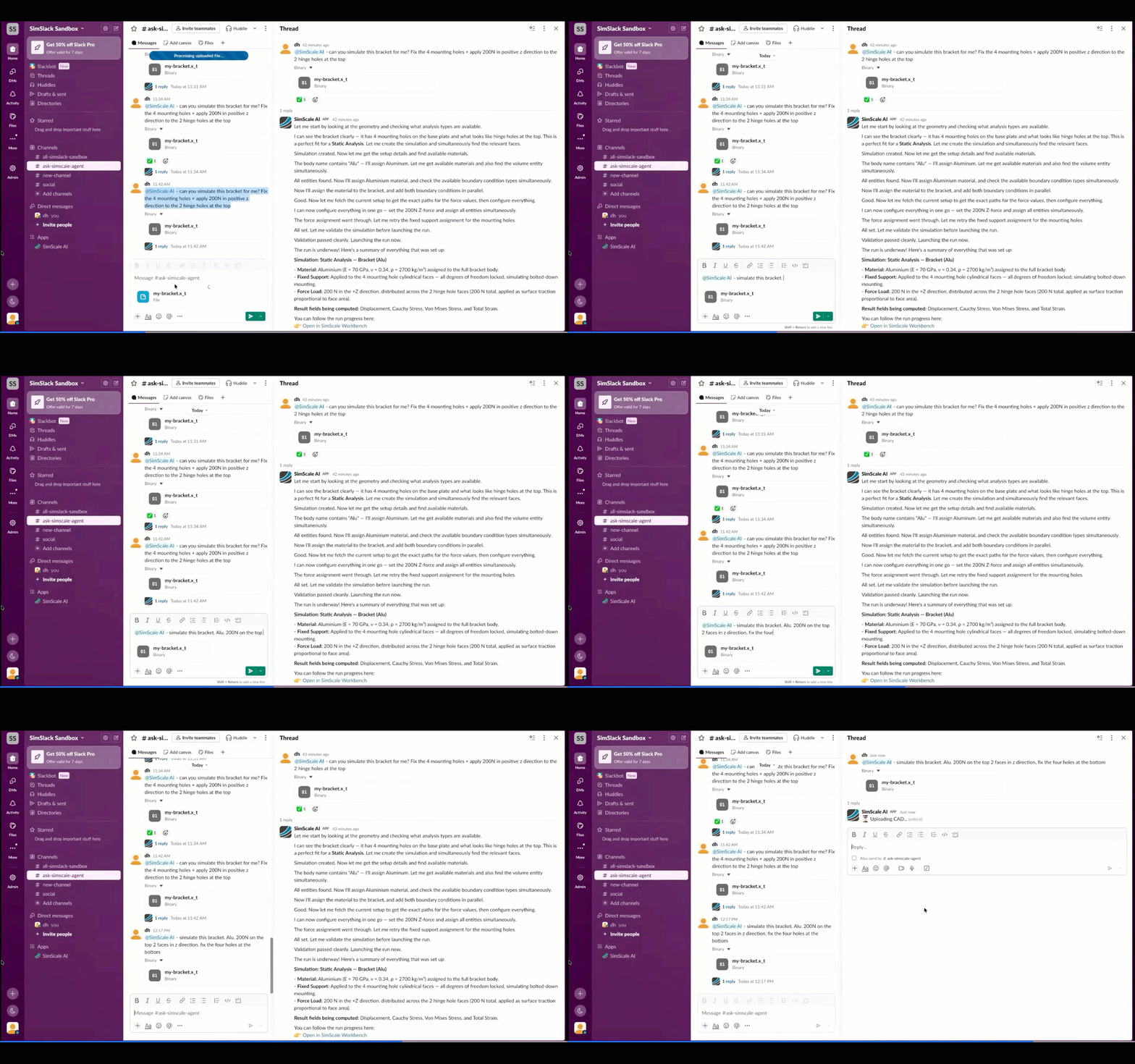
It works out the steps for itself. An engineer sets the intent, whether directly or through a custom agent’s instructions. Working out what that intent requires, and in what order, is the agent’s job.
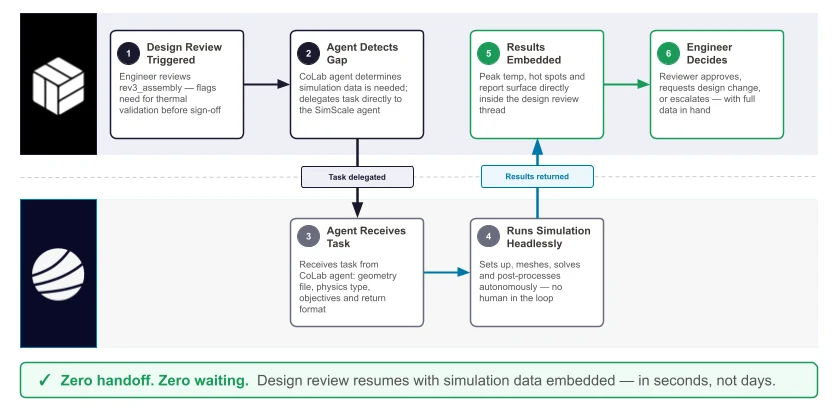
It can work alongside other agents. Reachable over the same API as the rest of the platform, it can sit inside automation spanning tools and companies. We’ve run this with design review platform CoLab, whose agent exchanged context with ours on a shared assembly, and with robotics manufacturer Bumatic on structural validation of 3D-printed geometry. Both are early explorations rather than shipped products, and both point the same way: simulation as a service other systems call.
Chat is a reasonable way to start. The bigger change for a team is simulation running automatically when a CAD revision lands, with results posted back into the tools they already use. That’s the broader pattern behind agentic workflows in engineering.
How to build agents for real workflows
‘Out of the box’, the agent has a broad knowledge of simulation, as well as capabilities for reasoning and research that equip it to tackle pretty much any engineering task. But as with all generative AI models, it works better with more context. In the case of a workflow, that means providing the agent with a set of instructions or custom context for a particular task. Why? Firstly, so the agent doesn’t need to work everything out from scratch every time. This will save both time and token budget. Secondly, for more consistent execution. Providing tools like checklists or procedures in the agent’s custom instructions will result in more deterministic output. Here are a couple of examples:
RFQ response is a process that is both repetitive and time-critical, but difficult to automate programmatically. Each RFQ that is received comes in a different format, with different requirements to target, and different deliverables. At the same time, the engineering methodology that is used to build the response will be unique to each engineering organization.
A simpler example is the Drop test agent. Setting up this simulation involves orientating the subject of the test, positioning it the correct distance away from a rigid surface, and setting up a nonlinear mechanical analysis with appropriate contacts and initial conditions. This is a task that an agent can handle autonomously, both building a simulation set up and self-checking what it produces. This ability to ‘eyeball’ the model setup and catch and resolve any inconsistencies is what sets agentic automation apart from ‘traditional’ automation via scripts, macros and APIs.
For more examples of custom agents, see the Agentic Engineering Live playlist.
Customers are already building these for their own processes. Warehouse robotics company Dexory uses Engineering AI to trace the root cause of structural component failures, run parameter sweeps across design variants, and turn completed projects into a searchable engineering knowledge base. SunCubes runs thermal, structural and aerodynamic analysis on the UAV and wireless power systems it builds. Dolphin Global Holdings, which has made heavy-duty cooling systems since 1986, is rolling it out across radiator and heat exchanger design to test more core, fin and tube configurations before anything gets prototyped. Watch Dolphin’s presentation from our recent ‘Agentic Unlocks’ event to learn more.
SimScale gives us the capability to run complex, multi-physics analysis on our UAV designs and energy transfer systems in the cloud, with AI that helps us set up and interpret simulations faster than ever.
Davide Russo, Co-Founder and Chief Innovation Officer, SunCubes
Agent or chatbot – what’s the difference?
An AI assistant trained on documentation can tell you how to use a tool, or provide advice based on research and reasoning. Ultimately, it can only provide you with information.
Engineering AI can do the same, but it doesn’t stop there. As well as deducing what needs to happen next, Engineering AI has the ‘agency’ to carry it out too. The human user provides the intent, and working out how to achieve it and what it means for that specific geometry or model is the agent’s job.
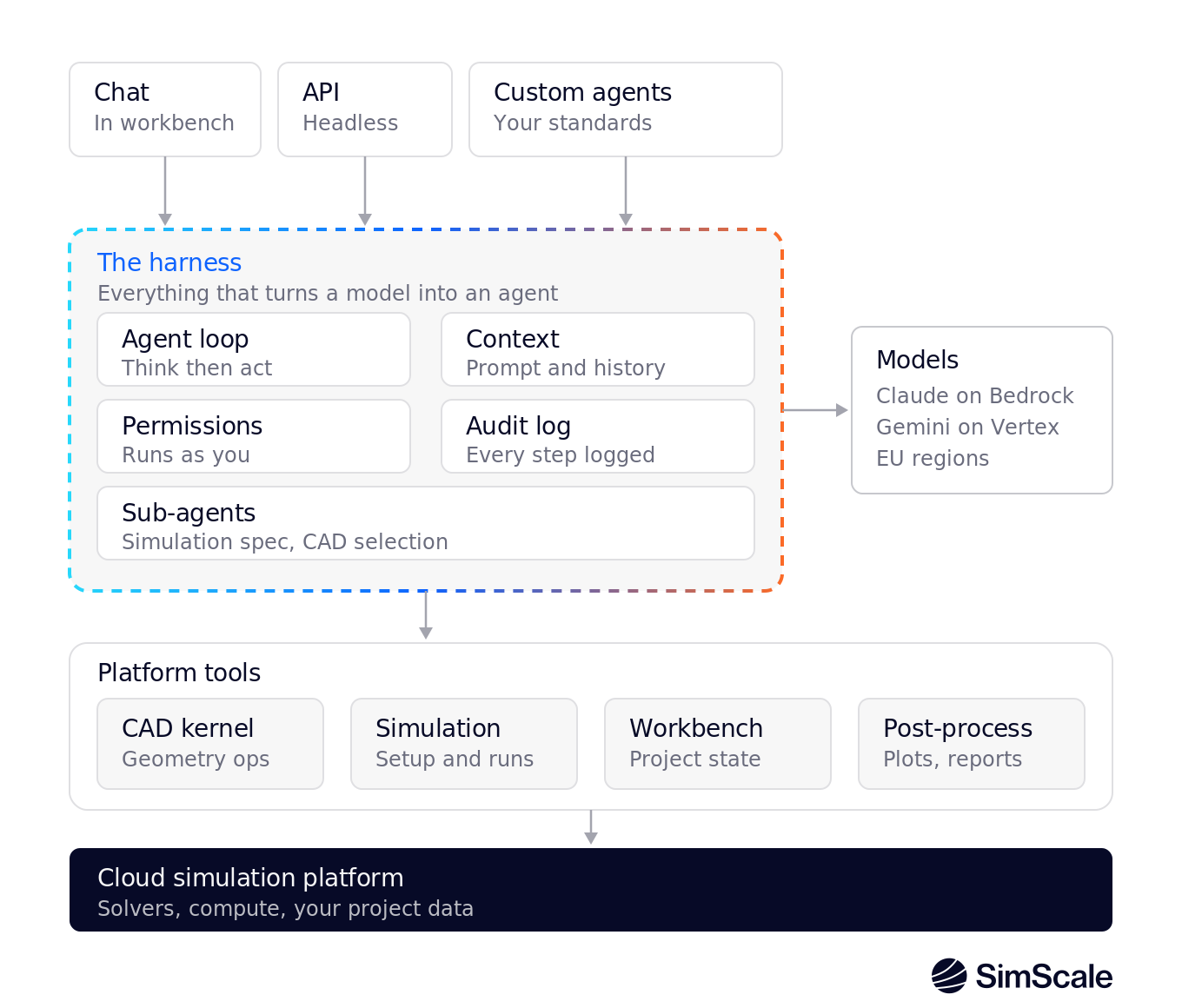
A language model produces text; it can’t directly clean up geometry or launch a solver. What turns it into something that operates software is the layer on top of it: the loop that calls the model, reads back what it wants to do, does it, and feeds the result in again. Agent engineers call this the harness.
In the case of SimScale’s Engineering AI, the harness has access to a vast array of tools reaching into the CAD kernel, the mesher, the solvers, the post-processor and the project data store, each running under the permissions of the engineer who is logged in. That’s why it is able to do so much more than a general purpose harness calling the API, and also do it much more quickly and efficiently.
Custom agents: your standards, not ours
The workflows above are demonstrations. The point is that you can build the same thing for your own process.
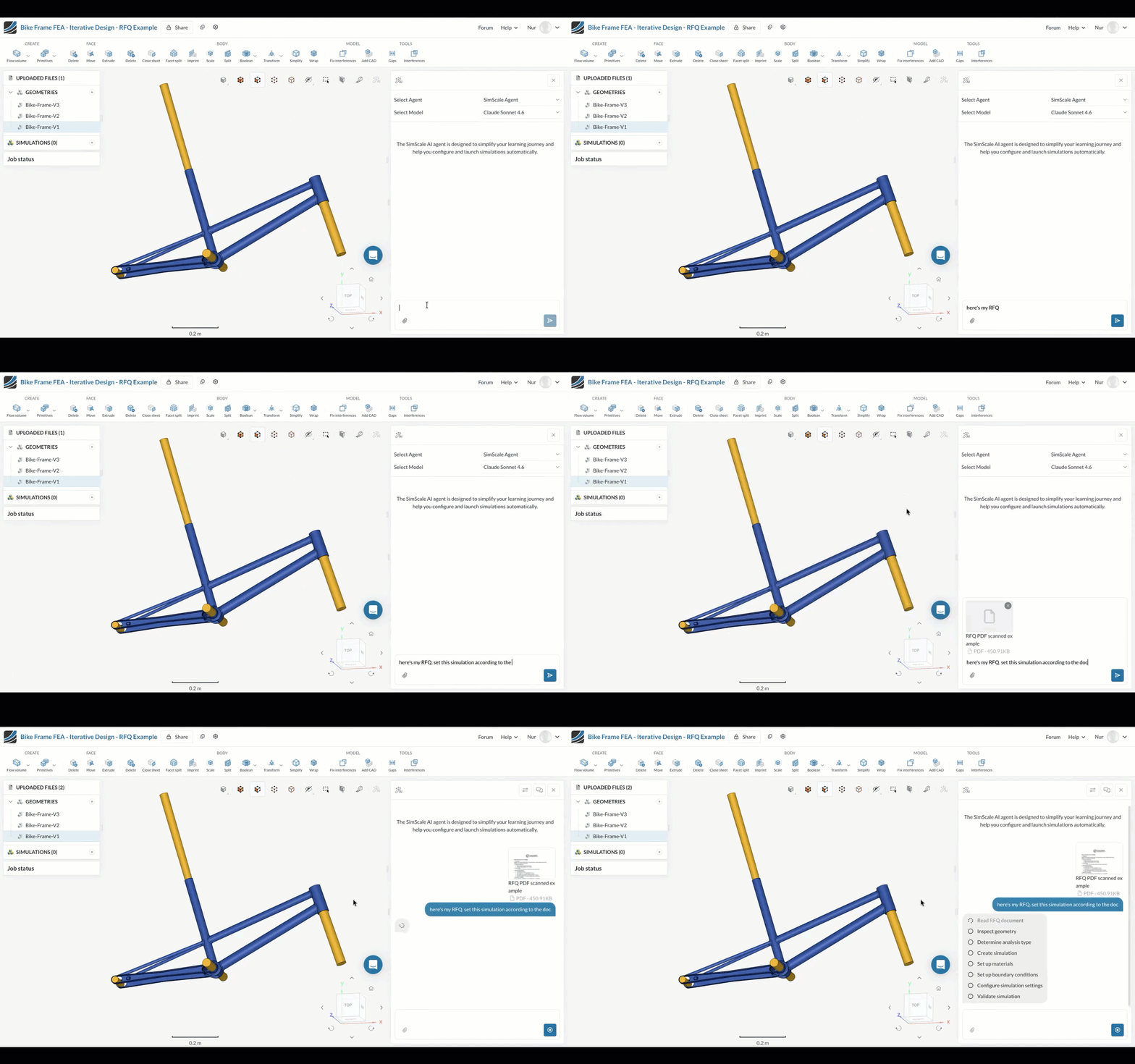
A custom agent is Engineering AI plus two things you supply:
- Instructions describing how your organization runs a particular analysis.
- Documents it can search. Material specifications, internal validation standards, your internal simulation methodology document.
Where Engineering AI fits in CAE
AI arrived in CAE from two directions, and they solve different problems.
Surrogate and reduced-order modeling came first: train a model on simulation data you already have, then predict new results in seconds. Once you’ve characterized the design space already and trained a model, you can explore new design variants instantly. In SimScale it’s Physics AI.
Agentic AI is a more recent arrival, and it attacks the simulation lead time. No amount of solver acceleration helps if the design is still stuck in a queue to be tested.
Many teams can benefit from both: Engineering AI gets more people producing valid simulations, and Physics AI makes each exploration cheaper once the problem is understood. And of course Physics AI is just another tool that Engineering AI can call.