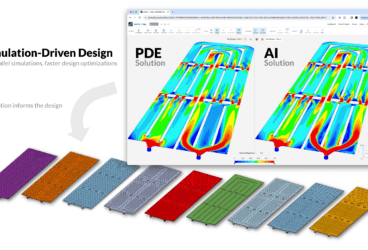
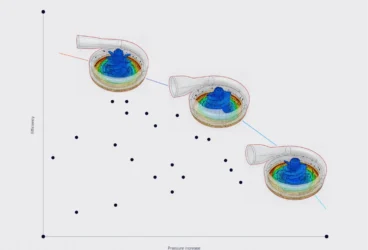
At SimScale, our mission is to empower engineering teams everywhere to innovate faster by exploring thousands of engineering decisions in seconds. That means shipping capabilities that cut simulation lead time, remove setup friction, and expand the physics you can access from a single browser tab.
This summer, the updates center on Engineering AI, the PAMICS® SPH solver integration and important electromagnetics capabilities for modeling motion.
Tune in to the webinar to learn more
Register for this webinar for a guided tour of the most powerful new capabilities released on SimScale this summer.
Engineering AI: agentic simulation from anywhere
Engineering AI is built to compress the simulation lead time. This update pushes that further by making the agent accessible from outside the SimScale workbench entirely.
AI agent API access
You can now call the SimScale Engineering AI agent via API, without opening a browser. Push a CAD file from Slack, Jira, Confluence, or your own tooling, and the agent will set up, run, and return results in context. No workbench visit required.
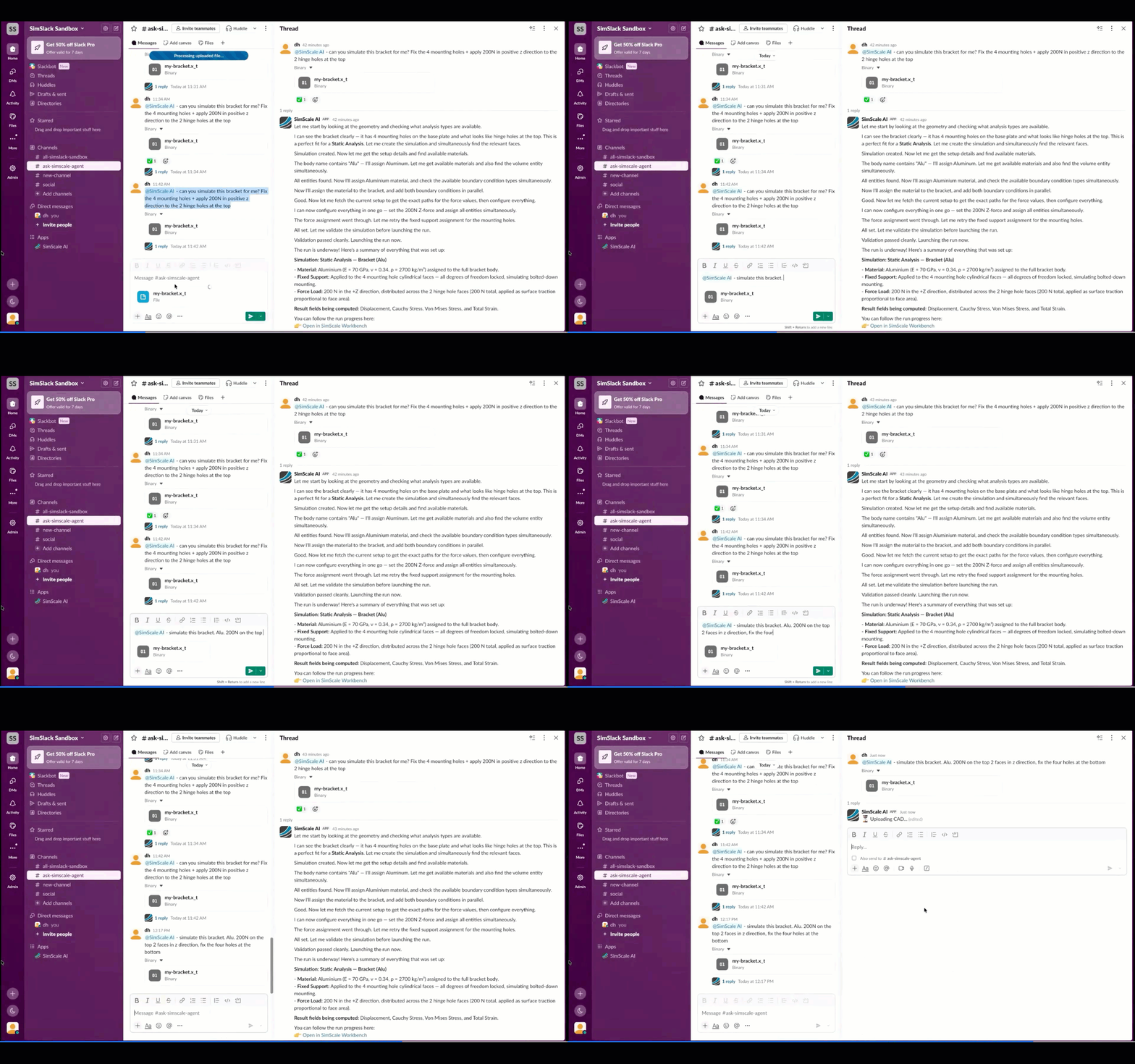
This is the architecture that makes fully automated simulation pipelines possible. One partner already demonstrated a workflow at the webinar where a designer checks a CAD model into PLM, a simulation runs automatically, and a report is attached before anyone has to ask.
File attachments in the agent conversation
You can now drop files directly into the agent chat. RFQ documents, previous simulation reports, design specs: the agent parses them and uses the content to inform simulation setup and evaluation. You don’t have to re-instruct the agent each time a project changes. Drop in the new context and keep going.
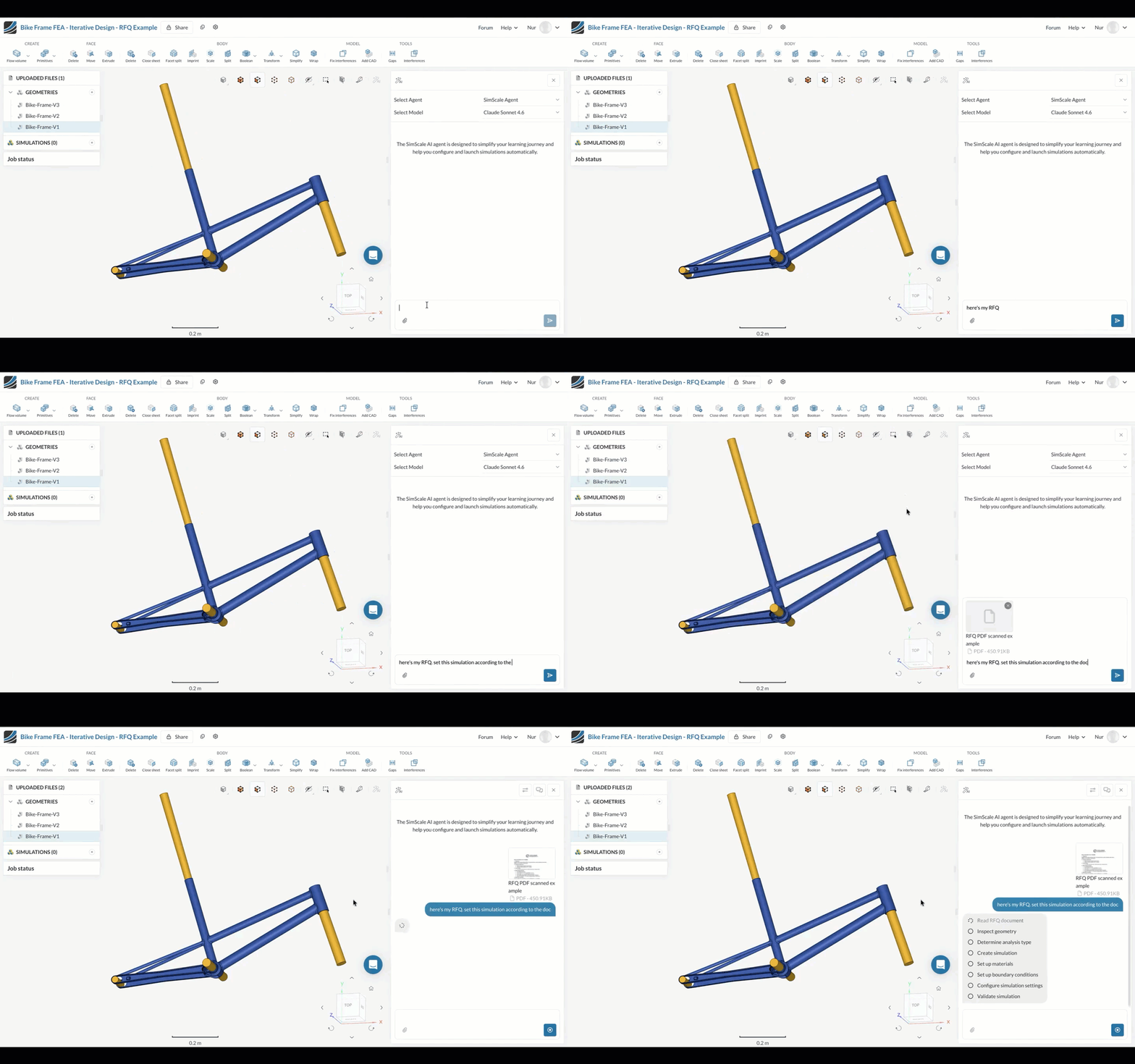
As well as importing documents, the agent can now also create custom reports on request. Point it at a previous report as a template, and it will capture screenshots from results, annotate them, and assemble a formatted document. The engineer never has to load a large result file to get a deliverable.
CAD preparation
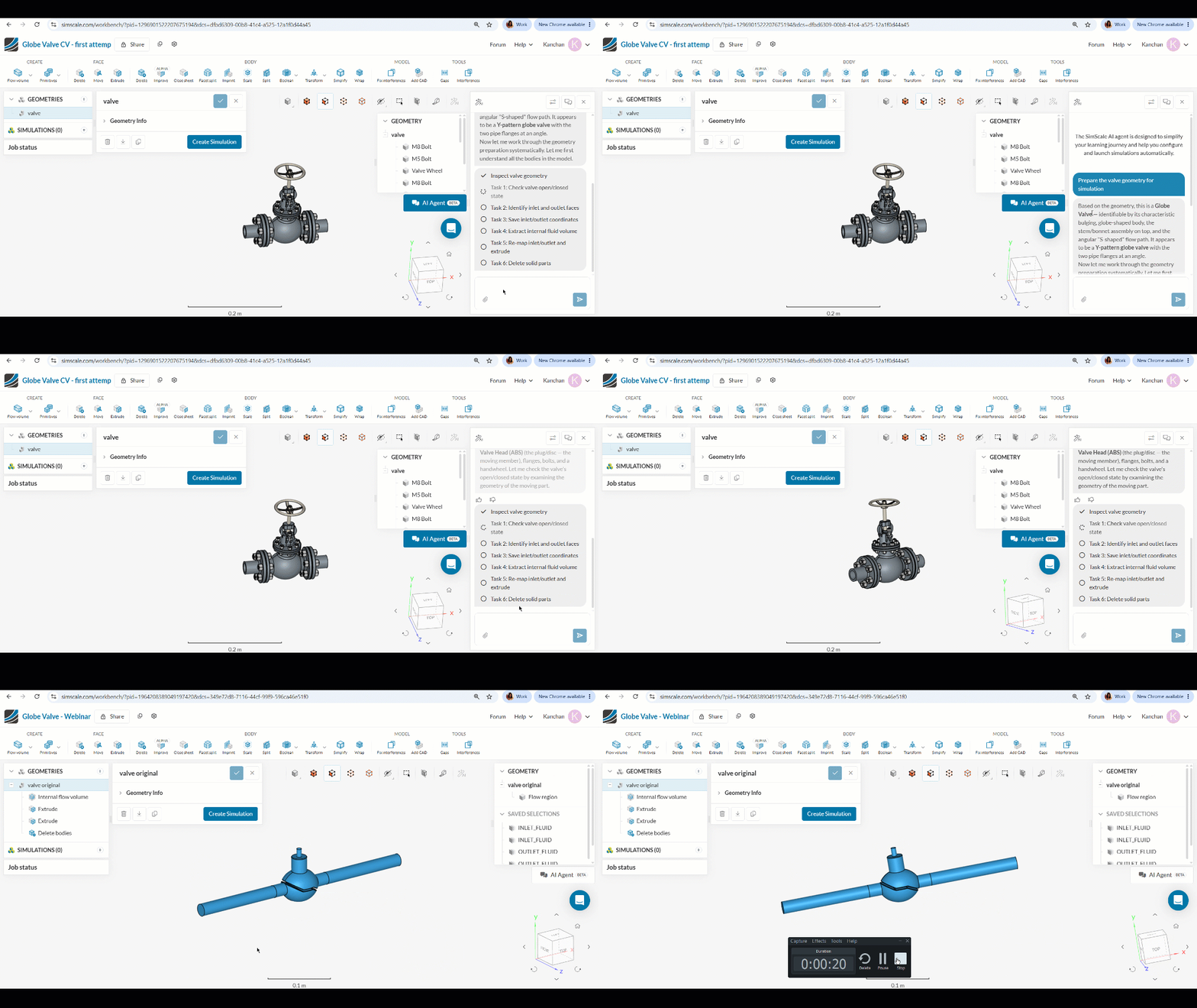
CAD prep is the biggest bottleneck in most simulation workflows. The agent can now automate common CAD operations: geometry simplification, fluid volume creation, cleanup. If it’s handled a similar geometry before, it can apply that process again. If it hasn’t, it reasons through the steps by itself.
CFD: PAMICS® SPH solver progress
PAMICS® will soon be available on SimScale, integrated via SimScale Workflows. It’s a meshless SPH (Smoothed Particle Hydrodynamics) solver that runs on NVIDIA GPUs, and it handles the kinds of fluid problems that mesh-based CFD finds expensive: sloshing, oil lubrication, free surfaces, wave impact, and complex mixing with moving parts.
No meshing step. No CAD preparation. Simulate directly from raw geometry, up to 20x faster than mesh-based CFD on GPU hardware via SimScale’s cloud platform.
You can read more about how PAMICS® is being integrated via SimScale Workflows in this post.
Electromagnetics: three new capabilities
Motion coupling: prescribed rotational motion
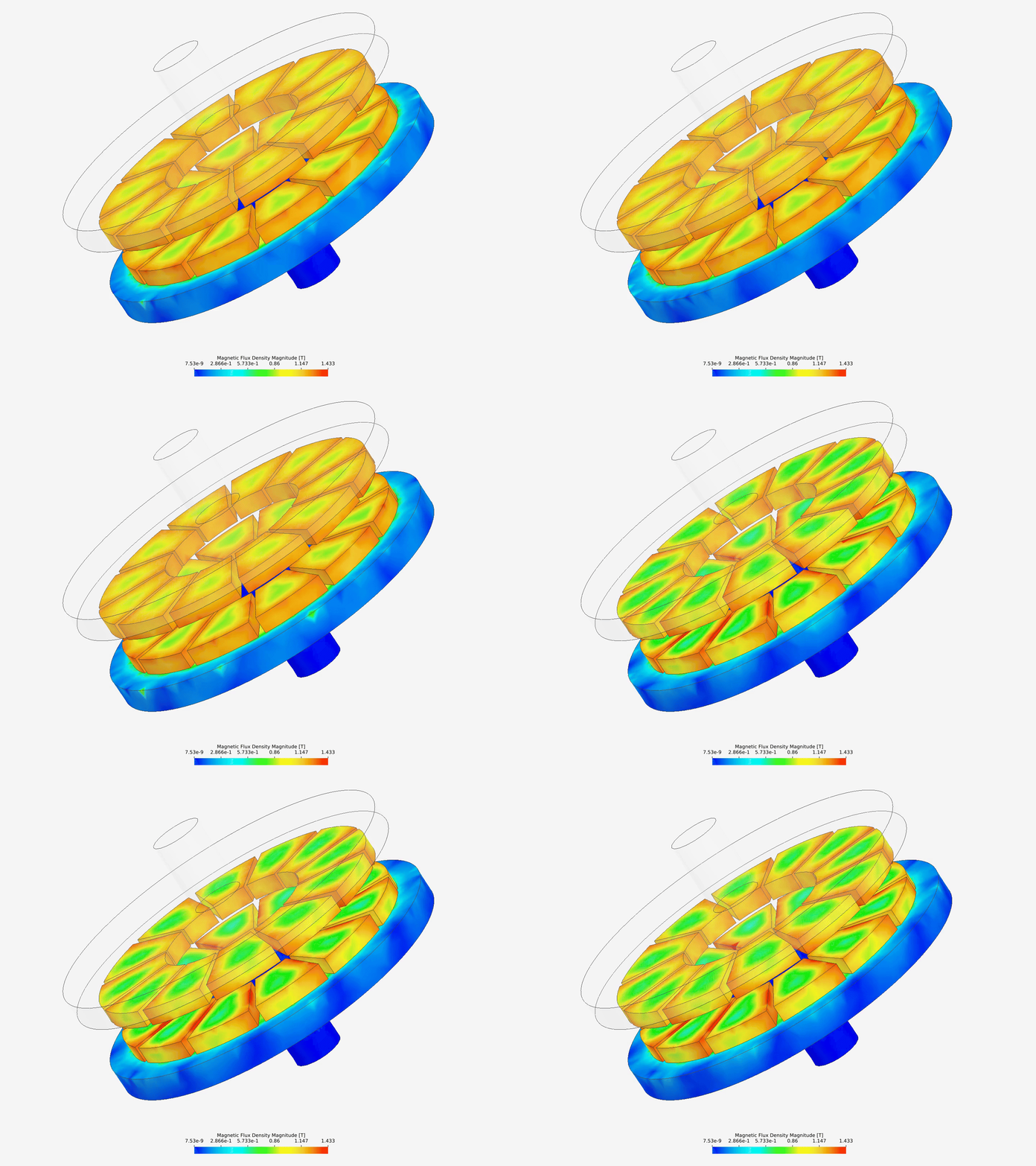
Until now, electromagnetics simulations on SimScale couldn’t capture the effect of mechanical movement on EM fields. This update introduces prescribed rotational motion directly in the EM solver: simulate a stator and rotor together, with transient magnetic fields responding to the rotation. Linear and dynamic coupling will follow.
AC electric model (time-harmonic solver)
Alternating current is transient by nature, which makes it expensive to simulate accurately in time-domain. The new time-harmonic solver computes steady-state responses to sinusoidal voltages and currents using phasor representation, covering the AC behavior efficiently without running a full transient simulation. Useful for AC power cables, connectors, sensors, and insulation systems. The approach applies when the system is overall in steady state, comparable to a frozen rotor setup in CFD.
Time-harmonic magnetics with transient thermal coupling
EM fields cycle in milliseconds; heat builds over minutes or hours. Running both fully coupled transiently is expensive. This feature automates one-way coupling between the time-harmonic magnetic solver and the transient thermal solver. The EM simulation captures eddy currents and ohmic heating in steady state; those results feed directly into a transient thermal run. You get accurate temperature evolution over time without the simulation overhead of a fully coupled transient approach.
Platform: local coordinate systems
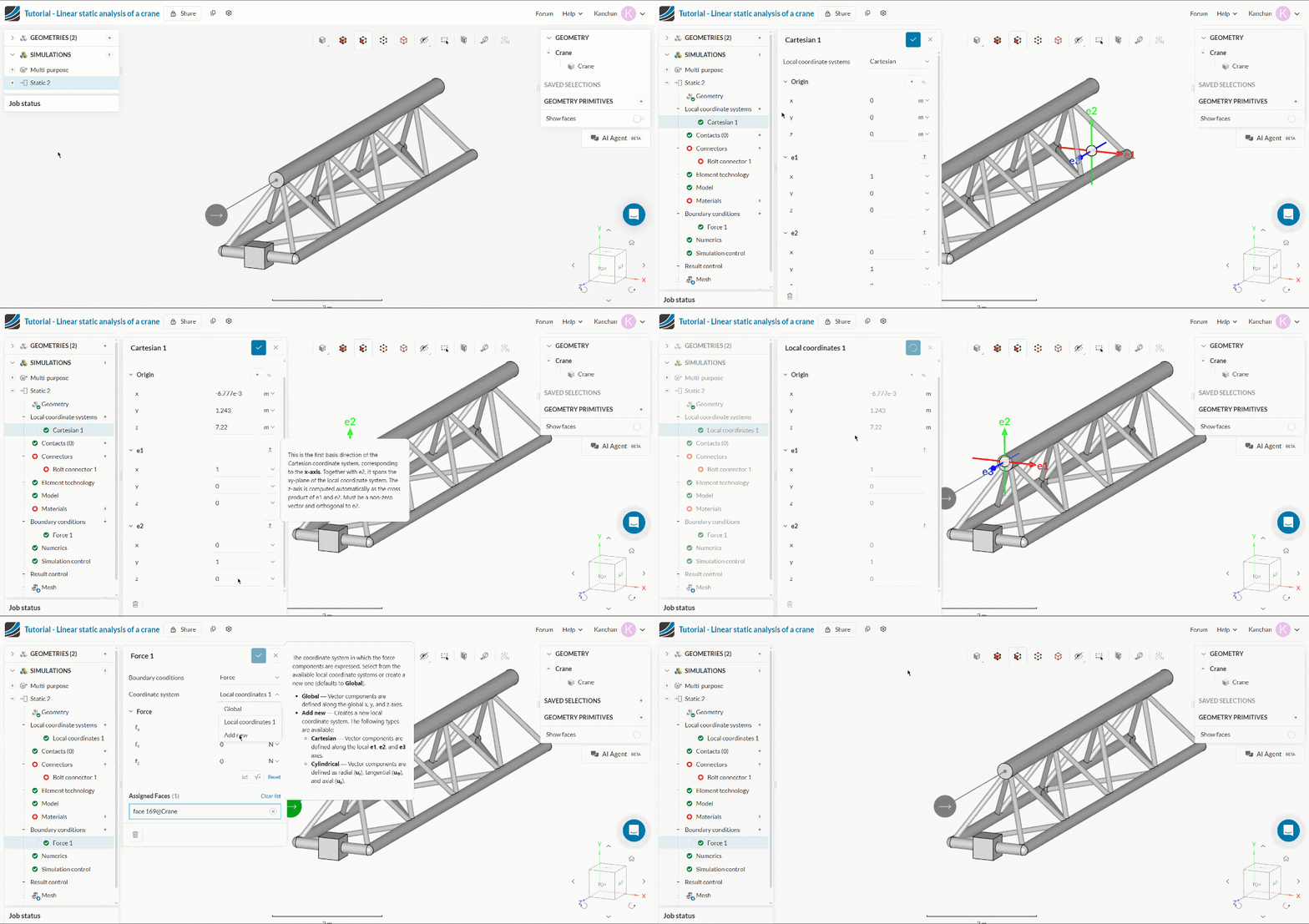
Local coordinate systems are now available in FEA, with CFD support coming. Create cartesian or radial coordinate systems and assign them wherever you need them: boundary conditions, forces, porous media, result plots. For organic geometries or cases where material properties vary through a part’s thickness, this has been a missing piece for a while.
Explore the roadmap
SimScale ships continuously. To see what’s recently released and what’s in development, visit the SimScale roadmap.