Integration
Proven Workflow
Simulate Fusion 360 models in the cloud
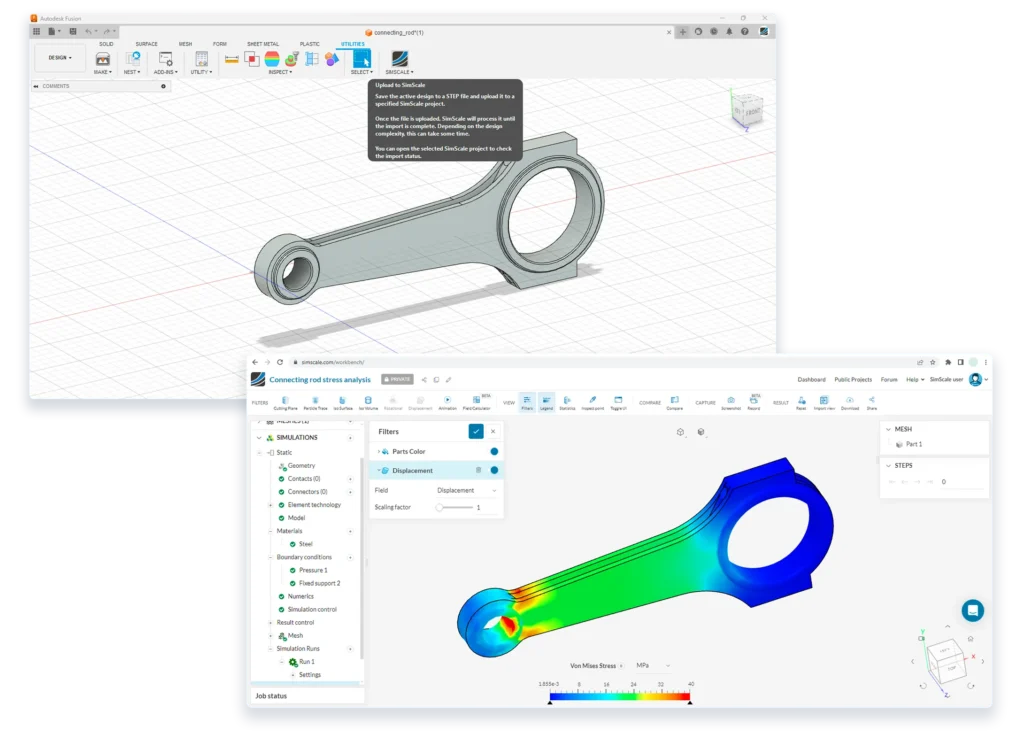
You can simulate Autodesk Fusion 360 models directly in SimScale without the need to locally download the files..
How it works
Simulate Fusion 360 models in 3 steps
01
Native file support
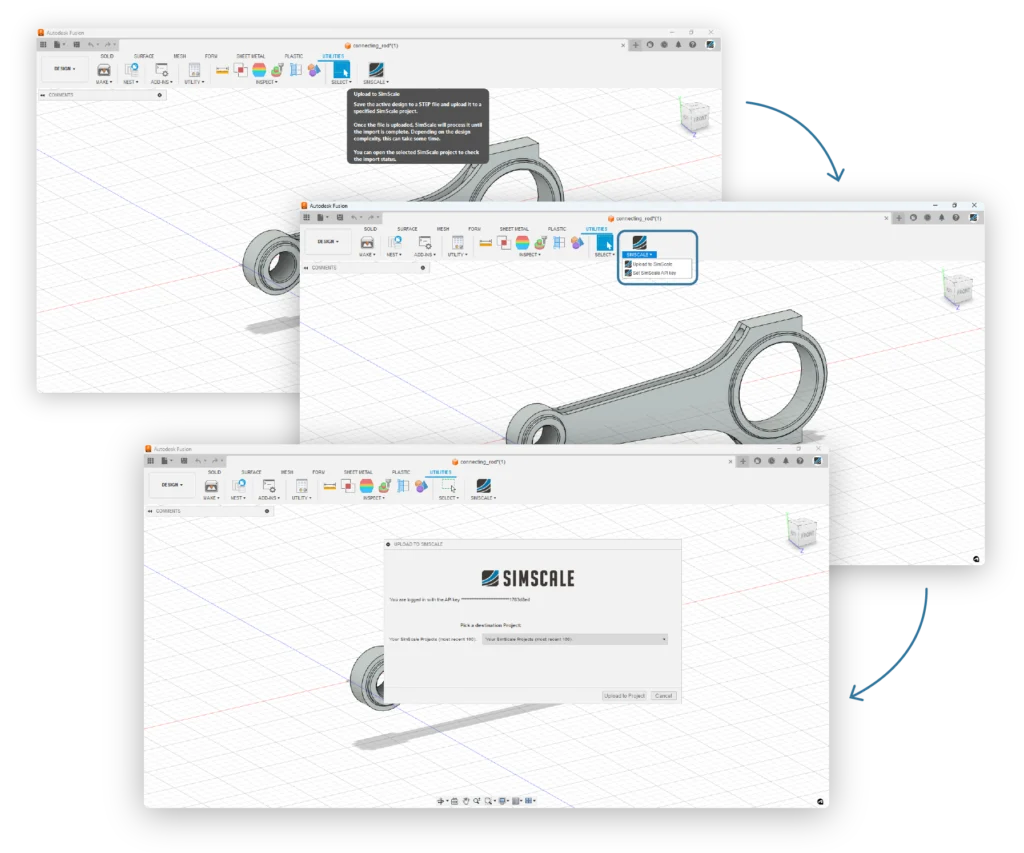
Save Fusion 360 models in their native formats and directly upload them or use the SimScale add-in.
02
Cloud-native simulation setup
Set up and run sophisticated multiphysics simulations. Your computer is free while the simulations run in the cloud.
03
Integrated online post-processor
Analyze your simulation results and validate your models with SimScale’s cloud-native post-processor.
SimScale and Autodesk Fusion 360
Keep designing in Fusion 360 and run cloud-native simulation on top. A dedicated SimScale add-in brings your native models straight to the cloud — no local hardware, no format conversion.
Benefits
- Dedicated SimScale add-in for Fusion 360.
- Simulate without the need for extensive local hardware.
- No complex integrations or installations.
- Native workflow with no need to export non-native Fusion 360 formats.
Ready to move faster?
Start simulating in minutes, not weeks
Get started today with AI-native engineering simulation