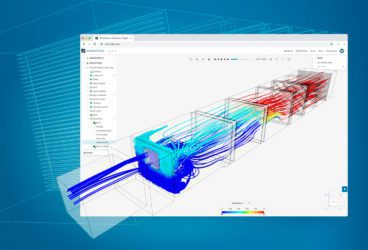
SimScale lets you run virtual wind tunnel tests across aerospace, automotive, and building applications – with results in hours instead of weeks.
Upload your CAD model, set your flow conditions, and start evaluating designs immediately.
Launch your own online wind tunnel simulator
With SimScale you can do wind tunnel simulation on any item of your choosing from cows to space shuttles – no limits!
What Is a Virtual Wind Tunnel?
A virtual wind tunnel is a CFD simulation that replicates the conditions of a physical wind tunnel entirely in software. Engineers define airflow conditions digitally and simulate aerodynamic forces — lift, drag, pressure distribution, and turbulence — on a 3D CAD model, all from the browser. No physical prototype, no lab access, no HPC infrastructure required.
How a Virtual Wind Tunnel Works
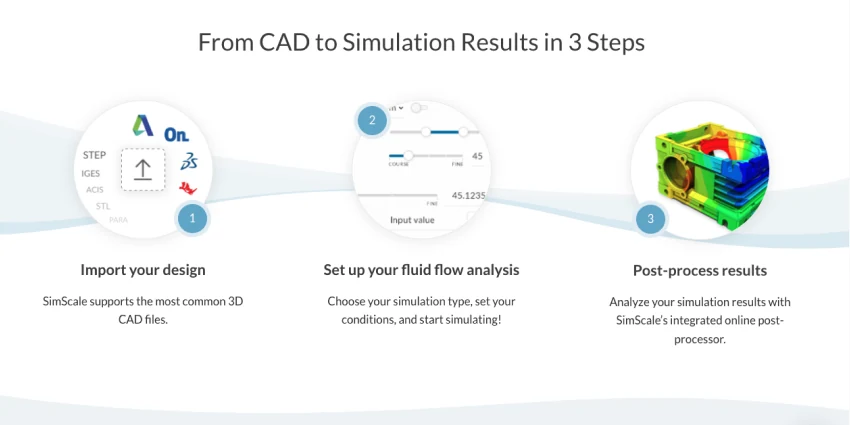
A virtual wind tunnel simulation follows the same physical principles as a physical tunnel but replaces hardware with computation. Here’s how it works in SimScale:
- Import your CAD geometry — Upload your 3D model directly from SOLIDWORKS, Fusion 360, Onshape, Rhino, or any tool that exports STEP, IGES, STL, or Parasolid. Over 20 CAD file formats are supported natively.
- Define the virtual wind tunnel domain — Create a computational domain (the virtual equivalent of the tunnel’s test section) around your model.
- Generate the mesh — Automated meshing discretizes the geometry and surrounding domain into millions of computational cells, including boundary layer refinement for accurate aerodynamic predictions near surfaces.
- Configure the physics — Select your simulation type (steady-state or transient), turbulence modeling approach (RANS, LES, or DES etc), and boundary conditions. Set the boundary conditions – inlet velocity, turbulence parameters, and atmospheric conditions to match your real-world scenario. Engineering AI can guide setup and recommend parameters for common configurations.
- Run the simulation in the cloud — Use SimScale’s scalable cloud-native infrastructure. Run multiple design variants in parallel — no waiting in a queue. Typical external aerodynamics simulations complete in 1–6 hours depending on complexity, and Physics AI delivers instant aerodynamic predictions for rapid design space exploration using a suitable pre-trained model.
- Post-process and analyze — Visualize pressure contours, velocity streamlines, force coefficients (Cd, Cl), and surface distributions directly in the browser. Compare multiple design iterations side by side.
Wind Tunnel Experiments: What They Are and When They’re Used
Architects and aerodynamicists use wind tunnel experiments to test everything from buildings to aircraft designs. Physical wind tunnels are classified by the speed range they can produce — low subsonic, transonic, supersonic, and hypersonic — with each type suited to different engineering applications.
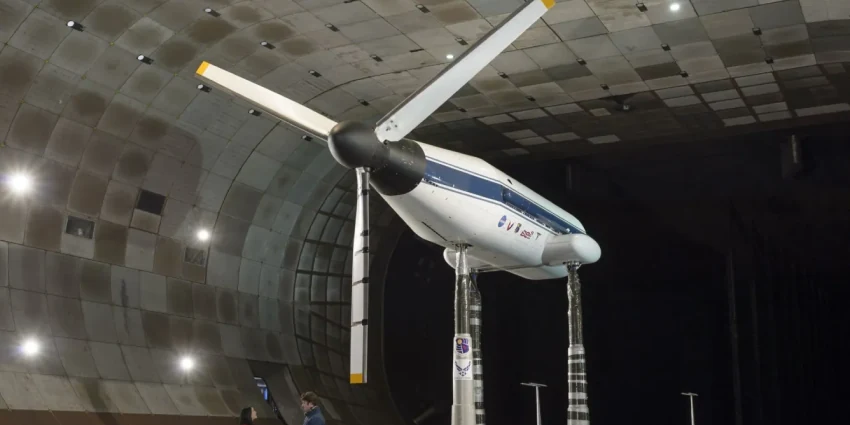
During a test, a scale model is placed in the test section and air is made to flow past it. Engineers measure four main types of data: aerodynamic forces on the structure, total pressure distribution, airflow patterns around the model, and flow visualization for diagnostic analysis.
While physical wind tunnels remain valuable for final validation, they are very costly and slow for iterative design work. Virtual wind tunnel simulation through CFD has become the standard complement — and increasingly, the replacement — for early-stage aerodynamic evaluation.
Wind Tunnel Simulation for Aerospace
For aerospace engineers, wind tunnels have been a core evaluation tool since the end of the 19th century. They’re used to test aircraft and engine aerodynamics, measuring lift and drag forces using a force balance. However, since a wind tunnel cannot accommodate a full-size passenger aircraft, all testing must be done using scale models, which introduces Reynolds number scaling effects that alter boundary layer behavior, transition, and separation — all of which must be understood and corrected for. In some cases, corrections are insufficient to fully replicate full-scale flow behavior, meaning results carry inherent uncertainty.
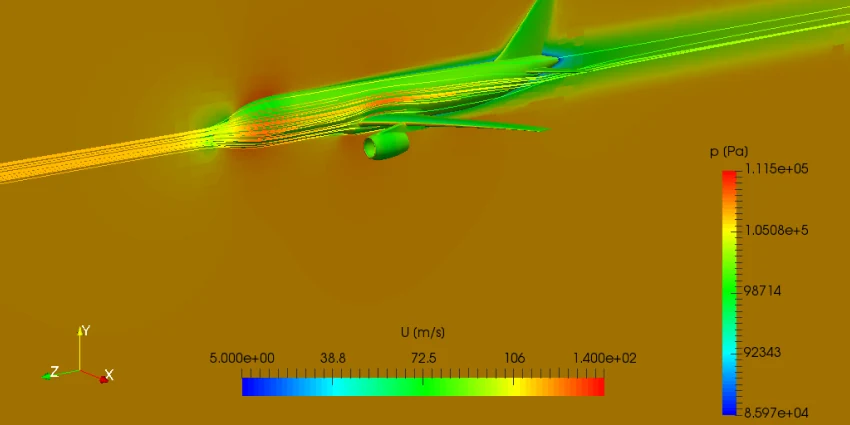
Virtual Testing for Aerospace Applications
Virtual wind tunnel simulation overcomes these constraints. Engineers can simulate full-scale geometries, evaluate multiple configurations simultaneously, and combine CFD with structural analysis (FEA) in one workflow. For example, the behavior of aircraft landing gear under aerodynamic loading can be studied by coupling airflow simulation with stress analysis — comparing different designs and materials for a structure that is deceptively complex.
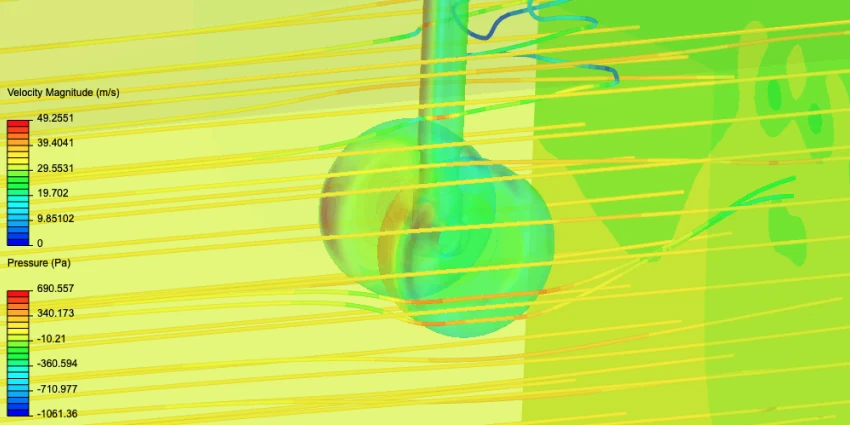
This is particularly valuable for aerospace because it enables broad design space exploration — teams can evaluate dozens of wing profiles, fuselage shapes, or component configurations in parallel without waiting for physical tunnel time.
Wind Tunnel Simulation for Automotive
Automotive wind tunnel testing became mainstream in the late 1920s when vehicle speed became a critical design factor. Engineers use wind tunnels to measure aerodynamic forces and moments (drag, lift, side force, pitch, yaw, roll), surface pressure distribution, cooling drag, brake cooling flows, and the influence of design details on overall aerodynamic performance.
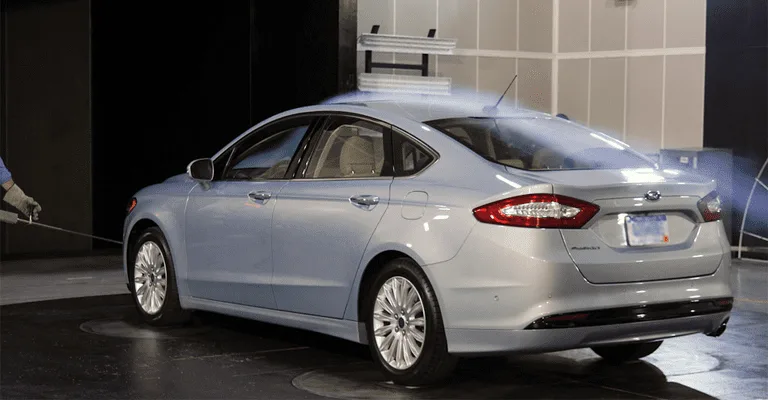
While full-scale automotive wind tunnels exist, it’s increasingly common to replace the expensive model-scale evaluation stage with CFD simulation — going directly from virtual testing to full-scale validation.
Virtual Testing for Automotive Applications
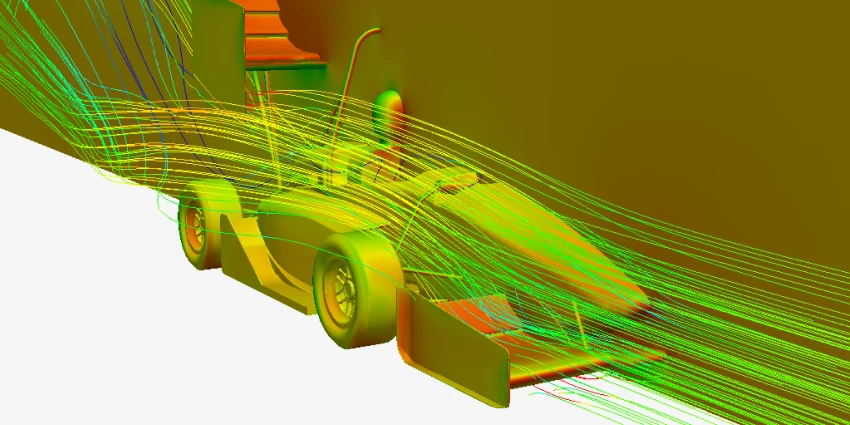
Good aerodynamic design augments downforce and traction, mitigates lift-off and skidding risk, and reduces drag — which lowers fuel consumption, saves money, and reduces carbon footprint. When designing a vehicle, engineers increasingly rely on virtual wind tunnel simulation to evaluate predicted airflow, compute high-pressure zones, and identify wake regions before any physical model exists.
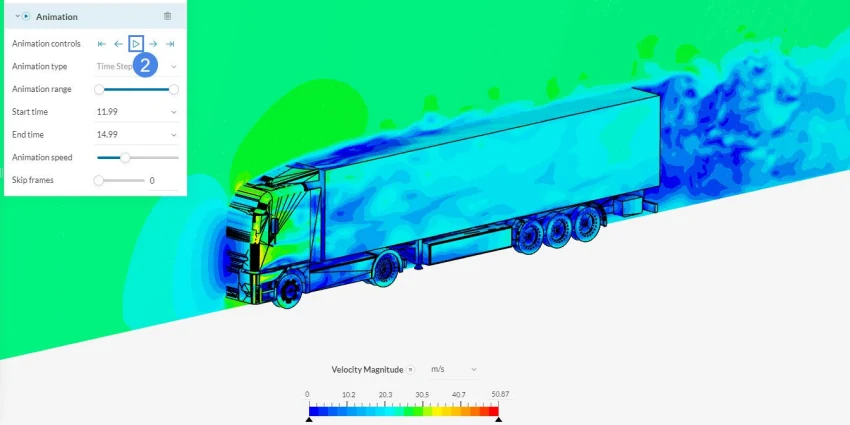
This simulation of a semi-truck trailer demonstrates how transient turbulent flow analysis with the k-omega SST turbulence model delivers valuable aerodynamic insights — saving time and cost compared to standalone wind tunnel testing.
Wind Tunnel Simulation for Buildings and Wind Engineering
Urban density is expanding — horizontally and vertically. With taller and more architecturally complex structures becoming the norm, evaluating structural safety against wind loads and ensuring habitable comfort levels from wind-induced vibration is critical. Standard ASCE/SEI 49-12 provides minimum requirements for wind tunnel experiments to determine acceptable wind loading on built structures.
Virtual Testing for Buildings and Pedestrian Wind Comfort
To comply with ASCE guidelines, engineers combine FEA (for structural integrity) with CFD (for wind loading and vortex shedding). SimScale makes both investigations possible in a single workflow — enabling verification and validation before construction begins.
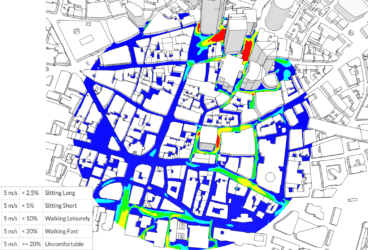
Beyond structural loads, pedestrian-level wind comfort must also be evaluated. While physical wind tunnels struggle with this level of analysis, CFD simulation can pinpoint areas of harsh winds, recirculation, and general pedestrian discomfort across an entire urban area. The dedicated Pedestrian Wind Comfort analysis type in SimScale makes this accessible to architects and urban planners who may not have deep CFD expertise.
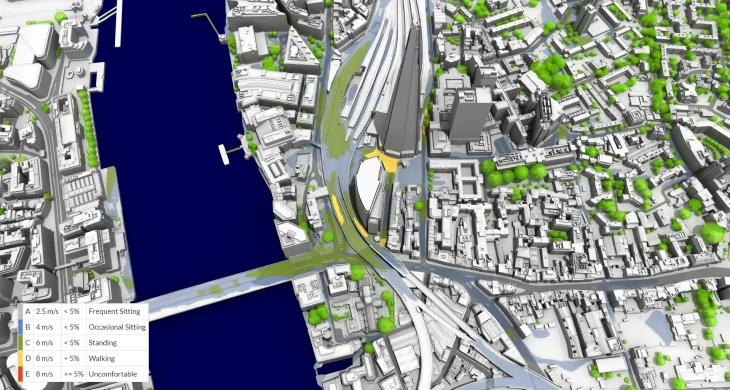
For a deeper dive into building simulation, explore the computational wind engineering guide or the building aerodynamics overview.
Virtual Wind Tunnel vs. Physical Wind Tunnel: Key Advantages
Despite their widespread use, physical wind tunnels have limitations that increasingly drive engineers toward virtual alternatives:
| Factor | Physical Wind Tunnel | Virtual Wind Tunnel (CFD) |
|---|---|---|
| Scale | Models must be scaled down, changing aerodynamic characteristics (Reynolds number effects) | Full-scale geometry simulated directly |
| Motion | Constrained — difficult to simulate vehicle or aircraft motion | Full motion simulation possible (transient, rotating, etc.) |
| Domain effects | Tunnel walls create boundary layer interference and flow clogging | Configurable domain size and boundary conditions eliminate wall effects |
| Cost | High operational cost, prototype manufacturing, facility rental | Low marginal cost per simulation run; cloud pricing scales with usage |
| Speed | One configuration at a time; results not instantaneous | Multiple variants in parallel; Physics AI delivers instant predictions |
| Accessibility | Requires physical access to a tunnel facility | Browser-based, available from anywhere, no special hardware |
| Data richness | Limited instrumentation points | Full-field data at every point in the domain |
Virtual wind tunnel testing doesn’t eliminate the need for physical validation entirely — but it dramatically reduces how many physical tests are needed by catching design issues earlier and narrowing the solution space before committing to hardware.
How Accurate Is Virtual Wind Tunnel Simulation?
A common concern: can CFD actually replace physical testing? The answer depends on the application and methodology.
Modern CFD solvers — particularly those using validated turbulence models like k-omega SST, Spalart-Allmaras, and Large Eddy Simulation (LES) — produce results that correlate closely with experimental wind tunnel data for a wide range of external aerodynamics applications. Our LBM validation against wind tunnel data demonstrates this correlation.
Key factors that influence simulation accuracy include mesh quality (particularly boundary layer resolution), turbulence model selection, and domain sizing. Engineering AI helps automate these decisions, reducing the expertise barrier for accurate results.
For most design optimization work — where the goal is comparing relative performance between design variants — CFD simulation is highly reliable. For absolute performance prediction (e.g., certifiable drag coefficients), physical validation remains part of the workflow, but the volume of physical testing needed is significantly reduced.
Getting Started with Virtual Wind Tunnel Testing
You can run your first virtual wind tunnel test directly from your browser — here’s what you need:
- Free account: Sign up with no credit card required. The free plan includes CFD simulation capabilities for personal and academic use.
- Your CAD model: Import directly from SOLIDWORKS, Fusion 360, Onshape, Rhino, or upload STEP, IGES, STL, Parasolid, and 20+ other formats.
- No installation: Everything runs in the browser. No HPC setup, no VPN, no IT overhead.
You’ll see what it’s like to run multiple design variants in parallel and explore thousands of engineering decisions in the time it takes to run one physical test.
Need inspiration? Browse the public project library or start with the CFD analysis for beginners guide.
Trusted by more than 800,000 users worldwide, SimScale makes wind tunnel simulation accessible to every engineer — not just CFD specialists.
Frequently Asked Questions
A virtual wind tunnel is a CFD (computational fluid dynamics) simulation that digitally replicates the conditions of a physical wind tunnel. Instead of building a physical model and running air past it in a laboratory, engineers define airflow conditions in software and compute aerodynamic forces — lift, drag, pressure, turbulence — on a 3D CAD model.
Physical wind tunnel testing can cost $10,000–$100,000+ per test campaign. SimScale offers free accounts for basic use, with professional plans that scale based on compute hours. The cost per simulation run is a fraction of physical testing, with no facility rental or prototype manufacturing costs.
Simulation time depends on model complexity, mesh resolution, and physics configuration. Simple external aerodynamics (e.g., a vehicle body) typically complete in 1–4 hours. Complex geometries with transient physics may take 4–12 hours. With Physics AI, instant aerodynamic predictions are available for rapid design screening before running full-fidelity simulations.
Yes. Sign up for a free SimScale account and you get access to CFD simulation capabilities immediately — no credit card required. The free tier is suitable for personal projects, academic work, and initial design exploration. Professional plans are available for commercial use with additional compute capacity.
Over 20 CAD file formats are supported natively, including STEP, IGES, STL, Parasolid, SOLIDWORKS (.sldprt), Fusion 360, Rhino (.3dm), and more. Import geometry directly from your CAD tool without manual conversion.
For relative comparison between design variants (which is the primary use case in design optimization), CFD is highly reliable. Absolute accuracy depends on mesh quality, turbulence model selection, and domain configuration. Modern solvers with validated turbulence models (k-omega SST, LES) correlate closely with experimental data for external aerodynamics applications.