Integration
Simulate microclimate with Rhino® and SimScale using the Nuada.CFD app
The Nuada.CFD app (beta) lets architects and engineers run fast, powerful microclimate wind simulations fully within Rhino®..
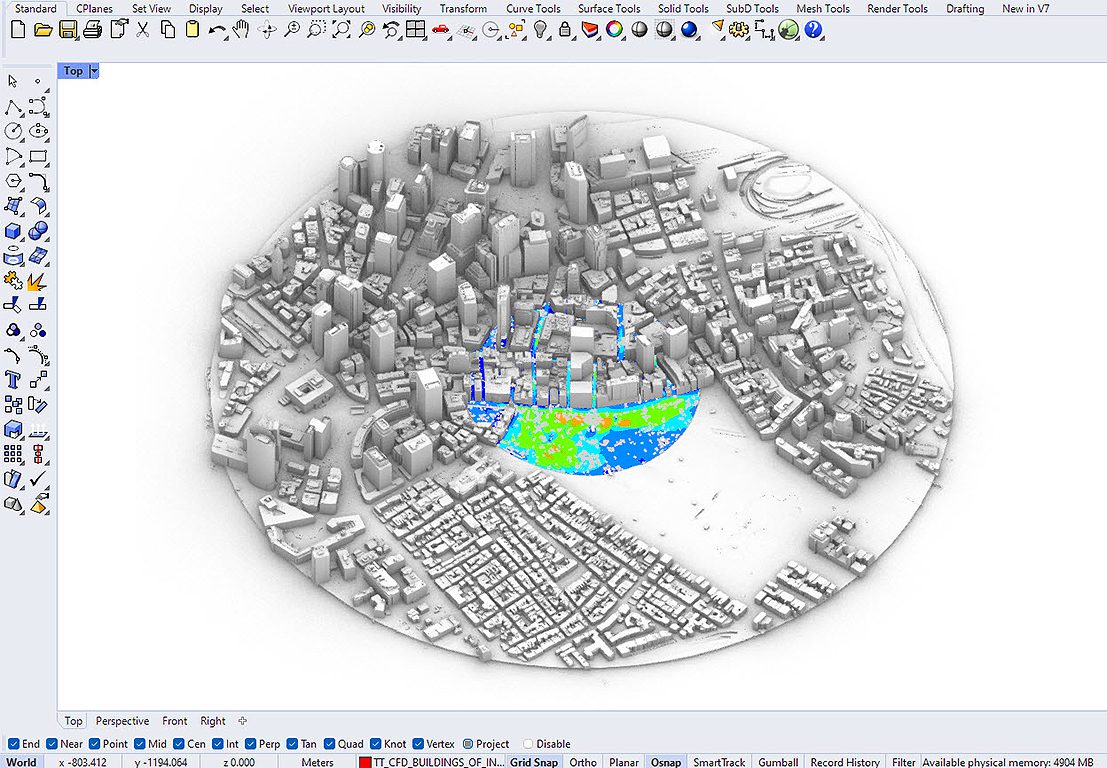
How it works
How to access and use the app
Request access and connect
Request access for your SimScale account, then generate your API key and paste it into the app.
Install in Rhino®
Install the Nuada.CFD app via the Rhino® Package Manager, restart Rhino®, and enter your API key on first launch.
Simulate microclimate
Set up climate data and location, run the transient wind study on SimScale’s Pacefish® LBM solver, and visualize results — all within Rhino®.
SimScale and Nuada.CFD
The Nuada.CFD app (beta) in Rhino® is a microclimate modeling tool developed by Thornton Tomasetti and SimScale. It uses Rhino®’s CAD tools and integrates SimScale’s fast, accurate lattice Boltzmann (LBM) solver Pacefish® for transient wind studies — running all CFD in the cloud with no expensive hardware.
Benefits
- Pedestrian wind comfort studies for early-stage design insights
- Simple building aerodynamics and wind studies on the ground, rooftop, terrace, and balconies
- Analysis of wind mitigation measures including trees and vegetation
Pricing
Nuada.CFD works on a simple usage-based pricing model, and users receive a GPUh consumption estimate before running any simulation.
- Starter Pack for €500 includes 20 GPUh (+5 GPUh free) and €25 per GPUh pay-as-you-go
- €20 per GPUh for a purchase of 100+ GPUh
- €15 per GPUh for 200+ GPUh purchased
Start simulating in minutes, not weeks
Get started today with AI-native engineering simulation