At SimScale, our mission has always been to make simulation accessible, scalable, and faster for engineering teams everywhere. By eliminating hardware constraints and complex installations, we empower you to explore thousands of design decisions in seconds.
This Autumn, we are excited to release a suite of new features focused on automation, solver robustness, and expanded physics capabilities. From the introduction of our new Engineering AI Agent to major upgrades in our FEA and CFD solvers, this update is designed to shorten your simulation lead time and accelerate innovation.
Here is an overview of the key updates from the Autumn 2025 release.
On-Demand Webinar
If the highlights caught your interest, there are many more to see. Watch the on-demand Simulation Expert Series webinar from SimScale on how real-time simulation with AI is driving faster design cycles and superior products by clicking the link below.
SimScale AI: Agentic Automation
We are taking a significant leap forward in how users interact with simulation through our combined AI technologies: Engineering AI and Physics AI.
- Workbench Agent (Beta): The first step in our Engineering AI roadmap, the Workbench Agent acts as an intelligent assistant within the platform. It can help validate setups, answer simulation queries using documentation, and even automate workflows by reusing setups from previous projects.
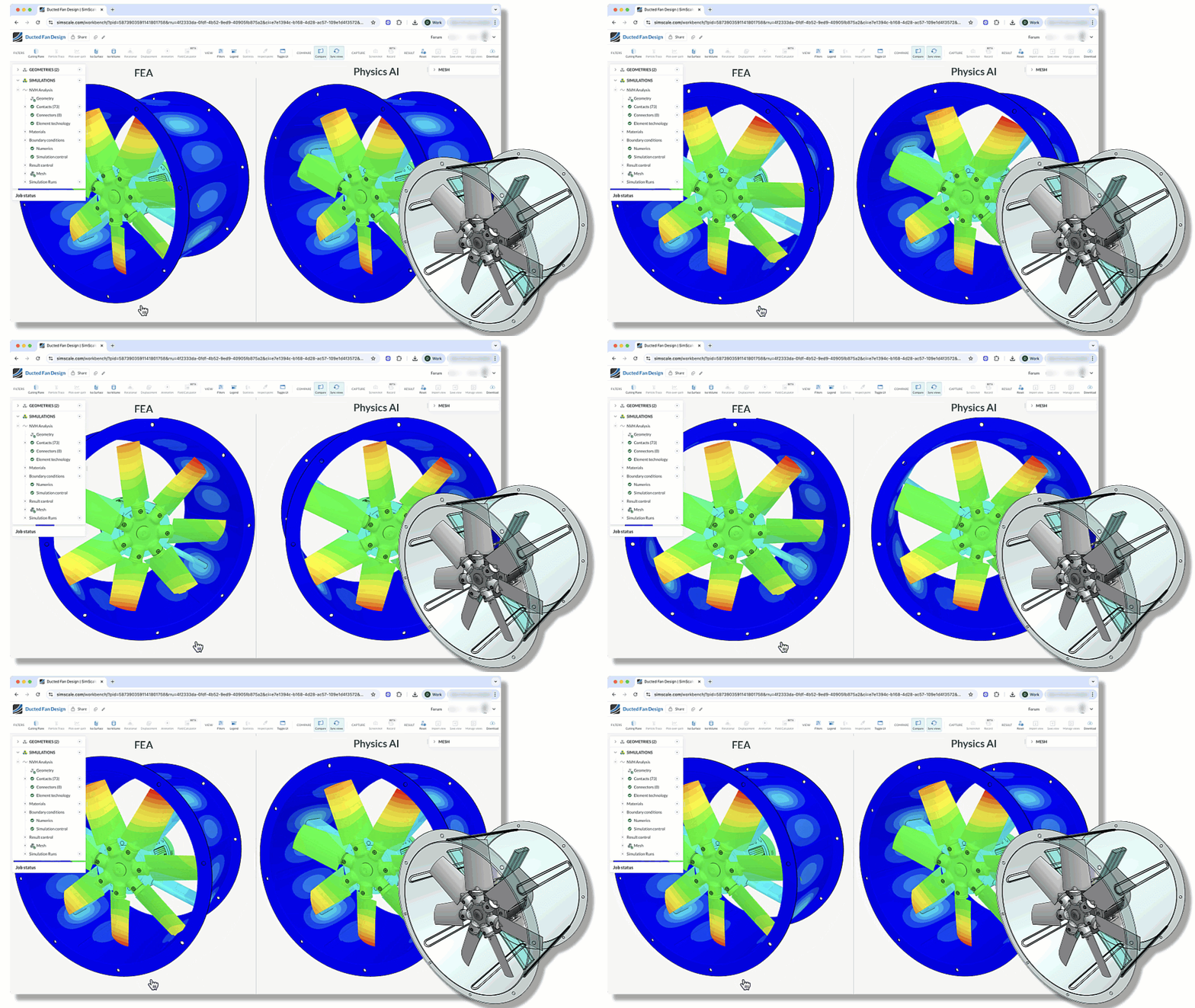
- Physics AI Integration: Engineering AI can now leverage Physics AI to perform rapid design optimizations, allowing you to predict results instantly before validating the final design with a traditional solver.
To experience the power of Engineering AI and Physics AI together, click through the demo below. If you would like to take part in our beta program, contact your support team.
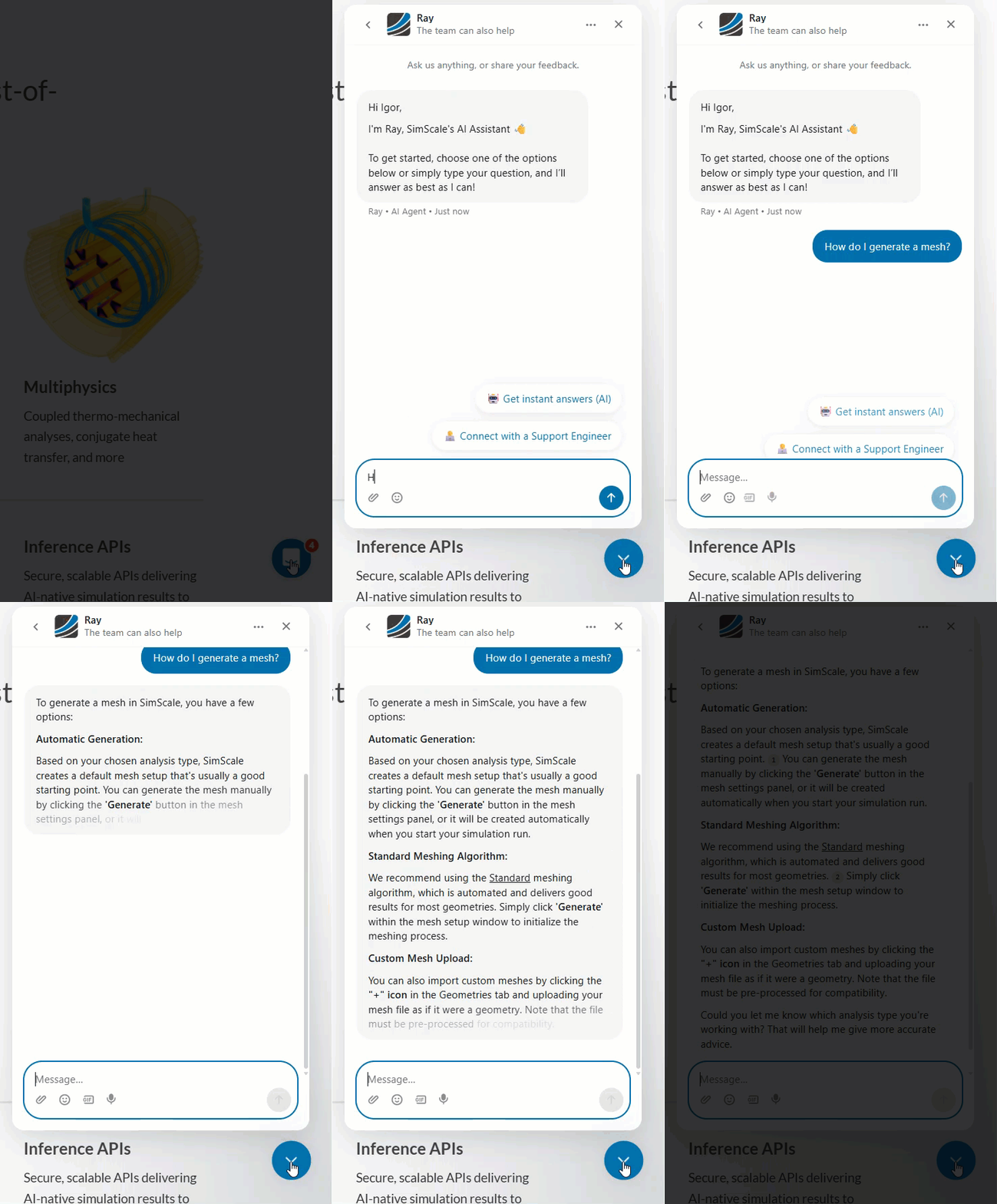
Ray – AI Chat Support:
Available to all users, Ray is our 24/7 AI support assistant. Ray can visually diagnose error messages from screenshots and provide instant troubleshooting steps, ensuring you are never stuck waiting for a resolution.
Ray is designed to be a SimScale expert. It has memorized our entire documentation and is trained on simulation best practices, as well as the most common issues and workflow questions you are likely to encounter.
Ray helps to get the information you need as quickly as possible, however your dedicated human engineer is still here for complex, deep-dive project support.
Computational Fluid Dynamics (CFD)
This quarter brings significant quality-of-life improvements and feature parity to our CFD solvers, particularly for rotating machinery and thermal management.
- Variable Time Steps (Multi-purpose): You can now define variable time steps for transient simulations. This allows users to start with coarser steps to establish flow stability and switch to finer steps for high-accuracy resolution, significantly optimizing runtime without compromising quality.
- Run Continuation for CHT (IBM): Users running Immersed Boundary Method (IBM) Conjugate Heat Transfer simulations can now continue transient runs or steady-state simulations from where they left off. This saves valuable computing resources by eliminating the need to restart long simulations from zero.
- Periodic Boundary Conditions: Efficiently simulate complex, repetitive structures (like heat exchangers) by modeling only a single unit cell or subset, reducing model size and computation time.
Finite Element Analysis (FEA)
Following the integration of the Hexagon Marc solver earlier this year, we have released a massive set of new capabilities to handle complex nonlinear structural problems.
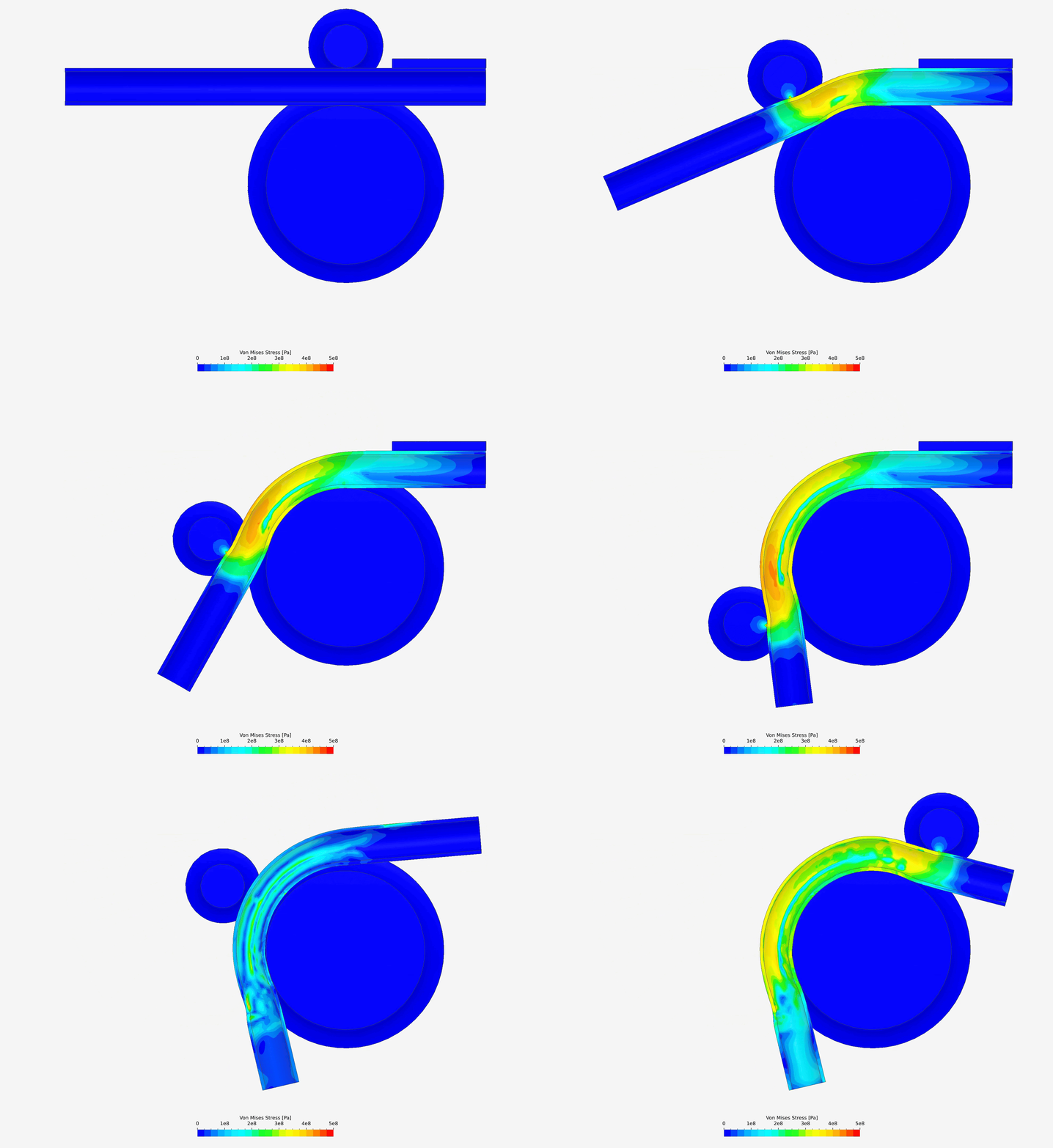
- Load Steps: You can now define multiple load steps within a single simulation run. This is essential for manufacturing processes like pipe bending or rubber seal compression, where constraints and loads change sequentially during the event.
- Automatic Contact Detection and Glued Contact Tolerance: For large assemblies with 10+ parts, SimScale now automatically detects and glues contact pairs. This automation drastically reduces setup time, allowing you to focus only on the specific contacts that require manual definition.
- Contact Forces and Pressure: Get deeper insights into nonlinear simulations involving contact by reporting on forces, stresses, contact gap/state and contact pressure.
- Advanced Material Models:
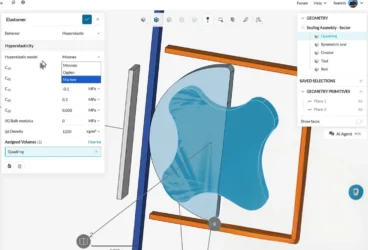
- Marlow Hyperelastic Model: Drive hyperelastic material behavior directly from test data without complex parameter fitting.
- Viscoplastic Materials: Accurately model creep, relaxation, and damage in polymers under cyclic loading.
- Remote Displacement & Force: Apply distributed forces or rigid body motions (including rotations) via a central pilot point using new RBE2/RBE3 connectors.
- Symmetry Constraints: We have introduced a plane-based symmetry condition, allowing you to model only a half or quarter of your geometry to save computational effort while maintaining full-model accuracy.
Electromagnetics
Our electromagnetic analysis capabilities continue to grow, with a focus on high-frequency efficiency and power electronics.
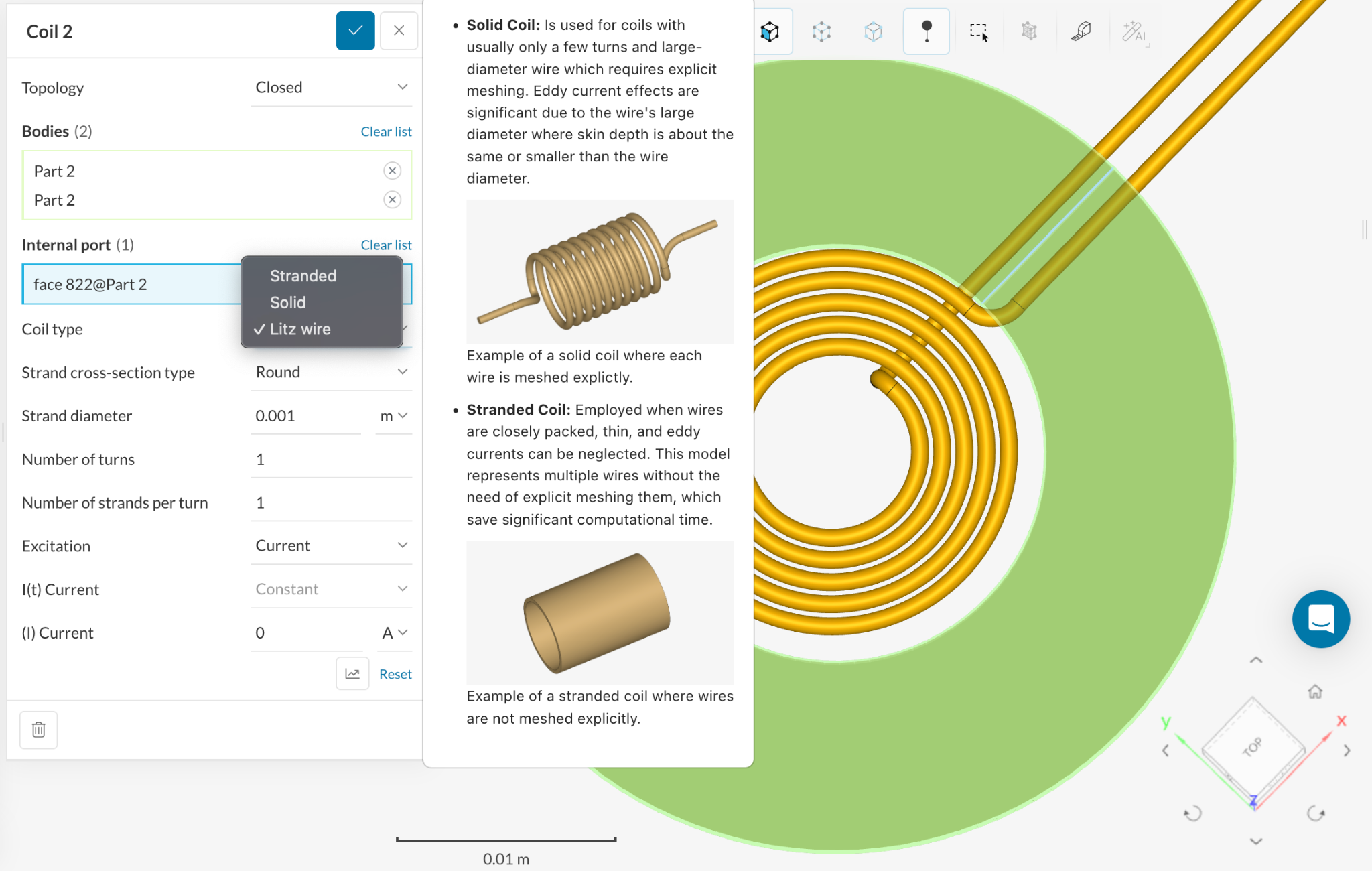
- Litz Wire Modeling: You can now model complex bundles of insulated wire strands as a single equivalent geometry. This preserves key electrical and thermal characteristics while avoiding the computational heavy lifting of modeling every individual strand.
- Time-Periodic Acceleration: For transient magnetic simulations driven by periodic excitations (e.g., PWM or sinusoidal waveforms), this feature accelerates the solver to reach steady-state results in a fraction of the time.
General Platform Enhancements
We have also introduced several non-physics updates to improve the overall user experience and workflow efficiency.
- CAD Section View: Inspect the internal details of complex 3D CAD models by slicing them along a cutting plane directly in the pre-processor.
- Cancel CAD Operations: You now have the ability to stop long-running CAD operations midway, giving you better control over your preparation workflow.
- Automatic Extrusion Meshing: The Standard Mesher now automatically detects the optimal direction for extrusion (longest or shortest dimension), ensuring higher quality meshes for elongated bodies and thin plates.
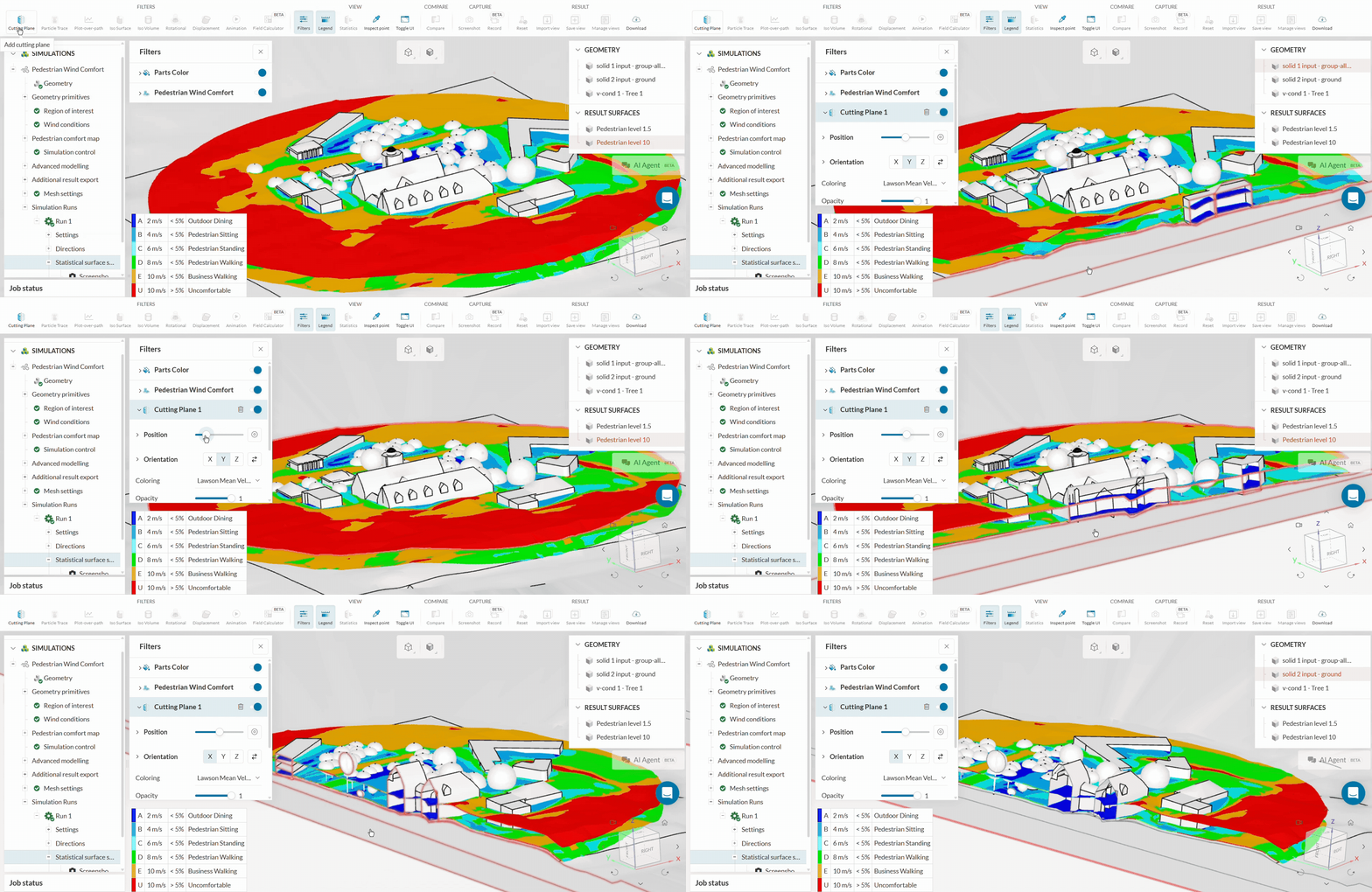
- Pedestrian Wind Comfort (PWC) Cutting Planes: Post-processing for PWC analysis now supports cutting planes, allowing you to visualize comfort plots hidden by complex geometry like canopies or overhangs.
Watch Now
Don’t miss out on the full experience and deeper insights into how SimScale’s latest features can transform your engineering workflow. Watch the complete webinar on-demand to see these tools in action and understand how they can be applied to your specific challenges. Click here to access the webinar recording and start accelerating your design process today!