I’m trying to simulate an FSAE car in a cornering condition using a curved domain as in this setup from Star-CCM+. They say to use a zero velocity inlet boundary condition and a zero pressure outlet boundary condition, however Simscale does not allow a zero velocity inlet condition. I’ve tried using a zero pressure inlet condition, which failed. I’ve also used the custom pressure inlet-outlet velocity found here under the atmosphere section, for both inlet and outlet faces, which also failed. I’m using an MRF rotating zone as well. Please help
Hey @wbleier ,
Thanks for posting on the Forum.
As you see in the image below, the custom pressure boundary condition is only applied to the outlet face in your project. This is an incorrect setup. It might be helpful to look at the finished drone tutorial project to visualize the faces to which this boundary condition was assigned. Only if you apply it to all the outer faces of your domain, does it make sense to use it to represent static conditions.

However, that is not the only thing that is wrong with the setup. The mesh is really big and has a quality outside of the recommended range which causes the simulation to diverge leading to similar issues as this forum post.

Some more help:
Let us know how it goes! 
Best,
Satvik
Thanks for the reply.
That is still a very small amount of cells relative to the total cell count - is that still a problem? Do you have any recommendations for changing my mesh parameters?
Hey Satvik,
I’m getting a blank error with no other information when I try to run the sim. How can I get more detail?
Hey @wbleier , Could you share a screenshot of the error? Do you see the message ‘an error occurred’ ?
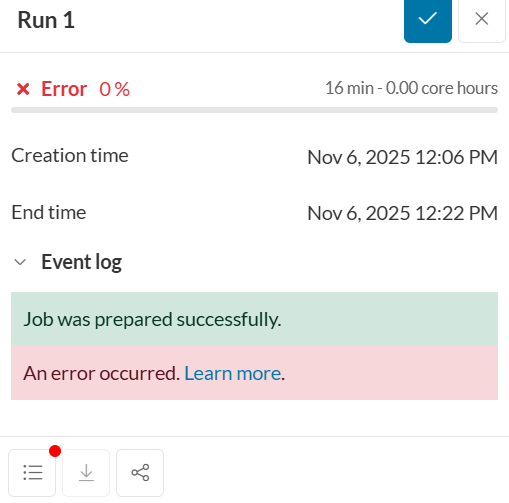
Hey @wbleier
I suspect the touching of the outer domain face and the rotating wall face maybe causing the issue here. Could you try having a small gap between the car and the ground face to avoid this issue. Similar to what has been done in this tutorial: Tutorial: Incompressible Flow around a Formula Student Car
Let us know how that goes! In the meantime, I will report the error message to the team. (Thanks for reporting this)
Best,
Satvik
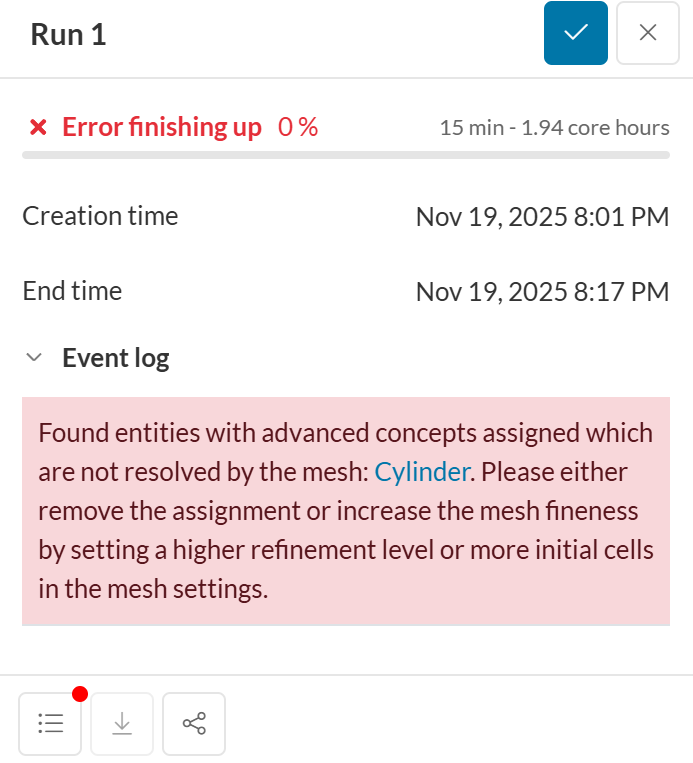
I’ve made some progress by creating a separate volume and defining it as the MRF zone, as well as a “cell zone” which gets me further before the sim fails (in addition to raising the car a bit). I am now getting the below error. In a previous mesh run I didn’t define the MRF zone as a cell zone and the MRF zone was meshed, which is what all of the tutorial projects include, however in the MRF documentation it says to define it as a cell zone, which is NOT included in the mesh. Where do I go from here?