I keep getting error that velocity is diverging. I plotted the probe points and one if actually in an open field which is strange. What can I do. Simulation keeps stopping each time at different locations. Here is the link to the project. Please take a look at the last simulation. Thank you.
Hi, this is Fillia. Thank you for using the forum!
To help users identify and troubleshoot divergence in their simulations, SimScale has a divergence monitor. The following parameters are tracked: velocity, pressure, density, and temperature. Whenever a parameter reaches unrealistic levels in the domain, the simulation automatically stops with an error message:
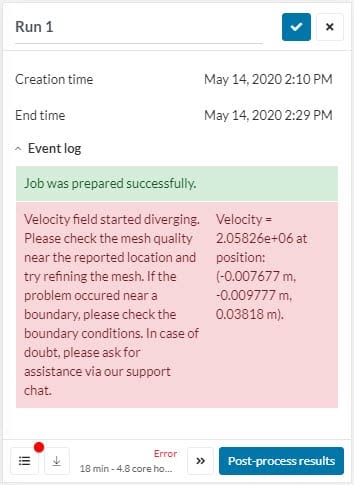
The error message specifies which parameter diverged and also the exact location in the model. This information is valuable and can be a starting point for the troubleshooting process.
To gain more insight into the causes of divergence, the following basic steps are useful:
- Create a ‘probe point‘ result control and input the coordinates displayed in the error message. In doing so, you will see exactly where the divergence occurred;
- If the point is close to one of the boundaries, double-check all boundary conditions, making sure they are correct;
- If the point is located inside the domain, inspect the mesh around the area. The ‘mesh quality‘ visualization feature is very useful in this step. Even just a few bad quality cells can create instabilities in the simulation, ultimately leading to divergence.
If you want to learn more and have a look at some trouble-shooting examples too, make sure to read this article:
Best regards,
Fillia
Yes I tried to take these steps but the system fails everytime i try to see mesh quality. what does this mean? thanks!
Hi,
The mesh is quite large (almost 30M cells) so it takes a while for the quality metrics to load. On a side note, please review the velocity inlet boundary condition, which seems to be the main cause of the problem. From looking at the settings of the simulations, at least one of these two things occurs for each sim:
- An unexpected face is selected as inlet. For example, in the last simulation “Run 818”, you have the ground defined as inlet.
- The velocity points in the wrong direction. For instance, in “Run 813”, the velocity inlet is currently pointing out of the computational domain.
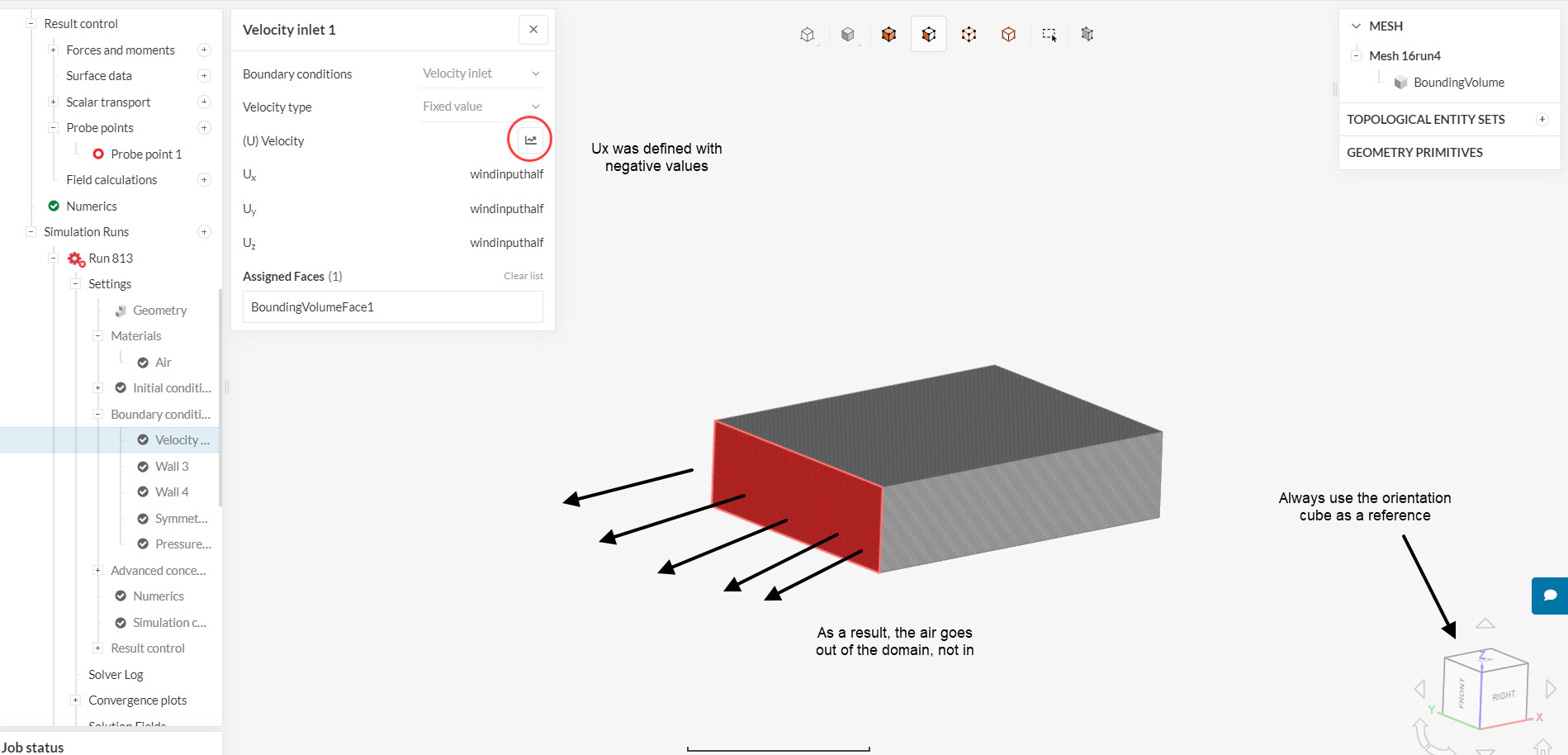
Make sure to go through some tutorials before attempting your own designs. Here are a couple of them that would be interesting:
- Aerodynamic Flow Behavior Around a Vehicle Tutorial | SimScale
- Compressible Flow Around a Wing | Tutorial | SimScale
Cheers
Thanks Ricardo.
As for the boundary condition settings, i will be more careful next time. the ones which were set correctly still had problems.
I am trying out one of those links you sent me hope it works. Get back to you with simulation status.
thanks again