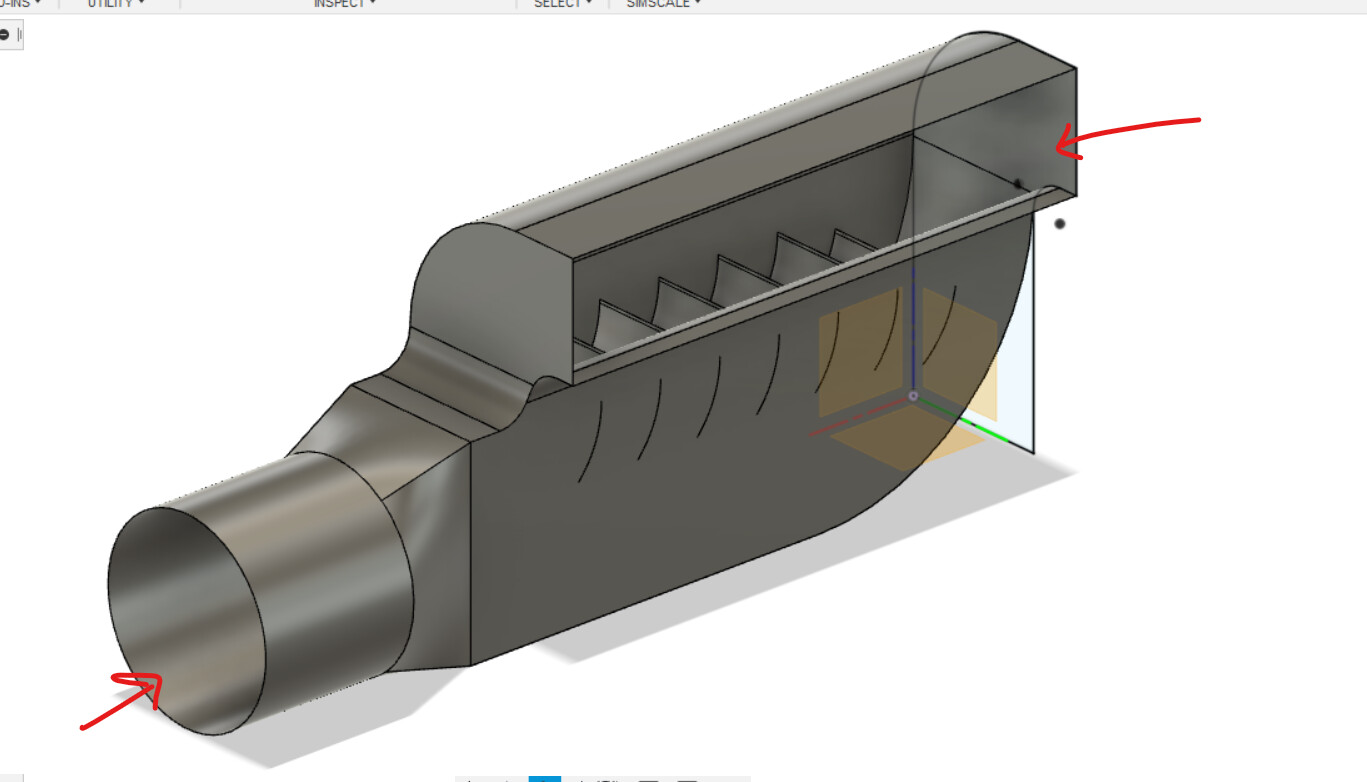
I am working on a model that doesn’t have face to select for a Velocity Inlet/Outlet.
Do I need to model this differently to take this into account before running a simulation on it?

Hi there, this is Fillia 
In order to get the flow volume, you will have to create an open inner region.
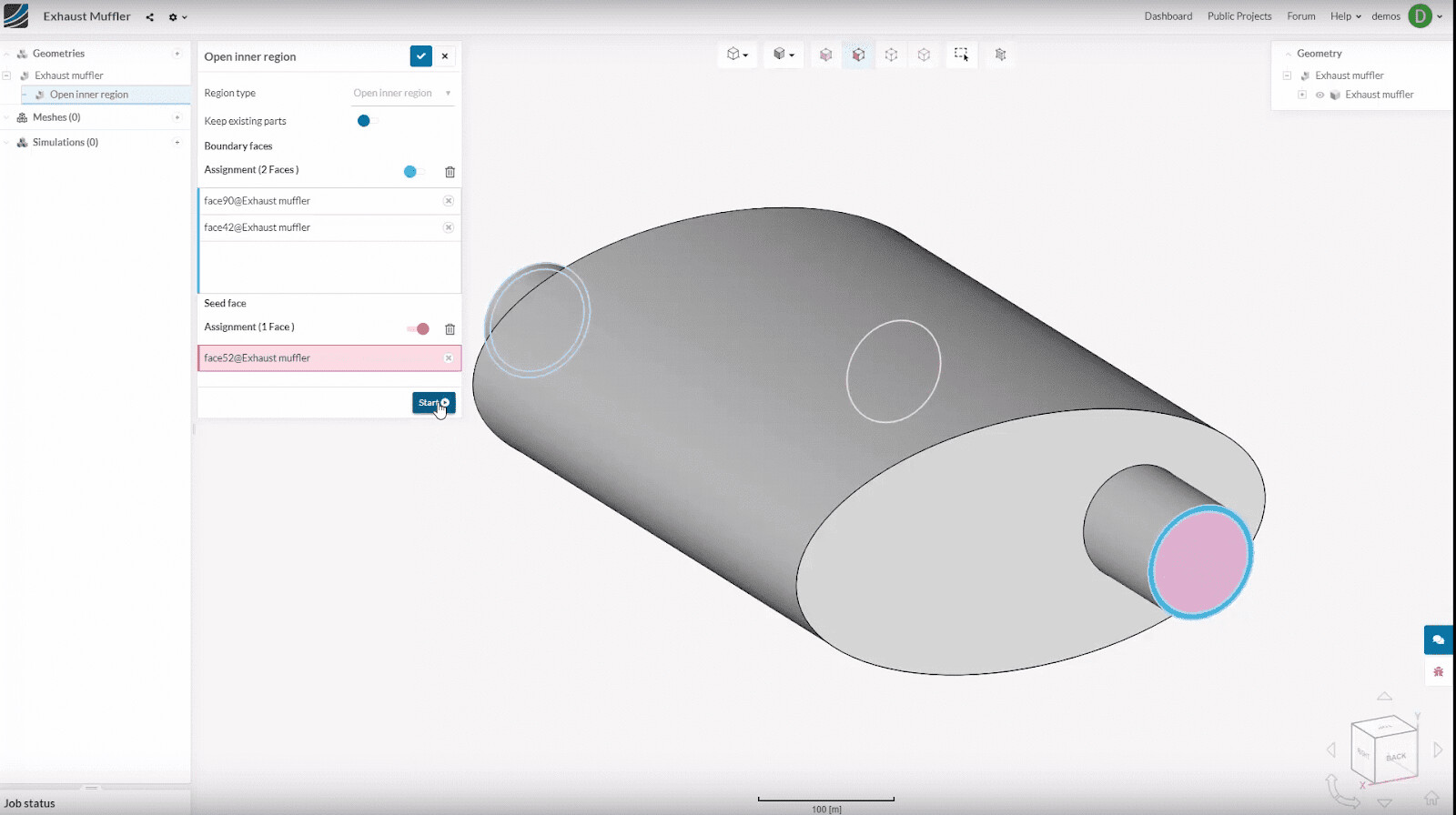
An open inner region is defined by an enclosed space with a limited number of openings to the outside void. The extraction is performed by:
See the example of a flow silencer below:
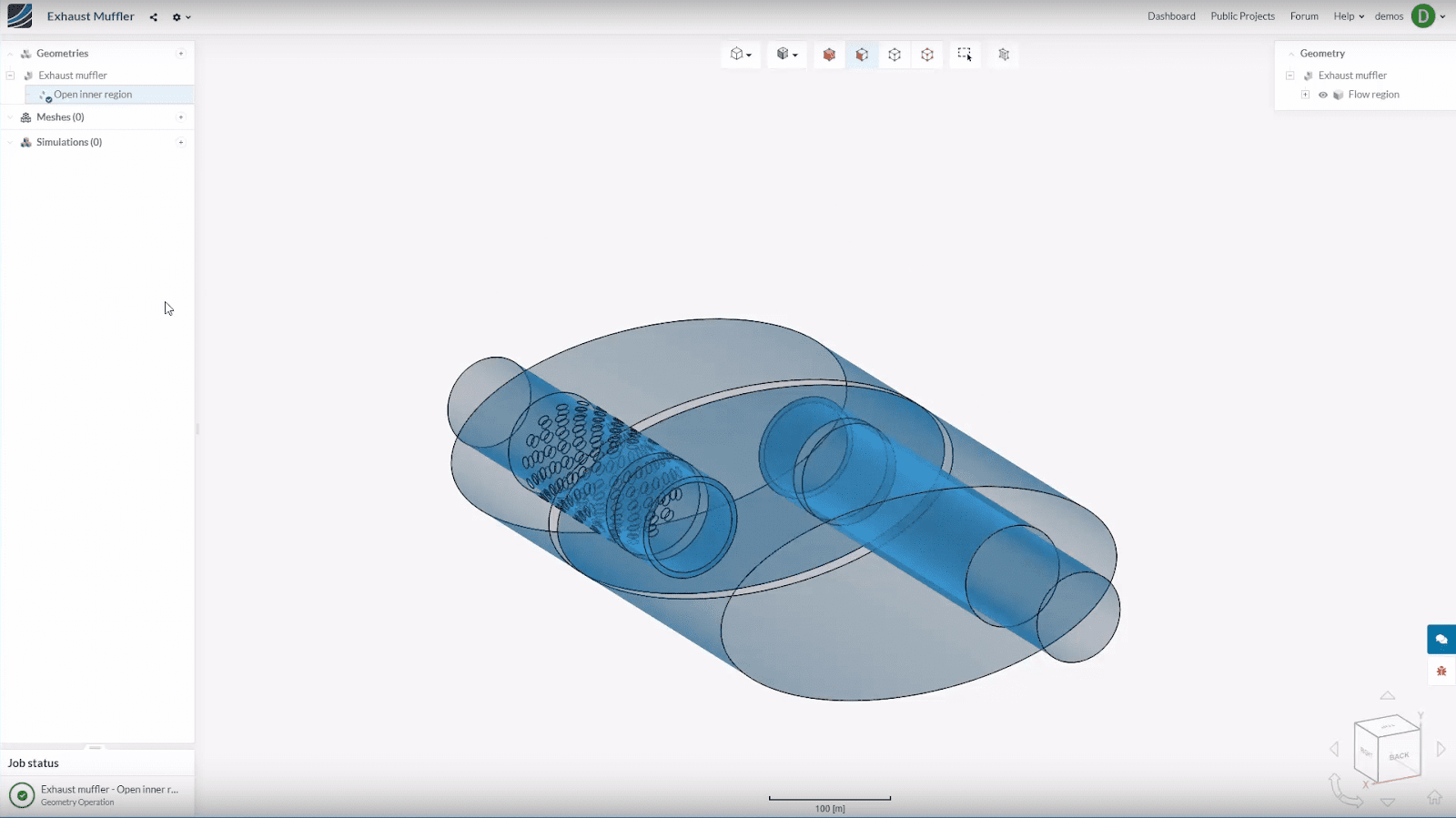
This is how the flow region will appear after the extraction:
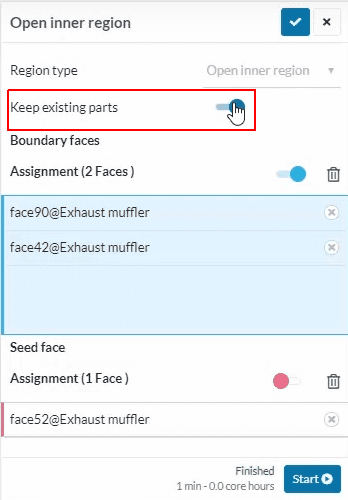
By default, the original geometry is removed when the fluid volume is extracted. It is possible to keep all original parts by enabling the ‘Keep Existing Parts’ toggle
This will result in a geometry that contains both the fluid volume as well as the outer wall geometry as two separate parts. However, for a simple fluid flow simulation, only the fluid volume is required. Keep the original geometry only in case of a Conjugate heat transfer simulation in which the transfer of heat between the solid parts and the fluid domain needs to be simulated.
To learn more about Flow Volume Extraction, have a look here: How to Create Flow Volume Extraction? | Knowledge Base | SimScale
Cheers!
Thanks for the assistance.
Also this helped a lot because the seed face concept isn’t exactly obvious to a novice.
Choosing the Seed Face In Flow Volume Extraction | SimScale
One other thing I had to do is shell my model outward so that I had enough surface area to select the boundary face (26ga sheetmetal makes for a very tiny face to select otherwise.