
@ggiraldo Thanks a lot for a quick and detailed reply! 
@potyka_csaba As @ggiraldo has already explained pretty well. In addition to that I made this small animation with your results to show you how to exactly do what @ggiraldo actually explained.
Furthermore, you can also plot a Point data in SimScale but that data will be plotted against time. In order to do so:
-
In order to do this you need to change your solver to Uncoupled thermomechanical - advanced since plotting data over entities is only available under advanced solvers.
-
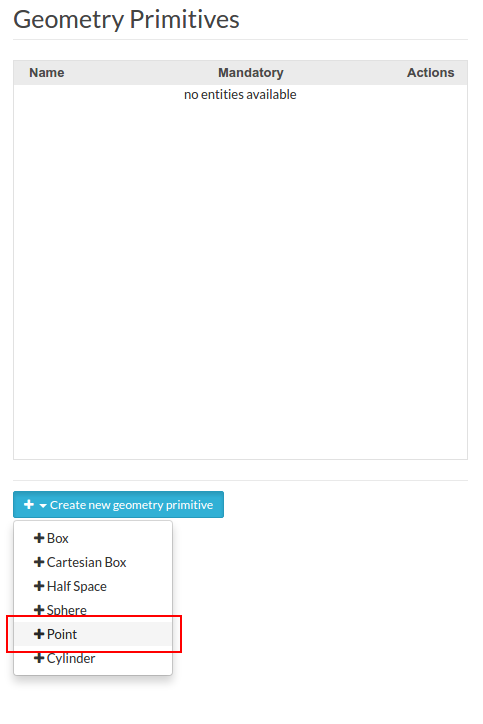
Create a point under Geometry Primitives as shown below.
-
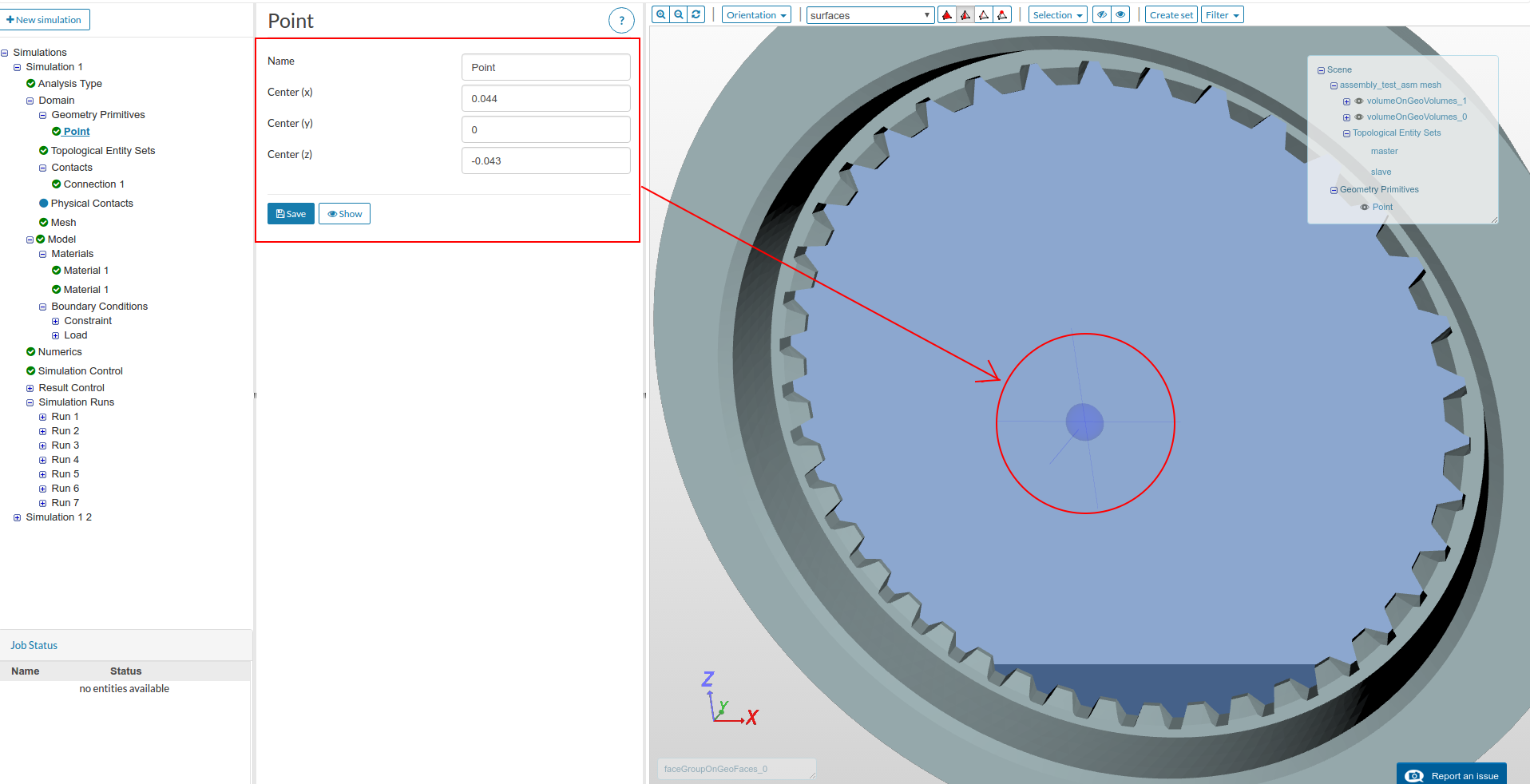
Provide the coordinates of the point you are interested in and then click save. You will see the created point in viewer as shown below.
-
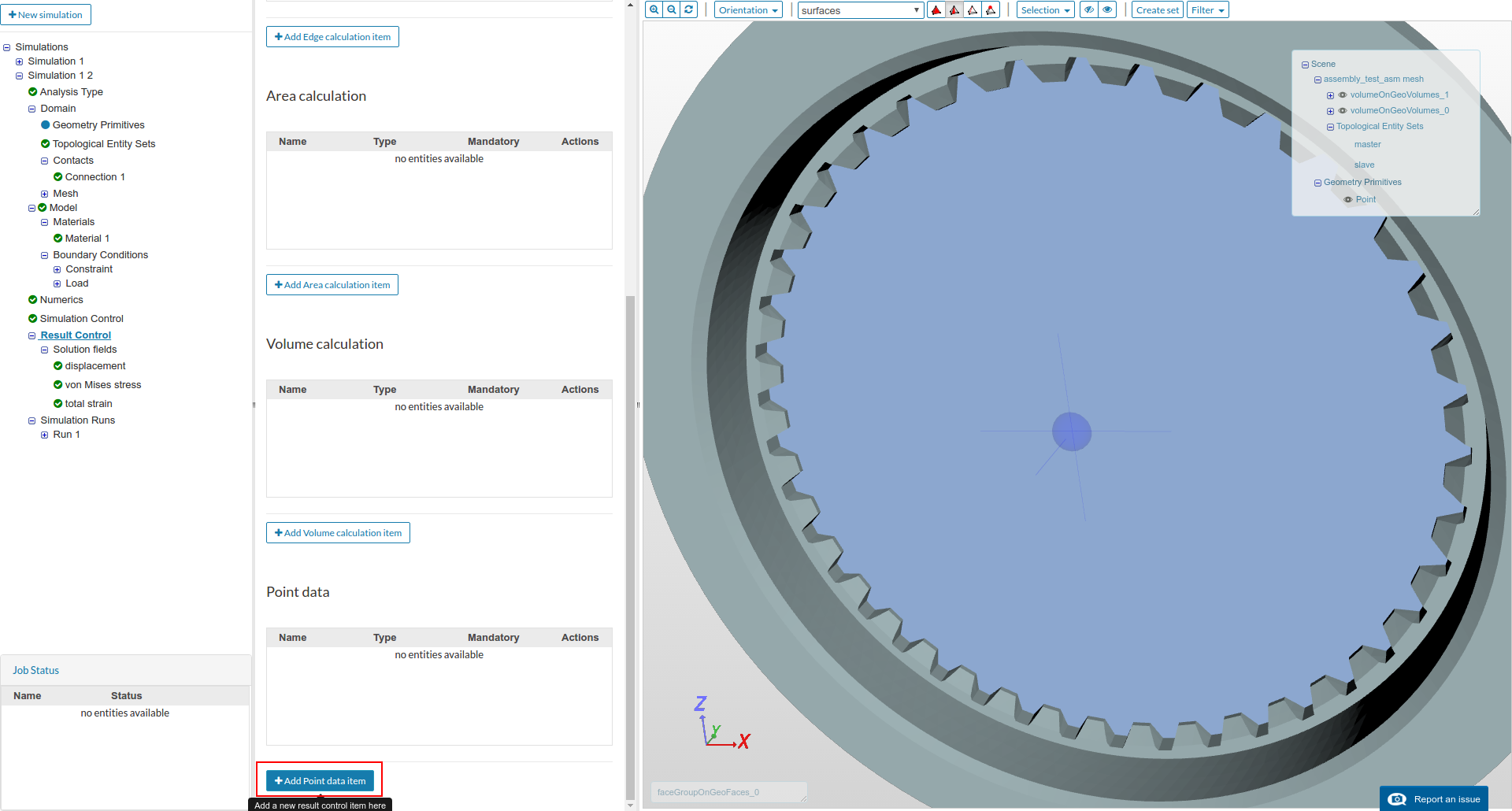
Now go to Result Control and scroll all the down to select Add point data item as shown below.
-
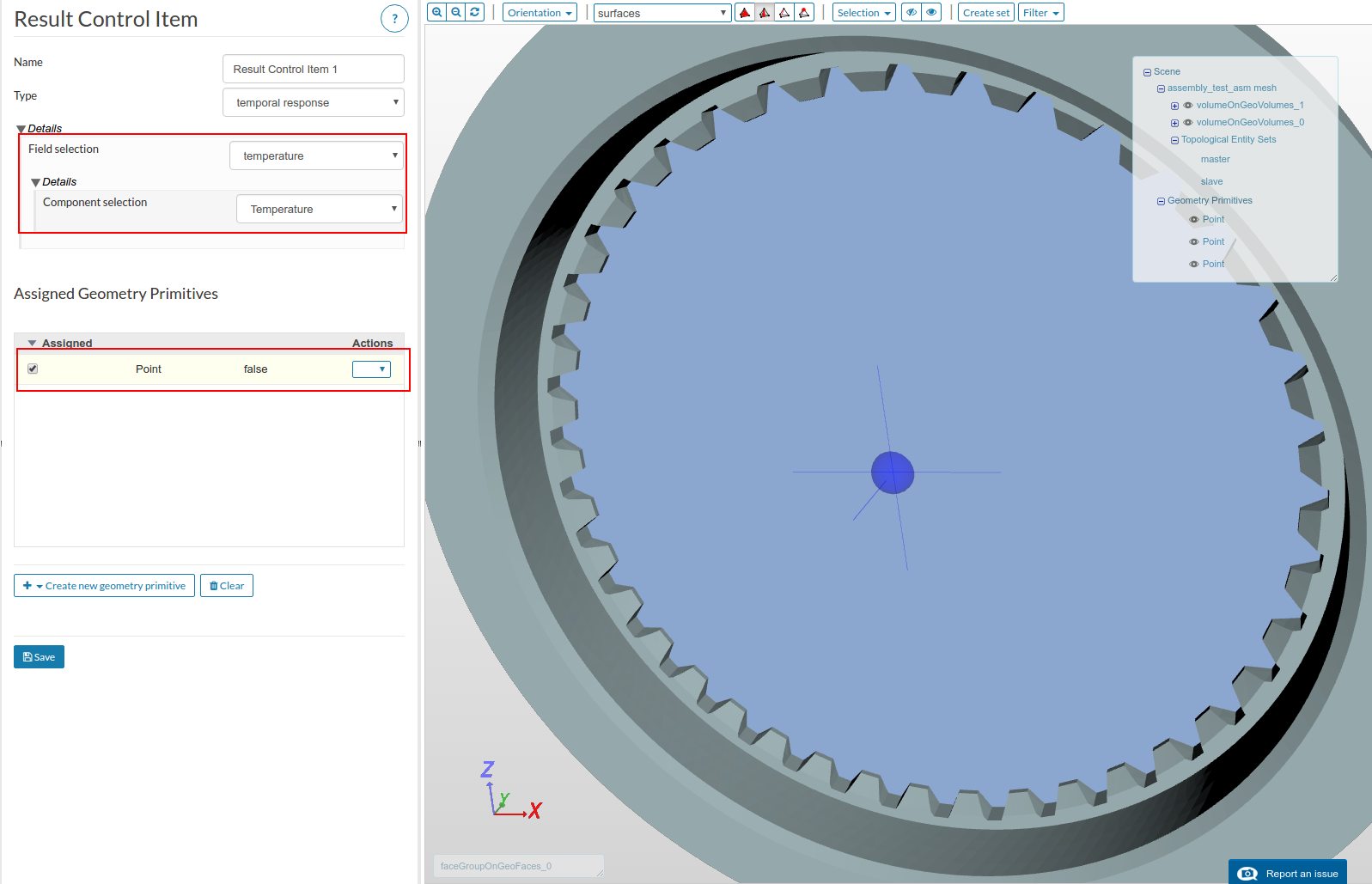
Select the desired field data to be plotted against time. Next select the desired point on which you need this to be plotted. Click save.
You are done! Now after completion of your simulation, you will see the plotted data under your results in post-processor. You can also download the plot data as .csv or _.xls file from the right corner as shown below.
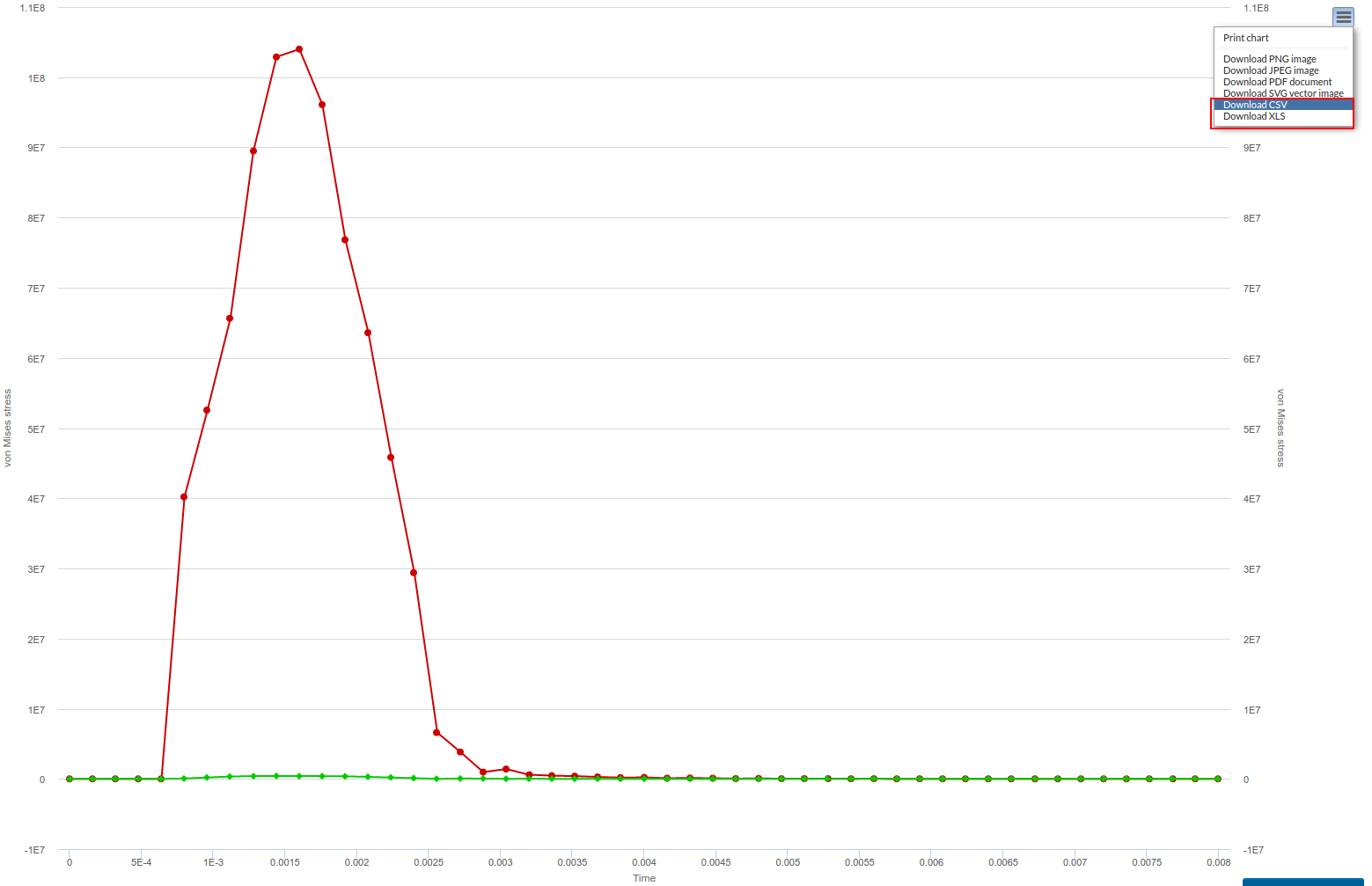
Hope this helps. If you have any question/s, feel free to ask.
Best,
Ahmed