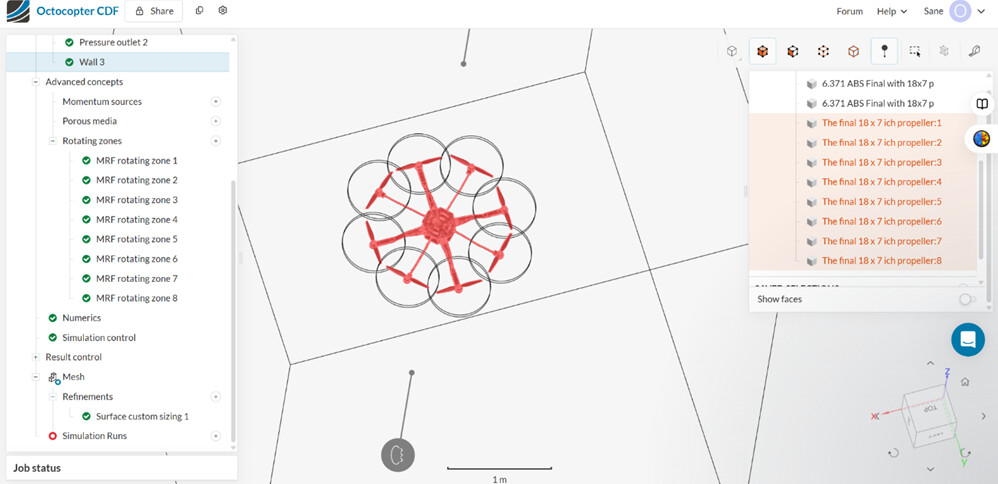
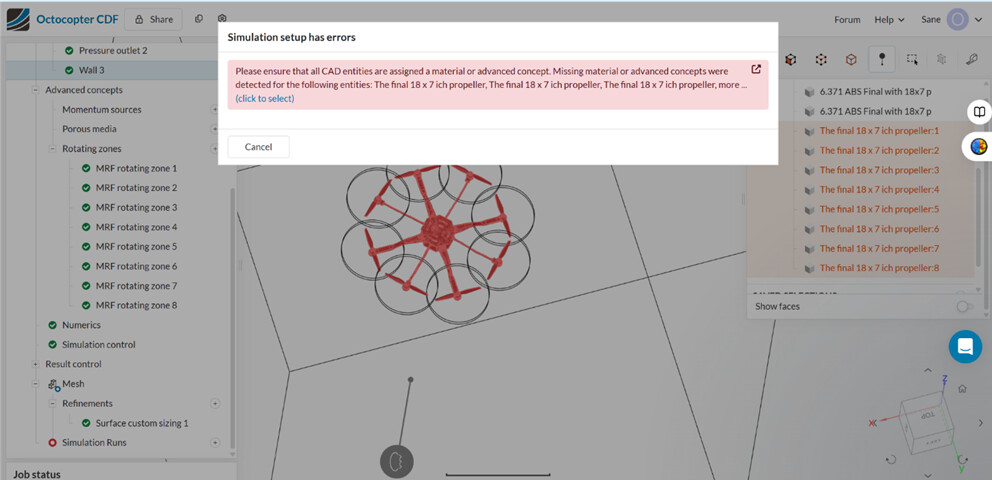
“Please ensure that all CAD entities are assigned a material or advanced concept… Missing material or advanced concepts were detected for: The final 18 × 7 inch propeller (×8) …”
The Incompressible analysis does not consider solid-fluid interactions and incompressible simulations with solid parts does not work. The incompressible analysis/simulation works for a flow region and solid parts/bodies should be deleted. The Delete operation in CAD Edit mode/interface will delete the solid bodies present in the CAD model. See this documentation page to learn how to delete solid bodies in the CAD Edit Interface.
Perhaps, consider reviewing this documentation page on How to Prepare CAD for Simulating Rotating Zone: How to Prepare the CAD for Simulating Rotating Zones | SimScale and this tutorial on Drone Simulation Using Rotating Zones will be worthwhile and helpful.