I am wondering how to conduct a conjugate heat transfer simulation analysing the performance of a brake duct in capturing air to cool the brake disc. My ultimate goal is to see how effective different brake duct designs are in cooling the disc.
I have a link to my project below.
Hi @adignomo, thanks for posting.
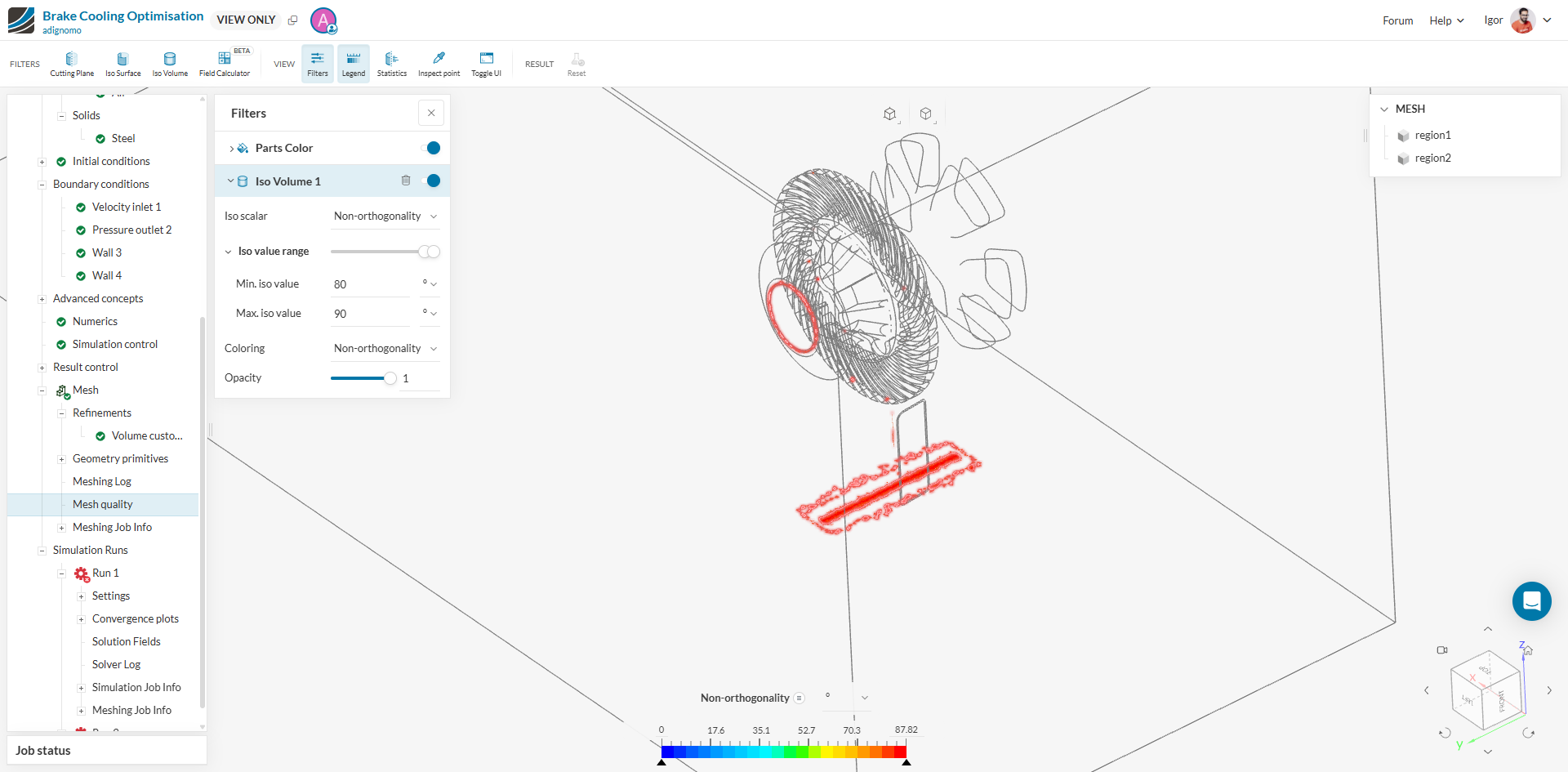
From what I see, your non-orthogonality is too high, which indicates issues in the CAD/Mesh such as small faces, gaps, sharp corners…
Indeed, you can spot such problematic elements by taking a look at the Mesh Quality viewer:
Please carefully follow the steps in these resources before proceeding with your simulation:
Cheers
Igor
Hi Igor,
Thank you for the quick response! After I fix that issue what are the steps to setting up a CHT simulation?
Hi @adignomo,
After preparing the model, follow these steps to set up a Conjugate Heat Transfer (CHT) simulation:
- Create the Simulation: Select the desired geometry and click on ‘Create Simulation’. Choose the ‘Conjugate Heat Transfer v2.0’ analysis type from the list of available analysis types .
- Set Up the Simulation: Configure the simulation settings, including boundary conditions, material assignments, and other properties. You can also activate specific simulation behaviors like radiation and select a turbulence model, such as the k-omega SST model .
- Mesh the Model: Use SimScale’s standard meshing algorithm to create a mesh suitable for your simulation.
- Run the Simulation: Execute the simulation and analyze the results using SimScale’s post-processing tools.
For more detailed guidance, you can refer to the tutorial on Conjugate Heat Transfer in a U-Tube Heat Exchanger.
Cheers!