
Chapter 3 - Meshing
3.1 Preface
Generating a correct mesh for this simulation was not a piece of cake first. You can see this by the amount of obsolete meshes.
With a lot of trials and errors, reading the documentation and mainly with the great and swift support of @jousefm and @Get_Barried was successful.
I highly recommend to read some articles in the topic like [2] [3] and [4]. These helped me a lot to understand Layer refinements.
I’d like to present my procedure of defining mesh parameters.
To keep the simulations comparable the same mesh with the same parameters were used for all configurations.
3.2 Defining y+ value
You can read about the y+ value here: [2]
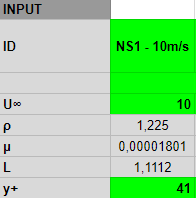
Since k-omega SST model was used, the y+ value needs to be in the 30<y+<300 range.
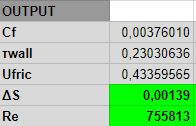
A Google Spreadsheet was used to calculate the values but feel free to use the application presented in [5] .
It turned out that ΔS=000139m (wall spacing) will give the y+ to range from 39 to 78 in all cases which is satisfactory.
3.3 Domain size and refinement definition
After that, the layer refinement’s parameters were defined.
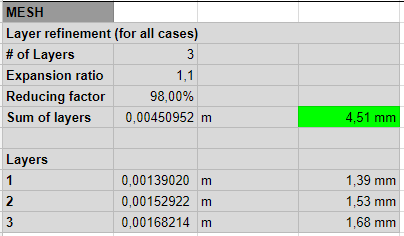
My personal experience is that the Sum of layers must be at least half of the finest refinement level used on the domain. (2×4.51mm=>min. 9.02mm)
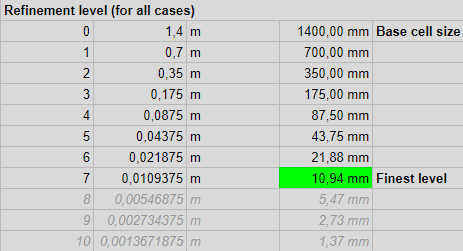
Using base cell size of 1.4m, Refinement level 7 was chosen as the Finest level for Surface refinements. It won’t create a smooth mesh but it is necessary to create thick Layer refinement enough.
The boundary layer is thick in this case because the flow speed is low.
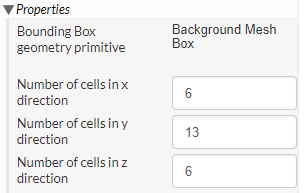
The domain size is the following:
x=6x1.4m=8.4m
y=13x1.4m=18.2m
z=6x1.4m=8.4m
This domain is big enough to get accurate results.
Number cells in y direction should have been set to 12 in order to create a better quality mesh by defining cubes with equal side lengths! Unfortunately I overlooked this!
Please also note that I could have halve the domain and use symmetry boundary condition to spare some time. It is really practical dealing with big simulations. In this case the run time was ~10 mins so it doesn’t really matter.
Region refinement was used in the wake area with refinement level 5.
For smooth transition between lvl 7 and lvl 5, 5×lvl 6 Surface refinement was added.
3.4 The mesh

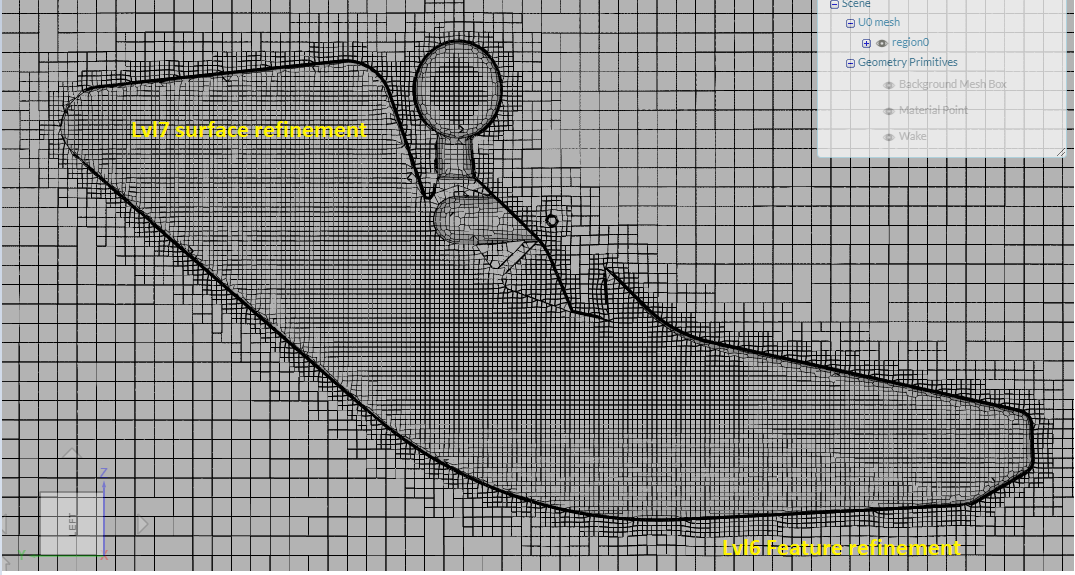
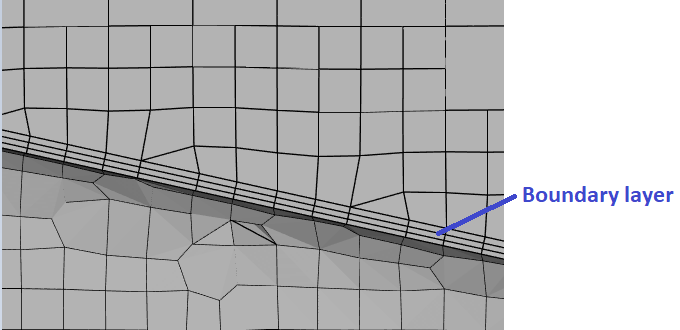
The Layer refinement was not succesful at every feature but the important parts were meshed properly.
In order to countercheck the obtained results, new meshes are planned to be created later.