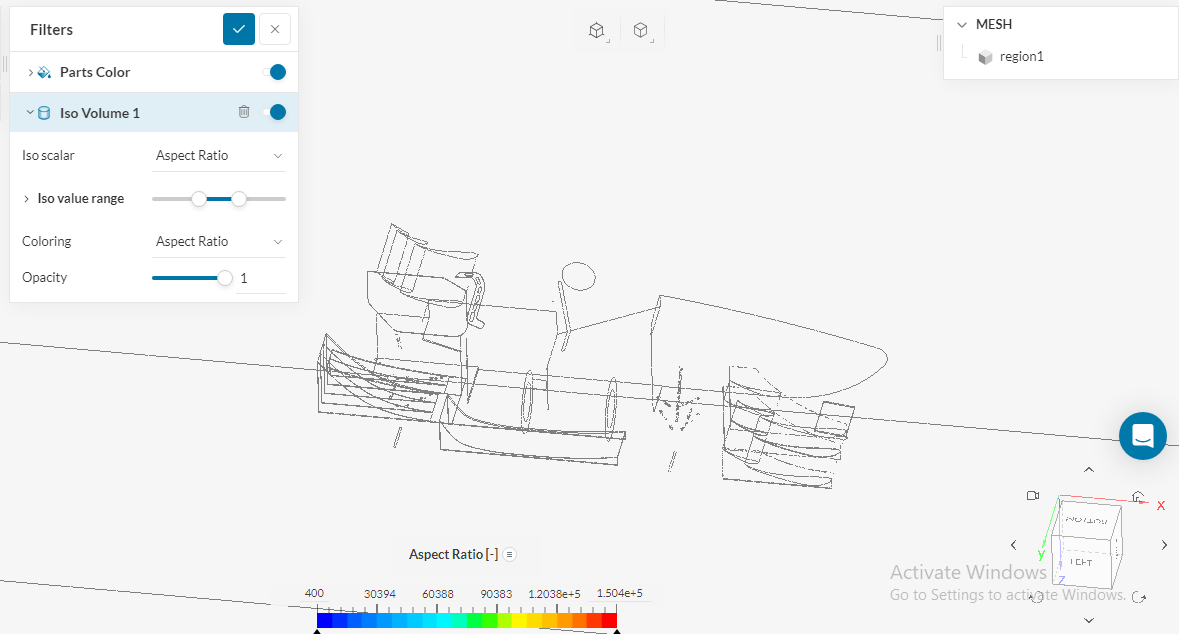
I am simulating a formula student car. After generating mesh i cannot inspect mesh quality in the mesh quality tap, for some reason it remains white whatever the parameter i want to inspect
as shown in the figure, aspect ratio max value is 1.504e+5 but still no red regions indicating where’s the bad cells. the same for non-orthogonal quality
here’s a link to the project
Hi @aerodynamics_c, thanks for posting on the forum and welcome to the SimScale Community 
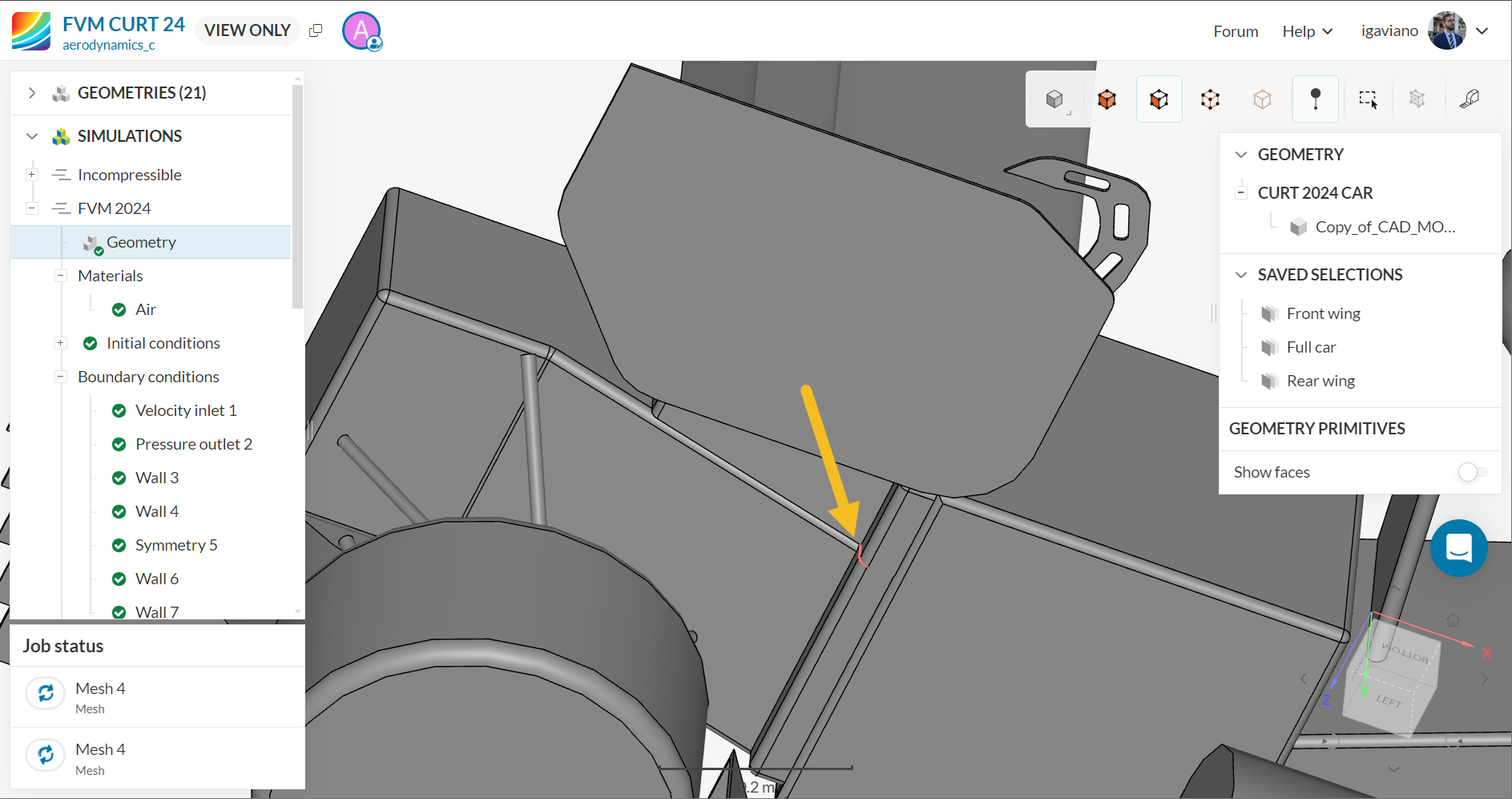
As it seems you have deleted the faulty mesh, I can only give you general advice on how to improve it’s quality. Looking at your model, I see details such as this one near the car’s tire:
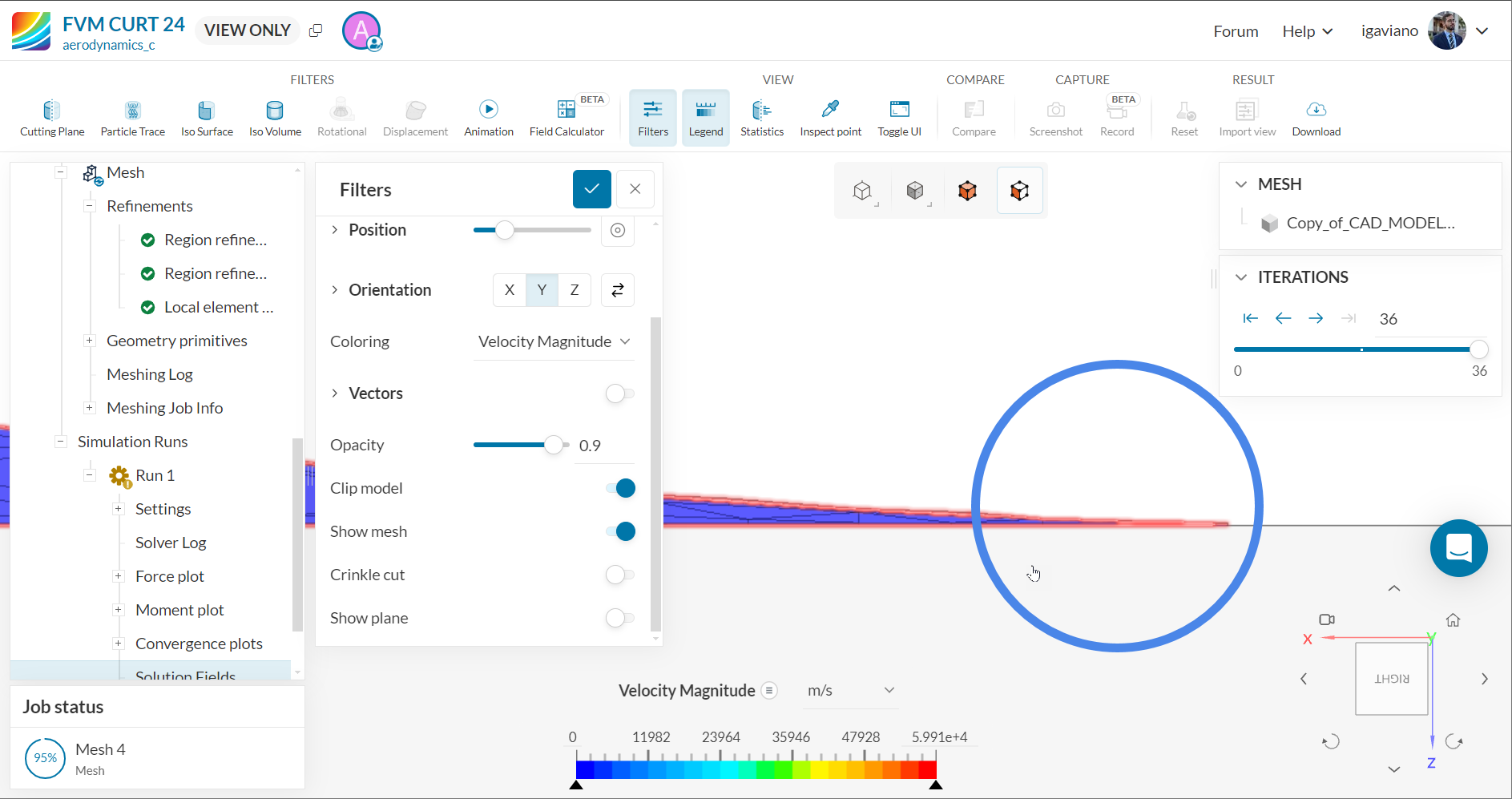
Since there’s a tiny gap in that region, cells there will naturally be very distorted to fit in it.
Besides sharp edges, another thing that you should avoid are small faces such as this one:
Since the mesh will stuggle to fit in it as well!
For more information, please take a look:
Tell me if that’s helpful.
Best,
Igor
Hi Igaviano
Thanks for your fast reply, actually for the gap between tire and ground, i doubted it would cause a problem too, but i was following the tutorial for FS car simulation in the following link and in creating fluid domain section, it is stated clearly for lower wall" As much as necessary in the negative z-direction, so that the ground can be tangent to the wheels"
i tried as much as possible but it resulted in this small gap. is it a solution to : create like rectangular solid beneath the wheel and touching the lower wall?
Yes @aerodynamics_c, exactly!
If you create that small box, you’d get rid of that small gap I’ve mentioned and your simulation should be alright.
Do that and let us know if it solved the mesh quality issue 
Best,
Igor