Incompressible Fluid Flow For Car

Hi there, I am running a simulation for the F1 in Schools competition however everytime I try to run a simulation the mesh is produced with max Non-orthogonality ranging from 87-90 degrees which cannot be fixed without correctors. Which results in the simulation either failing or providing inaccurate results without visualisation of the fluid flow around the car with the particle trace tool is there anything I need to do or do I need to add any other boundary conditions in order to produce accurate results? Thanks.

Here is the link of the project: https://www.simscale.com/workbench/?pid=8303053256925147871&mi=spec%3Aa87ea00c-3698-4823-984e-7b77d7add9e6%2Cservice%3AMESHING%2Cstrategy%3A7&sh=6

Hi @reza_k_jcd, thanks for posting

As I see it, these non-orthogonalities come from features of your CAD. Always make sure to avoid:

  1. Unnecessary details
  2. Small faces
  3. Tiny gaps
  4. Sharp corners

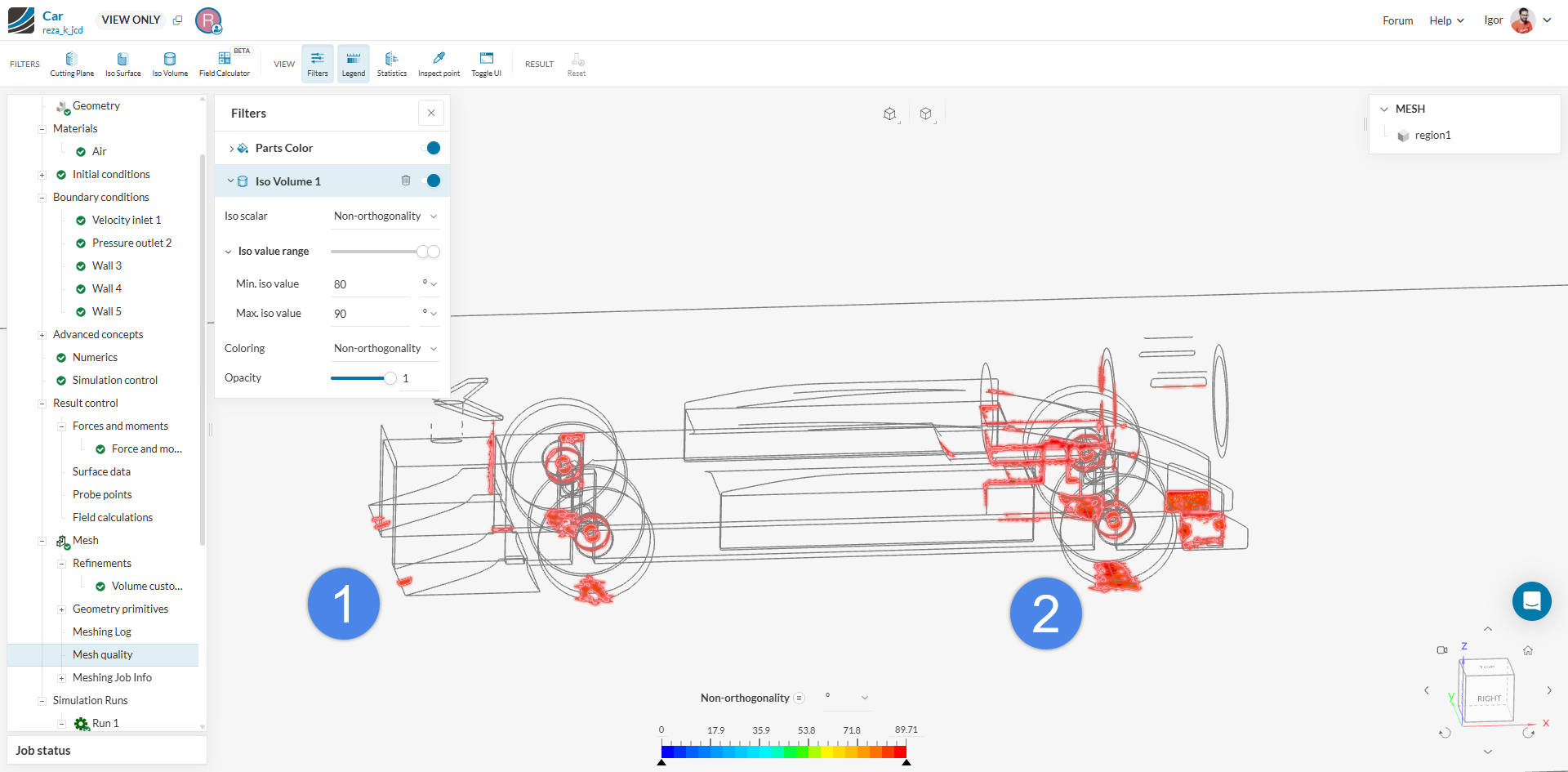
If you enter the mesh quality view, you can actually see where the problematic elements are:

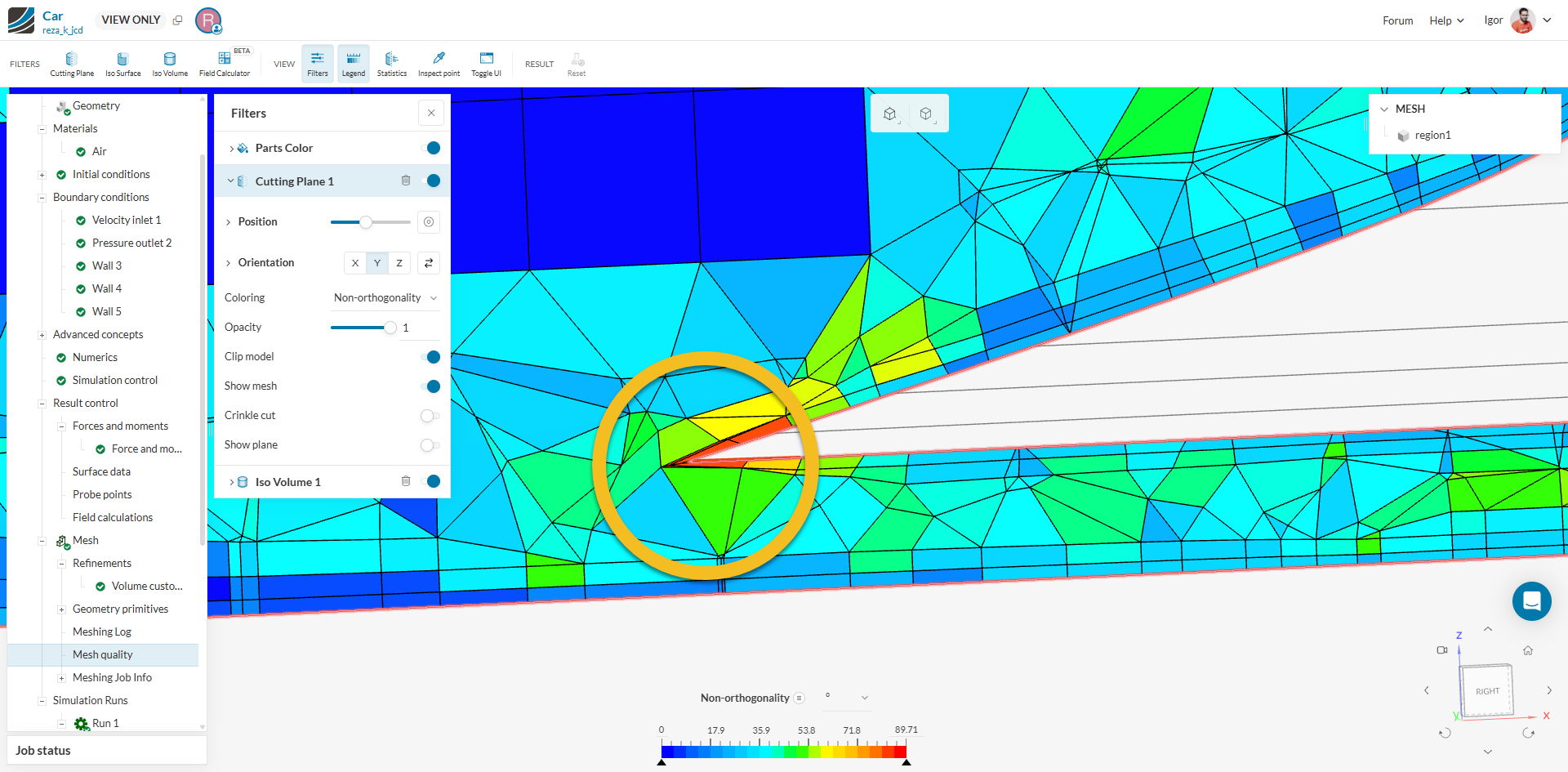
For instance, if you look at (1) and (2) on the image:

(1)

This seems to come from a sharp corner on the nose which makes the boundary layers break.

(2)


This seems to come from the gap between the tires and the floor. See the solution in this cad for instance (creating an artificial “block” between the tires and the floor).
Please review these resources on the topic:

Cheers!
Igor

Alright thank you so much I’ll let you know if this is successful