I am quite new to this program and after spending many an hour of failing at Autodesk CFD I am turning to this platform, which seems a lot easier to use and I really like that there is this forum to help ‘noobs’ like myself to develop their projects.
I am trying to simulate heat transfer in an Autoclave setup. The cylinder inside the Autoclave is filled with water and I want to simulate how the heat penetrates into the liquid showing what areas heat up first.
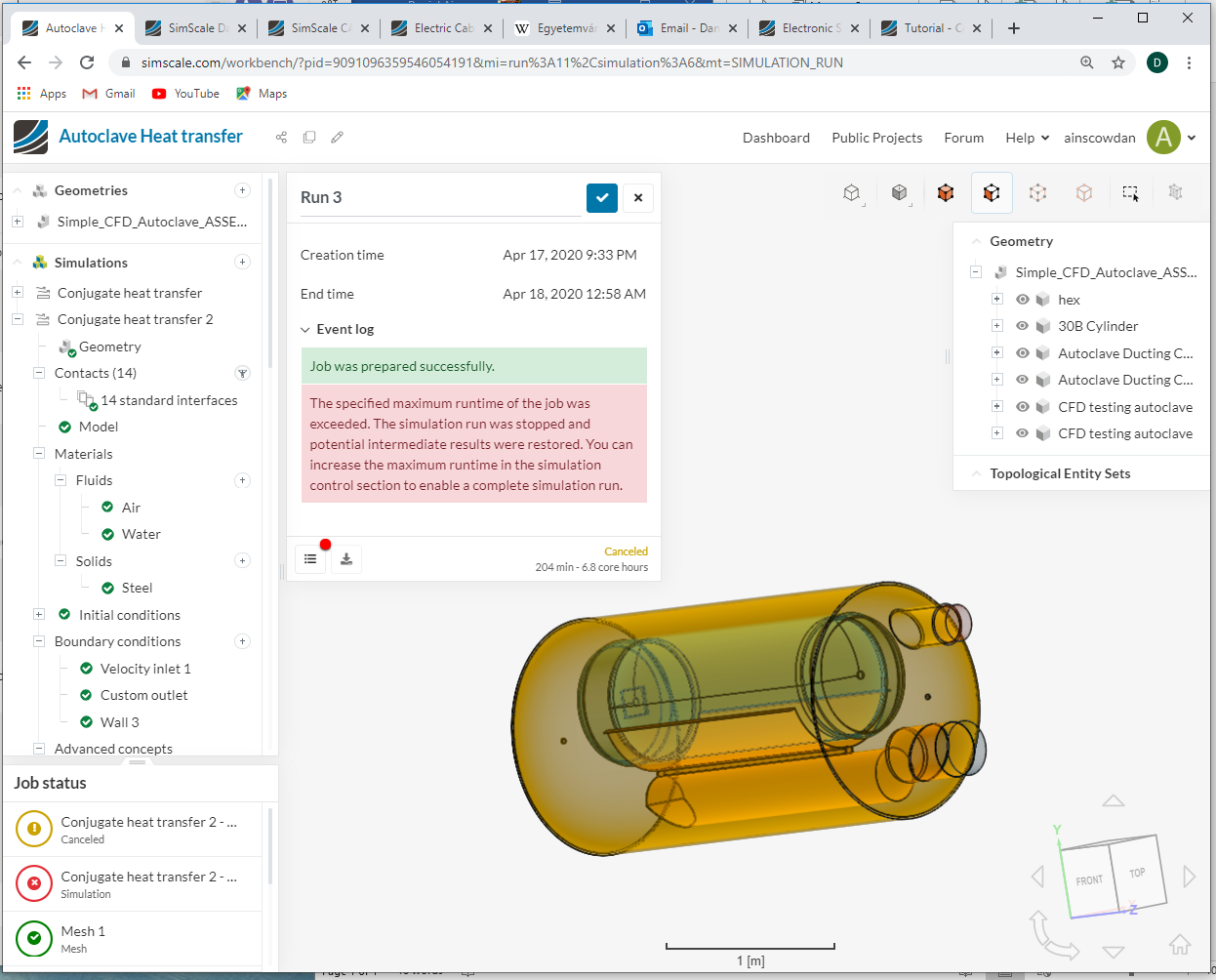
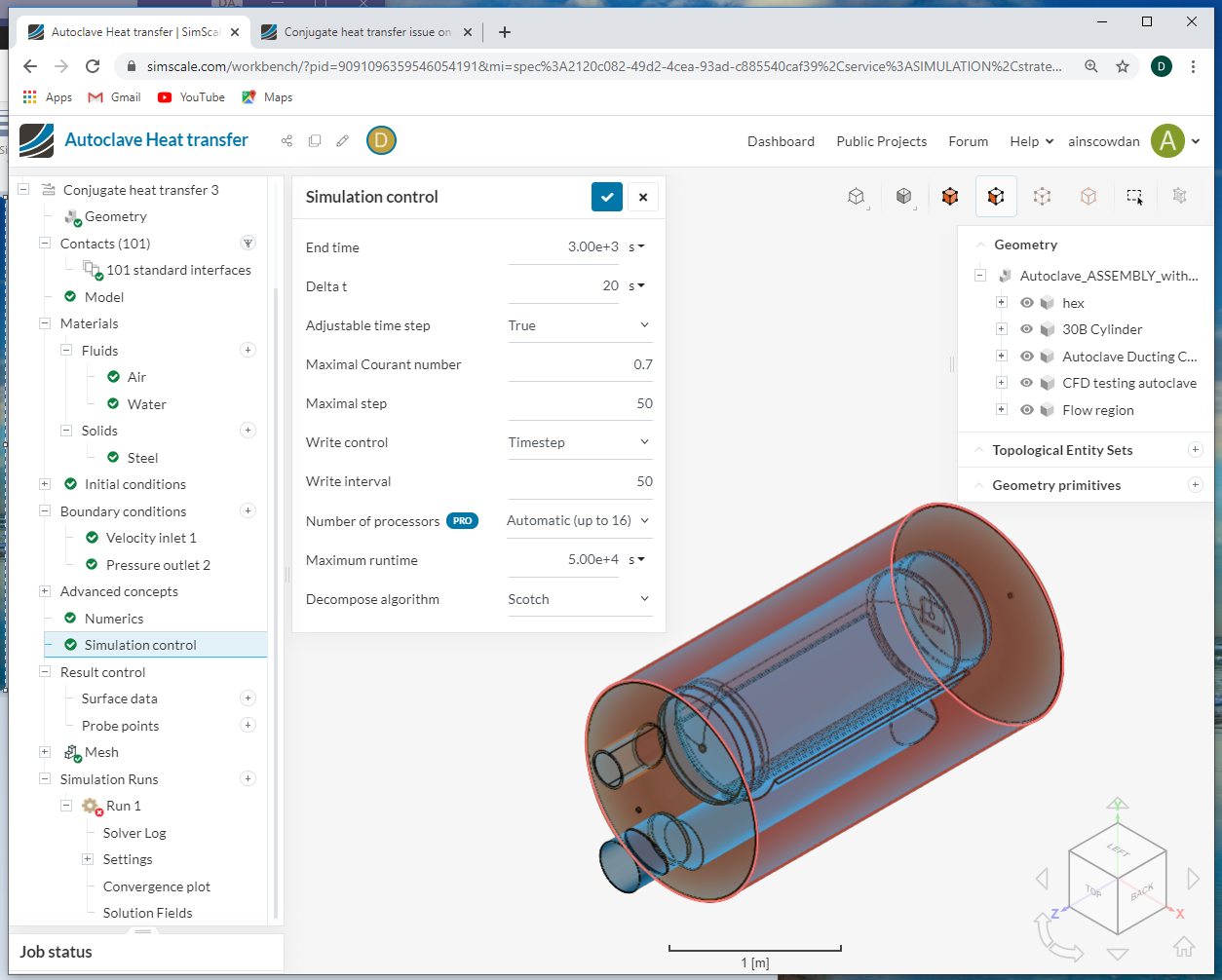
The error that are being thrown up at the minute are potentially related to contacts because I think there are contacts where I don’t think there is a need for them. The other issue is that I run out of the allocated 1000s simulation time, is there a way in which I can reduce the simulation time?
It would be great if I could get the input from someone who actually knows what they’re doing? Haha
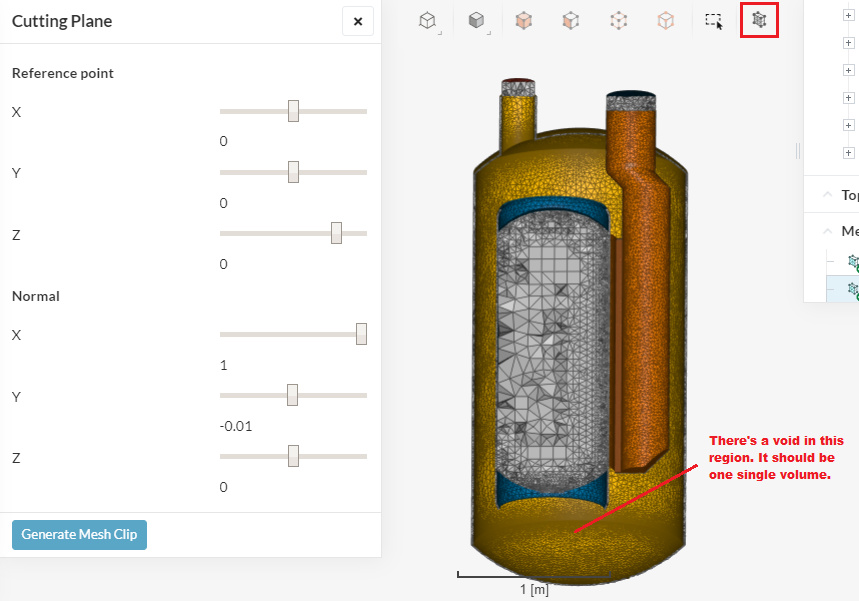
For this kind of project you will have to do a bit of pre-processing in order to get a geometry that will work for this simulation. If you make a mesh clip, you will see that the region where air is supposed to be is not being meshed at all:
You already created a volume for the region where water is, now you should also do the same for the volume with air.
About the contacts: if you plan on running a conjugate heat transfer simulation, there will be contacts. These contacts are, in fact, the interfaces between solid & liquid.
Thank you for getting back to me so quickly! Really useful information!!
Ahh I see, do I need to create this volume in Inventor or can it be done in SimScale?
Because i thought that I had set this in material section, but by the looks of it I have not.
Additionally, excellent tutorial, it helped a lot with understanding of simulations control!
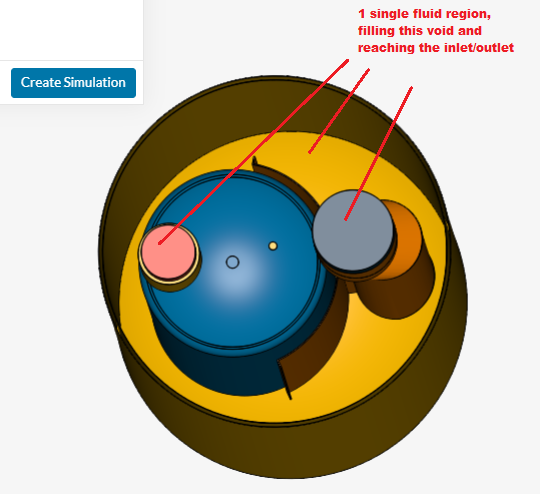
However, for this geometry, the way it is right now, it would be necessary to do it in your CAD software. Basically you’d like to create a single volume for the air domain:
@Ricardopg This is helpful because am also working on this project with @ainscowdan as we are both newbies here on #Simscale. We will give your suggestion a try using the Boolean or Combine operator on the Autoclave design. So this should potentially work on the model using the CHT or heat transfer models. Hopefully Onshape CAD tool online should be able to do the trick. The use of the cutting plane on the geometry is also descriptively helpful. Thank you, we will give it a try.
Thank you for your guidance and the help of @donvic !! We managed to create a much better mesh and also meshed the internal air of the autoclave with your tutorials. However, I find myself in another jam trying to get the simulation to work has thrown up another issue.
I read your tutorial on simulation control setup but I seem to have some more fields in mine that I’ve more than likely filled in, incorrectly. Do you have another more information of guidance on where I have gone wrong?
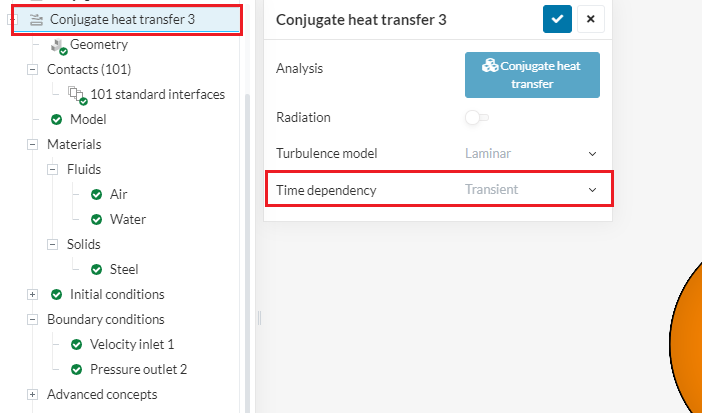
Well, yes. That article was made for steady-state analysis and the simulation you’re running is transient.
Transient conjugate heat transfer would probably take a lot of time to run, even for just a few seconds of analysis, and would be very tricky to set up.
For conjugate heat transfer, it definitely makes much more sense to run a steady-state analysis than transient.
Based on the modifications from your helpful suggestions, @ainscowdan has been able to fix one part of it but it has control issues. I do not know if you have a look at the error message in the error message he posted.
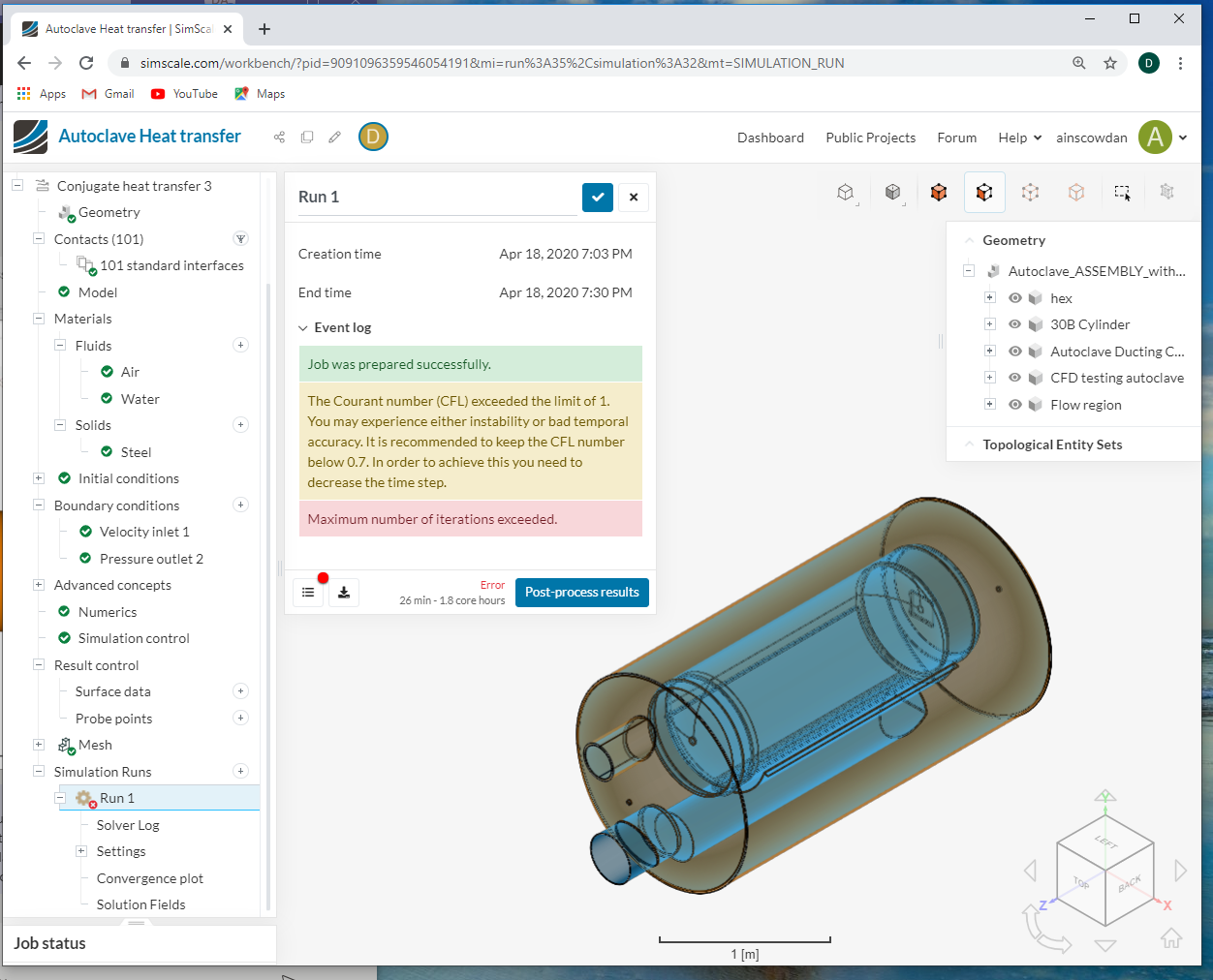
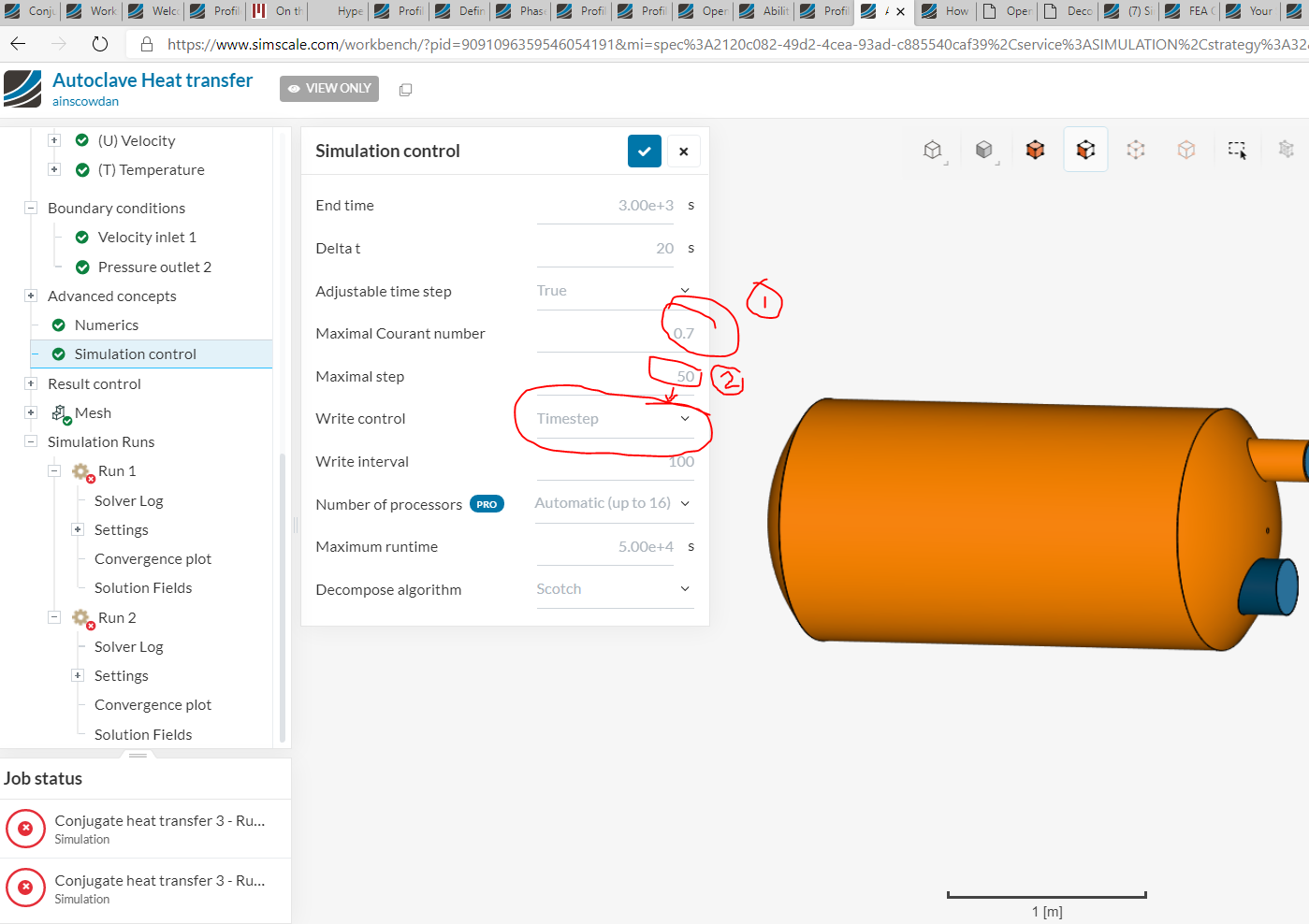
Did you look at the error message again? “The Courant number (CFL) exceeded the limit of 1. You may experience either instability or bad temporal accuracy. It is recommended to keep the CFL number below 0.7. In order to achieve this you need to decrease the time step. Maximum number of iterations exceeded.”
For this kind of CHT simulations, what is the suggestive reduction for the Courant Number as we have not yet done so from 0.7 to something lower, and increase the maxima timesteps… although it will run longer but will be likely achievable. What numbers or ranges do you recommend to enable us save running time and not waste computational resources and the much limited CPU hours?
Blockquote We appreciate the support. Thank you /> Blockquote
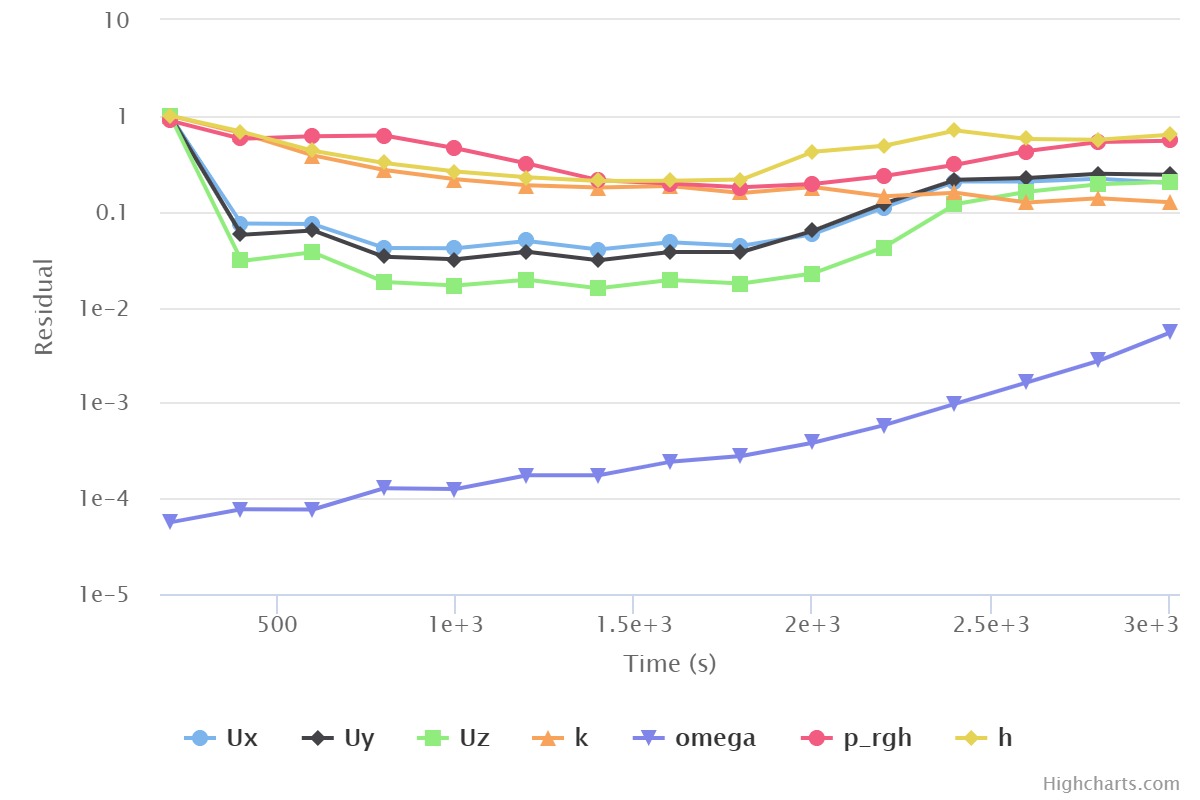
@Ricardopg thank you so much, that was vey helpful. It solved and converged. Does the convergence plot look about right though? There was an error message to check: “(ρ) Density field relaxation factor values of greater than 0.1 can lead to instabilities. You used: 1.0. Please consider keeping this value below 0.1”…So, I reduced the density value for the relaxation factor density from 0.1 to 0.01, when I changed the solver mode from Transient to steady state and used k-omega SST, as it is a stable turbulence model to me from my CFD experience. What do you reckon?
You have both helped me hugely!
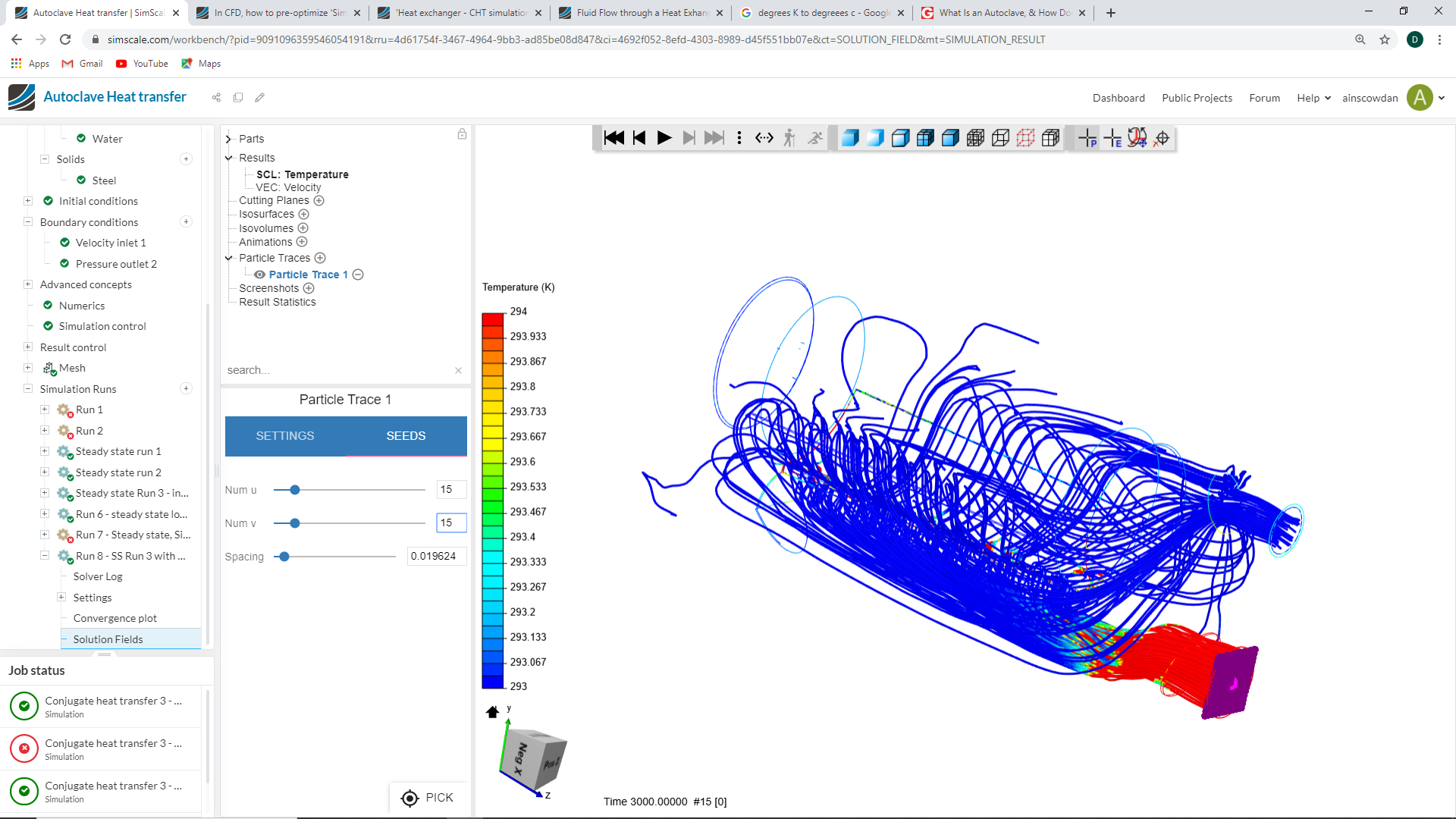
My next problem is that my models don’t show very good heat propagation into the cylinder and water. I have set the boundaries of the air to flow into the autoclave originally at a temperature of 120 degrees C then i have pushed the temperature upto 900 degrees C to see if there is any change. However nothing much happened so i have played about with the numbers but still nothing much happens as seen below.
Am I missing a boundary or setting to allow the heat to transfer in the air to the thermal mass of the cylinder and water or have I set the model up incorrectly to simulate this type of problem?