
Hello SimScale Support,
I am learning Gmsh and trying to import a NACA2412 wing mesh into SimScale. Both the wing and a tiny, validated OpenFOAM cube fail with the same generic upload error. I only need to import the mesh; no simulations have been created or run.
Public project: https://www.simscale.com/workbench/?pid=4686019885636979974
Environment: Windows, Brave, blueCFD-Core / OpenFOAM 12.
Reproduction with a small control mesh
- Open Geometries → Create (the “Import Geometry” dialog).
- Select a ZIP or TAR.GZ containing
constant/polyMesh, with no extra enclosing case directory. - Select OpenFOAM (.foam) when the archive initially shows “Unidentified file format.”
- Click Import.
The error is:
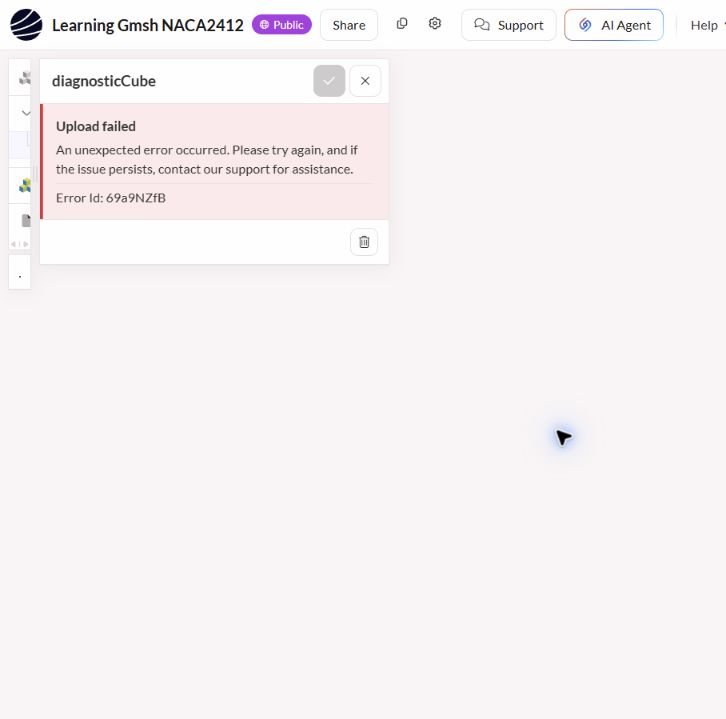
Upload failed. An unexpected error occurred. Please try again, and if the issue persists, contact our support for assistance.
The control cube was generated with blockMesh: 8 hexahedral cells, with inlet, outlet and walls patches. checkMesh reports Mesh OK, zero skewness and zero non-orthogonality. Its mesh files are ASCII with version 2.0; in each FoamFile dictionary; the generating case uses writeFormat ascii;. Extra blueCFD banner comments were removed from the upload copy.
- Cube ZIP (~2 KB): error N1JsG0bt.
- Cube TAR.GZ (~1 KB), after reloading the workbench: 69a9NZfB.
Checks already tried
I followed the mesh upload documentation. SimScale’s system check reports fully compatible, trace 73d4c25e, including platform/storage uploads, WebGL and WebSockets.
The 2,029,549-cell wing also fails with unchanged constant-folder ZIP, cleaned banner comments, mesh-only ZIP/TAR.GZ, and minimal ASCII headers with LF line endings. Example wing errors: FJ7gHStN and NEy1n6R2. The wing has unused points and skewed faces, but the clean cube has neither issue and still fails.
Could you inspect the cube’s backend error and confirm whether our archive structure or format needs changing?
The wing and cube ZIP packages were supplied through the website support chat. The forum uploader rejected ZIP attachments; please advise how to share the archives here if needed. Ray referred me to this forum for case-specific support.
Thank you,
David