
Currently I want to simulate water flow on my 3d solid design which comes from autoCAD with the import format is .stp. But until now I have always failed to do the simulation. Is there a solution?
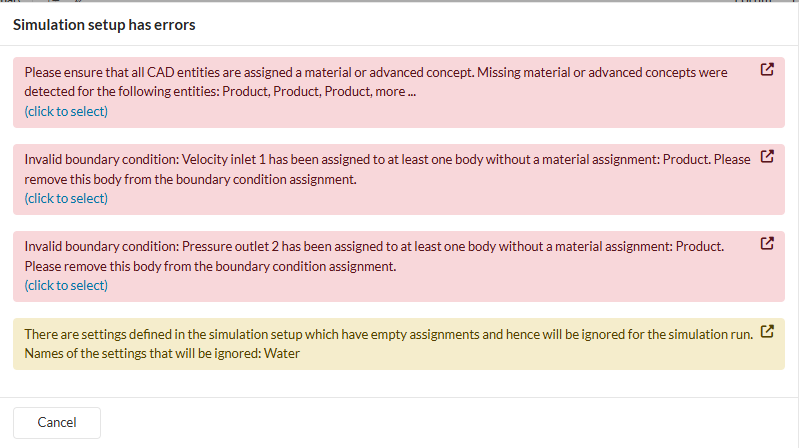
Whenever I tried to simulated it, it always show this messages
Hi @muhsatarkusuma, thanks for posting!
The most common cause of the errors you’ve shared above is the user not having deleted all solid bodies after creating the flow region before running a single region study (Incompressible, Compressible, Convective Heat Transfer…)
Look at the CAD Editing portion of the following tutorial for a step-by-step case:
Cheers
Igor
Hello Igor
Thank you for your reply for my question. I’ve read the recommendation you give to me. It help me a lot for my next simulation. But I want to ask you again. The recommendation you give to me was for simulation on outside of body if I understand it correctly.
My current project that I want to simulated is like a water treatment plant, but in simple design. And the simulation that I want to try is just like water flow inside the pipes and the plant. Do you have another suggestion for the problem? I wanna show you the image of my wtp design, but I the reply chat not allowing me to send media
Regards
Satar