I am trying to run simulations for a flat roof collapse project. The model is split into 3 parts that are made of 3 different materials. I have uploaded the 3 parts into geometry separately as I could not split them in SimScale. I have successfully assigned material along with its properties to layer 1 (EPDM) but having issues attaching ‘materials’ to two remaining layers (concrete base and insulation). How can I do it, please? I am wanting to do heat transfer analysis first. Thanks
Hey @kszemiczek ,
I assume you are referring to this project.
Firstly, you can add all three separately uploaded models into one model using our Add CAD feature. This will help you to run a single simulation by considering the entire assembly. Once they are all part of the same geometry, you can add material to all of them simultaneously within a single simulation tree. Example.
Let me know how it goes! 
Best,
Satvik
1 Like
Hi Satvik,
Thank you. Am I right to assume that I need to use the bootlean union function to merge the three? I have assigned individual properties to each materials and added it to each part (not sure if I have done it right but at least the simulation button is now functional). The aim is to run heat transfer analysis with EPDM bein the outter layer (-5 C) and concrete being the inner layer (20 C) . Thanks
Hey @kszemiczek ,
No, let me try to explain it in another way.
Boolean union would combine and replace the selected parts in the same model by one single part. From your project, I understood that all parts are imported as separate models as follows:
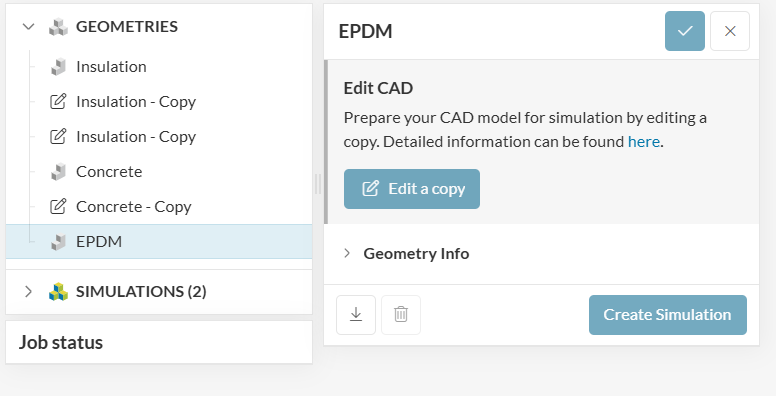
In this case, you can only select one of them to run a simulation as follows:
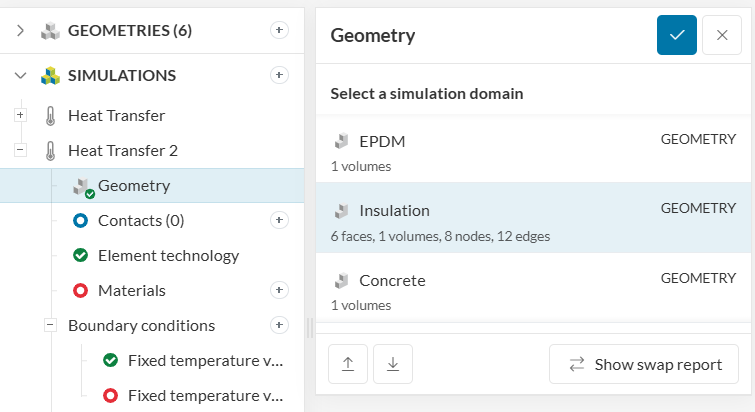
If you want to study heat transfer between all three together, they all need to be part of a single geometry model. The way you can do that is if you ‘Edit’ one of the models you can use the Add CAD feature (highlighted below) to add the other two models to the one you are editing.

Once you add the other two models, all 3 parts will be included in the same geometry tree as follows:
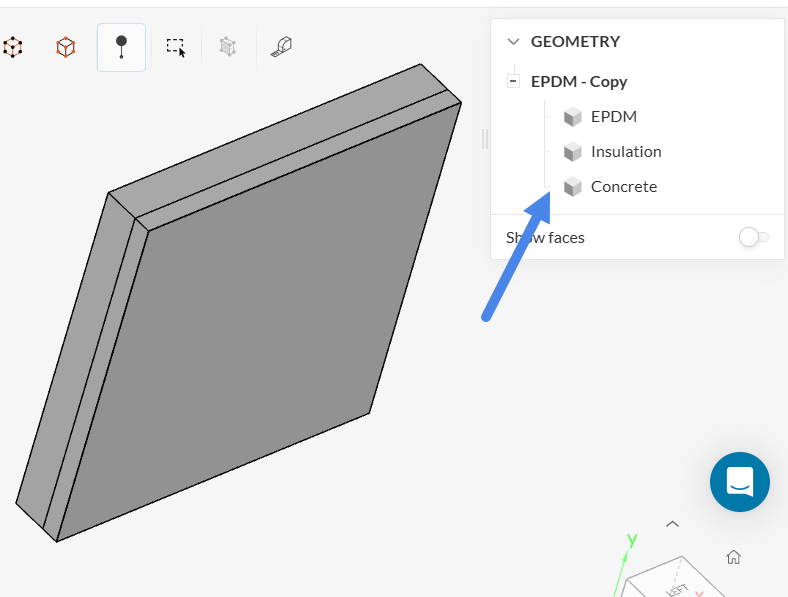
Now, you can run a simulation for this ‘Combination’ (You can rename the Copy as you wish) as follows:
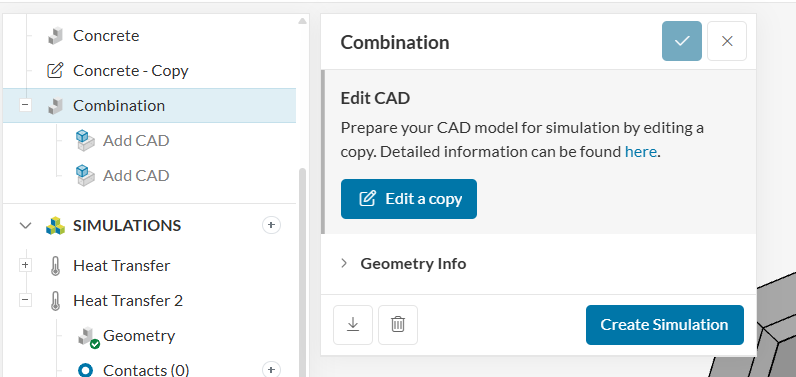
Or simply change the geometry of the already created simulation to use this new copy that has all three parts in a single model as follows:
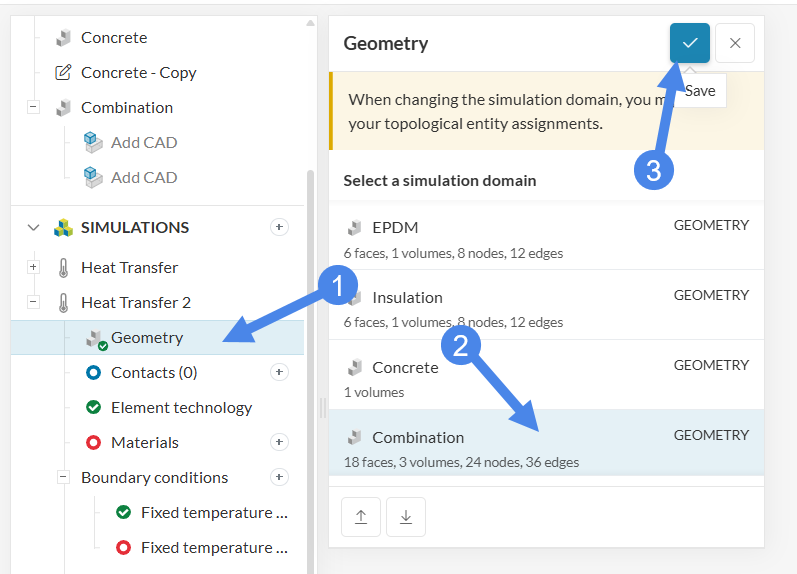
Let me know if that now makes more sense.
Best,
Satvik
Thanks a lot. It does! I have now managed to set it up.
1 Like