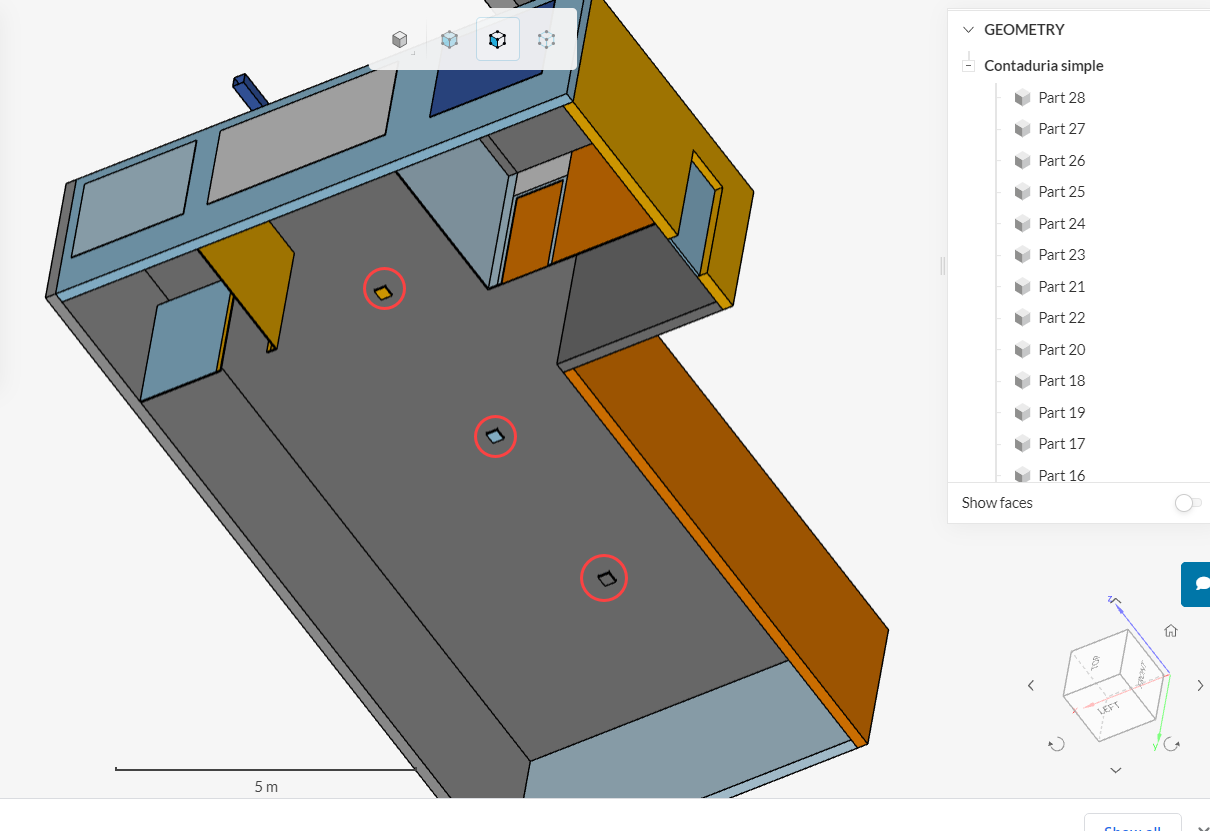
Hi, I have been playing around with this geometry for a couple days, and cant seem to find a solution. I am trying to run a ventilation simulation of a small office. I get stucked in the flow region creation step. I am trying to create a closed inner region from this geometry with no luck.
I have 3 inlets and 1 outlet.
When I select a seed face the flow region creation doesnt work, but it also doesnt tell me why its not working.
Thanks!
Hi,
The issue here is that we likely have some openings in the model, which are making it an “open region” instead of a closed one. At a first glance I’m suspicious of these 3 “diffusers” on the ceiling:
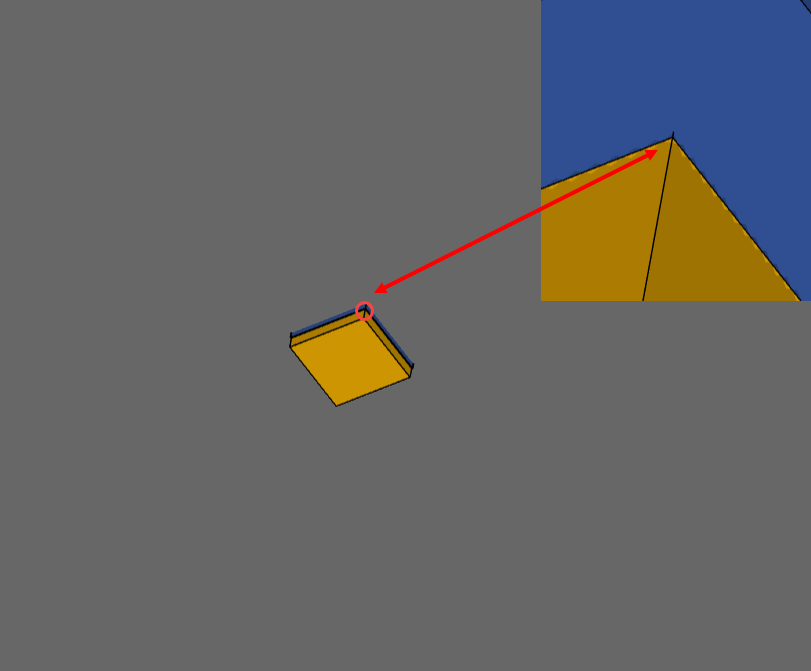
If you look up-close, they are just barely closed, with an edge-to-edge contact:
That is, the yellow volume just touches the blue volume edge-to-edge, instead of extending a little further. This usually causes issues with flow volume extractions (see this article for more notes).
In short, the model needs some clean-up.
PS: you can also create the flow region locally, in your CAD tool, before importing to SimScale. This way, you wouldn’t need to run the flow volume extraction again.
Cheers
1 Like
Thanks Ricardo!
I took your advice, eliminated the difuser and the flow region creation worked like charm.
That was definitely the problem,
I am just starting with SimScale (and CFD), and I am coming to the conclusion of the huge impact a bad model geometry has on the simulation.
1 Like
Nice, thanks for the update. And absolutely - having a clean CAD model saves you a lot of time down the line.
Cheers