Hi!
The CAD model is still not appropriate for MRF rotating zone geometries. Here is a quick way for you to fix it in SimScale:
- First, delete the enclosure and open the CAD mode:
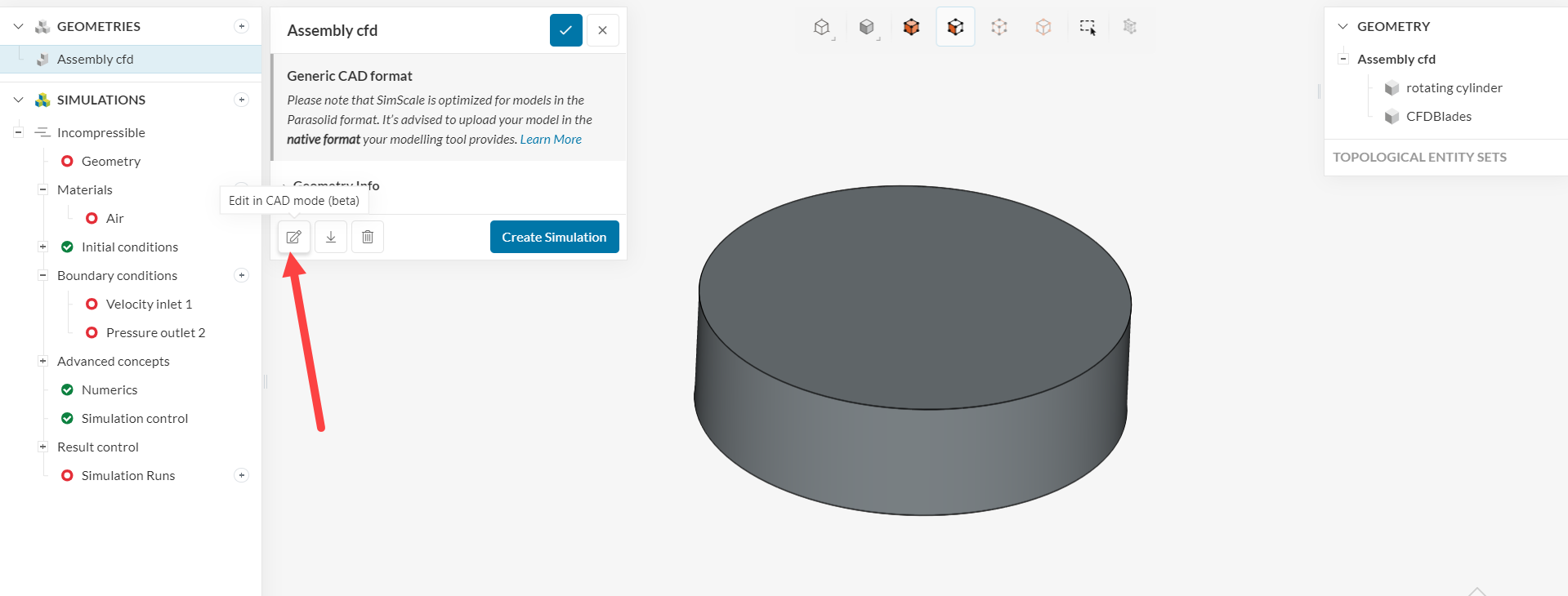
- In the CAD mode, select an external flow region creation and follow the steps below:
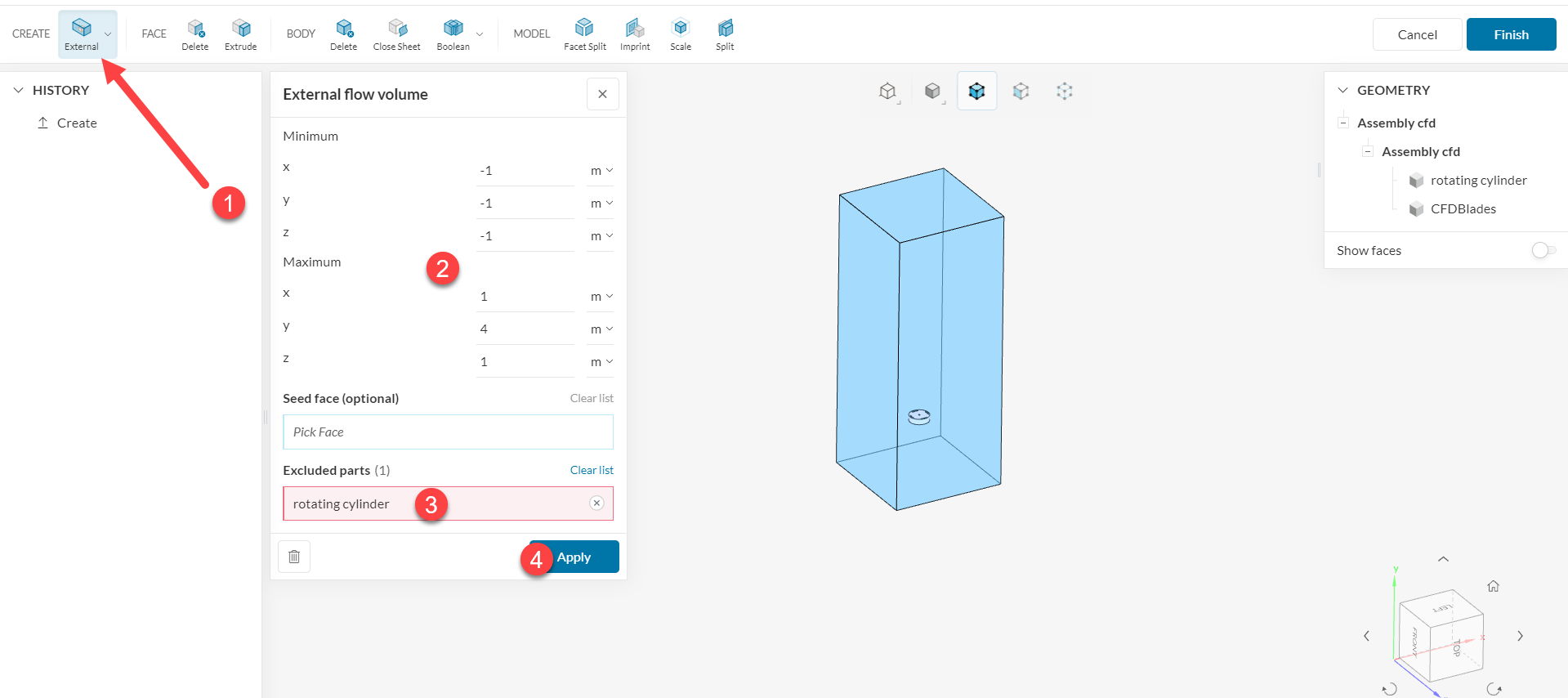
- Select the external flow region operation
- Define the enclosure coordinates
- Very important: exclude the rotating cylinder from the operation
- Hit Apply
At this point, you will have 3 volumes. The solid blades should be deleted from the geometry. Simply create a delete body operation and delete the blades:
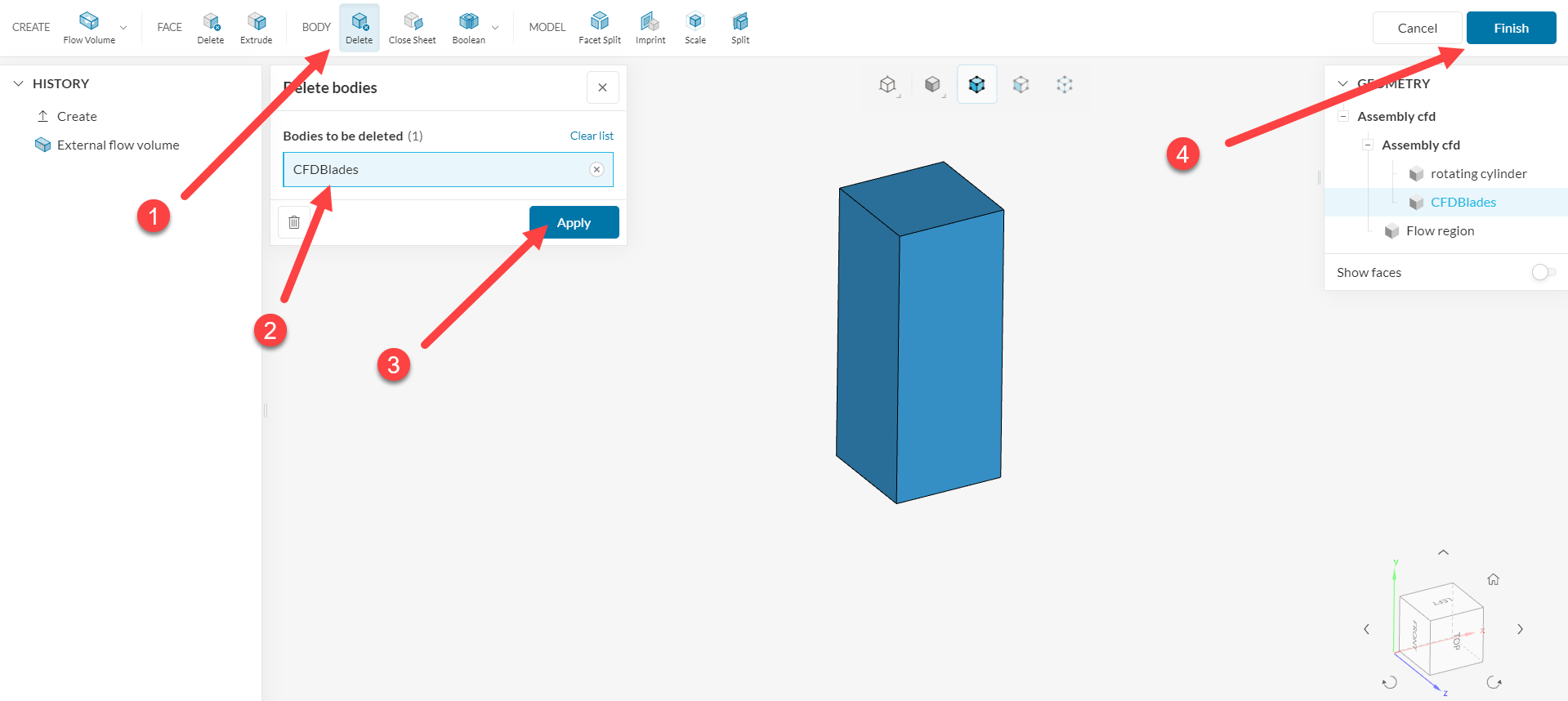
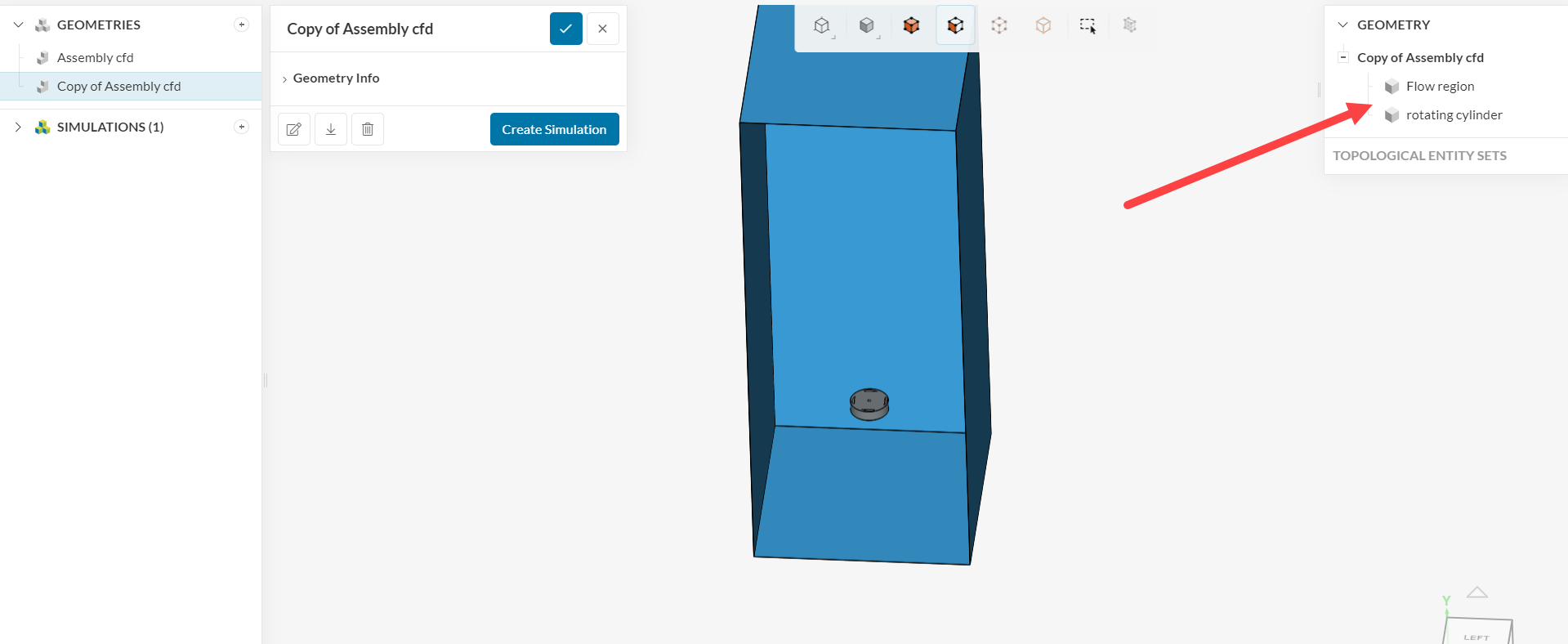
Hit Apply and finally hit Finish. This will export the new geometry to SimScale, which will be appropriate to run MRF rotating zone geometries. As you can see, it contains the two necessary volumes.
Cheers