Hi!
To access the building walls, you would normally follow the steps below:
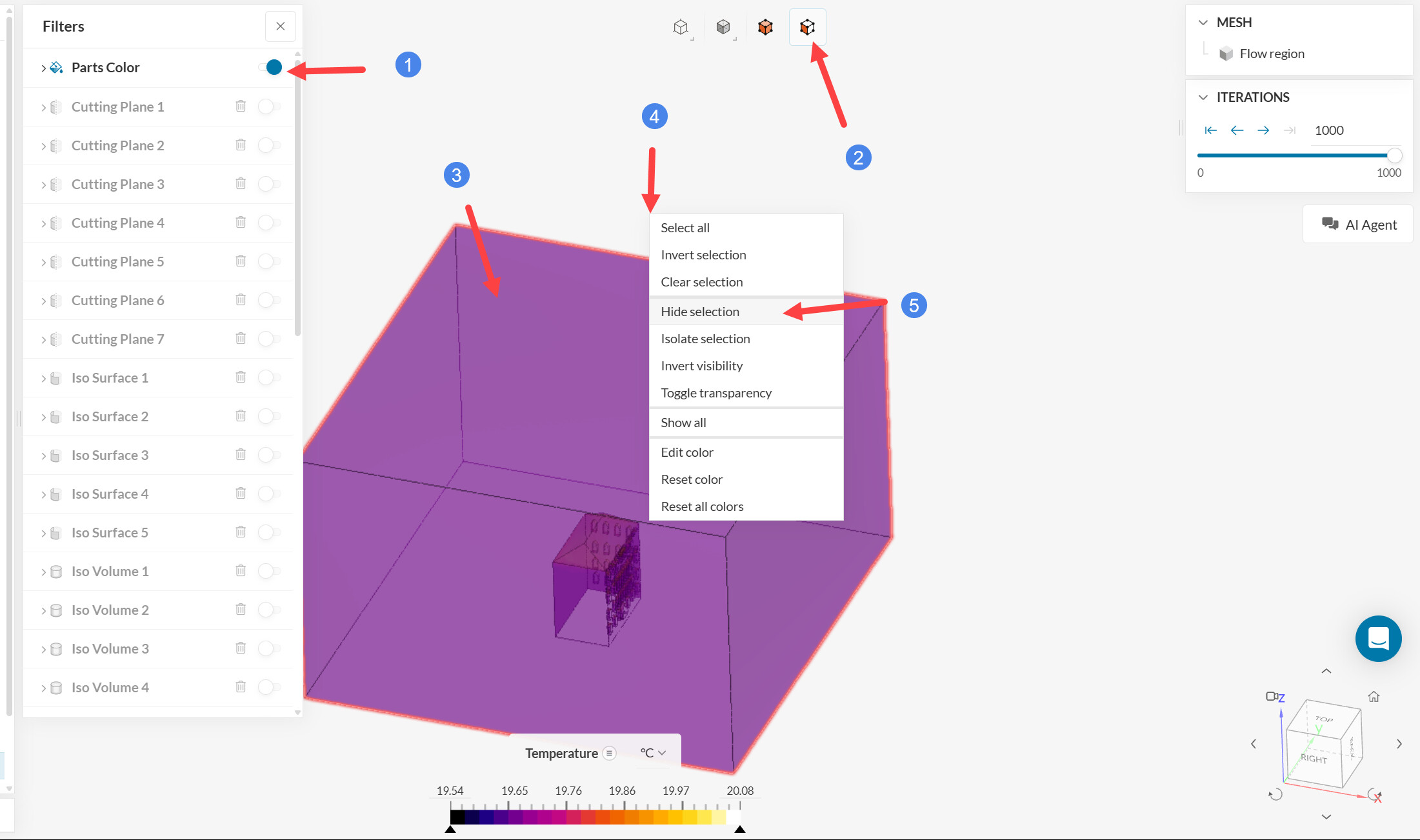
- Make parts color (i.e. faces) visible, plotting temperature
- Enable face selection
- Select the external walls of the wind tunnel by left-clicking on them
- Right-click
- Hide the selection
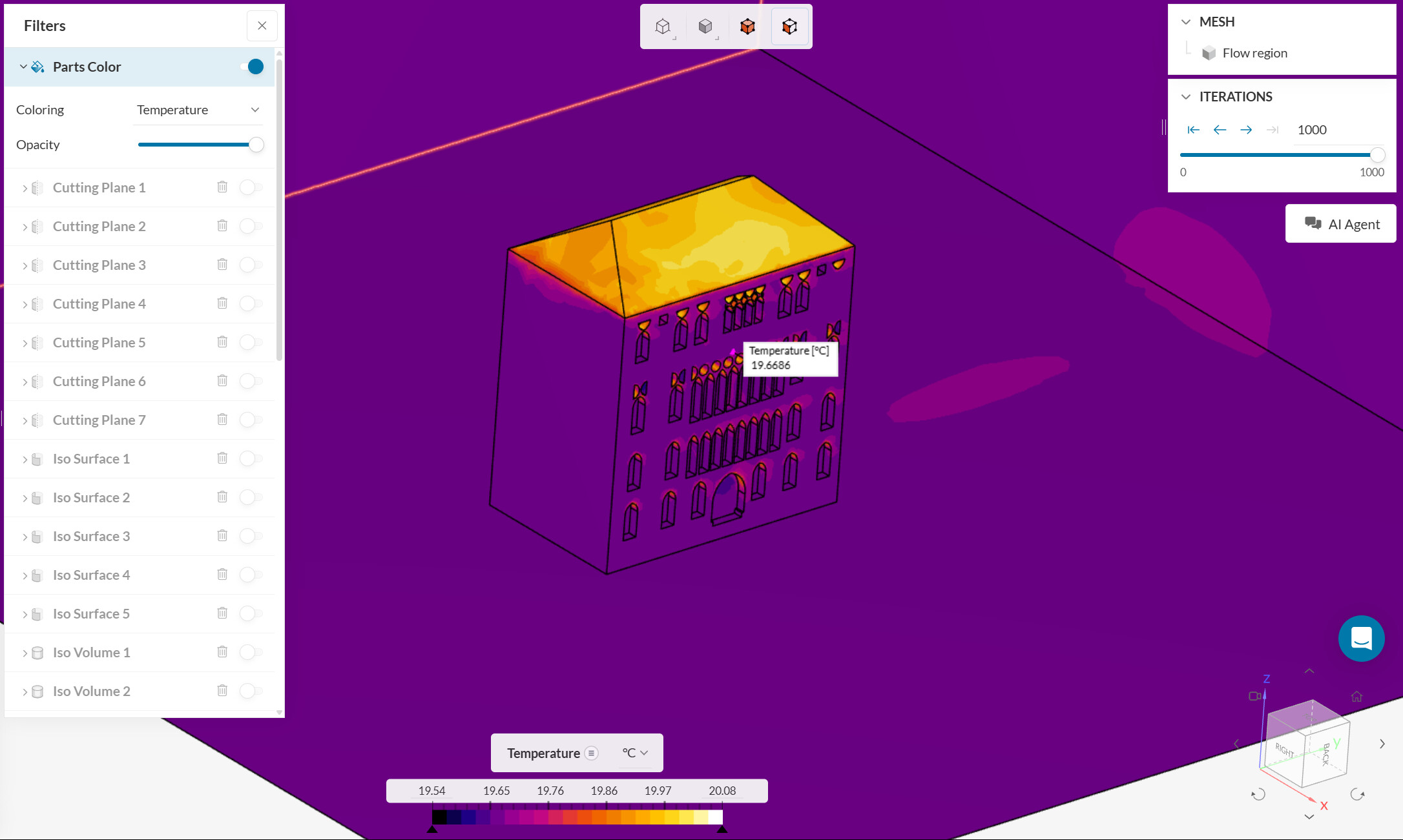
This hides the external faces and let’s you see and interact with the building faces. E.g. you can use inspect point, statistics, etc.
Cheers