
When there are multiple simulations within a project, it is hard to tell them apart and select the one I intend to:
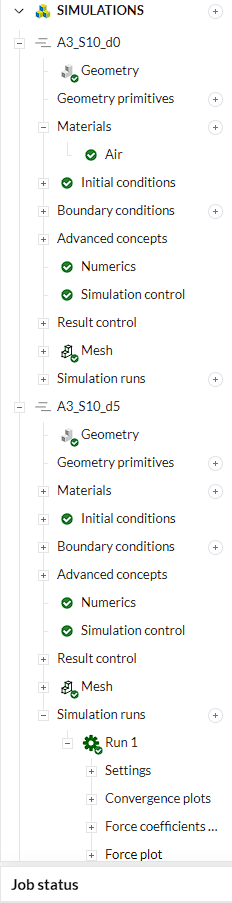
Usually the simulation names are similar, and more often than not, the names of sub items remain the default (Mesh, Run 1, etc.). With these, it is difficult to tell them apart, and it’s easy to accidentally open different results. It is especially frustrating when the wrong solution field is opened due to loading times.
I think some kind of visual cue would help a lot. For example different (or at least alternating) background color for the different simulations:
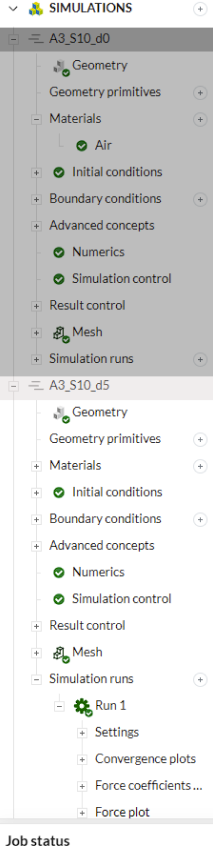
This way independently of how extended or collapsed the feature tree is, you can see where the given element is referencing. It would not hurt the current sleek GUI design in my opinion either.
(Bold or larger font for the simulations could also help. Maybe sim names could be appended like: “Mesh @ A3_S10_d0” too or something.)
But these are only suggestions from the top of my head. The important thing is that for me this is a pain point with the GUI and it would be nice to have a fix on it.
Best regards,
Jani