Please can you help.
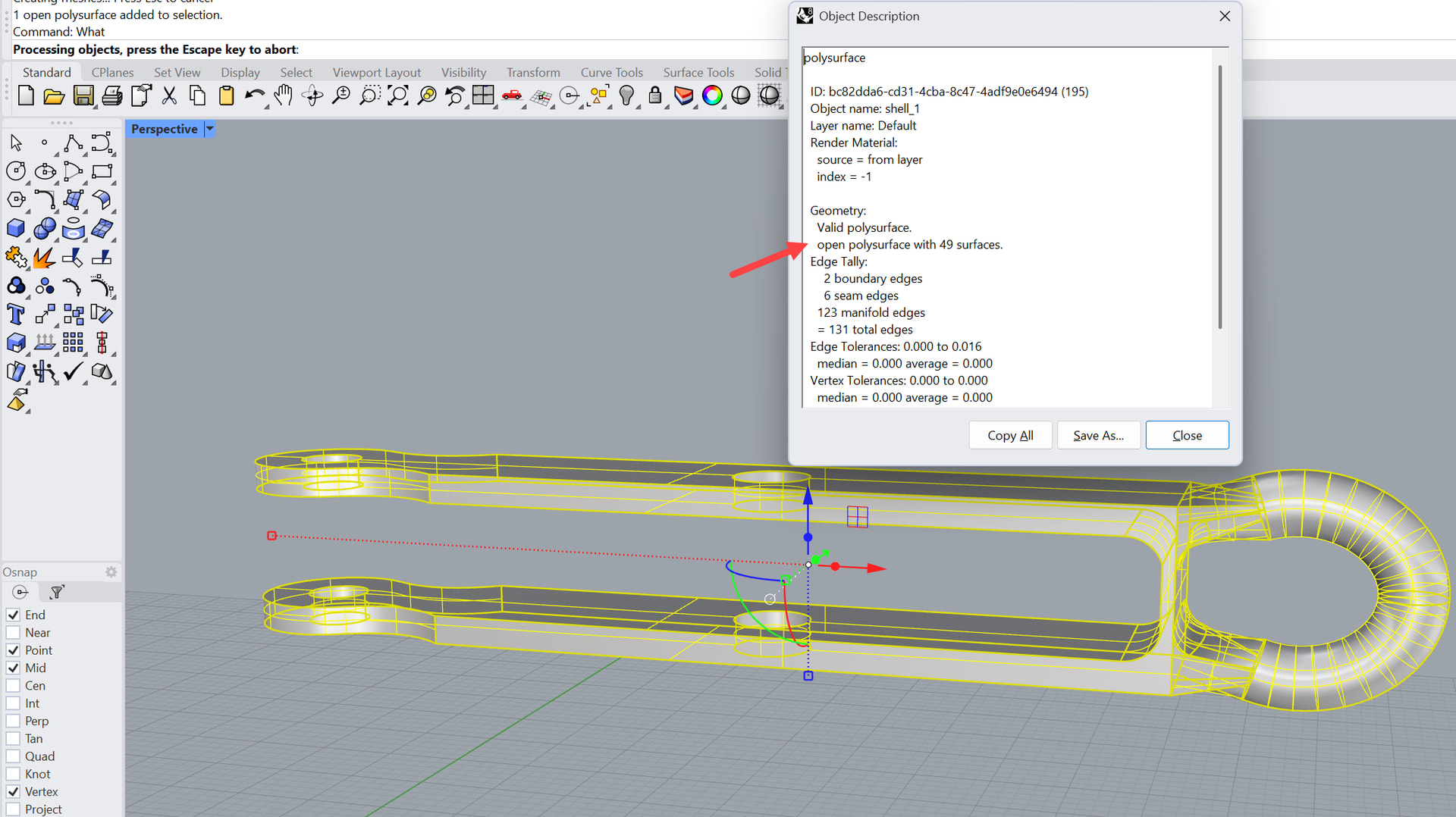
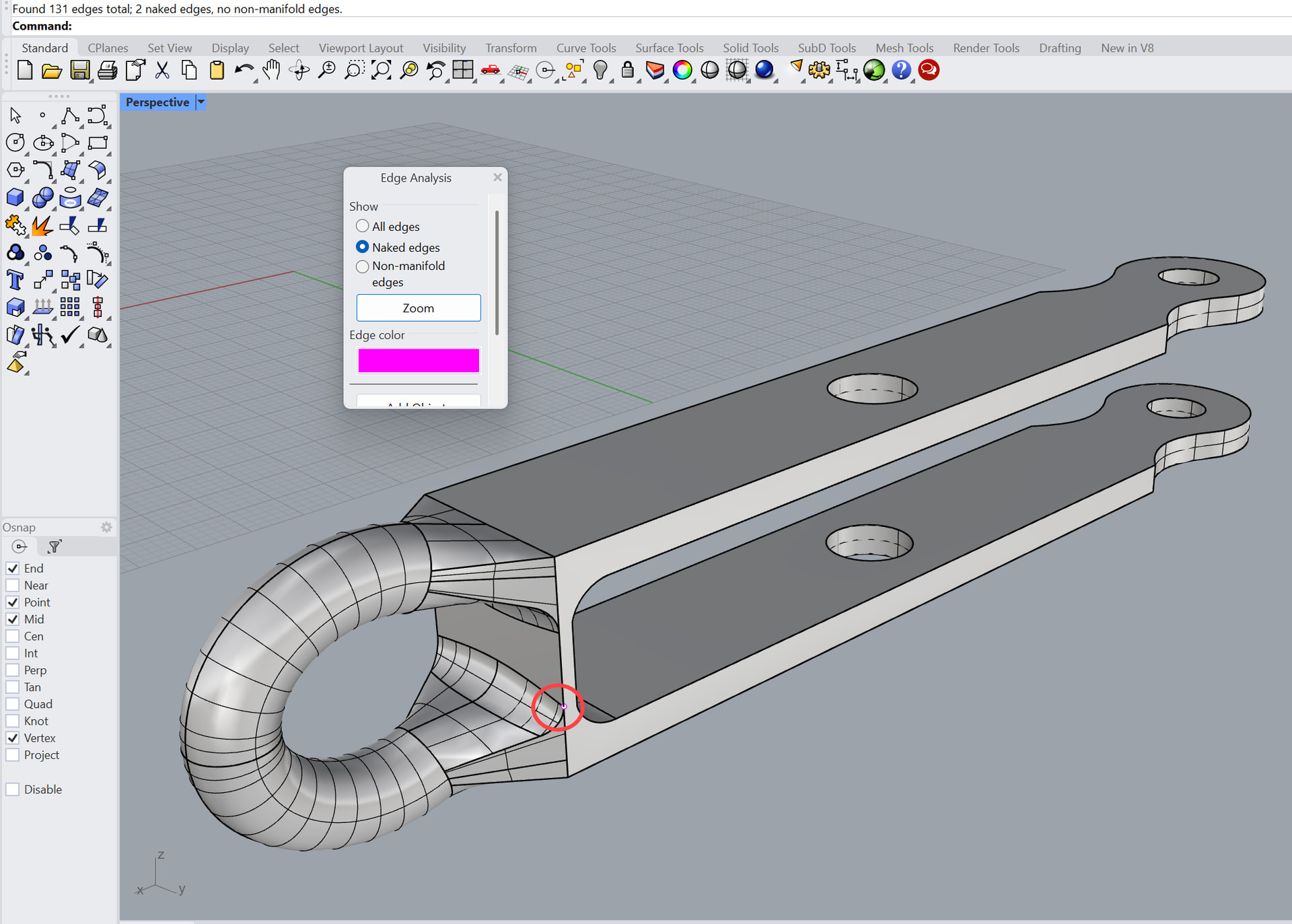
I have a closed solid polysurface in Rhino but however I import it to Simscale it fails due to there being sheet surfaces. How do I solve this in Simscale, there is talk in the documents about joining them in Simscale but I cannot find out where. Has anyone else had this problem.
Thank you
Will