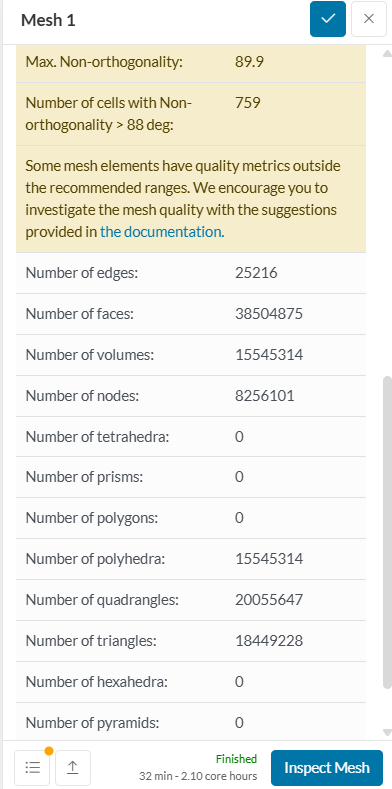
As I’m creating a mesh, I am getting insane values for non-orthogonality. I have tried simplifying the CAD, however I am still getting the same problem. My question is, since the number of cells with this problem is only 759, and the number of volumes (which I assume to be equal to the number of cells) is in the 15Ms, the actual percentage of bad cells is negligible. Should I work on fixing the mesh, or can I go ahead with the simulation? If I do need to fix it, how should I do it? I can’t keep adjusting the CAD any further, I’ve done a bit already. Is there any other way? Thanks!
Thanks for providing the detailed explanation of the issue you’re facing. It’s a common challenge to strike a balance between mesh quality and CAD complexity, so you’ve come to the right place for advice.
You are correct to be concerned about the high non-orthogonality in your mesh. A high level of non-orthogonality can indeed lead to numerical instability, which can cause your simulation to take longer to converge or even to fail altogether. As a general guideline, it’s recommended to keep the maximum non-orthogonality below 70. Since your mesh has a maximum non-orthogonality of 89.99, I would strongly advise against proceeding with the simulation, as it is very likely to diverge or produce unreliable results.
Before you make any changes, it’s a good idea to identify exactly where the bad cells are in your mesh. You can do this using the Isovolume filter in the mesh quality visualization tool. By setting the filter to show only the cells with high non-orthogonality, you can get a better understanding of which geometric features are causing the problem. This can help you to target your meshing refinements more effectively.