Hi Dylan, @dylan
Could you explain how your formula, that calculates a yPlus value for the 4th boundary layer, was derived and what purpose does it serve?
Is it somehow a guide for how many layers to choose based on a particular 1st layer y+ value and layer expansion ratio?
If that is the case, is this layering setup somehow a most optimized setup for a desired 1st layer y+ and layer expansion ratio?
Your formula seems to determine the yPlus value of each layer ( YP(x) ), and that value is based on the 1st layer yPlus value ( YP(1) ) and an exponential progression of the expansion ratio (ER). The formula can be summarized as:
YP(x) = YP(x-1) + YP(1)*ER^YP(x)
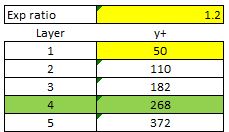
(derived from your equation for the 4th layer y+ = 50+50 * 1.2+50 * 1.2 * 1.2+50 * 1.2 * 1.2 * 1.2 = 268.4)
With 1.2 ER and a 1st layer y+ of 50, here is the progression of your formula:
I thought a desired yPlus was used in the online yPlus calculator in order to determine ONLY the 1st layer thickness.
I can not find any information of yPlus values being assigned to any layer but the first Layer.
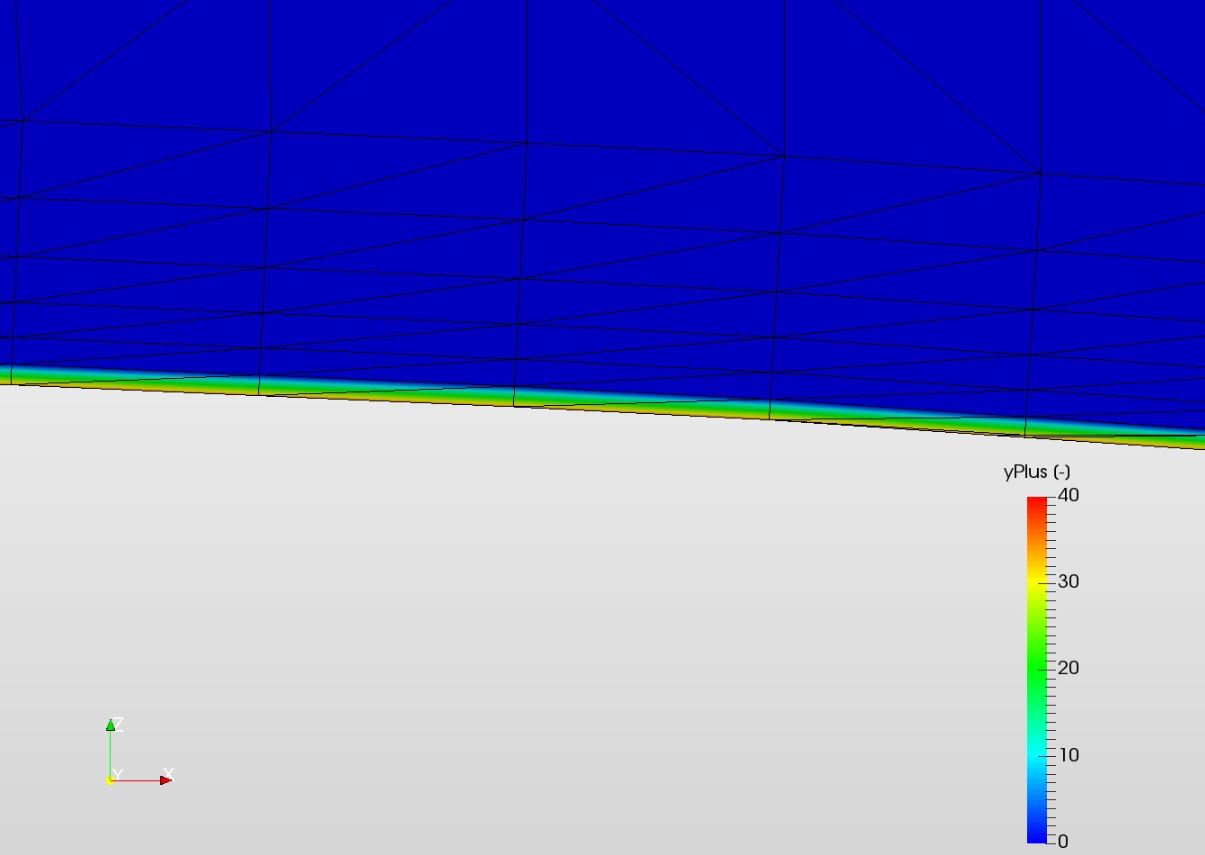
When I view my yPlus values of a converged simulation, they are only on the geometry surface, the 2nd and further away layers are mapped at yPlus=0, like this 6 layer BL:
I am confused 
Thanks,
Dale