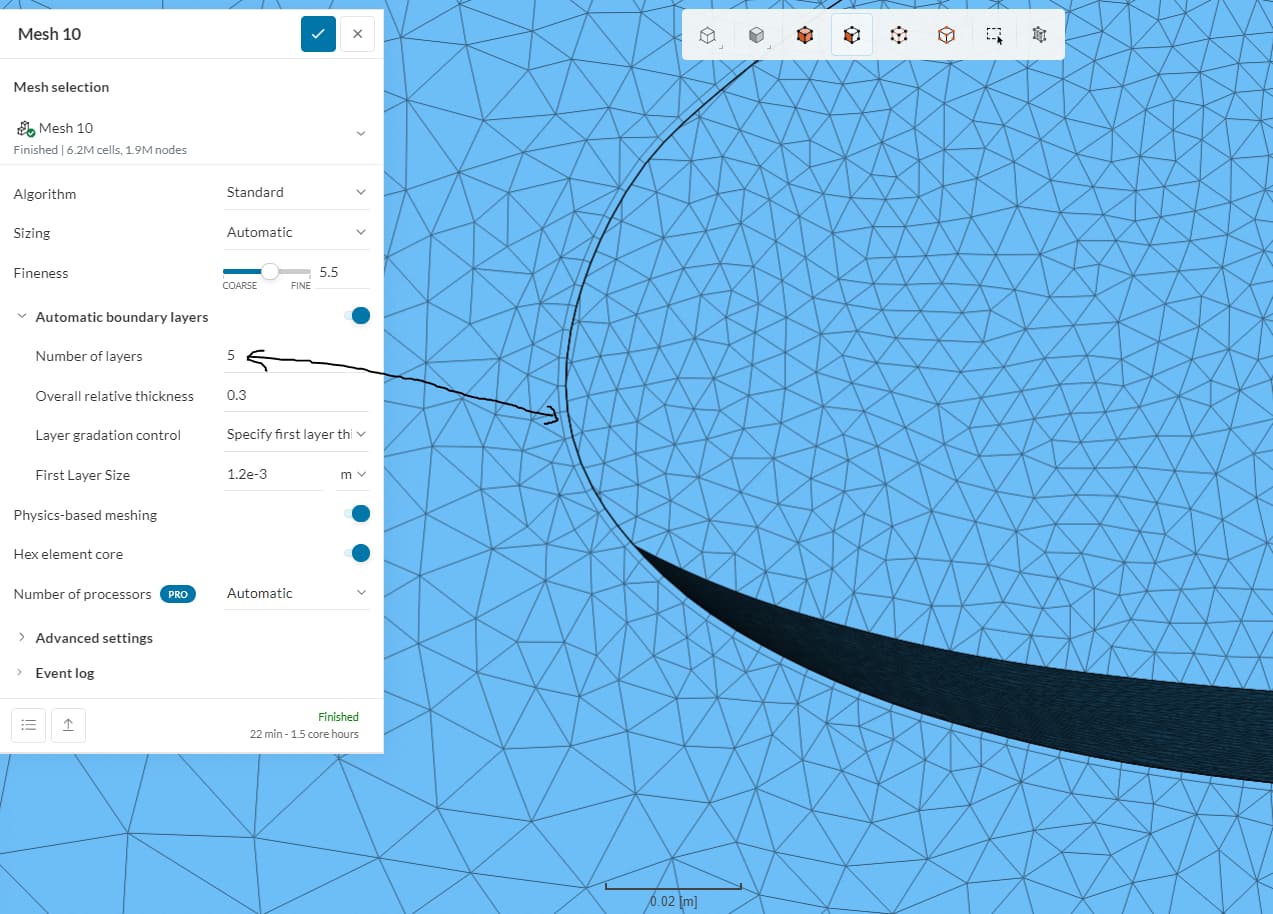
Hello, I am targeting a value of y+ = 50 and I am trying to use a 5 layer boundary layer and using an initial height of the first cell of 1.2e-3(done in y+ calculator) to achieve the value of 50. When generating the mesh though, it seems that the mesh only has one boundary layer? Do you know how to fix this issue?
project link - https://www.simscale.com/workbench/?pid=7437993565527497314&mi=spec%3Ac16bb672-369f-41b6-b1ce-f9108dd797ea%2Cservice%3AMESHING%2Cstrategy%3A64&sh=13
mesh Is in MediWing, 0 aoa, full-scale mesh number 10.
thank you for the help,
Frank Lucci
Hey Frank,
Our recommendation is to use the Standard Mesh with automatic boundary layers and Physics-based meshing with default values. This algorithm automatically computes the layers to achieve a good y+ for your wall boundary conditions.
Anyway, I will have to investigate why the layers are not being generated here. I suspect this has something to do with the local mesh size at the surface.
@ggiraldof, Thank you for looking into this I will continue to investigate why this is happening, in the meantime is it ok if you use the y+ under 5 method?
As you didn’t specify the Wall BC for the wing, it will use the default which is a no-slip wall with wall function model. For this case, the required y+ range is 30 to 300.
A y+ of 5, if I understand correctly your question, is never advised. If you want to use full resolution, then y+ should be less than 1.
@ggiraldof thank you for the answer but
do you know why it isn’t generating the other boundary layers though?
@ggiraldof is it possible to specify the first and last cell height as I am using this calculator
Fluid Mechanics 101?