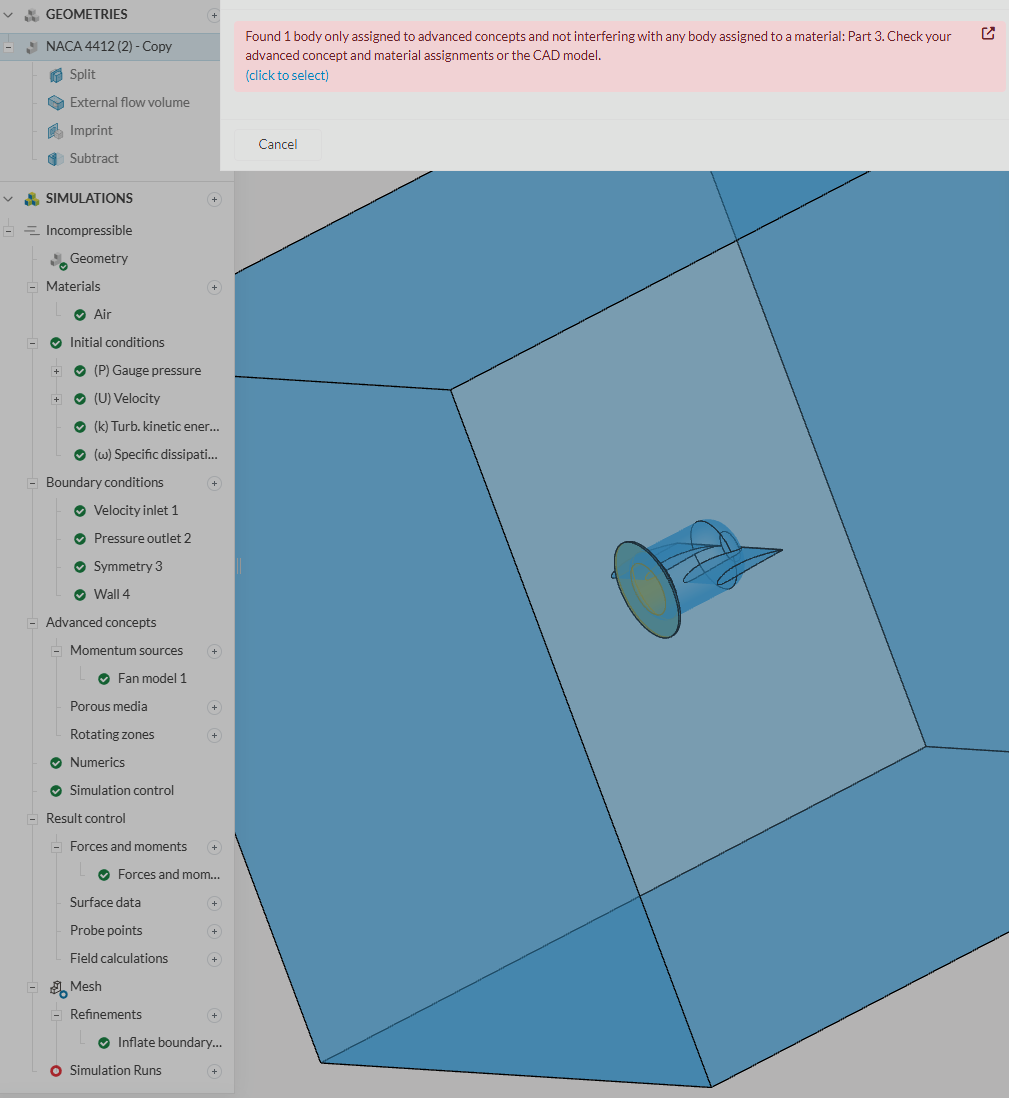
Hello @ansh_mishra202 !
I’m happy to help you with this momentum source issue. You’ve correctly identified the problem—the error message indicates that your actuator disk (Part 3) isn’t physically interfering with the flow region, which is a requirement for the momentum source to be applied correctly.
Here are a few common ways to resolve this:
1. Create an Explicit Overlap in your CAD Software
The most straightforward solution is to modify your CAD model to ensure the actuator disk and the flow region physically overlap. You can do this by slightly enlarging the actuator disk or moving it to create a clear intersection. When you re-import the geometry into SimScale, the meshing algorithm should then be able to detect the interference.
2. Use a Geometry Primitive in SimScale
Instead of using an imported CAD part for your actuator disk, you can create a geometry primitive (e.g., a cylinder or Cartesian box) directly in SimScale. This approach is often more robust and can help avoid geometry detection issues.
Here’s how you can do it:
In the SimScale Workbench, go to the “Geometry” tab.
Click on the “Create new geometry” button and select “Geometry Primitives”.
Choose the appropriate primitive (a “Cylinder” is usually best for a fan) and define its dimensions and position so that it overlaps with your flow region.
Once the primitive is created, you can assign the momentum source to this new body.
For more details on this, please see the SimScale documentation on Momentum Sources.
3. Ensure the Actuator Disk is a Solid Body
When importing your geometry, ensure that the actuator disk is recognized as a solid body in SimScale. If it’s imported as a surface, it won’t be able to interfere with the flow region correctly. One way to ensure this is to create the actuator disk as a separate, solid part in your CAD software before importing it.
I recommend trying the geometry primitive approach first, as it’s often the quickest and most reliable way to solve this type of issue.
I hope this helps you get your simulation up and running. Please let us know if you have any other questions