Hey Arjun,
Sorry if im hijacking your thread a bit here, but i have a suggestion for your Y+ analysis at the end of this post.
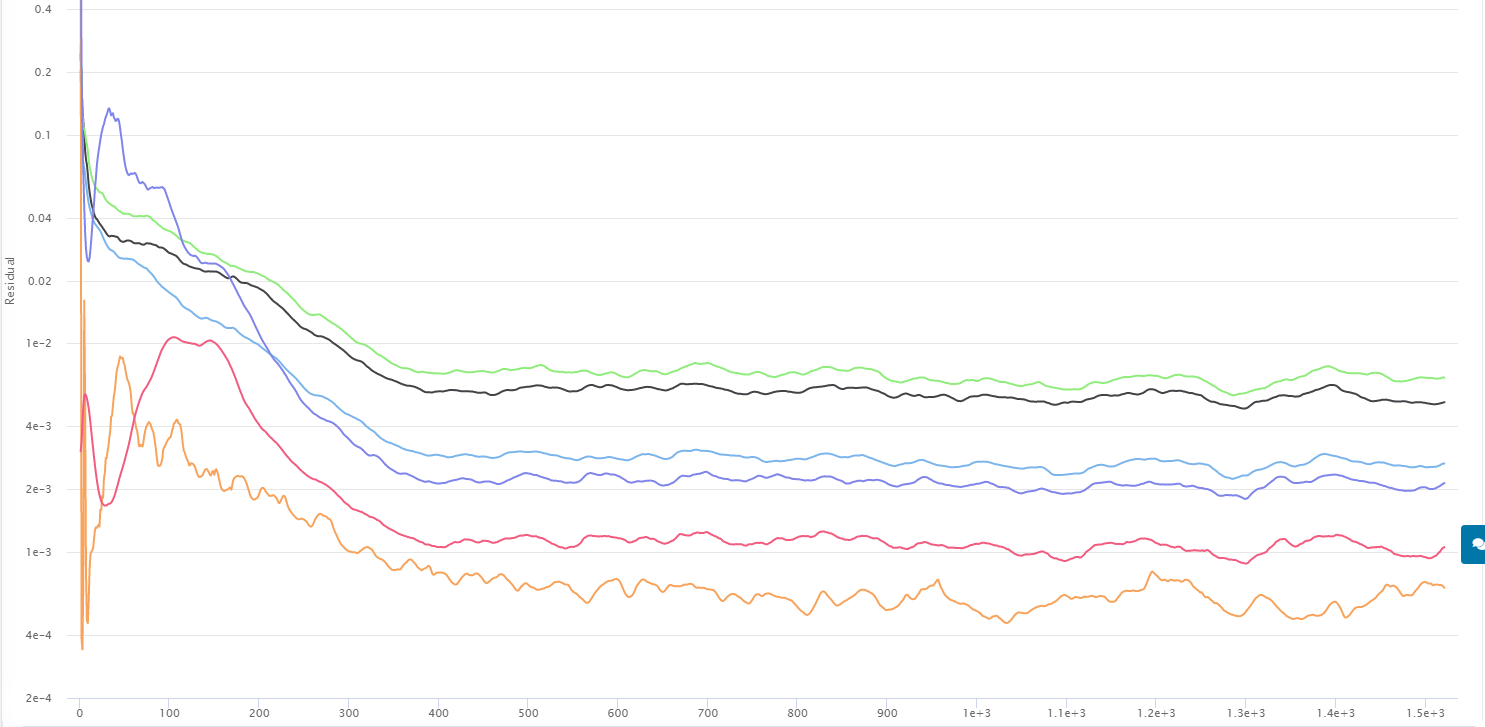
If i could step in quick to say im also having problems with my convergence results. I was also unaware of the change to the numeric settings and ran my simulation with automatic relaxation type.
Here is my project link
- What values are used with automatic? does this override the manual input of relaxation factors that @Ricardopg pointed out in his picture? As in changing the factor over time to increase stability?
- would you recommend to always use manual with the default settings?
I normally use 0.5 for both (k) and (w) as this was the recommendation from the FSAE tutorial. I have not done extensive research on the effects of relaxation factors on the simulation results but my general understanding is that relaxation helps the solver to slow down the changes to variables in the equations throughout iterations.
This means with my 0.5 setting, im allowing more changes to occur in solving then 0.3 which would either :
- increase the number of iterations it takes to get a good convergence value (for me i think 10^-4 is ok) and will require longer simulations. Which is not the best case.
- Allow for a higher fluctuation of results, meaning slightly lower accuracy and the need for more iterations to get an average value that the solution oscillates around. Which also increase the needed simulation time.
Please correct me if i am wrong here!
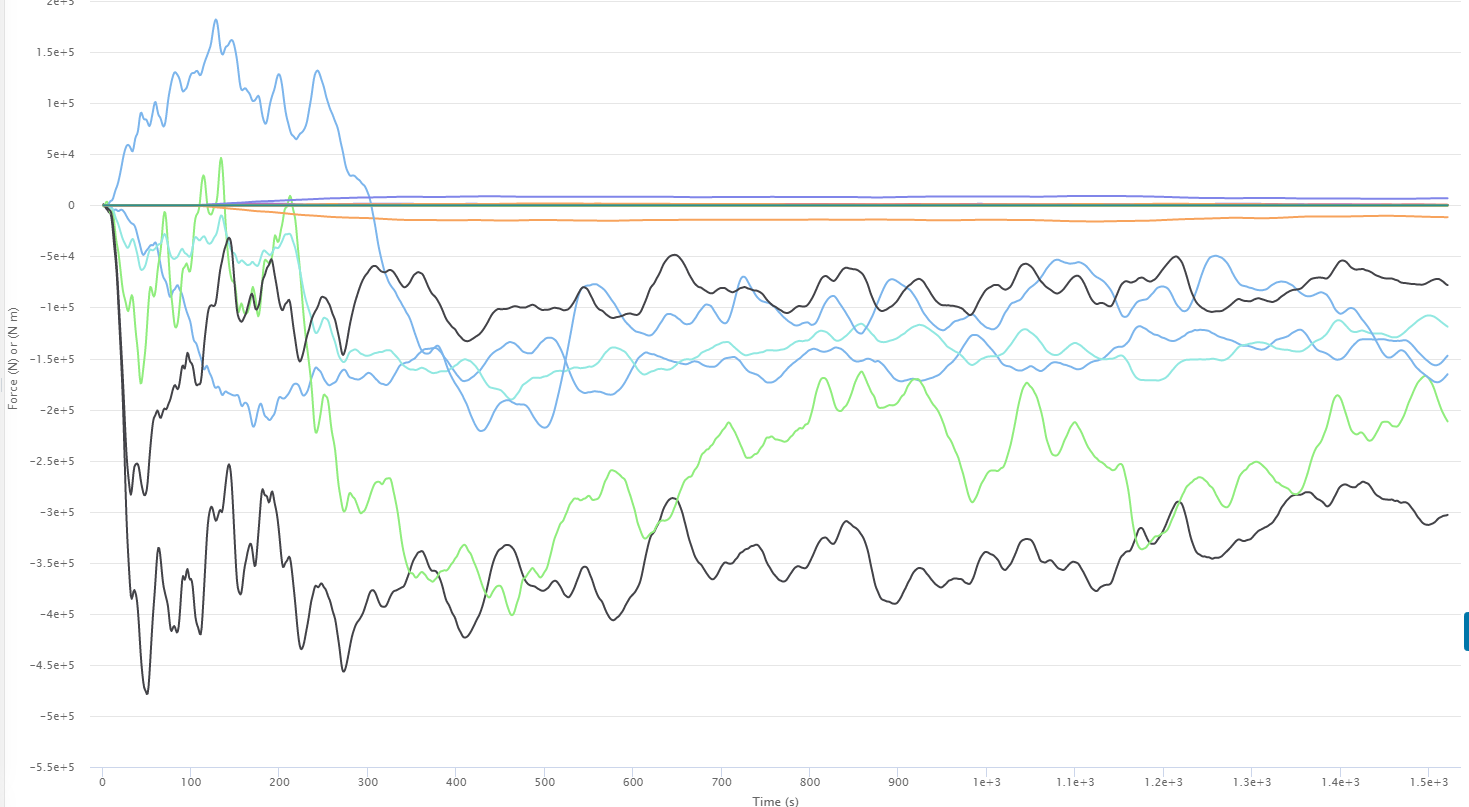
Here are some pictures to show what is happening:
Convergence plot
Forces & Moments plot - sprung mass - about CoG
Cutting plane … clearly this is no good!
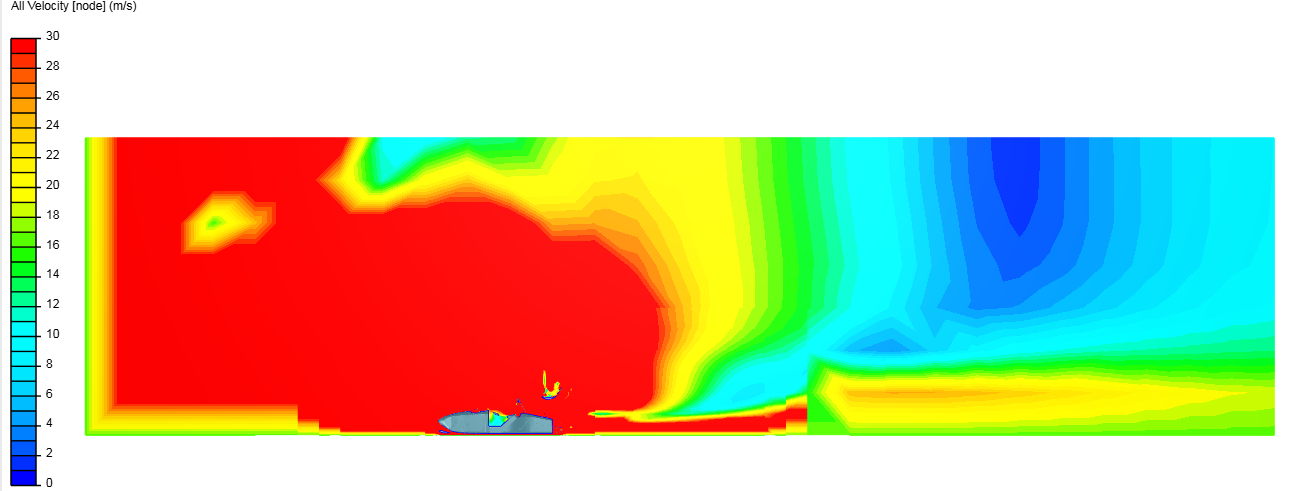
My inaccurate results could also be due to the following mistakes done in this past simulation
- i forgot to add a surface refinement to the rear motor, which somehow meshed anyways but is very coarse.
- My mesh fineness is too low (however this is a requirement in order to not have memory problems with the full car sims)
- other numerical or simulations settings that are negatively effecting the results
Also a known problem was that my Forces and moments coefficients are messed up because i accidentally forgot to cut the reference area value (frontal cross section area) in half for the half car simulation.
Rant is now over!
@a_v_nair from my investigations into appropriate Y+ levels, i have found that a target of Y+ LESS THEN 1 is best practice. If you extend your Boundary layer towards the upper limits of the viscous sub layer, you will most likely have cells in the buffer region, affecting your results. In order to verify your Y+ levels, the following can be done:
- add the Y+ result control
- Download the Y+ Histogram .exe created by Dale here
- Download Paraview
- Follow instructions from my instructions document here
using these programs, you can find your exact Y+ values, and verify the stability in your results.
Good Luck!