Hi @baudencm, I think your simulation fails to start because you have an equal sign at the beginning of your applied displacement function.
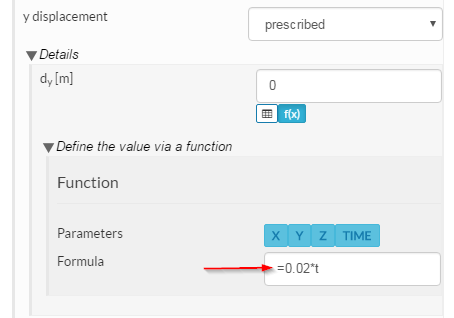
The formula should be entered without the equal sign. This error should have been picked up by the “simulation check” prior to starting the run. I expect SimScale will follow up on this.
I made a copy of your project. You can find it here.
https://www.simscale.com/projects/BenLewis/baseline_centralizer_1
Please take a look at simulation Centralizer_Pipe_Fit 2. This is a copy of your original simulation but with the following changes.
- Removed “equal sign” in displacement formula.
- Remove “reduced integration” option.
- Reduced the number of time steps (was 40 now 10).
- Added a prescribed displacement in the z-direction of the symmetry constraint
- Increased the applied displacement from 20 mm to 100 mm. So that the two parts now contact.
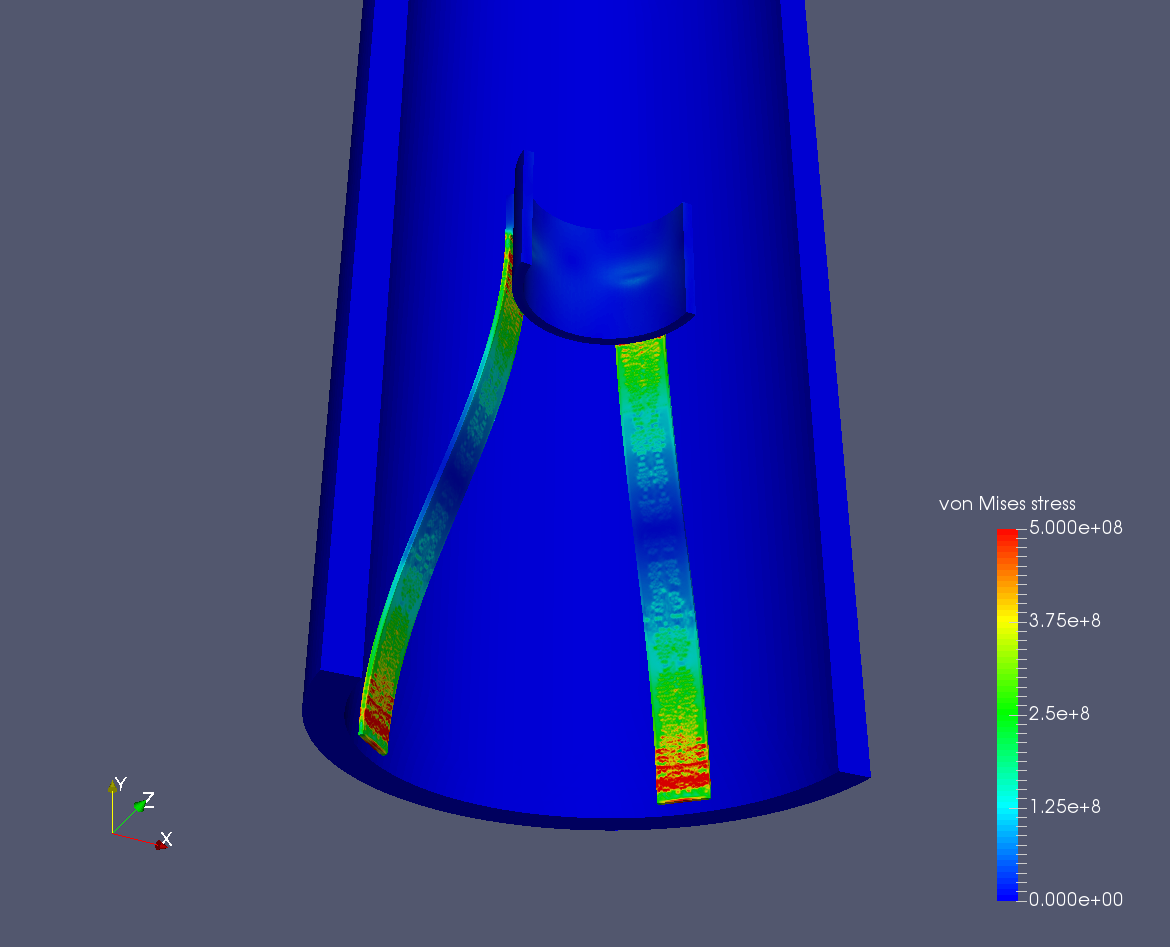
Despite these changes I could not get this simulation to solve (I think it’s related to the second order mesh). So I tried an alternative approach. Please see simulation Centralizer_Pipe_Fit 3. This uses a quarter model with a very fine first order mesh (three elements across each thickness).
Here is a screenshot of the result.
I admit that a second order mesh is preferable. Maybe somebody else can help you get a second order mesh working.
Regards, Ben