
Hi Craig (@cmartis),
I have another possibility for you.
Using Gmsh I was able to take your stl surface mesh and generate a 3D volume mesh. This can then be exported to a med file and imported into SimScale.
Here is what it looks like after the import. It is sectioned to show the internal elements.
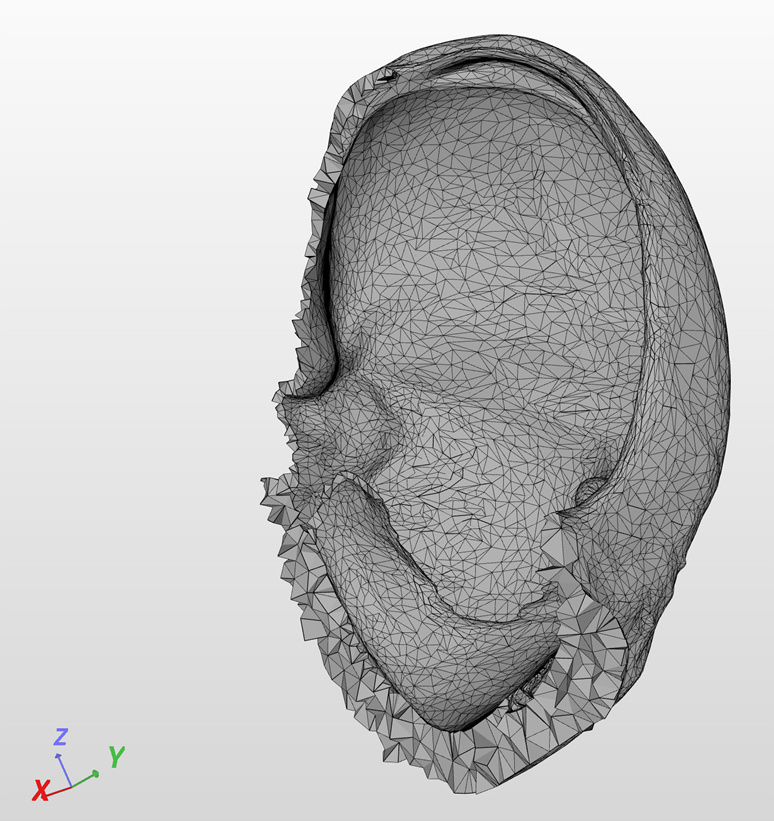
If you use this approach you will need to define all the surfaces you want to use for loads and constraints prior to bringing it into SimScale. To be honest, I’m not sure how to do this when starting with an stl file. Hopefully somebody else can help you out here.
Here are the steps I took to generate the volume mesh.
- File > Merge > “filename.stl”
- Geometry → Elementary entities → Add → New → Volume, click on the surface to build the volume, press ‘e’ to end and ‘q’ to abort
- Mesh → 3D
You will need to use an old version of Gmsh that supports version 3.0 of the med file format. I used V2.11.
You can see my public project with the imported mesh here [!!!THIS LINK IS NO LONGER AVAILABLE!!!].
Regards, Ben