
Darren @1318980,
Now this is worth a new post…
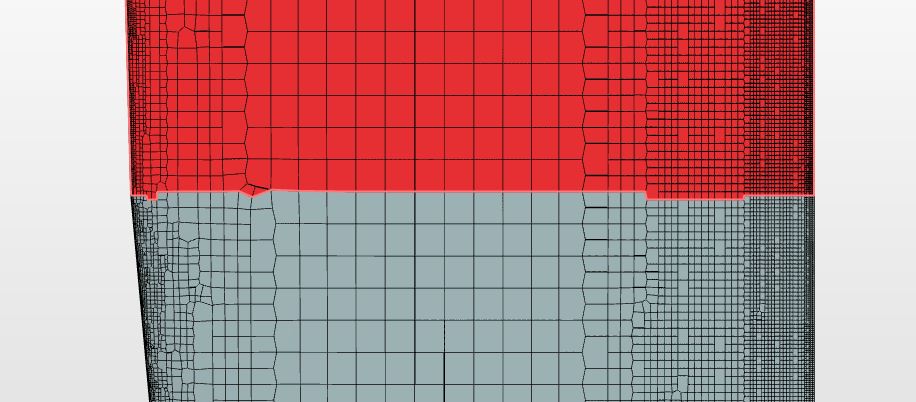
So I look at the top planform view of the Mesh 3 at the y=-37.7 start of planform taper into another surface and I have an AHA moment:
As you probably know I have an active Topic about 2 issues I am having with Feature and Surface Refinements.
The cause of the yPlus discontinuities in the above image is Issue #2 at this post. I do not think the layering algorithm can handle that angular jaggy causing the layers to deflate there.
The mesh jaggies at this surface/surface edge intersection as seen above are Issue #2 exactly. I have tried to reduce the effect of Issue #2 in my mesh by simply refining all the way to Level 11 (overkill I think but had to due to Issue #2). Unfortunately, there are still jaggies even at Level 11 and this is one of them, If I go to a Feature Refinement these ‘step changes of leading edge planform angles’ at the wing ‘ribs’ will also be refined at Level 11 but at a cost of a larger mesh size (a temporary solution at best until Issue is fixed  ).
).
Also, if you look closely at the leading edge joint in the mesh, even at Level 11 there is still small jaggies, which I believe is causing a lot of the small leading edge red zones in the yPlus planform mapping.
I will try the bandaid Feature Refinement and report back…
Dale