@sbasiima, just checked your setup.
So your original question,
With the new workflow you can flick between the boundary condition definitions to see what is highlighted:
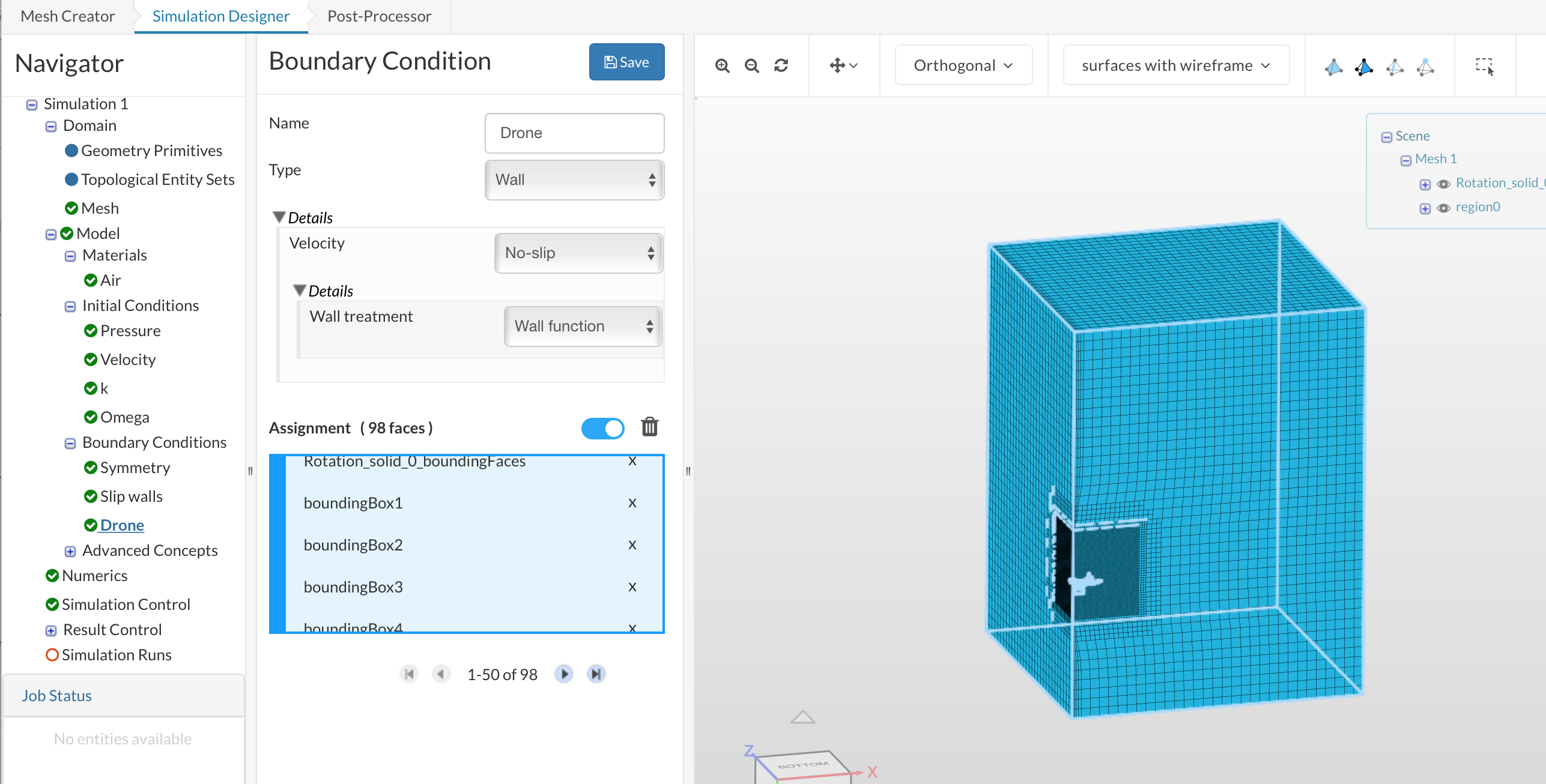
Here we can see that you have selected the bounding box as well as the drone for the ‘drone’ boundaries.
and here:
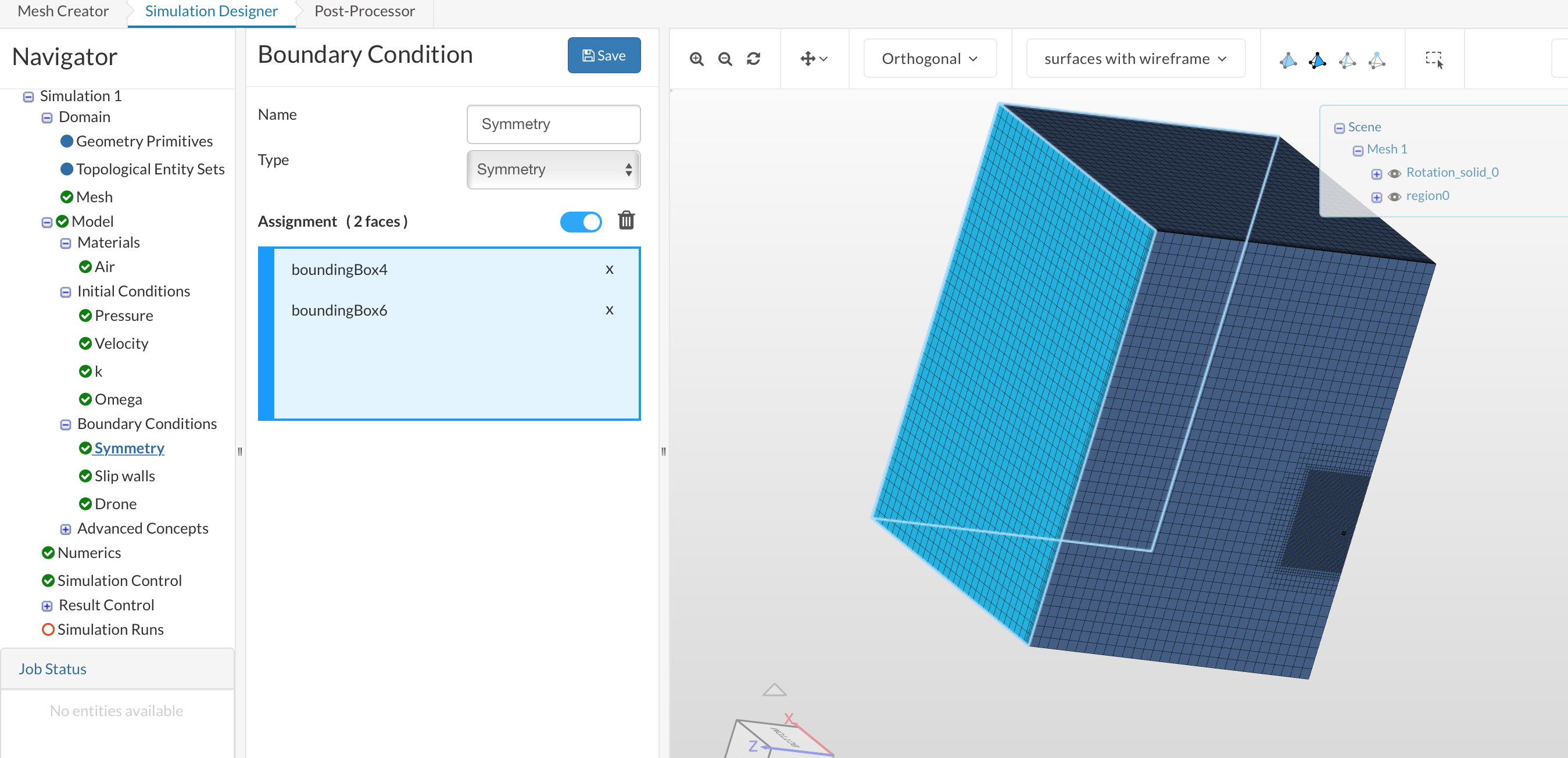
Slip walls have been selected for the symmetry.
and flicking between symmetry and slip walls you have missed the x high wall from either.
my general workflow here is as follows:
-
Assign the inlet and outlet boundaries then hide them
-
Assign the slip walls then hide them
-
Assign the symmetry faces then hide them
-
Assign the MRF then hide it
-
‘select all’ the assign to the drone
By the end, if you have done all the boundaries nothing will be visible!!
Kind regards,
Darren