
Hi @Get_Barried, I had a look at your project. First thing is that you are running a steady state, this means that the timestep length doesn’t actually matter, think of it as more like iterations. So a time step length of 1s running for 1000s will just be 1000 iterations.
The cause of your computational time limit issue actually is the setting ‘maximum runtime’:
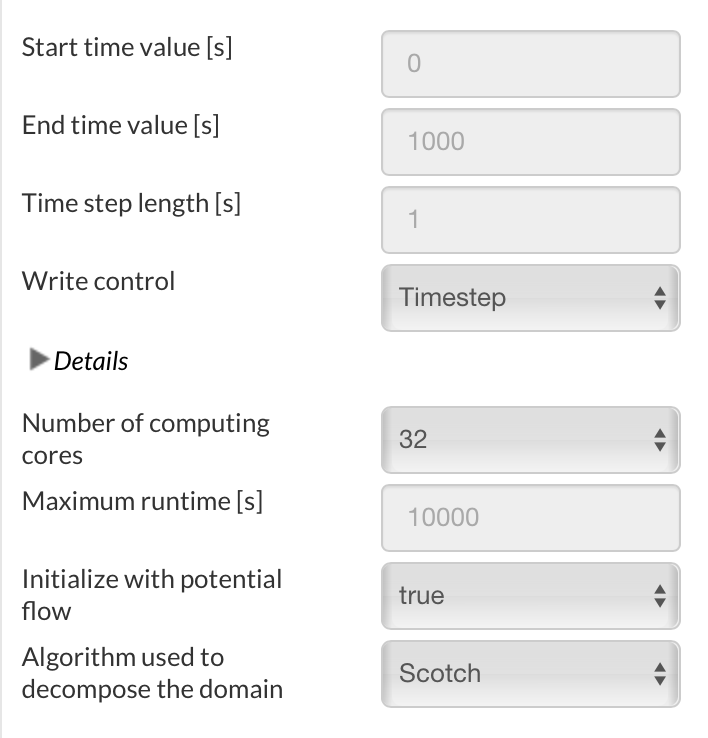
This is from the docs:
The maximum runtime restricts the computation time (real time!) to a chosen value. If the calculation is still running at that point of time, it is forced to terminate. If your simulation is not converging because of a oversized timestep length for example, you can interrupt it after a certain amount of time without you having to check on it repeatedly. Please be aware that in the case of a maximum runtime termination, intermediate results may not be ensured.
Meaning that you are hitting this time limit, you can just increase this. I usually run at about 30k(s) however with the size of your mesh you are going to take a long time to run. My advice is to make your mesh more efficient, your first mesh looks better, just needs a few more refinements to get the desired detail. After that increase the runtime slightly and you should be good.
Is this what you wanted to know? I saw you ran a transient simulation as well? or did you want more info on under relaxation etc?
Kind regards,
Darren