
Hi @Lemlurker,
You have to manually specify the frontal area. You can do this in Paraview. So far, the best tutorial on how to do it in Paraview comes from http://www.vespalabs.org/projects/vespa-cfd-3d-model/openfoam-vespa-tutorial
But I had to modify some steps in order for this to work. I’ll step you through (This works for Paraview 5.x):
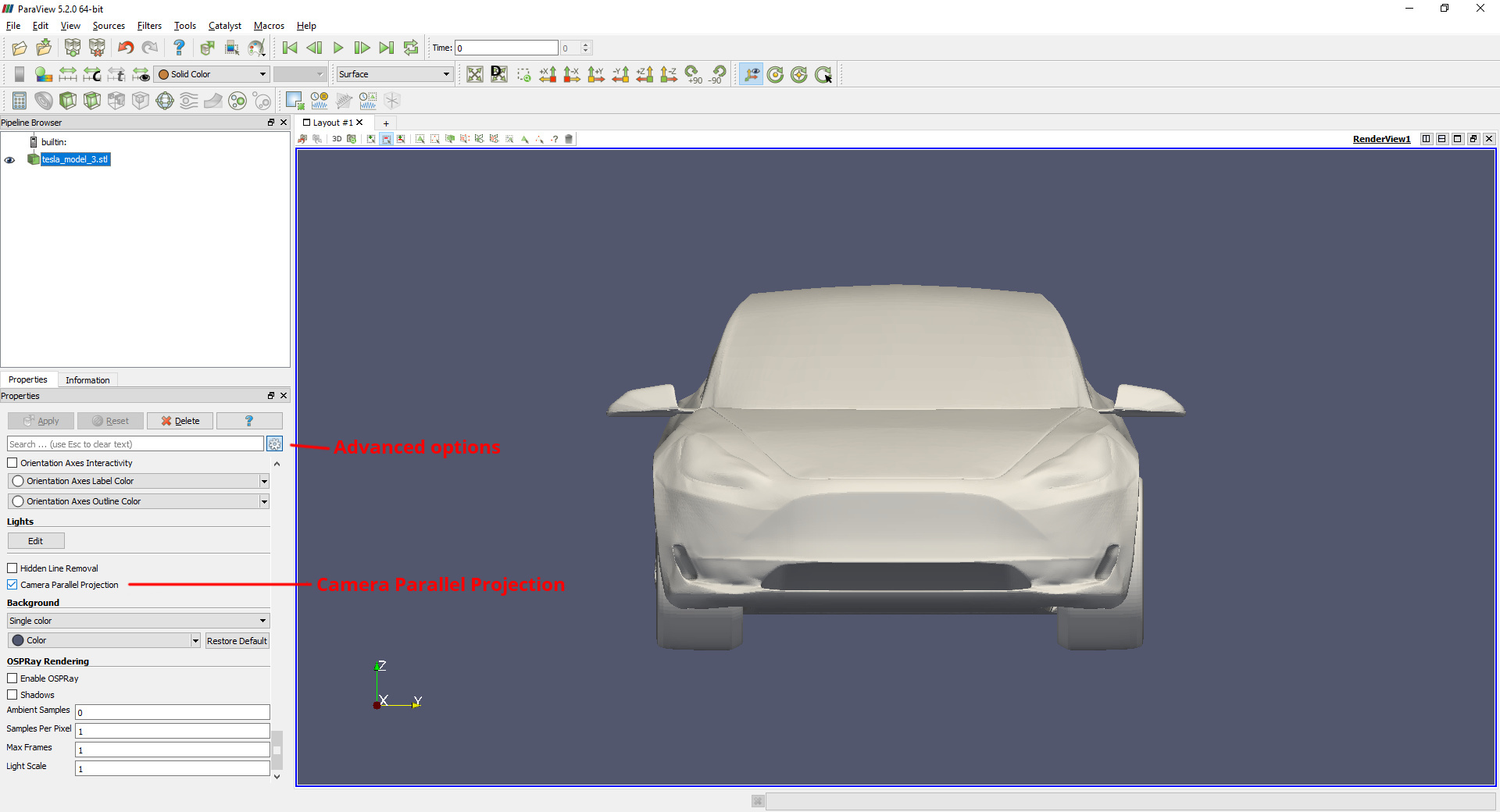
- Load the STL file and tick off Camera Parallel Projection.
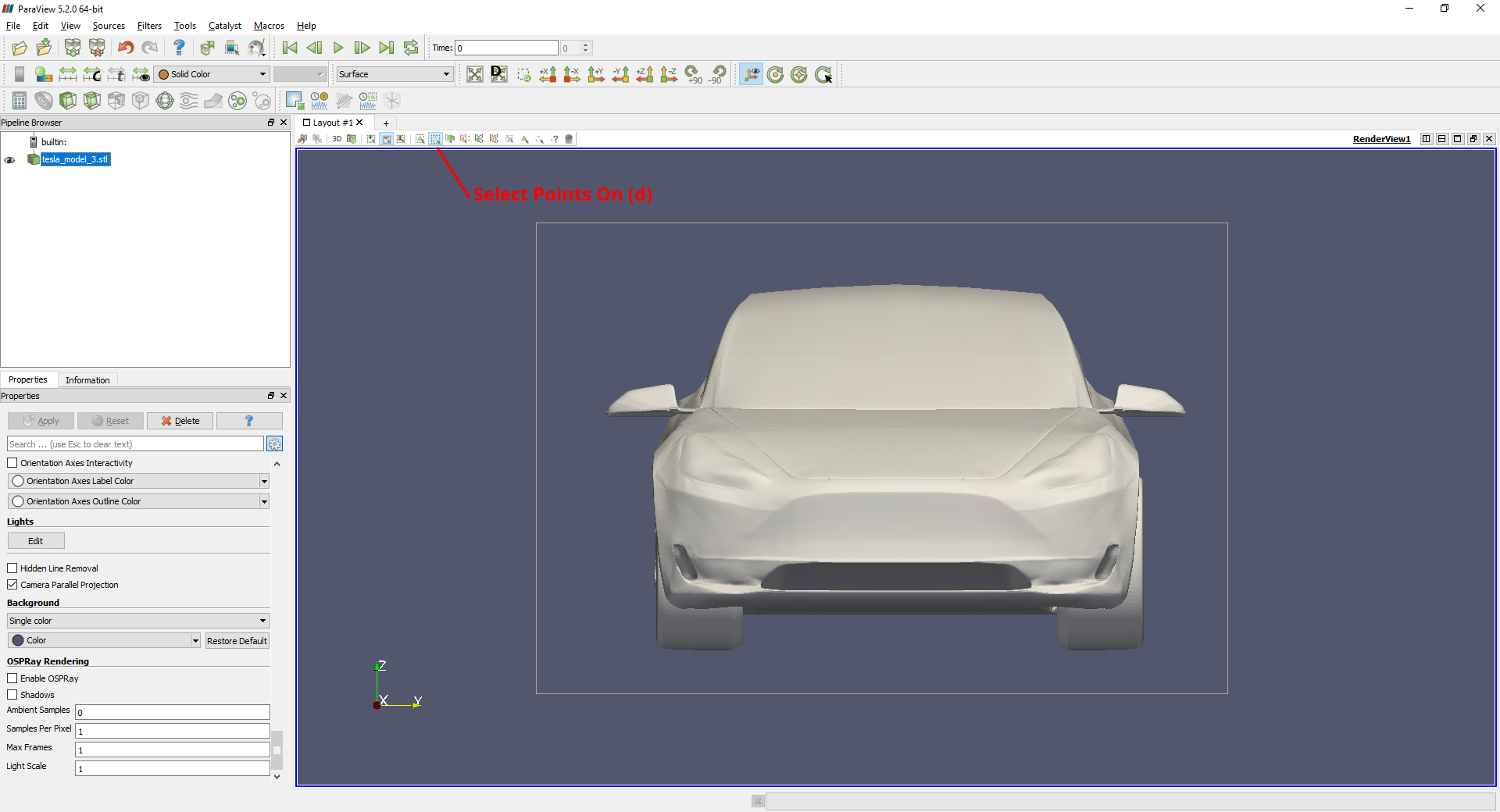
- Select Points On in the front view of the car.
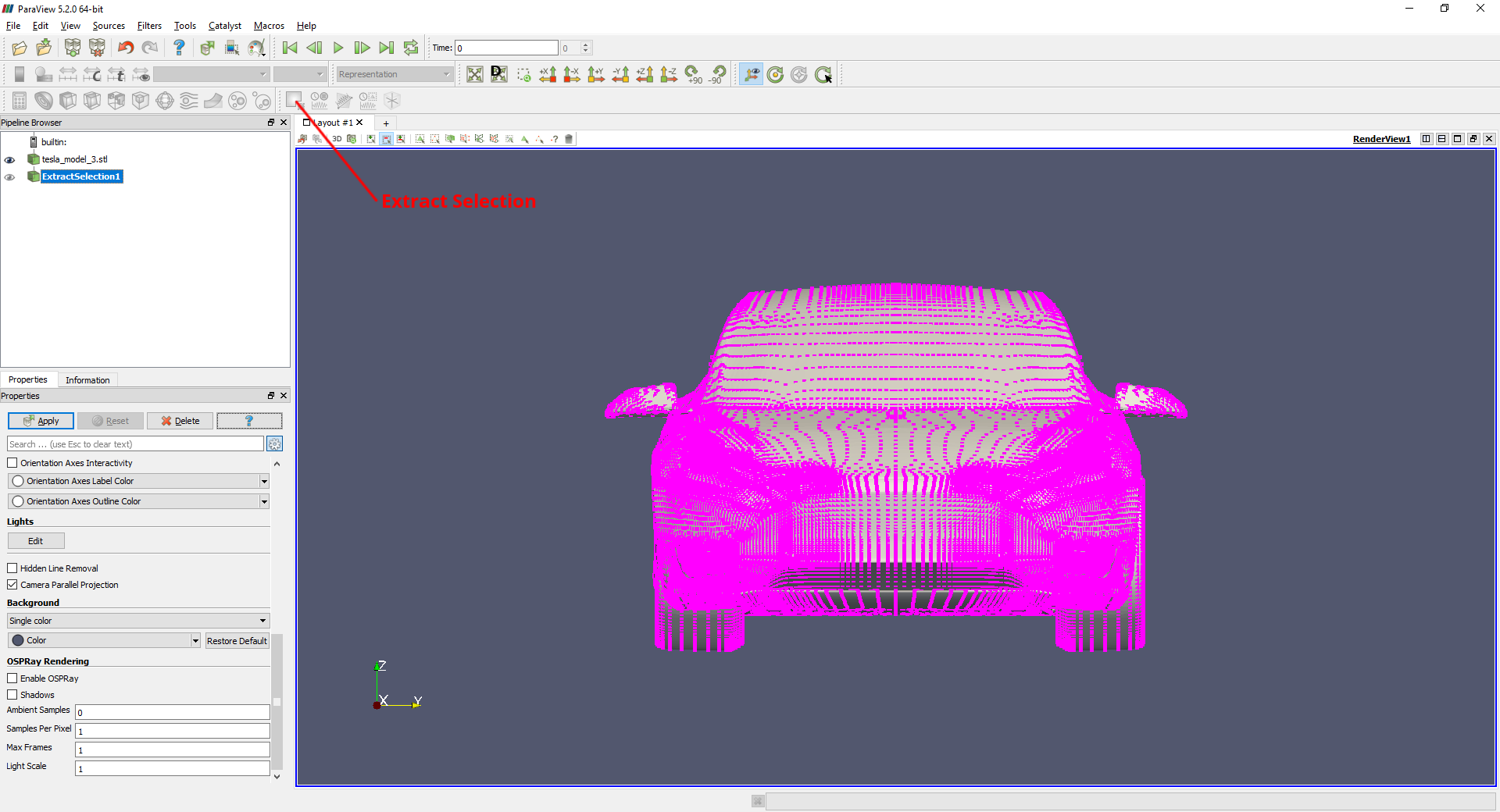
Extract Selectionbased on the points you selected.
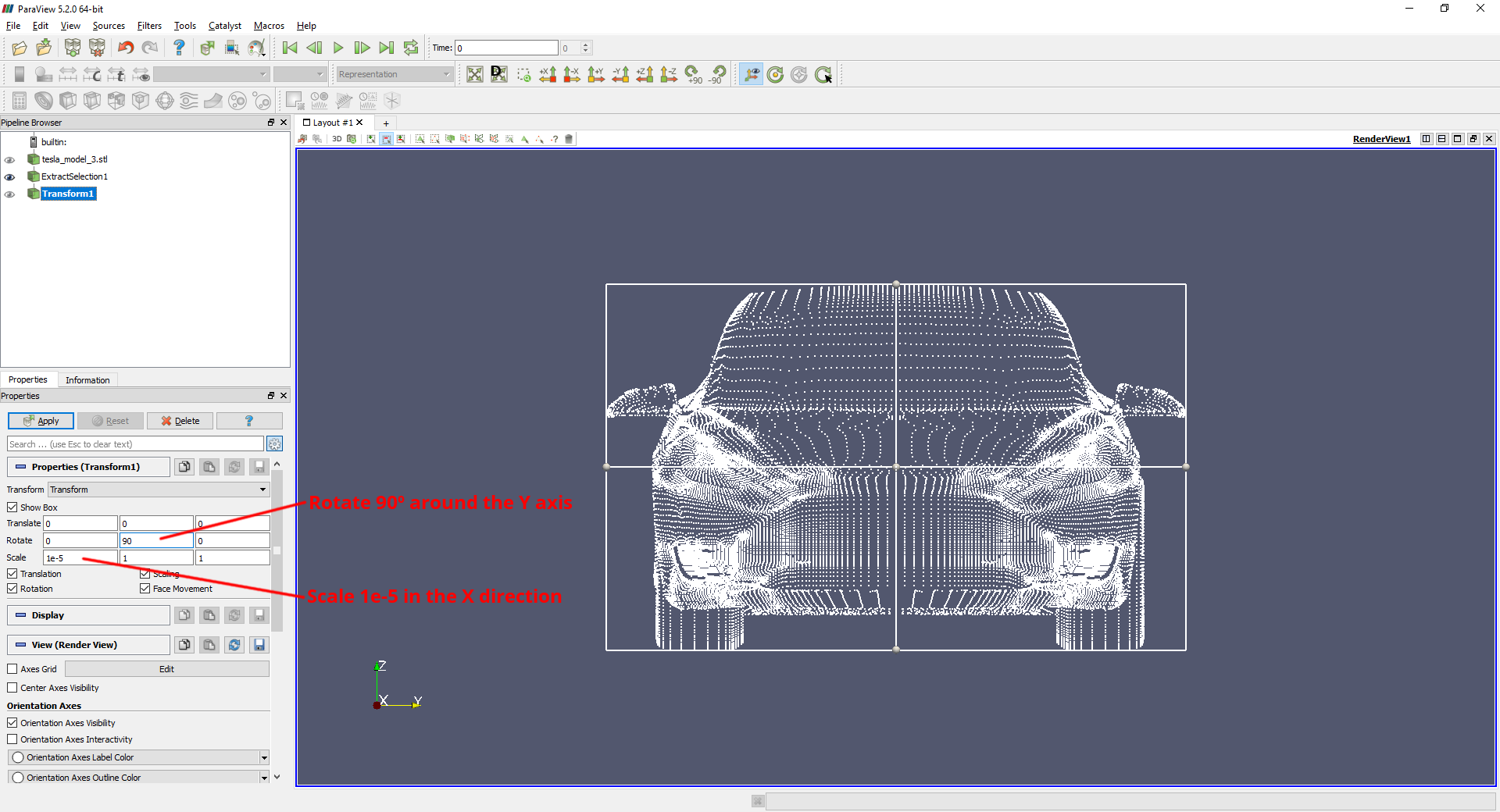
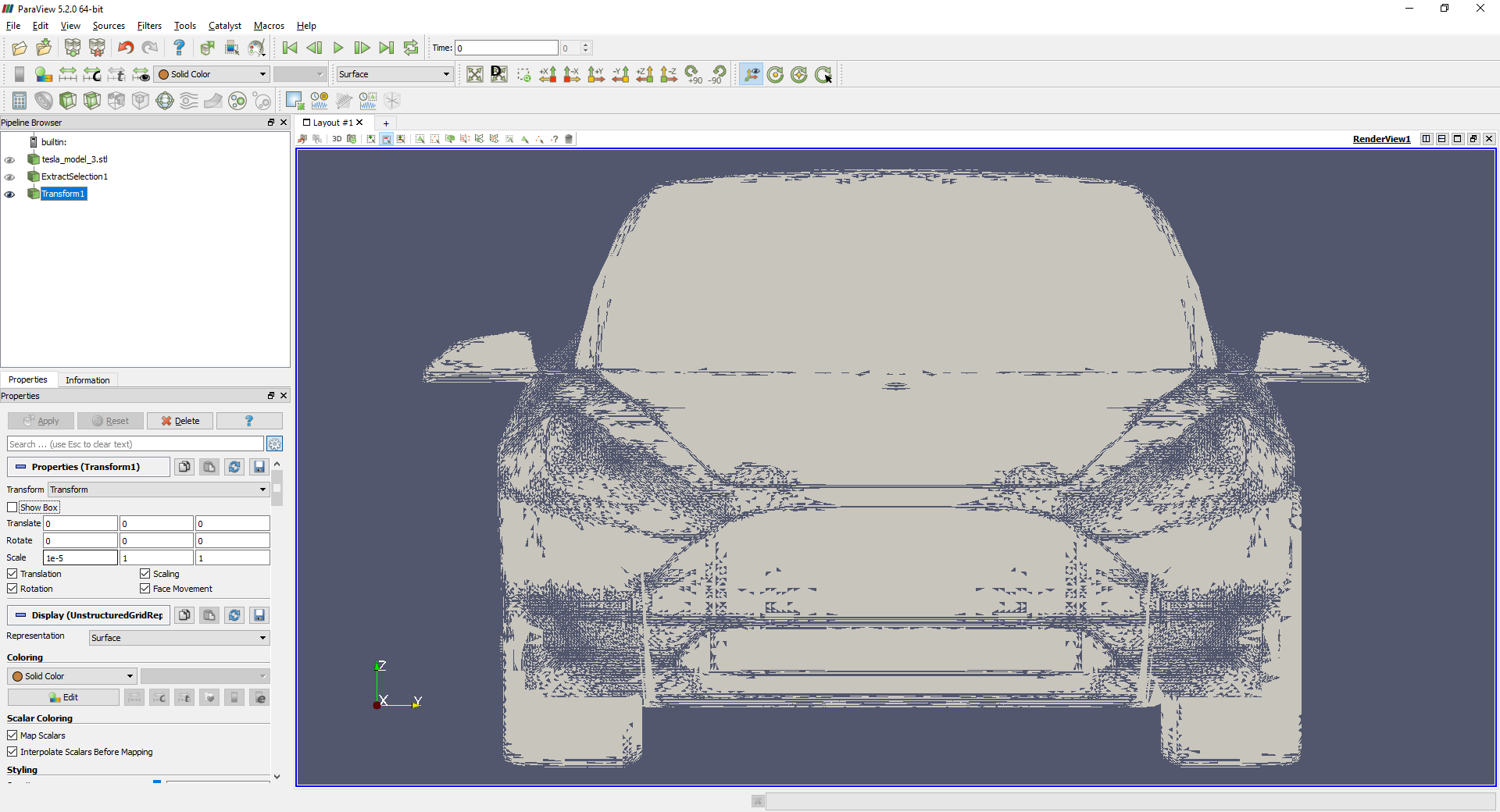
Transformthe extracted points in order to project them on a flat surface. For the next step to work properly, we have also to rotate them so they lie on the XY plane.
- Apply the
Delaunay 2Dfilter.
Integrate Variablesto get the result.
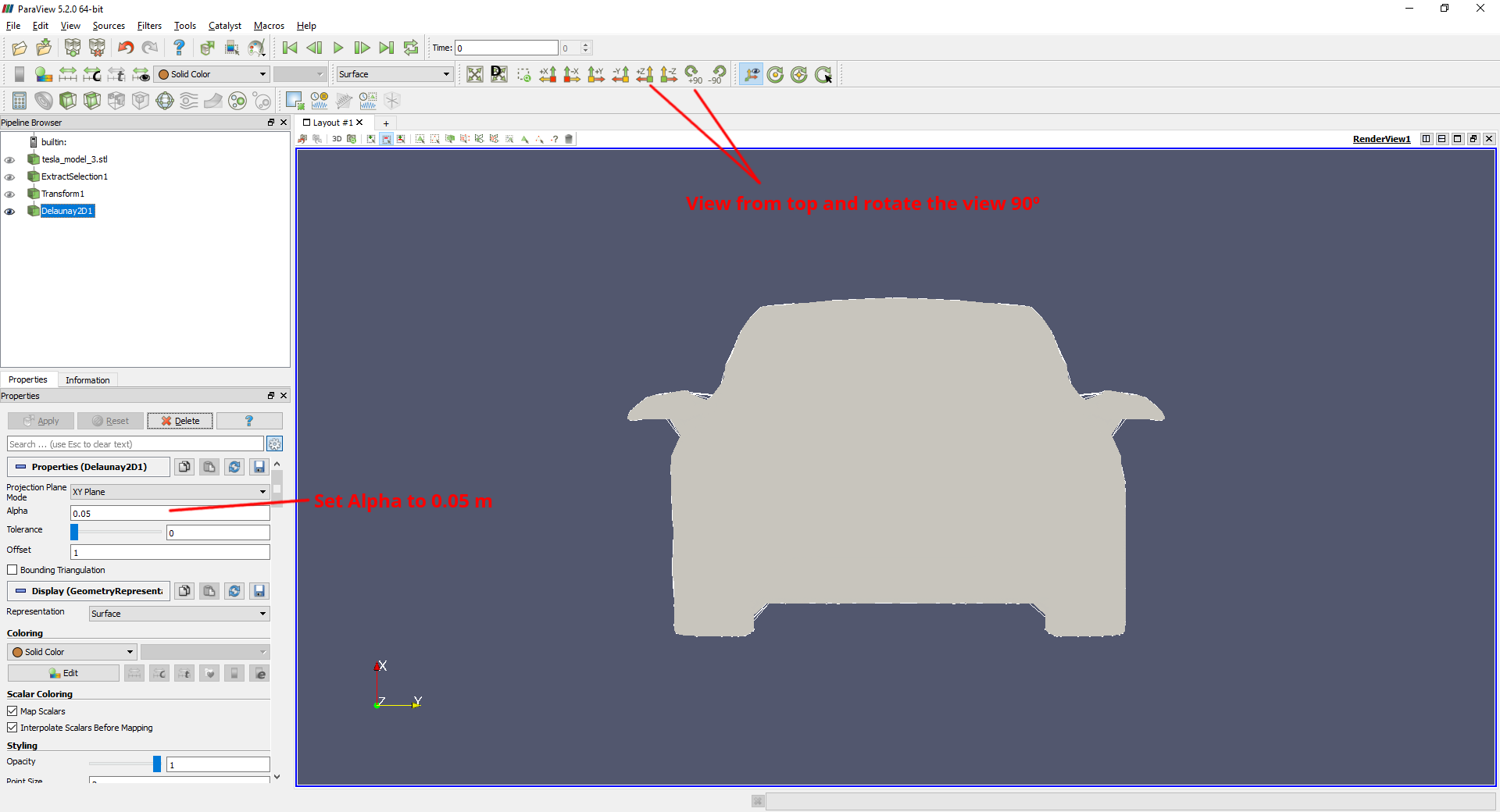
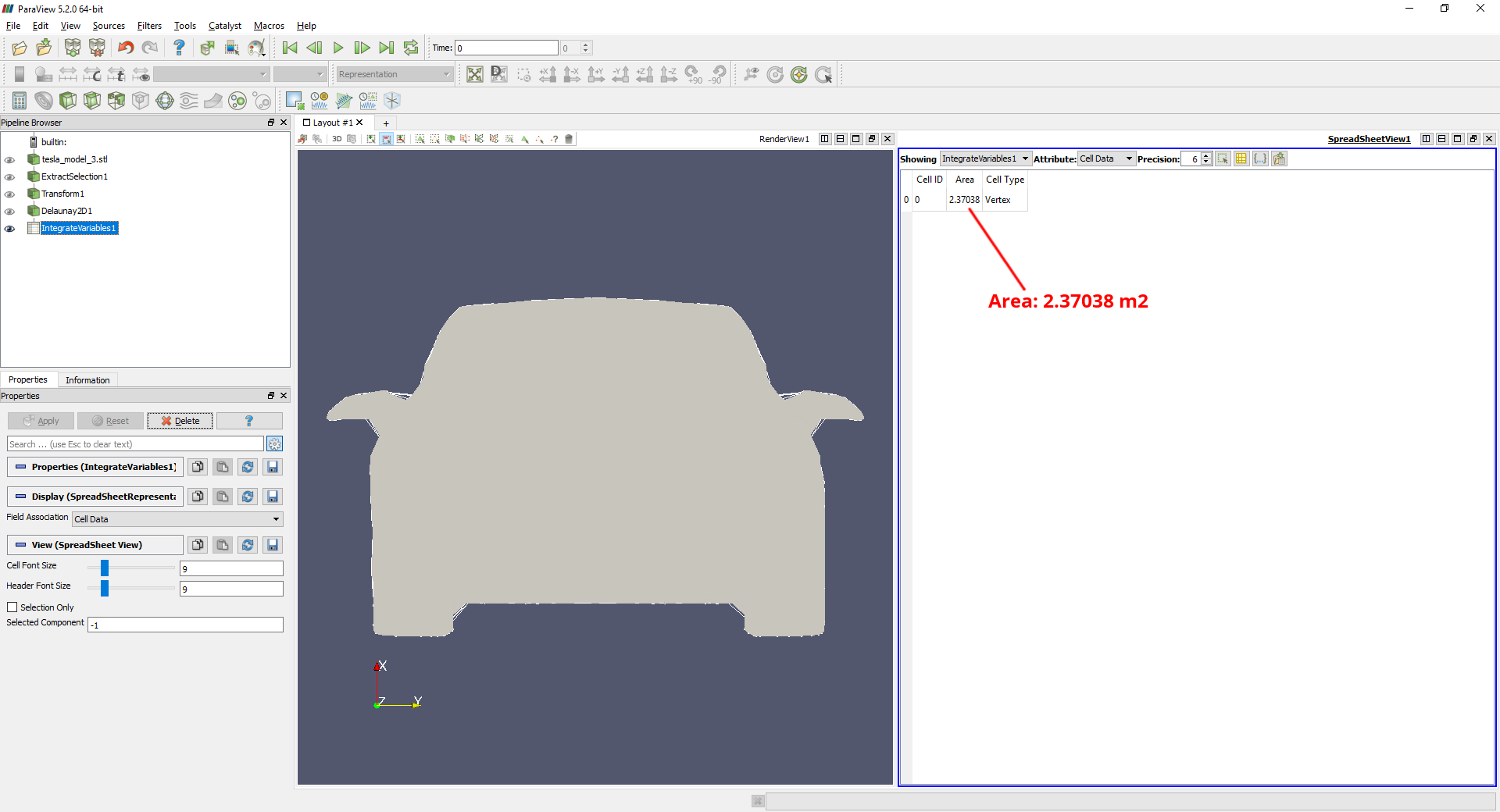
The area measured by this method is of 2.37032 m2, which is very close to the 2.367 m2 I measured using proprietary software.
In step 2, if using Select Cells On, the resulting area is of about 1.9x m2 as it misses many cells with this particular geometry:
Hint: the filters Extract Selection, Transform, Delaunay 2D, and Integrate Variable are located under Filters. But you may add the quickly to the pipeline with Ctrl + Space and typing their name in the search box.