websights

Fill out the form to download

Required field
Required field
Required field
Required field
Required field
Required field
Required field
Required field

Thank you. We will contact you shortly.

CFD Software in the Cloud

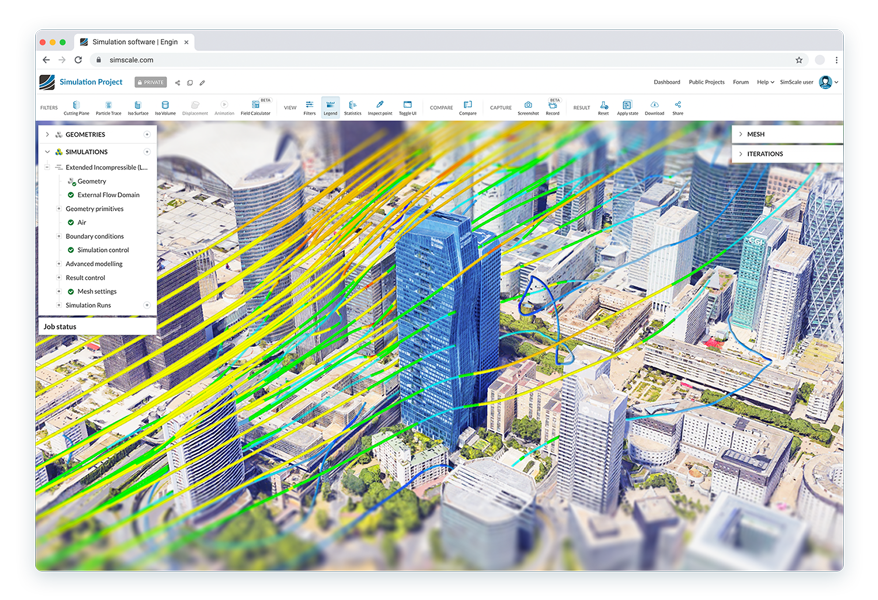
Run multiple analyses in parallel and test your designs with cloud-native fluid dynamics simulation from SimScale.

Start Now


G2 Ratings
Capterra Rating
fluid dynamics simulation in the cloud
zaha hadid architects logo
aecom logo
mitsubishi logo
toshiba logo
Magna Logo
thornton tomasetti logo
sweco logo
aqseptence group logo
johnson & johnson logo
Nobel logo
bucher municipal logo
bühler logo
zaha hadid architects logo
aecom logo
mitsubishi logo
Magna Logo
thornton tomasetti logo
sweco logo
aqseptence group logo
johnson & johnson logo
Nobel logo
bucher municipal logo
bühler logo

From CAD to Simulation Results in 3 Steps

1

Import your design

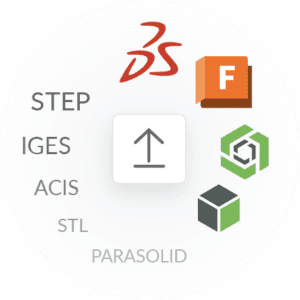
SimScale imports SOLIDWORKS, Fusion 360, CREO, Onshape, and other common files. Meshing is automatic.
step 2 set up
2

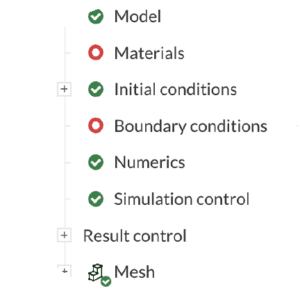
Set up your simulation

Choose your simulation type, set your conditions, and start simulating!
pump simulation with cloud-native cfd
3

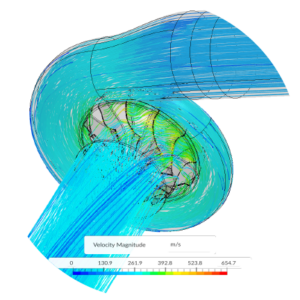
View post-process results

Analyze your simulation results with SimScale’s integrated online post-processor.

You can investigate and optimize different design versions in parallel, online. Try fluid analysis software in the cloud.

Incompressible and Compressible Flow

Under certain conditions, compressibility can become a non-negligible factor. Accurately modeling compressibility is important in order to design products better and make them safer. SimScale CFD software allows the simulation of both incompressible and compressible flow in a robust and accurate way. Applications include fluid dynamics simulation of airplanes, car spoilers, mufflers, airfoils, injectors, valves, ducts, and more.

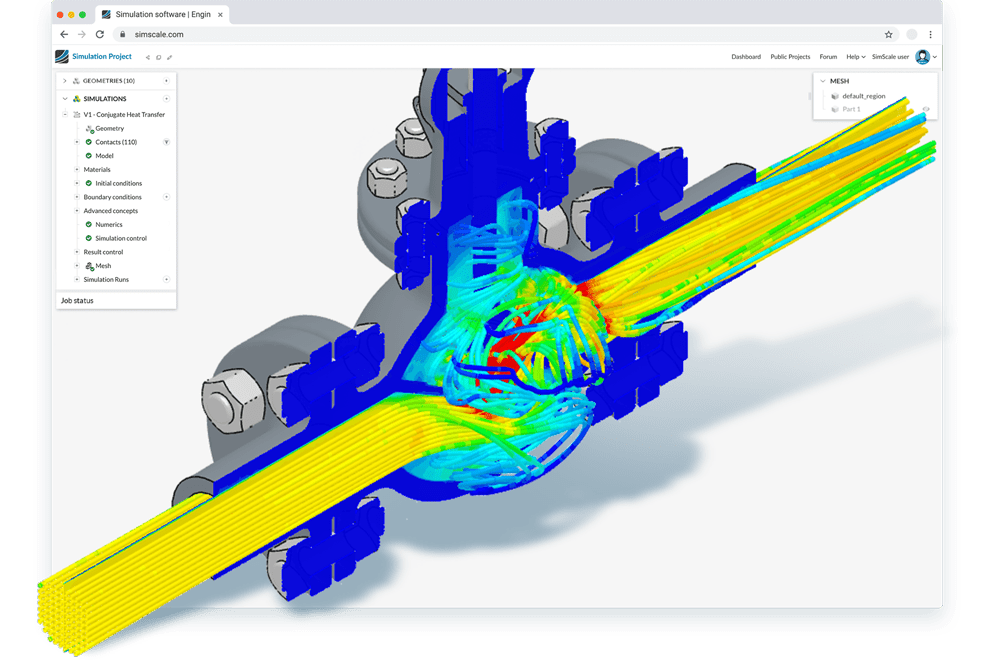
pump simulation browser
valve simulation online via a browser with fluid dynamics simulation

Laminar and Turbulent Flow

SimScale supports computational fluid dynamics modeling of both laminar and turbulent flow regimes. In CFD simulation, in order to solve flow equations, accurate numerical methods, powerful turbulence models, and intensive computing power are required. SimScale flow simulation software offers an all-in-one tool for both steady and transient states, with multiple turbulence models, including k-omega SST and k-epsilon.

Mass and Thermal Transport

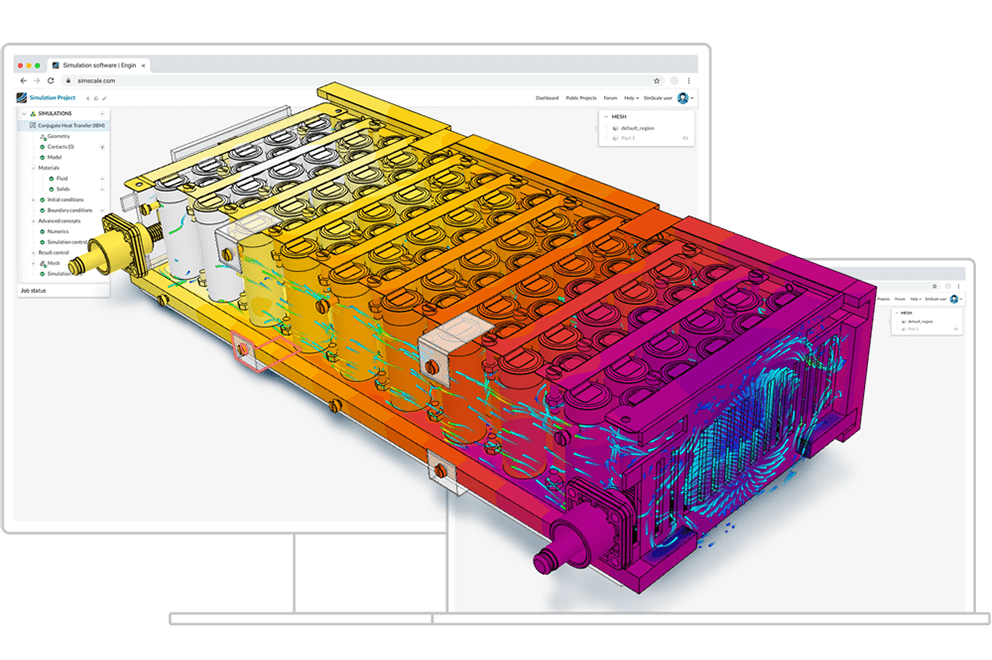
Commonly seen in applications such as water purification, contamination control, or analyzing gas or smoke propagation, passive scalar transport allows CFD analysis of matter transport in an incompressible flow. You can simulate mass transport in a fluid flow, applied, for example, in advanced plant simulation. Furthermore, convective and conjugate heat transfer enhance the simulation capability, with a thermal modeling tool for conduction and convection.
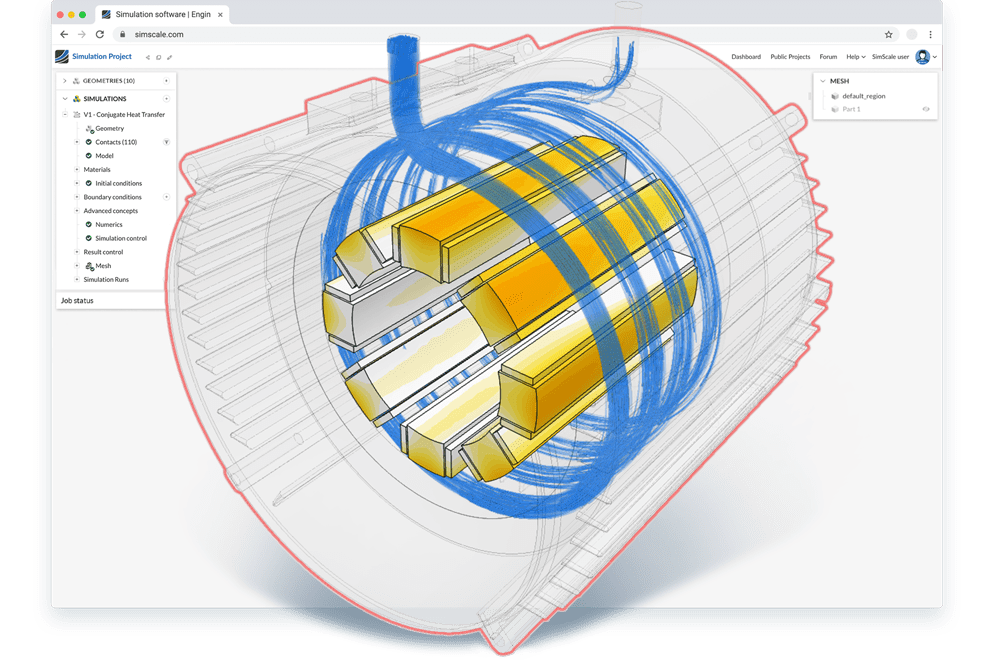
fluid dynamics simulation in a web browser
heat simulation cloud

The Power of the Cloud

Accurate cloud-native CFD simulation allows you to evaluate alternative design iterations simultaneously and fast, without the need to download and install any software from your desktop. With SimScale, engineers can easily access, evaluate, and get results from a CFD analysis online, with 3D visualization available every step of the way.

Zero hardware or software footprint

With SimScale, investing in expensive high-performance computing hardware and caring for software installation and maintenance are a thing of the past.

low upfront investment

Low upfront investment

Save on thousands of dollars by cutting the cost of expensive hardware and software maintenance fees.

no installation or maintenance

No installation or maintenance

Connect to the Internet and run demanding simulations on any laptop or PC. We take care of software updates for you in the background.

easy setup

Easy setup

With our simple workflow and ready-to-use simulation templates and tutorials, you never have to start from scratch.


  • kichler logo

    “The total material cost saving was 44%. We eliminated testing and prototype costs on this project entirely. It usually takes 1-3 weeks of prototyping time and another 1-3 weeks for all the testing normally done. Overall this project was successful and it helped achieve our goal of reducing cost and keeping within the project timeline.”

    Josh Levine

    Lead Engineer in Value Engineering Department at Kichler Lighting

  • Johnson Screens Aqseptence Group

    “The nice thing about SimScale is that you can essentially run an unlimited number of simulations simultaneously with no reduction in computational resources because SimScale opens up each simulation on independent nodes. This is a huge advantage for us.”

    Daryn Bertelson

    CAE Engineer at Johnson Screens – Aqseptence Group

  • “Due to the cloud-native nature of the solvers, the simulation speed is essentially a non-issue because I can add on more cores for faster simulation as needed. I can run 1, 2, or 20 simulations in parallel without worrying about hardware needs. I don’t need to budget for 1, 2, or 20 workstations to simulate my things on.”

    Andrzej Tunkiel

    Mechanical Team Lead at Easee

  • custom_machines_150x50

    “I loved the fact that I could do what I need to do in a browser. I started working without installing any software. Using any computer I could upload the model and start the analysis. That was the big “wow” moment.”

    Ben Lewis

    President at Custom Machines

  • “For the larger scale plant, all the design simulations were carried out in SimScale. This included the heat transfer effectiveness of the steel core, air transfer optimization through ducts, calculating heat losses, and even structural lifting loads for safety purposes.”

    Param Jolly

    Energy Engineer at LUMENION

Set up your own structural mechanics simulation in your web browser and test SimScale. No installation, special hardware or payment information is required.

Community

Free for testing & learning

Free
  • Selected analysis types
  • 10 unrestricted simulations
  • Up to 3000 core hours
Sign Up

Mechanical

For structural & thermal simulation work

Custom
  • All from ‘Community’, plus:
  • Private Projects
  • All Standard Structural & Thermal Analysis Types
  • Live Support
Request Pricing

Professional

For higher fidelity simulation work

Custom
  • All from ‘Community’, plus:
  • Private Projects
  • All Standard Analysis Types
  • Custom computing quota included
  • Live Support
Request Pricing

Enterprise

For broad simulation roll-outs

Custom
  • All from ‘Professional’, plus:
  • Engineering AI
  • Physics AI
  • Dedicated API support
Request Pricing