# Meshing issues
**URL:** https://www.simscale.com/forum/t/meshing-issues/99815
**Category:** Project Support
**Created:** [February 21, 2025, 4:30am UTC](https://www.simscale.com/forum/t/meshing-issues/99815 "2025-02-21T04:30:48Z")
**Posts on this page:** 2
**Page:** 1
### Author:  [@gupta126579](https://www.simscale.com/forum/u/gupta126579)
#### Post date: [February 21, 2025, 4:30am UTC](https://www.simscale.com/forum/t/meshing-issues/99815/1 "2025-02-21T04:30:49Z")
Hey sorry to message again, but I am still having problems with the meshing. I used advice from my previous forum post, [project](https://www.simscale.com/forum/t/meshing-issues/99796). I used the new tutorial to refine our mesh to the dot. Also, I made further refinements to the flow volume walls, making them very coarse to reduce the number of cells since I get this error message attached below repeatedly. This is our project [https://www.simscale.com/workbench/?pid=6110945952924305345&mi=run%3A12%2Csimulation%3A5&mt=SIMULATION\_RUN](https://www.simscale.com/workbench/?pid=6110945952924305345&mi=run%3A12%2Csimulation%3A5&mt=SIMULATION_RUN)
I tried to solve this error by mending the boundary conditions ramping the velocity and cross-checking with the tutorial, but it still didn’t work.
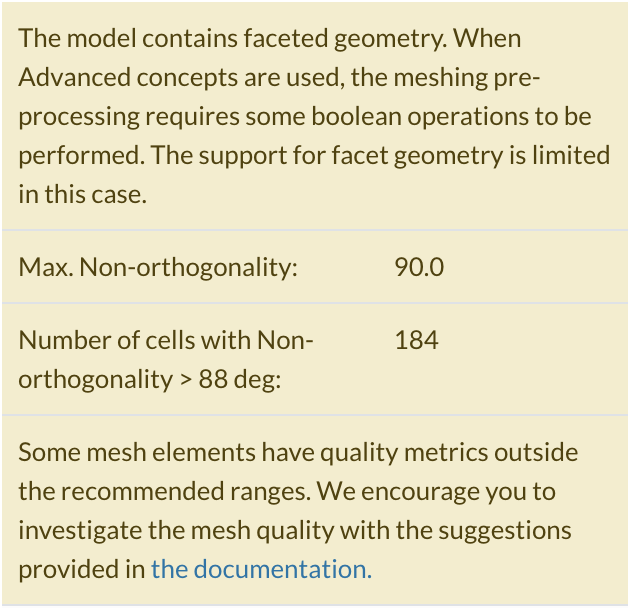
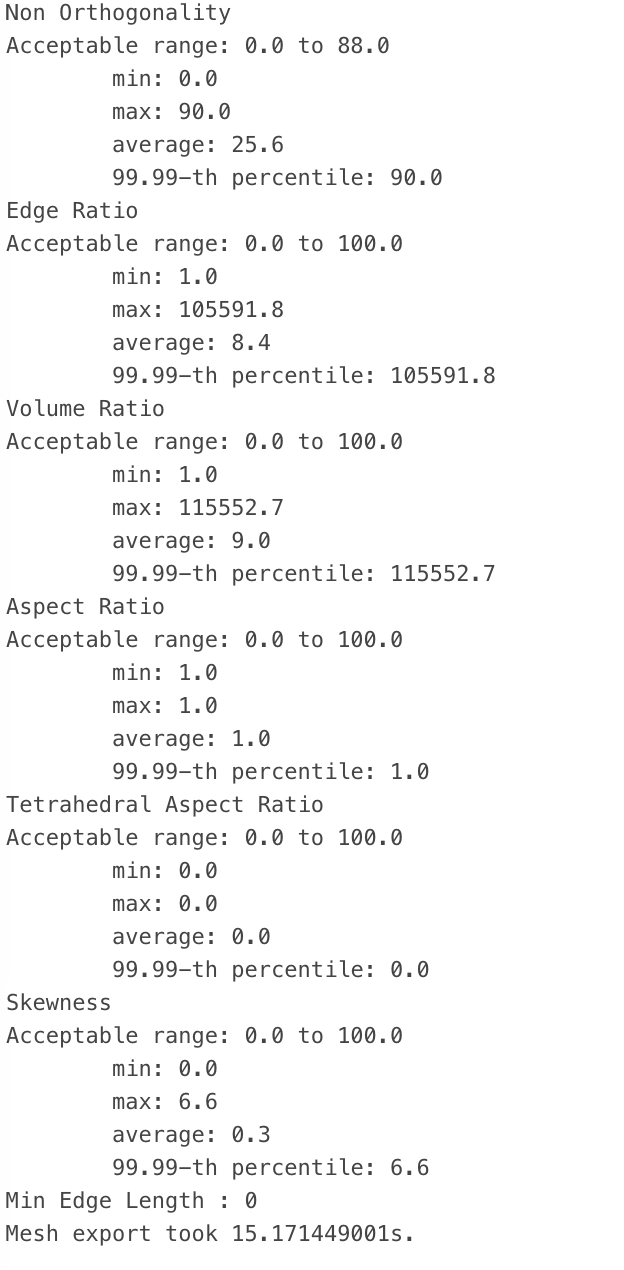
I checked the meshing log and quality and turns out my Non-Orthogonality, Edge Ratio and volume ratio are way out of bounds but I have no idea how to fix it. The documentation, [Mesh Quality | Mesh Visualization Tips | SimScale](https://www.simscale.com/docs/simulation-setup/meshing/mesh-quality/), on these meshing quality terms, doesn’t show how to actually fix it.
Hi, this is a quick update. We tried using onshape to improve our meshing quality however 2 cells still have high non - orthogonality 89.3 causing our simulation to fail with the same error message. How can i fix this issue and improve mesh quality in my project? We have already referred to this [link](https://www.simscale.com/blog/tips-high-quality-mesh/) and this [link](https://www.simscale.com/docs/simulation-setup/numerics/non-orthogonal-correctors/) yet its still not working can you please help us as we have a due date coming soon.
It will be very helpful if anyone can help me with it.
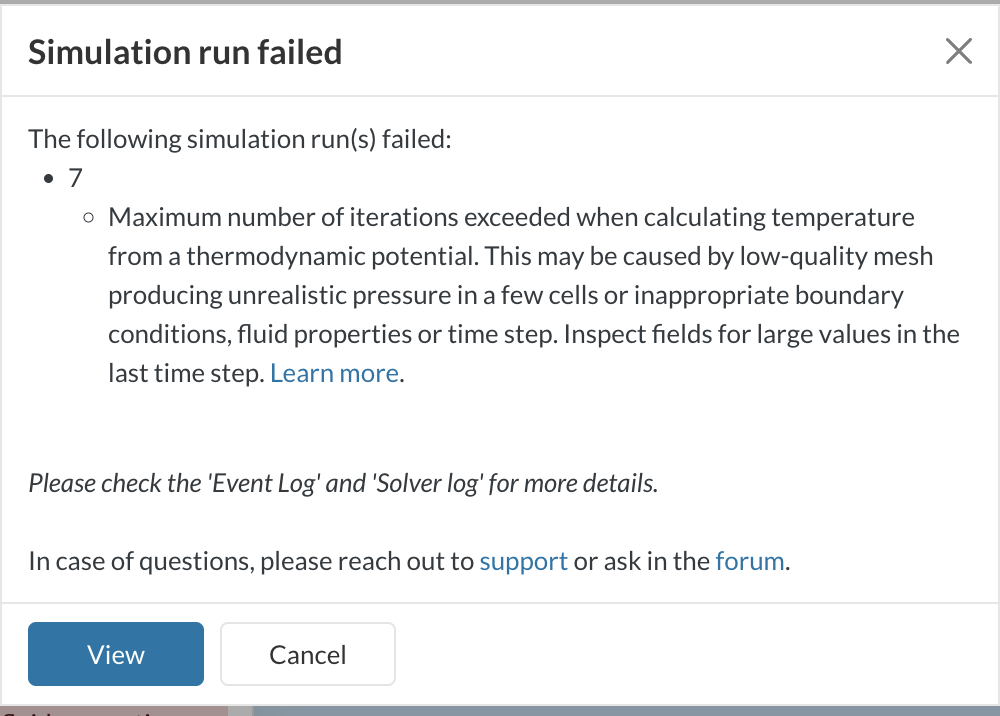
Newest error message

Old error message
Old meshing Log
---
### Author:  [@igaviano](https://www.simscale.com/forum/u/igaviano)
#### Post date: [February 21, 2025, 5:37pm UTC](https://www.simscale.com/forum/t/meshing-issues/99815/2 "2025-02-21T17:37:51Z")
Hi @gupta126579, thanks for posting on the forum!
I think this is the resource you’re looking for:
- **[How to Check and Improve Mesh Quality | SimScale](https://www.simscale.com/knowledge-base/how-to-check-and-improve-mesh-quality/)**
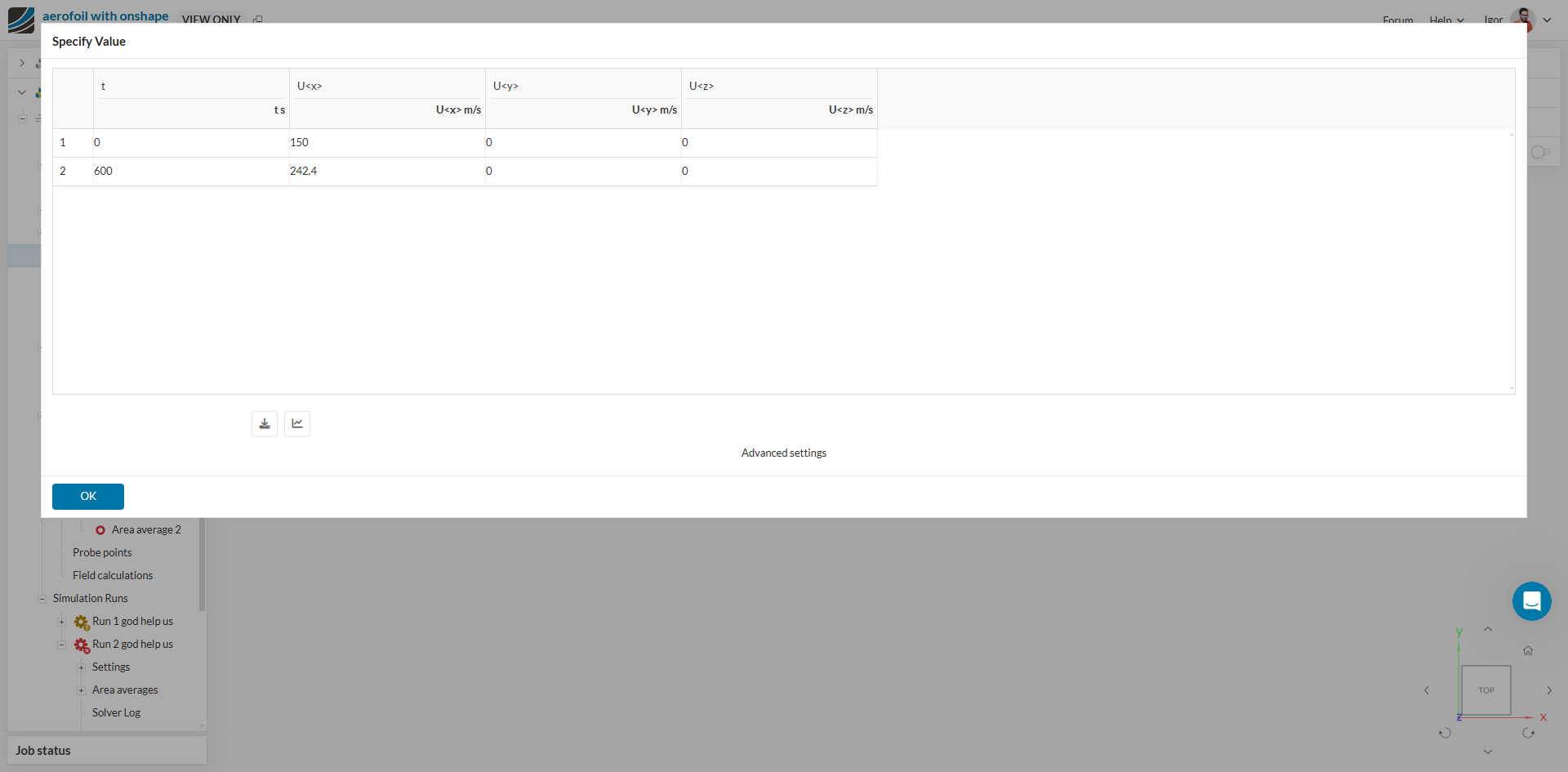
Regardging the velocity ramping, try using the same sort of ramping (just changing the direction) used in the tutorial. Starting with 150 m/s is still a big punch for the solver to handle.
Cheers
Igor