# CAD geometry from Autodesk Revit
**URL:** https://www.simscale.com/forum/t/cad-geometry-from-autodesk-revit/82740
**Category:** CAD & Meshing
**Created:** [July 5, 2018, 6:29pm UTC](https://www.simscale.com/forum/t/cad-geometry-from-autodesk-revit/82740 "2018-07-05T18:29:29Z")
**Posts on this page:** 18
**Page:** 1
### Author:  [@jstirling](https://www.simscale.com/forum/u/jstirling)
#### Post date: [July 5, 2018, 6:29pm UTC](https://www.simscale.com/forum/t/cad-geometry-from-autodesk-revit/82740/1 "2018-07-05T18:29:29Z")
Hello, I’m looking for guidance on using geometry created in Autodesk Revit as the imported CAD model. Does anyone have a good process for creating the negative volume extract of a Revit model to be used for CFD meshing/simulation? My experiences so far have been unsuccessful with creating just a negative volume extract of the “air” region inside the model.
Any help would be greatly appreciated!
Thanks,
Justin
---
### Author:  [@jousefm](https://www.simscale.com/forum/u/jousefm)
#### Post date: [July 5, 2018, 7:11pm UTC](https://www.simscale.com/forum/t/cad-geometry-from-autodesk-revit/82740/2 "2018-07-05T19:11:17Z")
Hi @jstirling!
I have no experience with Autodesk Revit but would like to suggest another solution.
**[OnShape](https://www.onshape.com/)** is able to perform a **Boolean Subtraction**! By defining the boundaries around the geometry subtracting the starting CAD model from the domain that will be simulated will provide you with the Volume you were looking for.
Steps that have to be done:
1. Upload your geometry to OnShape
2. Define your boundaries by sketching around your object (or some other operation if needed)
3. Select **[Boolean](https://cad.onshape.com/help/Content/booleanparts.htm)** operation from the panel, choose the components that need to be subtracted and switch to **Subtract** in the menu
4. Click the checkmark (you can use the right-click option “Shaded with Hidden Edges” to see the geometry inside your domain if applicable)
* * *
**Additional Information:** You can directly import your part files from SolidWorks, Autodesk Inventor and Rhino. It is also possible to upload assemblies in compressed archives (\*.zip, \*.tar.gz). Find a list of the supported file extensions below:
- STEP
- IGES
- STL
- \*.sldprt SolidWorks part
- \*.sldasm SolidWorks assembly (in compressed archive)
- \*.ipt Autodesk Inventor part
- \*.iam Autodesk Inventor assembly (in compressed archive)
- \*.3dm Rhino part
* * *
Tell me if that worked for you and maybe one of our [@power\_users](https://www.simscale.com/forum/groups/power_users) has already used Autodesk (Revit) and might give you the step-by-step instruction.
Cheers!
Jousef
---
### Author:  [@jhorv\_th](https://www.simscale.com/forum/u/jhorv_th)
#### Post date: [July 5, 2018, 7:25pm UTC](https://www.simscale.com/forum/t/cad-geometry-from-autodesk-revit/82740/3 "2018-07-05T19:25:44Z")
Hi @jstirling,
I can have a look on your model if you will. I’d use Onshape too to create the negative of your geometry.
Let me know if you are interested in! 🙂
Bests,
Jani
---
### Author:  [@jstirling](https://www.simscale.com/forum/u/jstirling)
#### Post date: [July 9, 2018, 12:46pm UTC](https://www.simscale.com/forum/t/cad-geometry-from-autodesk-revit/82740/4 "2018-07-09T12:46:28Z")
@jhorv_th, would you like my revit model (.rvt) or would you like me to share the Simscale project?
---
### Author:  [@jhorv\_th](https://www.simscale.com/forum/u/jhorv_th)
#### Post date: [July 9, 2018, 5:19pm UTC](https://www.simscale.com/forum/t/cad-geometry-from-autodesk-revit/82740/5 "2018-07-09T17:19:09Z")
@jstirling, if you could translate it into one of the supported file formats of Onshape ([Supported File Formats](https://cad.onshape.com/help/Content/translation.htm)) that would be nice! I’d recommend .STEP if possible.
---
### Author:  [@jstirling](https://www.simscale.com/forum/u/jstirling)
#### Post date: [July 9, 2018, 6:21pm UTC](https://www.simscale.com/forum/t/cad-geometry-from-autodesk-revit/82740/6 "2018-07-09T18:21:40Z")
@jhorv_th, the ultimate main goal of mine is to do all of the pre-processing within Revit prior to importing the geometry into Simscale…but getting this workflow figured out has been a real challenge.
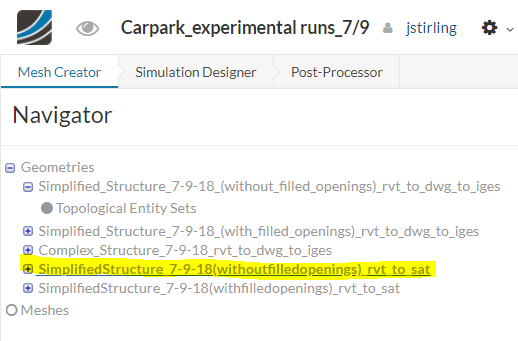
I created a public project named “[Carpark\_experimental runs\_7/9](https://www.simscale.com/projects/jstirling/carpark_experimental_runs_7-9/)”, and uploaded some geometry there.
I attached two different .sat (exported from .rvt to .sat) files that I’ve been using to try and troubleshoot the issue, even though most geometries I’ll be working with on a daily basis will be much more complicated. One file is a very simple file with the air inlets and large vehicle opening (in the exterior walls) and the air outlets (centered in the interior) as openings in the walls. The second file is exactly the same, but with the openings filled in.
I also uploaded the same two listed above in .iges format (exported from .rvt to .dwg to .iges). In addition, there is a third more complex geometry that I would expect to see on a daily basis from my structural/architectural engineering team.
The two uploaded .sat files look cleaner than the .iges files. I tried uploading an .sat version of the more complex geometry, but I kept getting the following error:
“unsuccesful server response code: 500”.
Any input here would be greatly appreciated!
Thanks in advance,
Justin
---
### Author:  [@jhorv\_th](https://www.simscale.com/forum/u/jhorv_th)
#### Post date: [July 9, 2018, 7:54pm UTC](https://www.simscale.com/forum/t/cad-geometry-from-autodesk-revit/82740/7 "2018-07-09T19:54:26Z")
@jstirling, I created one model for the inner domain which can be found here:
> **[Onshape](https://cad.onshape.com/documents/613060dd1c6a77e5d6398dc0/w/7a3a1c720967e5b35a3554ad/e/154de5497d94392682b4047f)**
>
> Sign in to Onshape, the #1 fastest growing CAD system in the world with over 4 million users.
The .sat file was the winning choice! (I tried it with .iges too, but it didn’t really work well.)
The domain:
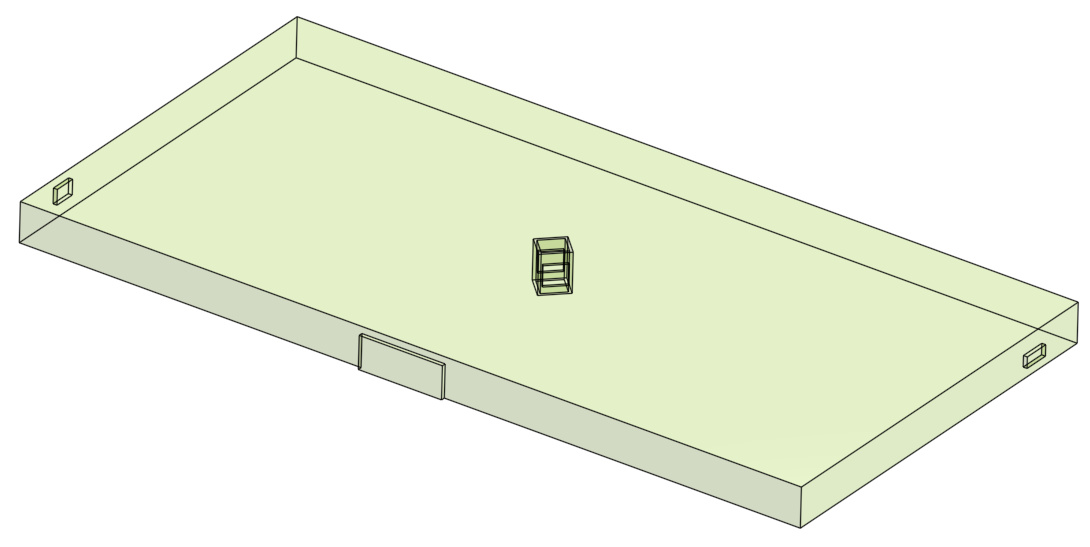
You’ll see that I had to create some features in order to get the final result, so it is not a “one-button” thing unfortunately; it may be a longer procedure with a more complicated geometry.
Let us know, if you need further assistance, and keep us updated about your project, if you will. 🙂
Side note: please note that you need to have solid bodies to successfully create the model. The “Complex\_Structure\_7-9-18\_rvt\_to\_dwg\_to\_iges” is not really good because it contains a lot of surfaces instead.
Best regards,
János
---
### Author:  [@jstirling](https://www.simscale.com/forum/u/jstirling)
#### Post date: [July 10, 2018, 1:42pm UTC](https://www.simscale.com/forum/t/cad-geometry-from-autodesk-revit/82740/8 "2018-07-10T13:42:42Z")
Thank you @jhorv_th! If I already had the extruded inlet/outlet features added to my CAD model, I suspect the same thing could be accomplished just by hiding the “outside” surfaces within Simscale before setting up my meshing operation. Is this correct?
Maybe I could add all of the faces that are not to be included in the internal domain to a “topological entity set” so they can be toggled on/off easily. Would that work?
As I mentioned in my previous message, I tried uploading an .sat version of the more complex geometry, but I kept getting an error stating “unsuccesful server response code: 500”. Do you know what this means?
Thanks,
Justin
---
### Author:  [@jhorv\_th](https://www.simscale.com/forum/u/jhorv_th)
#### Post date: [July 10, 2018, 2:53pm UTC](https://www.simscale.com/forum/t/cad-geometry-from-autodesk-revit/82740/9 "2018-07-10T14:53:57Z")
You’re welcome @jstirling!
Closing the inlet and outlet is not equivalent to importing the negative of your geometry. Maybe it is fair to say that you need to model the air not the walls.
I have no idea why you got that error message but if you share the .sat solid model somehow, then I’ll have a look on it!
Best regards,
Janos
---
### Author:  [@jstirling](https://www.simscale.com/forum/u/jstirling)
#### Post date: [July 10, 2018, 3:09pm UTC](https://www.simscale.com/forum/t/cad-geometry-from-autodesk-revit/82740/10 "2018-07-10T15:09:05Z")
Does this link work:
[https://drive.google.com/open?id=1KJ\_MxZPQxO9yV1p83KKrXN8yxCxao9KY](https://drive.google.com/open?id=1KJ_MxZPQxO9yV1p83KKrXN8yxCxao9KY)
---
### Author:  [@jhorv\_th](https://www.simscale.com/forum/u/jhorv_th)
#### Post date: [July 10, 2018, 9:28pm UTC](https://www.simscale.com/forum/t/cad-geometry-from-autodesk-revit/82740/11 "2018-07-10T21:28:16Z")
@jstirling, yes, it does.
You can find the model under the same Onshape link I sent to you yesterday.
It was quite easy to create this model. You can download it as .step and try to upload into Simscale.
Let me know if this works. 🙂
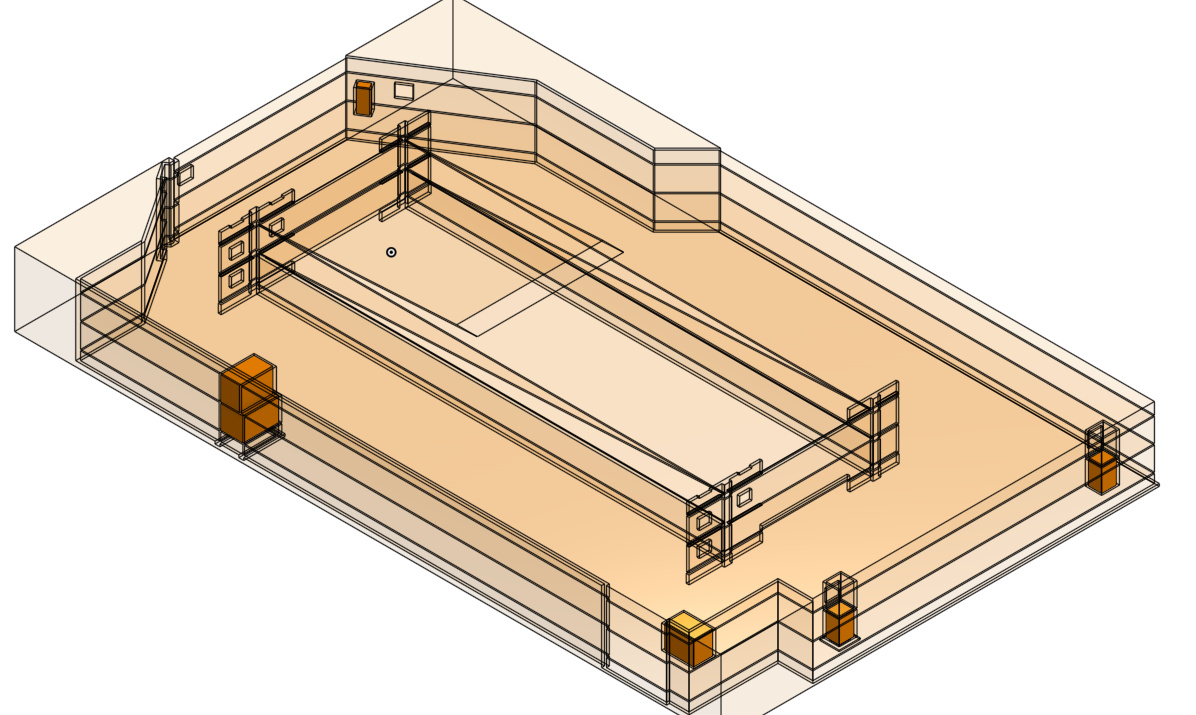
Best regards,
János
---
### Author:  [@jstirling](https://www.simscale.com/forum/u/jstirling)
#### Post date: [July 11, 2018, 5:58pm UTC](https://www.simscale.com/forum/t/cad-geometry-from-autodesk-revit/82740/12 "2018-07-11T17:58:35Z")
It appears to have imported successfully! Thank you!
---
### Author:  [@jhorv\_th](https://www.simscale.com/forum/u/jhorv_th)
#### Post date: [July 11, 2018, 7:00pm UTC](https://www.simscale.com/forum/t/cad-geometry-from-autodesk-revit/82740/13 "2018-07-11T19:00:06Z")
You’re welcome! 🙂
---
### Author:  [@akarindi](https://www.simscale.com/forum/u/akarindi)
#### Post date: [October 19, 2019, 5:42am UTC](https://www.simscale.com/forum/t/cad-geometry-from-autodesk-revit/82740/14 "2019-10-19T05:42:19Z")
Please help me to get idea on How to export a ducting network from Autodesk REVIT (.rvt) for simulation and how to apply boundary condition to the same.
---
### Author:  [@ROHIT\_SR](https://www.simscale.com/forum/u/ROHIT_SR)
#### Post date: [October 19, 2019, 6:47am UTC](https://www.simscale.com/forum/t/cad-geometry-from-autodesk-revit/82740/15 "2019-10-19T06:47:02Z")
> [@akarindi](#):
>
> How to export a ducting network from Autodesk REVIT (.rvt) for simulation
> [@Can't upload Geometry](https://www.simscale.com/forum/t/cant-upload-geometry/17172/31):
>
> Hi @ofadodun! The following file formats are allowed: You can directly import your part files from SolidWorks, Autodesk Inventor and Rhino. It is also possible to upload assemblies in compressed archives (\*.zip, \*.tar.gz). Stop exporting and start simulating! Find a list of the supported file extensions below: STEP IGES STL \*.sldprt SolidWorks part \*.sldasm SolidWorks assembly (in compressed archive) \*.ipt Autodesk Inventor part \*.iam Autodesk Inventor assembly (in compressed archive) \*.3dm …
I AM NOT SURE ABOUT .rvt file but can you try to upload on simscale project?
create a new project and try to upload it.
if it not working then inform me. I will help you. 😉
Cheers!
Rohit.
---
### Author:  [@Retsam](https://www.simscale.com/forum/u/Retsam)
#### Post date: [October 19, 2019, 7:02am UTC](https://www.simscale.com/forum/t/cad-geometry-from-autodesk-revit/82740/16 "2019-10-19T07:02:12Z")
@akarindi: Please go to that Autodesk knowledge base link, which explains how to export Revit files:
[Revit Products Support](https://knowledge.autodesk.com/support/revit-products/learn-explore/caas/CloudHelp/cloudhelp/2019/ENU/Revit-DocumentPresent/files/GUID-EA2B51E1-C28A-4410-AF01-836377581968-htm.html)
Cheers,
Retsam
---
### Author:  [@akarindi](https://www.simscale.com/forum/u/akarindi)
#### Post date: [October 19, 2019, 7:08am UTC](https://www.simscale.com/forum/t/cad-geometry-from-autodesk-revit/82740/17 "2019-10-19T07:08:07Z")
Thank you @ROHIT_SR. I will update you after my trial.
---
### Author:  [@akarindi](https://www.simscale.com/forum/u/akarindi)
#### Post date: [October 21, 2019, 5:00am UTC](https://www.simscale.com/forum/t/cad-geometry-from-autodesk-revit/82740/18 "2019-10-21T05:00:11Z")
Sure @Retsam I’ll get back to you. Thank You:blush: